In today’s digital-first world, choosing the right communication tool can make or break your team’s productivity. That brings us to the key question: Microsoft Teams vs Slack: Which Is Better for Team Communication? Whether you’re managing a remote team, hybrid workplace, or an in-office crew, this in-depth comparison will help you decide which tool wins in 2025.
🔗 Key Highlights
- Comprehensive comparison of Microsoft Teams vs Slack features.
- Breakdown of pricing, integrations, UI, security, and collaboration tools.
- Best options based on team size and work style.
- Real user insights and productivity tips.
- Final verdict to help you choose the best team communication platform.
Microsoft Teams vs Slack: Which Is Better for Team Communication?
Let’s answer the question you’re here for: Microsoft Teams vs Slack: Which Is Better for Team Communication?
The short answer: it depends on your business needs.
- If you’re already in the Microsoft ecosystem, Microsoft Teams might be the ideal choice thanks to its tight integration with Office 365.
- If you want a flexible, easy-to-use messaging platform with thousands of integrations, Slack may better suit your team.
Now let’s break it down further.

🔠 User Interface & Experience: Microsoft Teams vs Slack
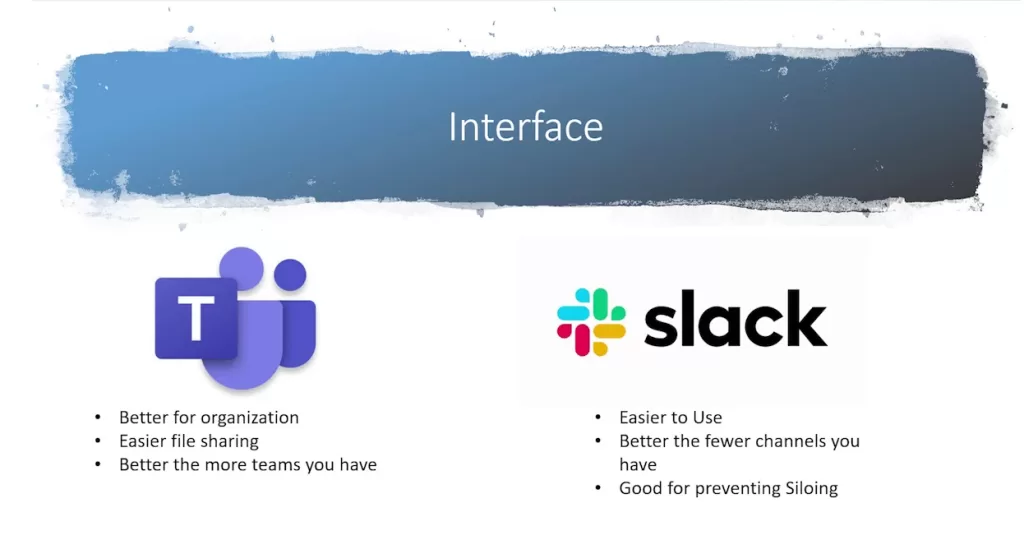
Slack is widely praised for its clean, minimalist interface. Channels are organized by topics, and the search functionality is incredibly intuitive.
Microsoft Teams, on the other hand, has a more layered UI. It might feel overwhelming initially, but it offers more in-depth control, especially for larger organizations.
Verdict: Slack wins for simplicity. Teams wins for enterprise-level structure.
🌐 Integrations & Compatibility
When it comes to third-party app integrations, Slack leads the race with over 2,400+ apps. From Google Drive to Asana, it connects with almost everything.
Microsoft Teams has fewer integrations but shines with deep Office 365 integration – Outlook, OneDrive, Excel, and more.
Verdict: Slack for broader compatibility; Teams for Office 365 users.
Explore more about Office 365 integrations here.
💲 Pricing & Plans: Microsoft Teams vs Slack
Slack Pricing:
- Free: Basic features, 90-day message history.
- Pro ($7.25/user/month): Unlimited history, more integrations.
- Business+ ($12.50/user/month): Advanced admin controls.
Microsoft Teams Pricing:
- Free: Chat, video calls, limited storage.
- Microsoft 365 Business Basic ($6/user/month): Includes Teams.
- Microsoft 365 Business Standard ($12.50/user/month): More features and storage.
Verdict: Microsoft Teams offers more value at lower price points if you need Office apps.

🛡️ Security and Compliance: Microsoft Teams vs Slack
Microsoft Teams provides enterprise-grade security, including multi-factor authentication and advanced compliance tools.
Slack also offers solid security, especially with the Enterprise Grid plan, but Microsoft holds the edge for regulated industries.
Verdict: Teams is the go-to for compliance-heavy sectors.

🚀 Productivity Features & Collaboration
Slack keeps it simple with channels, threads, mentions, and emojis. You can even use Slackbot for automation.
Microsoft Teams has powerful built-in tools like task assignments, video conferencing, and file collaboration – all without leaving the app.
Verdict: Teams shines for all-in-one collaboration.
🔥 Real-World Use Cases
- Startups and remote teams love Slack for its agility and fun vibe.
- Large enterprises and educational institutions prefer Microsoft Teams for centralized control and native Microsoft integration.
Need help setting up Slack for your startup? Check out our step-by-step Slack setup guide.
📈 Performance and Reliability
Both platforms are reliable, but Microsoft Teams sometimes experiences slower performance due to heavy Office integrations.
Slack is lightweight and consistently fast, making it ideal for lean teams.
Verdict: Slack wins in speed and responsiveness.
🥇 Final Verdict: Microsoft Teams vs Slack
So, Microsoft Teams vs. Slack: Which Is Better for Team Communication?
- Choose Slack if you want a sleek, highly customizable, fast messaging app with rich integrations.
- Choose Microsoft Teams if you’re embedded in the Microsoft ecosystem and want an all-in-one productivity suite.
Still undecided? Try both for free and test with a small team before scaling up.
📄 Summary Table: Microsoft Teams vs Slack
| Feature | Microsoft Teams | Slack |
|---|---|---|
| UI & UX | Complex, powerful | Simple, intuitive |
| Integrations | Office 365-centric | 2400+ apps |
| Pricing | Cheaper with Office bundle | Freemium with upgrades |
| Security | Enterprise-grade | Secure, less enterprise |
| Productivity | Video, files, tasks built-in | Messaging + integrations |
🔎 Related Articles
Microsoft Teams vs Slack: Which Is Better for Team Communication? Ultimately, it depends on your priorities. Evaluate based on team size, work style, and existing tools. Whatever you choose, make sure it fits your team’s flow — and boosts collaboration! ✨
Have you tried both? Let us know your experience in the comments below! 😊