Have you ever connected your phone to Wi-Fi and instantly started browsing without typing any IP address or configuration? That’s the magic of the Dynamic Host Protocol (DHCP) at work.
When I first learned about networking, I remember being confused—how could so many devices connect to the same network without chaos? I imagined every computer fighting over IP addresses like kids over candy. But then I discovered DHCP, and everything just… clicked.
What is Dynamic Host Protocol (DHCP)?

At its core, Dynamic Host Protocol (DHCP) is like a smart manager who hands out IP addresses to devices on a network automatically. Instead of manually assigning an IP to each computer (which would be painfully slow), DHCP does it all behind the scenes—fast and efficiently.
Every device connected to a network—be it your laptop, mobile, or smart TV—needs an IP address to communicate. DHCP ensures that every device gets one without any duplication or conflict.
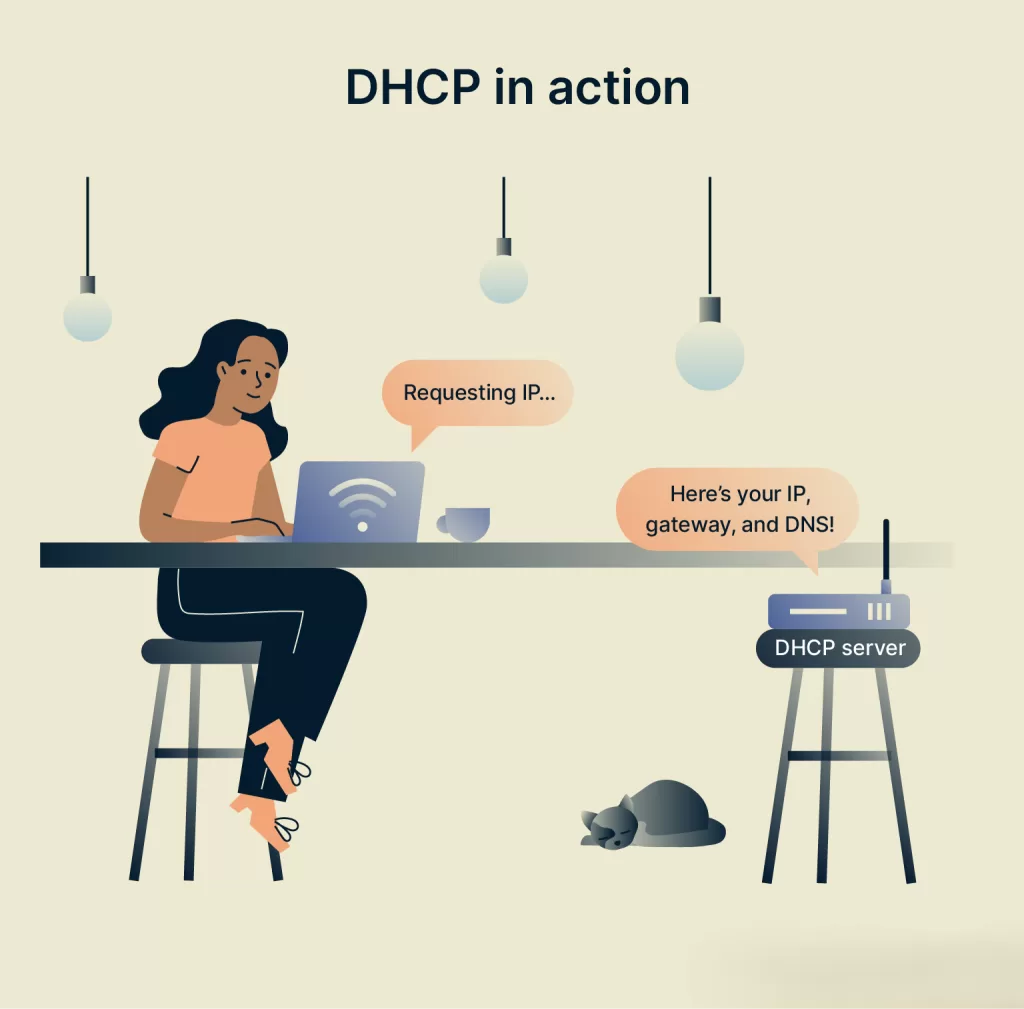
Think of it like this: you walk into a coffee shop, order your favorite drink, and the barista hands you a number for your table. That’s what DHCP does for your devices—it assigns a temporary “number” so your device can talk to others online.
How Does Dynamic Host Protocol Work?

To really grasp how dynamic host protocol functions, let’s break down the DHCP process step by step. There are four main stages:
1. DHCP Discovery
When your device connects to a network, it yells out—“Hey, is there any DHCP server here?” This is the DHCP Discover message.
2. DHCP Offer
The DHCP server (usually your router) replies, “Yes! I’ve got some IPs available.” It sends back an offer with an IP address suggestion.
3. DHCP Request
Your device responds, “Cool, I’ll take that one!”
4. DHCP Acknowledge
Finally, the DHCP server confirms—“Alright, it’s yours.” And just like that, your device has an IP address!
This entire process happens in milliseconds—faster than you can blink.
🖥️ Importance Of Dynamic Host Protocol

Imagine an office with 100 computers. Without DHCP, you’d have to assign each IP manually. Now, imagine a large company with thousands of devices. Sounds like a nightmare, right?
Here’s where dynamic host protocol saves the day:
- It automates IP assignment.
- It reduces configuration errors.
- It prevents IP conflicts.
- It simplifies network management.
It’s no exaggeration to say that the modern Internet would be impossible to manage without DHCP.
Real-Life Example of DHCP
I once worked on a project setting up a small office network for a startup. Every time a new employee joined, their laptop needed to connect instantly—no tech support, no setup delays.
Thanks to dynamic host protocol, the moment they connected to Wi-Fi, their laptop automatically got an IP, DNS, and gateway configuration. It made onboarding effortless.
That’s the beauty of DHCP—it keeps things simple, seamless, and scalable.
DHCP Components You Should Know
Understanding dynamic host protocol also means knowing its key components:
- DHCP Server: Assigns IP addresses (like a router or dedicated server).
- DHCP Client: The device requesting the IP address.
- DHCP Lease: The time period for which the IP is assigned.
- DHCP Scope: The range of IPs available for allocation.
- DHCP Relay: Helps forward requests if the DHCP server is on another network.
These terms might sound technical, but they’re basically the building blocks that keep your network alive.
Static IP vs Dynamic IP

Here’s a common question I get: “Should I use a static IP instead of DHCP?”
Well, both have their place.
- Static IP – stays the same forever. Great for servers, printers, or devices that need constant access.
- Dynamic IP – changes over time, automatically managed by dynamic host protocol. Perfect for regular users.
I personally prefer DHCP for most cases—it just works. Unless I’m configuring a web server or CCTV system, I rarely touch static IPs.
Troubleshooting DHCP Issues
Sometimes, you might connect to a network and see a message like “Connected, but no Internet.” This could be a DHCP issue.
Here’s how I usually fix it:
- Restart the router (the easiest fix 😅).
- Run the command
ipconfig /renewon Windows. - Check if the DHCP service is enabled on the router.
- Ensure there are enough IPs in the DHCP pool.

Where is DHCP Used?
Pretty much everywhere!
- Home Wi-Fi networks 🏠
- Corporate networks 🏢
- Data centers ☁️
- IoT systems 🌐
- Public Wi-Fi hotspots
Anywhere devices connect dynamically, dynamic host protocol plays a silent but crucial role.
Benefits of Dynamic Host Protocol
Let’s recap why dynamic host protocol is a game-changer:
✅ Simplifies IP management
✅ Reduces manual errors
✅ Automatically updates DNS records
✅ Helps in scalability
✅ Saves time for network admins
It’s like having an invisible assistant keeping your network in perfect order.
Final Thoughts
The next time your phone connects to Wi-Fi effortlessly, take a second to appreciate the unsung hero—the Dynamic Host Protocol.
It might not get the spotlight like AI or 5G, but without DHCP, our digital world would collapse into chaos. It’s quiet, invisible, but essential.
So whether you’re a student exploring networking or a tech enthusiast curious about how the Internet truly works, remember: DHCP keeps everything flowing smoothly.
Want to Learn More About Networking ? Kaashivinfotech Offers Networking Course, Cloud Computing Course, Cyber Security Course, Visit www.kaashivinfotech.com.