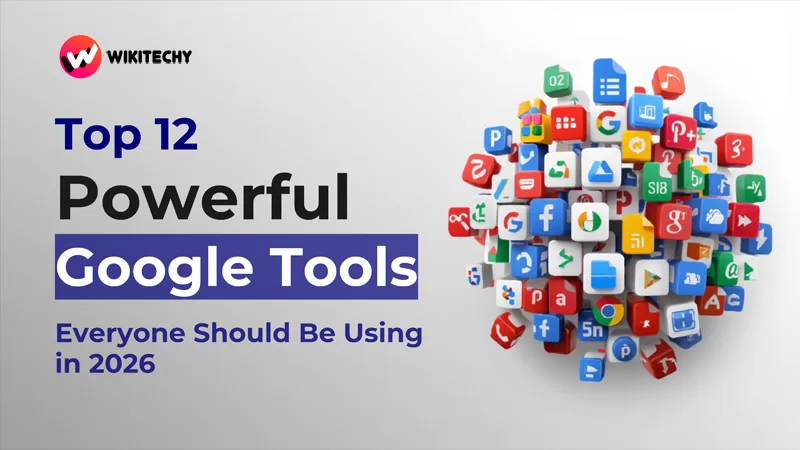
If someone had told me five years ago that Google would become the backbone of my daily life—handling my work, reminders, finances, ideas, and even my sleep schedule—I would’ve smiled politely and moved on with my cold coffee.
Yet here I am today—drafting this blog in Google Docs, checking Google Trends for topic ideas, and relying on Google Calendar to remind me to buy dog food
At this point, Google tools aren’t just software—they’re like digital life partners. This blog isn’t a boring list; it’s a peek into how these tools brought structure to my wonderfully messy life—and how they can do the same for you.
So let’s jump right in 👇
🧰 1. Google Docs – Where All My Thoughts Live
If my brain had a backup drive, it would be Google Docs.
From blog drafts and resumes to scripts, notes, and random midnight ideas—everything ends up here. Since it’s cloud-based, I can start writing on my laptop and finish on my phone without missing a beat. And auto-save? Absolute lifesaver. 🙌
Why it works so well for me:
- Real-time collaboration for team edits
- Easy comments and suggestion mode
- Smooth integration with tools like Grammarly
🧠 Quick hack: Try voice typing when your hands are tired but ideas are flowing—it’s surprisingly effective.
📅 2. Google Calendar – Keeping My Life on Track
Before Google Calendar, I forgot appointments like it was my job. Birthdays, deadlines, meetings—gone. Now everything is neatly organized, color-coded, and synced across devices.
How I rely on it:
- Blocking focus hours (yes, even binge-watch time 😄)
- Daily and weekly reminders
- Sharing schedules with friends and family
💡 Pro tip: Create separate calendars for Work, Personal, and Side Projects—it keeps things clean and stress-free.
📂 3. Google Drive – My Digital Vault
Think of Google Drive as an infinite storage room that never gets messy.
I store everything here—documents, invoices, contracts, images, videos, and even embarrassing old memes. It’s secure, searchable, and ridiculously easy to share.
Why it’s unbeatable:
- 15GB of free space
- File sharing with custom permissions
- Works seamlessly with Docs, Sheets, and Slides
Honestly, it’s hard to imagine digital life without it.
✉️ 4. Gmail – Email, But Smarter
Let’s be honest—email can be chaos. Gmail turns that chaos into order.
Between labels, filters, snooze options, and smart suggestions, managing emails feels effortless. I even track deliveries and schedule follow-ups without leaving my inbox.
What stands out:
- Smart Reply and Smart Compose
- Calendar and Tasks integration
- Confidential mode for sensitive emails
Used correctly, Gmail saves more time than you realize.
📊 5. Google Sheets – Simple, Powerful, Stress-Free
I used to avoid spreadsheets—until Google Sheets changed my mind.
Now I use it for budgets, planning, tracking projects, and organizing content calendars. It’s fast, collaborative, and doesn’t feel intimidating.
I mainly use it for:
- Monthly expense tracking 💰
- Content planning
- Light data analysis with formulas and formatting
Real-time collaboration makes teamwork incredibly smooth.
🎯 6. Google Keep – Where Random Ideas Go
Ever get ideas at the worst possible times? Same.
Google Keep is my go-to for capturing quick thoughts before they disappear. It’s simple, fast, and beautifully minimal.
What I love using it for:
- Voice notes
- To-do lists
- Blog ideas, affirmations, reminders
It’s like sticky notes for your brain—minus the clutter.
📷 7. Google Photos – My Personal Memory Bank
Google Photos doesn’t just store images—it brings memories back to life.
From automatic backups to nostalgic “On This Day” reminders, it keeps my favorite moments safe and searchable.
Standout features:
- Smart search (by place, object, or year)
- Face recognition
- Auto-generated albums and memories
Turn on auto-backup and thank yourself later.
🧠 8. Google Scholar – Serious Research Made Easy

Whenever I’m working on research-heavy content, Google Scholar becomes my first stop.
It’s packed with credible journals, academic papers, and case studies—perfect for deep dives and fact-based writing.
Ideal for:
- Students
- Researchers
- Anyone who values reliable sources
If accuracy matters, this tool is gold.
🔍 9. Google Trends – A Content Creator’s Best Friend
Want to know what the world is searching for right now? Google Trends has the answer.
I use it to spot trending topics, compare keywords, and plan content around real search demand.
Try comparing topics like “AI tools” and “ChatGPT”—the insights are eye-opening.
Free, visual, and surprisingly fun to explore.
📌 10. Google Forms – Simple Surveys, Big Results
Whenever I need feedback or responses, Google Forms gets the job done.
From client surveys to event registrations, it’s quick to set up and easy to manage.
Why it’s so useful:
- Custom themes
- Automatic response summaries
- Direct integration with Google Sheets
Simple enough for beginners, powerful enough for professionals.
🌍 11. Google Earth – Travel Without Leaving Home
Google Earth lets you explore the world without packing a bag.
I’ve used it to revisit old neighborhoods, plan trips, and even “travel” during lockdown days.
Great for:
- Virtual tours
- Geography learning
- Travel inspiration
Zooming across the globe never gets old.
📚 12. Google Books – A Library in Your Pocket
Google Books is perfect for readers who love exploring before buying.
I often preview books, discover rare titles, and pull references for my writing—all in one place.
Best for:
- Book previews
- Research citations
- Discovering new reads
A must-have for curious minds.
🔧 New Google Tools for 2026 You Should Explore
Google’s 2026 updates bring AI-powered features that are surprisingly easy to use—even if you’re not tech-savvy.
1. AI Mode in Google Search
Ask complex questions, upload PDFs, and interact using voice or visuals—all from a dedicated AI tab.
2. Gemini Live App
A real-time AI assistant that listens, responds, and even understands what’s on your screen.
3. NotebookLM
Upload notes, documents, or videos and get smart summaries, insights, and explanations—perfect for studying or research.
4. Imagen 4
Turn text prompts into high-quality images, posters, and visuals directly through Gemini.
5. Veo 3 & Flow
AI-powered video creation tools designed for beginners experimenting with short-form content.
💡 Final Thoughts: Are You Really Using Google Tools Fully?
Google Tools – Life gets busy. Goals pile up. Tasks overlap.
That’s where Google tools quietly step in.
✔ Need structure? Google Calendar
✔ Need clarity? Google Docs & Keep
✔ Need organization? Drive + Sheets
If these Google tools helped me turn daily chaos into something manageable, they can absolutely do the same for you. All it takes is using them intentionally.
If u want to learn Courses like Full Stack Dotnet, Python, Java with certification visit www.KaashivInfotech.com.