
The Apache HTTP Server, commonly known as Apache Web Server, is one of the most widely used web servers in the world. For decades, it has powered millions of websites—from small personal blogs to large enterprise applications. Understanding how Apache works is essential for developers, system administrators, and anyone interested in web technologies.
This article provides a detailed introduction to Apache Web Server, explaining what it is, how it works internally, its architecture, components, and why it remains popular today.
What Is Apache Web Server?

Apache is an open-source apache web server software developed and maintained by the Apache Software Foundation. Its primary role is to accept requests from clients (browsers) and serve web content such as HTML pages, images, CSS files, JavaScript files, and APIs over the HTTP/HTTPS protocol.
Apache runs on multiple operating systems, including Linux, Windows, macOS, and Unix-based systems, making it highly flexible and platform-independent.
Why Apache Is So Popular
Apache has remained relevant for years because of its:
- Open-source and free nature
- Strong community support
- High stability and reliability
- Modular architecture
- Compatibility with many programming languages like PHP, Python, Perl, and Java
These features make Apache suitable for both beginners and large-scale production environments.
How Apache Works: Step-by-Step Process
To understand Apache, it’s important to see how it handles a request from start to finish.
1. Client Sends a Request

When a user enters a website URL in a browser, such as www.example.com, the browser sends an HTTP request to the server where Apache is running. This request includes:
- The requested resource (e.g.,
/index.html) - HTTP method (GET, POST, etc.)
- Headers (browser type, cookies, language, etc.)
2. Request Reaches Apache Server

Apache listens for incoming requests on a specific port (usually port 80 for HTTP and port 443 for HTTPS). Once the request reaches the server, Apache decides how to handle it based on its configuration files.
3. Apache Processes the Request
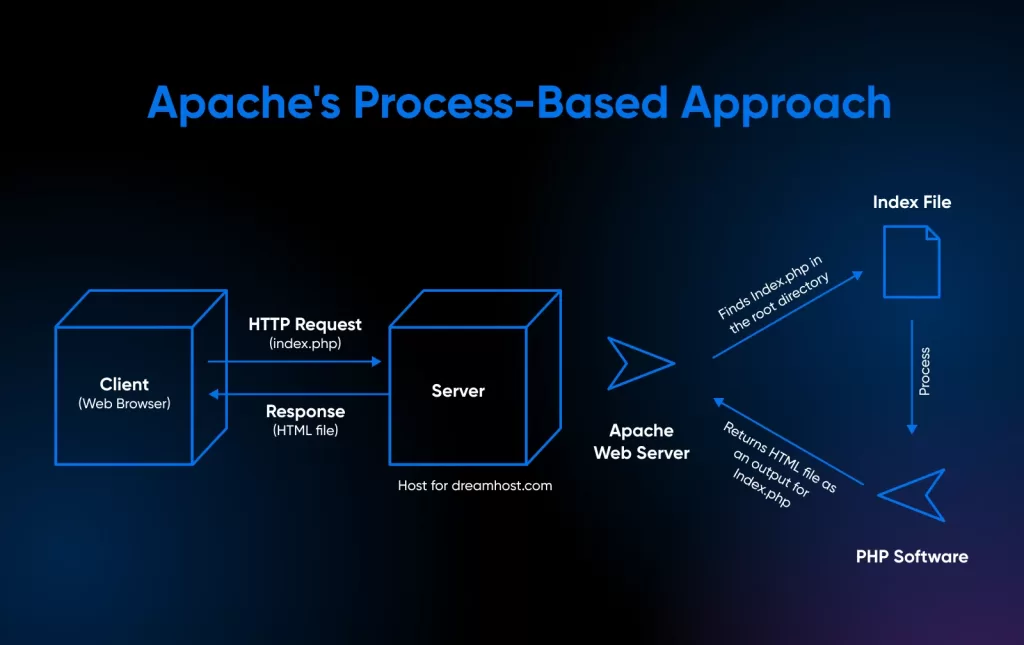
Apache checks several things before serving content:
- Is the website (virtual host) configured?
- Does the requested file exist?
- Does the client have permission to access it?
- Is the content static or dynamic?
Based on these checks, Apache determines the next action.
4. Static vs Dynamic Content Handling
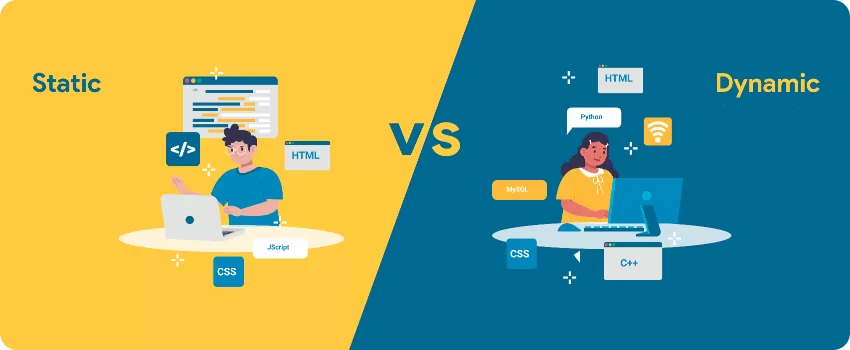
Static Content
- Files like HTML, CSS, JS, images
- Apache directly reads the file from disk and sends it to the browser
Dynamic Content
- Files like PHP or Python scripts
- Apache forwards the request to a handler (such as PHP or FastCGI)
- The script executes and generates output
- Apache sends the generated response back to the client
5. Response Is Sent to the Client
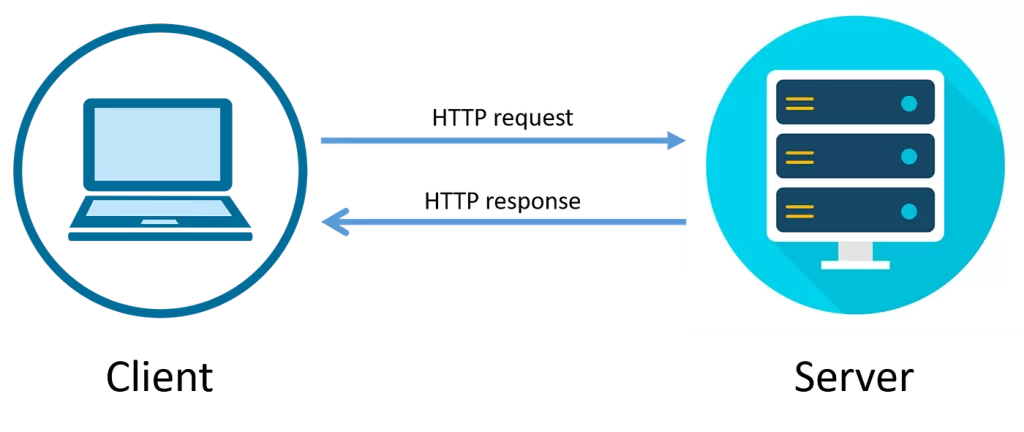
Once the content is ready, Apache sends an HTTP response back to the browser. This includes:
- Status code (200, 404, 500, etc.)
- Headers
- The requested content
The browser then renders the content for the user.
Apache Architecture Explained
Apache follows a modular architecture, meaning its core functionality can be extended using modules.
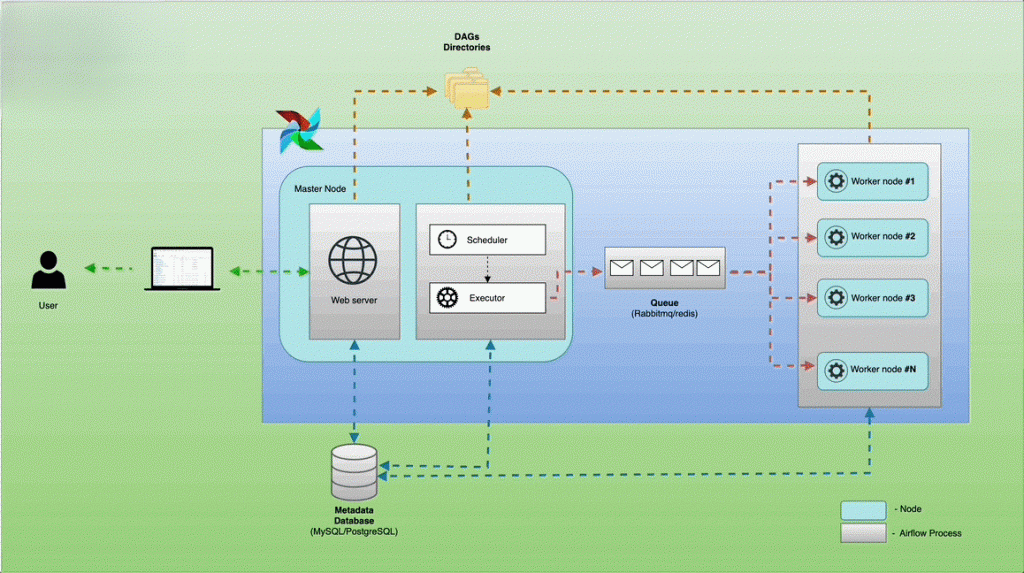
Apache Core
The core handles:
- Basic request processing
- Network communication
- Process and thread management
On its own, the core is minimal, which keeps Apache lightweight and flexible.
Apache Modules
Modules add extra functionality to Apache. Some commonly used modules include:
mod_ssl– Enables HTTPS using SSL/TLSmod_rewrite– URL rewriting and redirectsmod_php– Runs PHP scriptsmod_headers– Controls HTTP headersmod_proxy– Acts as a reverse proxy
Modules can be enabled or disabled as needed, improving performance and security.
Apache Process Models (MPMs)
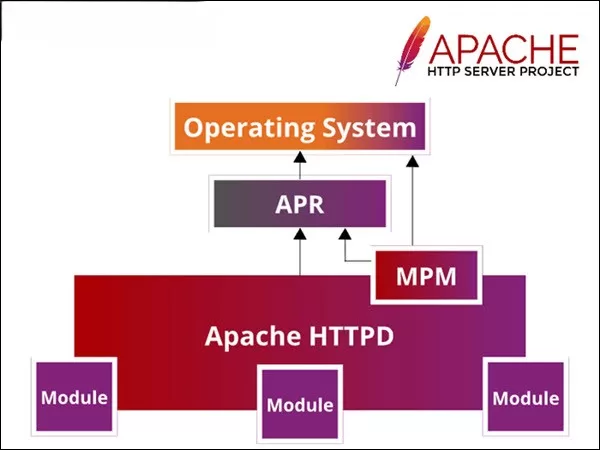
Apache uses Multi-Processing Modules (MPMs) to manage how requests are handled. These define how Apache creates processes and threads.
1. Prefork MPM
- Uses multiple child processes
- One request per process
- Stable and compatible with older software
- Higher memory usage
2. Worker MPM
- Uses threads within processes
- Handles more requests with fewer resources
- Better performance than prefork
3. Event MPM
- Optimized for high-traffic websites
- Handles keep-alive connections efficiently
- Best performance in modern setups
Apache Configuration Files
Apache is configured using plain text configuration files, making it easy to customize.
Main Configuration Files
httpd.conforapache2.conf– Main configurationports.conf– Defines listening portssites-availableandsites-enabled– Virtual hosts.htaccess– Directory-level configuration
Virtual Hosts
Virtual hosts allow Apache to host multiple websites on a single server. Each website can have its own:
- Domain name
- Document root
- Logs
- Security rules
This is widely used in shared hosting environments.
Apache and Security
Apache provides several built-in security features:
- Access control using IP or authentication
- SSL/TLS support for secure connections
- Directory-level permissions
- Request filtering using modules
Administrators can further enhance security using firewalls and additional modules.
Apache Performance and Optimization
While Apache is powerful, performance depends on configuration. Optimization techniques include:
- Choosing the right MPM
- Enabling caching modules
- Compressing responses
- Disabling unused modules
- Using a reverse proxy or CDN
With proper tuning, Apache can efficiently handle high traffic.
Apache vs Other Web Servers

Apache is often compared with servers like Nginx and LiteSpeed. While newer servers may outperform Apache in specific scenarios, Apache remains a strong choice due to:
- Flexibility
- Ease of configuration
- Large ecosystem
- Proven reliability
Real-World Use Cases of Apache
Apache is commonly used for:
- Hosting PHP-based websites (WordPress, Laravel)
- Enterprise applications
- Educational platforms
- Internal company tools
- Shared hosting environments
Advantages of Apache
- Free and open-source
- Cross-platform support
- Highly customizable
- Strong documentation
- Massive community
Limitations of Apache
- Can be resource-heavy if poorly configured
- Less efficient than event-driven servers by default
- Requires tuning for high concurrency
Conclusion:
Apache Web Server is a foundational technology of the web. Its modular design, flexibility, and reliability have made it a trusted choice for developers and organizations worldwide. By understanding how Apache works—from request handling to architecture and configuration—you gain a strong foundation in web server technology.
Even with newer alternatives available, Apache continues to be a powerful and relevant web server when configured and optimized correctly.
Want to learn about Servers, Cyber Security?, Kaashiv Infotech Offers, Cyber Security Course, or Networking Course & More, Visit www.kaashivinfotech.com.