10 Best Screen Sharing Software in 2025 for Smooth & Secure Remote Work ✨
📅 Key Highlights
- 🌟 Discover the best screen sharing software for flawless remote collaboration.
- 🔗 Explore screen sharing tools for remote work across teams, industries, and devices.
- 📈 Learn about key features like security, ease of use, integrations, and compatibility.
- ✅ Compare top tools with pros, cons, and pricing.
- 📂 Internal and external resources to help you choose the perfect solution.
🚀 Get Started with the Best Screen Sharing Software
In today’s fast-paced, remote-first world, the best screen sharing software is no longer a luxury—it’s a necessity 🚀. Whether you’re a remote worker, educator, IT support, or project manager, having reliable screen sharing tools for remote work can boost collaboration, communication, and productivity.
This guide will help you find the right tools that are smooth, secure, and user-friendly. Let’s dive into the top 10 screen sharing software options you should consider in 2025.
🧰 What Makes a Screen Sharing Tool Great?
When evaluating the best screen sharing software, keep these key features in mind:
- 🔑 Security & Privacy: End-to-end encryption, access control
- 🚀 Ease of Use: Minimal setup, user-friendly UI
- 📁 File Sharing & Collaboration: Real-time annotation, file uploads
- 📝 Cross-platform Support: Works across devices and OS
- 🤝 Integration Options: Slack, Zoom, Microsoft Teams, Google Meet, etc.
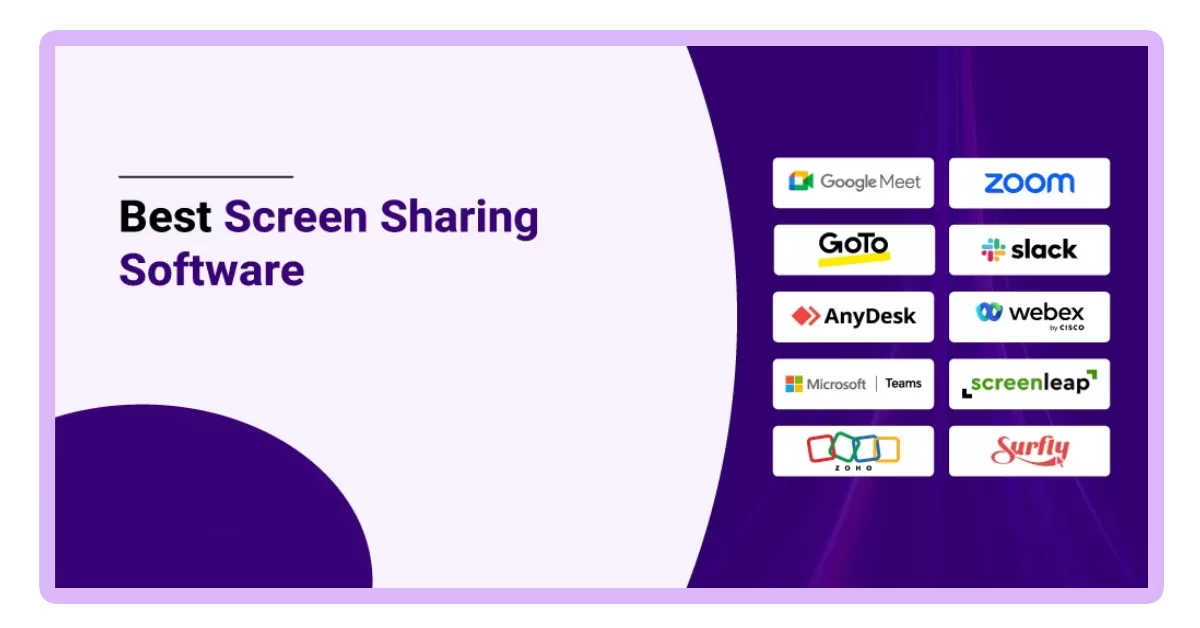
📊 Top 10 Best Screen Sharing Software in 2025
1. Zoom – Best Overall ✨

Zoom remains the go-to screen sharing software with robust features:
- HD screen sharing and whiteboarding
- Integrations with Google, Microsoft, and Slack
- Breakout rooms, annotations, and remote control options
2. Microsoft Teams – Best for Enterprises

With deep Office 365 integration, Teams is a solid screen sharing tool for remote work:
- Easy meeting setup
- Integrated chat, file sharing, and scheduling
- Supports multiple presenters and live captions
3. Google Meet – Best for G-Suite Users
Perfect for quick and secure screen sharing:
- No installation required
- Real-time captions and low latency
- Tight integration with Google Docs and Calendar
4. TeamViewer – Best for Remote Support

Popular among IT teams, it offers:
- Remote access and control
- Cross-platform sharing
- High-security standards
5. Cisco Webex – Great for Secure Collaboration

Trusted by enterprises:
- Encrypted screen sharing sessions
- Built-in note-taking
- Integrates with CRM platforms
6. AnyDesk – Lightweight and Fast

Known for speed and efficiency:
- Low-latency screen sharing
- Secure file transfer
- Portable version available
Check AnyDesk
7. Slack Huddles – For Quick Internal Collabs

Built for instant communication:
- Screen sharing in small groups
- Audio chat and emoji reactions
- Great for agile teams
8. Skype – Tried and Tested
Still useful in 2025:
- One-click sharing
- Call recording
- Available on mobile and desktop
Check Skype
9. Loom – Best for Asynchronous Teams

Record & share screens instantly:
- Easy screen + webcam capture
- Embed videos in docs and emails
- Ideal for tutorials and updates
10. Zoho Meeting – Affordable & Simple

Best for startups:
- Affordable pricing
- Basic screen sharing and webinars
- Clean UI and recording options
Check Zoho Meeting
📆 Best Use Cases for Screen Sharing Tools for Remote Work
- 🔧 IT Support & Troubleshooting
- 🏫 Virtual Classrooms & Training Sessions
- 💬 Project Collaboration & Presentations
- 👩💼 Client Meetings & Demonstrations
- 👥 Daily Standups & Team Check-ins
🔄 Internal Tips for Choosing the Right Software
Want to know how screen sharing fits into your tech stack? Check our blog on 15 Unique Web Development Project Ideas.
Also, explore our HTML Internship Program if you want to dive deeper into web tools & user experience.
🤔 Common Questions About the Best Screen Sharing Software
Q1. Are screen sharing tools secure?
Yes. Most modern tools offer end-to-end encryption and access control options.
Q2. Can I use screen sharing without downloading software?
Yes! Google Meet and Zoom (via browser) allow this.
Q3. What if my internet is slow?
Choose tools like AnyDesk or Zoom with low bandwidth modes.
🚀 Final Thoughts
Choosing the best screen sharing software depends on your use case. Whether you’re a startup or a global team, there are excellent screen sharing tools for remote work that combine ease of use, security, and flexibility.
If you’re also looking for file-sharing solutions to complement your screen sharing experience, check out this list of 6 Best AirDrop Alternatives for Windows to Share Files Easily. It’s a handy resource for expanding your remote toolkit. 🚀
Revisit this list anytime you’re setting up a new remote workflow or updating your digital toolkit. Happy sharing! 🚀