Binary Search Algorithm: A Complete Guide with Code and Examples
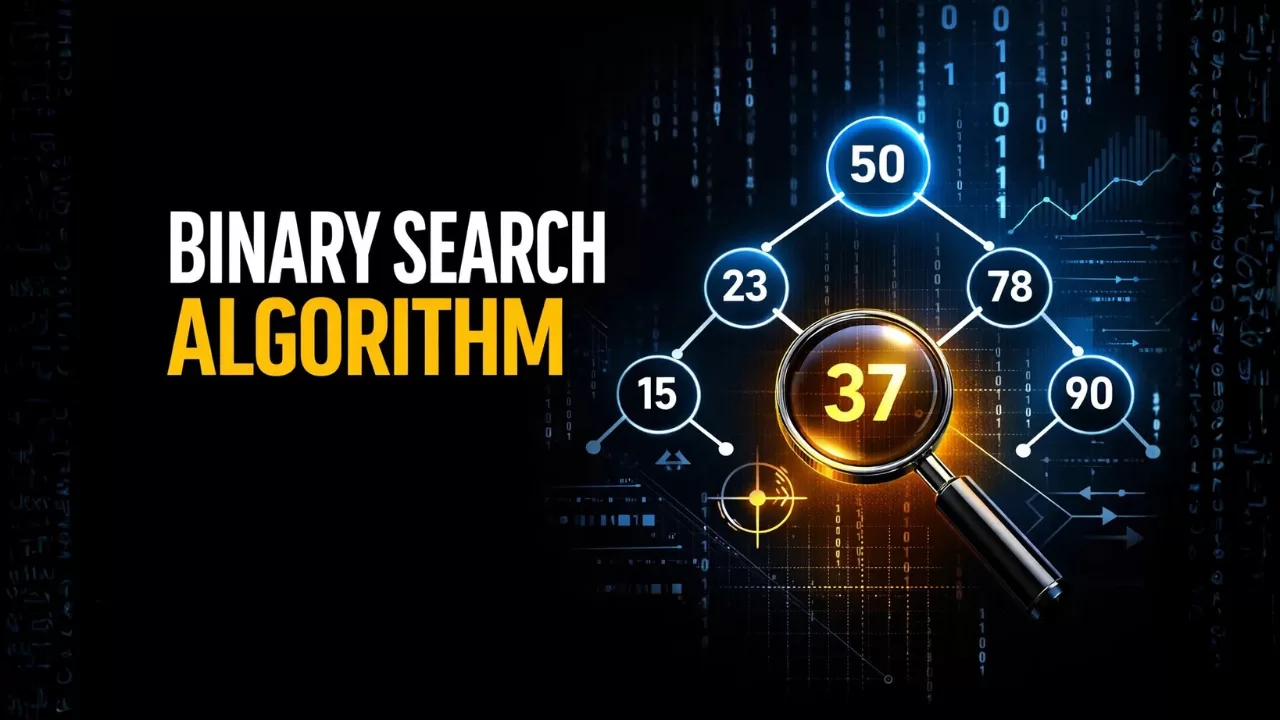
Imagine you are looking for a specific word in a massive 1,000-page dictionary. Would you start at page one and read every single word until you find it? Of course not! You would open the book roughly to the middle, check if your word comes before or after that page, and then ignore the half where the word definitely doesn’t exist. You would keep repeating this process until you find your word.
Believe it or not, you already know how to use a Binary Search Algorithm.
In the world of computer science, searching for data efficiently is a fundamental skill. If you are learning data structures and algorithms on wikitechy.com, mastering binary search is an absolute must. In this comprehensive guide, we are going to break down exactly what a binary search algorithm is, how it works, its time complexity, and how you can implement it in C++ and Java.
Let’s dive right in!
What is a Binary Search Algorithm?
The Binary Search Algorithm is a highly efficient searching technique used to find a specific target element within a sorted array or list.
Unlike simpler searching methods that check every single item one by one, binary search uses the divide and conquer methodology. By continuously comparing the target value to the middle element of the list, the algorithm determines which half of the array the target belongs to. It then entirely discards the other half, effectively cutting the search area in half with every single step.
Because it doesn’t have to traverse the entire array, binary search is incredibly fast and is one of the most widely used searching algorithms in programming today.
Key Takeaways: Important Points to Remember
Before we get into the math and the code, there are a few golden rules about this algorithm that you need to keep in mind:
- It demands sorting: The Binary Search Algorithm will only work on a sorted array or list (either ascending or descending). If your data is jumbled, you have to sort it first.
- Divide and Conquer: It operates on the principle of breaking down a large problem into smaller, more manageable sub-problems.
- Lightning Fast: The time complexity is logarithmic, making it exceptionally fast.
- Highly Scalable: It is the go-to choice for searching through massive, large-scale datasets where linear searching would cause performance issues.
How Does the Binary Search Algorithm Work?
To truly understand the magic behind this algorithm, let’s look at a step-by-step working example.
Imagine we have a sorted array of numbers:arr[] = {2, 6, 11, 16, 22, 34, 39}
Let’s say we want to find the exact location (index) of the number 2. We will call this our target element, so X = 2.
Step 1: Find the Middle
First, we need to find the middle value of our array. We do this by pointing to the lowest index (low) and the highest index (high), and calculating the average.
low = 0high = 6(since there are 7 elements, and arrays start at index 0)- Formula:
mid = (low + high) / 2 mid = (0 + 6) / 2 = 3
The element at index 3 is 16.
Step 2: Compare and Divide
Now, we compare our target (X = 2) with the middle element (16).
- Is 2 equal to 16? No.
- Is 2 less than 16? Yes!
Because our array is sorted, we now know for an absolute fact that our target number (2) cannot possibly be on the right side of 16. So, we discard the right half entirely. We update our high pointer to be just before the middle:
high = mid - 1(So, high becomes 2)
Step 3: Repeat the Process
Our new search area is just the first three numbers: {2, 6, 11}.
low = 0high = 2- New
mid = (0 + 2) / 2 = 1
The element at index 1 is 6.
We compare our target (2) to the new mid (6). Since 2 is less than 6, we again move our high pointer to the left:
high = mid - 1(So, high becomes 0)
Step 4: Find the Target
Now, both low and high are pointing at index 0.
- New
mid = (0 + 0) / 2 = 0
The element at index 0 is 2. We compare this to our target (X = 2). It’s a match! The algorithm will now return the index 0, letting us know exactly where our number lives.
Note: If the low pointer ever crosses the high pointer, it means the entire list has been searched and the element is not present. The algorithm will then return -1.
Writing the Algorithm (Pseudocode)
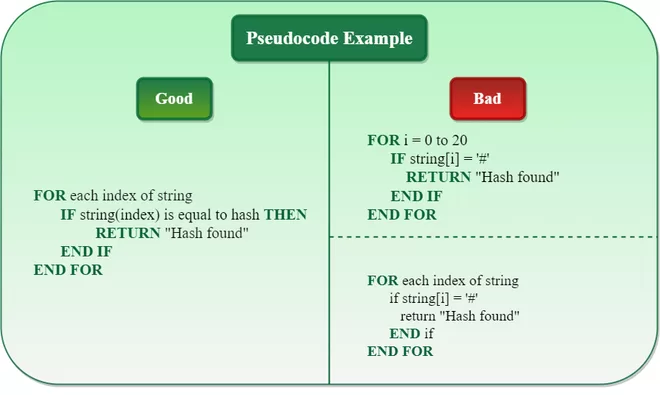
If you wanted to write down the logic of this process plainly, the algorithmic steps look like this:
Function: binary_Search(array, lower_bound, upper_bound, target)
- Step 1: Set
start = lower_bound,end = upper_bound, andposition = -1. - Step 2: Start a loop that repeats while
start <= end. - Step 3: Calculate the middle index:
mid = (start + end) / 2. - Step 4: Compare the middle element with the target:
- If
array[mid] == target: Setposition = mid, print it, and exit. - If
array[mid] > target: It’s in the left half, so setend = mid - 1. - If
array[mid] < target: It’s in the right half, so setstart = mid + 1.
- If
- Step 5: If the loop ends and
position == -1, print “Not Present”. - Step 6: Exit the function.
Time and Space Complexity Explained
When evaluating any algorithm, programmers look at how much time it takes to run and how much memory it uses. Here is how binary search performs:
Time Complexity
- Best Case (O(1)): This happens if the target element happens to be exactly in the middle on the very first try. It takes just one step!
- Average Case (O(log N)): For most searches, the array is repeatedly halved until the target is found.
- Worst Case (O(log N)): This occurs when the target is at the very extreme ends of the array, or isn’t in the array at all, requiring the maximum number of divisions.
Why is Logarithmic (O(log N)) so good? If you have 1,000,000 items, a linear search might take 1,000,000 steps. A binary search will find the item in a maximum of just 20 steps. That is incredibly efficient!
Space Complexity
- Space Complexity (O(1)): The iterative binary search algorithm requires constant space. It doesn’t need to create any new arrays or take up extra memory in your system to perform the search.
Linear Search vs. Binary Search: What’s the Difference?
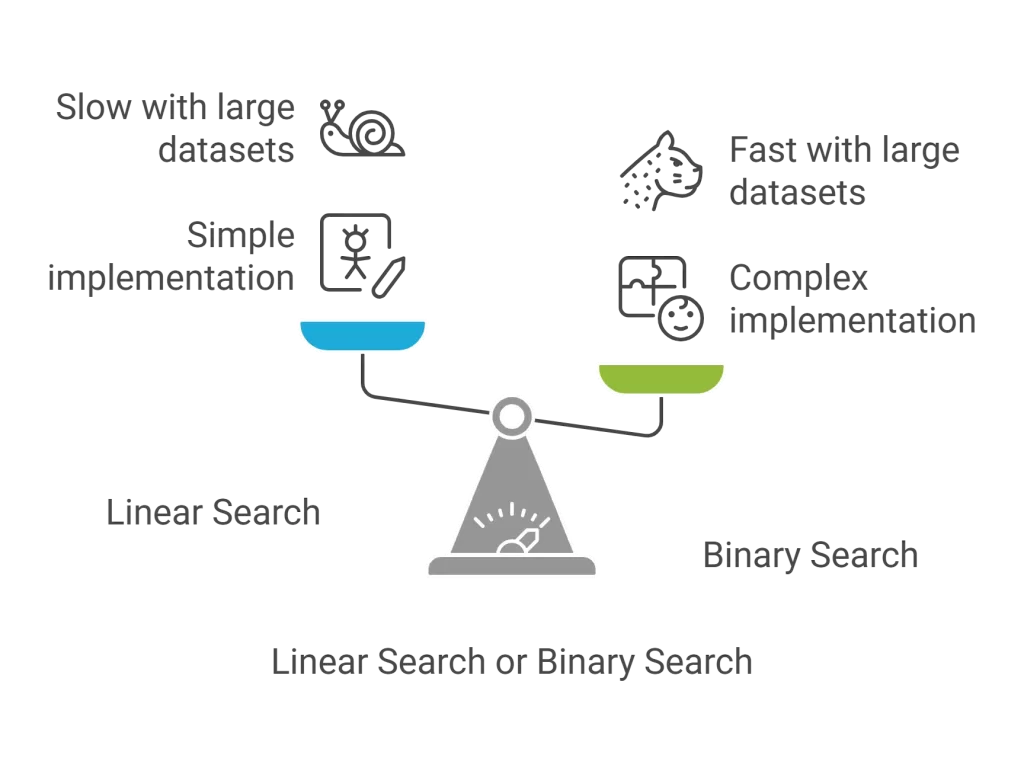
If you are new to programming, you might wonder why you can’t just check every element one by one. That method is called Linear Search. Here is a quick comparison of the two:
- Approach: Linear search checks items sequentially (one by one). Binary search uses the “divide and conquer” method.
- Data Sorting: Linear search works on both sorted and jumbled (unsorted) data. Binary search requires the data to be perfectly sorted.
- Performance: Linear search has a time complexity of O(N), making it slow for massive datasets. Binary search has a complexity of O(log N), making it incredibly fast.
- Usage: Linear search is fine for small, simple lists. Binary search is the industry standard for large, complex datasets.
Implementing Binary Search in Popular Languages
Let’s look at how we can turn this logic into actual, working code. Below are the implementations in both C++ and Java.
Binary Search Code in C++
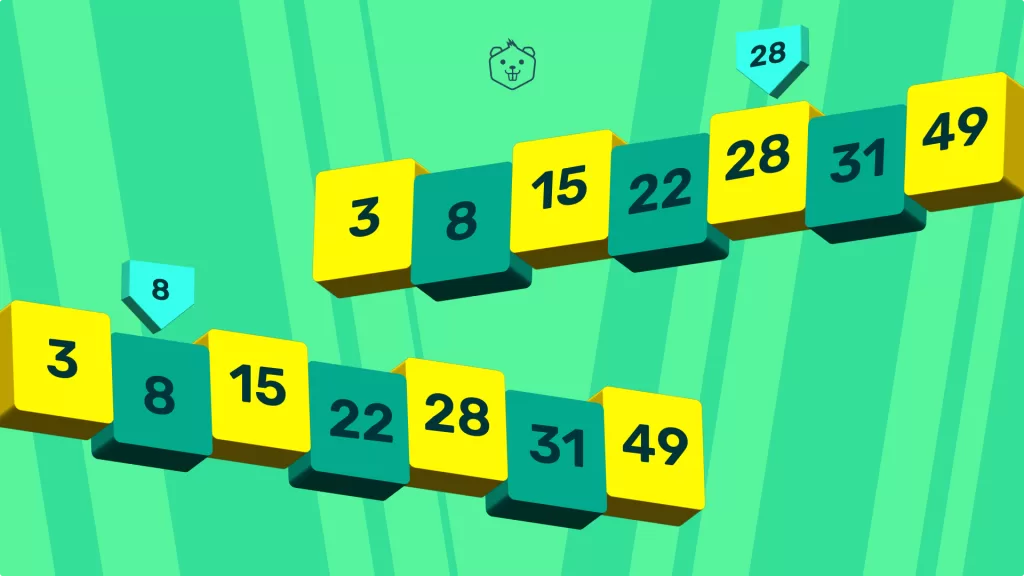
Here is a clean, recursive approach to implementing the binary search algorithm using C++.
C++#include <iostream>
using namespace std;

int binarySearch(int arr[], int low, int high, int target) {
    if (high >= low) {
        // Calculate the middle point
        int mid = low + (high - low) / 2;

        // If the target is found at the middle
        if (arr[mid] == target) {
            return mid;
        }

        // If the target is smaller than mid, it must be in the left subarray
        if (arr[mid] > target) {
            return binarySearch(arr, low, mid - 1, target);
        }

        // If the target is larger than mid, it must be in the right subarray
        return binarySearch(arr, mid + 1, high, target);
    }

    // Return -1 if the element is not found
    return -1;
}

int main() {
    int arr[] = {2, 6, 11, 16, 22, 34, 39};
    int n = sizeof(arr) / sizeof(arr[0]);
    int target = 2;
    int result = binarySearch(arr, 0, n - 1, target);

    if(result == -1)
        cout << "Element is not present in array";
    else
        cout << "Element is present at index " << result;
    return 0;
}
Binary Search Code in Java

If you prefer Java, the logic remains exactly the same. Here is how you write it:
Javaclass BinarySearch {

    static int binarySearch(int arr[], int low, int high, int target) {
        if (high >= low) {
            // Find the middle element
            int mid = low + (high - low) / 2;

            // Check if target is present at mid
            if (arr[mid] == target) {
                return mid;
            }

            // If target is smaller than mid, search left subarray
            if (arr[mid] > target) {
                return binarySearch(arr, low, mid - 1, target);
            }

            // If target is greater than mid, search right subarray
            return binarySearch(arr, mid + 1, high, target);
        }

        // Target is not present in the array
        return -1;
    }

    public static void main(String args[]) {
        int arr[] = {2, 6, 11, 16, 22, 34, 39};
        int n = arr.length;
        int target = 2;
        int result = binarySearch(arr, 0, n - 1, target);

        if (result == -1)
            System.out.println("Element not present");
        else
            System.out.println("Element found at index " + result);
    }
}
Become A Java Developer With Kaashiv Infotech
Looking to dive into the world of software development and carve your path to success? Kaashiv Infotech is here for you! Our specialized Java Course in chennai are meticulously designed by industry experts to equip you with practical skills and real-world experience that will help you set your foot in the competitive tech industry.
Let’s break down our program offerings to see what makes us stand out:
- Live Industry Projects + Capstone: You’ll work on 2 Live Industry Projects to build a solid portfolio and enhance your learning with a capstone project that showcases your specialized Java skills.
- Hands-On Coding Exercises: Get practical experience with focused coding exercises that reinforce your learning and help you master key Java concepts and frameworks.
- Doubt Clearing Sessions: Our regular, interactive doubt sessions ensure that no question goes unanswered, giving you complete clarity on all complex topics.
- Expert-Led Project Guidance: Access direct mentorship for your projects in a supportive environment led by seasoned professionals.
- Industry-Oriented Curriculum: Learn the latest, industry-relevant Java technologies, tools, and best practices that are directly applicable to real-world development scenarios.
- Triple Industry Recognition: Earn Kaashiv’s prestigious Triple Certification (Internship Certificate, IPT Certificate, and Industrial Exposure Certificate) that is highly valued by employers.
- Peer & Mentor Q&A Forum: Engage with fellow interns and our mentors—including Microsoft MVPs and Google-recognized experts—to exchange ideas, seek advice, and collaborate.
- Instructor-Led Sessions by Tech Experts: Benefit from interactive sessions led and guided by certified experts and professionals from top MNCs every step of the way.
- Interview Opportunities: Gain access to exclusive interview opportunities and personalized career guidance to help you land your dream job as a Java developer.
- 100% Job Assistance Guarantee + Tools for Success: We provide 100% Job Assistance supported by ATS-friendly resume building, interview question banks, and mock interviews, plus ongoing support from our wide professional network.
So what are you waiting for? Launch your tech career with confidence! Join Kaashiv Infotech’s Java Program and unlock your potential today.
Conclusion
The Binary Search Algorithm is a brilliant demonstration of how thinking cleverly about a problem can save massive amounts of computing power and time. By ensuring your data is sorted and continually cutting your search area in half, you can search through millions of data points in mere milliseconds.
Whether you are preparing for coding interviews or just trying to become a better software developer, mastering this algorithm is a massive step forward in your journey. We highly recommend copying the code above, tweaking the numbers, and practicing it yourself! Keep exploring wikitechy.com for more simple, in-depth coding tutorials.
Frequently Asked Questions (FAQs)
1. What is a binary search algorithm?
A binary search algorithm is an efficient method for finding a specific target value within a sorted array. It works by repeatedly dividing the search interval in half. If the target value is less than the middle element, it narrows the search to the lower half; otherwise, it searches the upper half.
2. Is binary search the most efficient algorithm?
For searching within sorted arrays, binary search is incredibly efficient. Its logarithmic time complexity O(log N) makes it significantly faster than linear search O(N). However, it is only efficient if the data is already sorted; if the data frequently changes and requires constant sorting, other data structures like Hash Tables or Binary Search Trees might be better.
3. Why is it called “binary” search?
The word “binary” means involving two things. It is called a binary search because, at every single step of the algorithm, it divides the array into two distinct halves, entirely ignoring one half and continuing the search in the other.
4. What are the four main steps of a binary search algorithm?
The four main steps are:
- Find the middle element of the sorted array.
- Compare the middle element with the target value.
- If they match, return the index.
- If they don’t match, determine if the target is smaller or larger than the middle, discard the incorrect half, and repeat the process on the remaining half.
5. What is the time complexity of a binary search?
The best-case time complexity is O(1) (when the target is exactly in the middle). The average and worst-case time complexity is O(log N), meaning the time it takes to search grows very slowly even as the amount of data grows massively.