How Website Works: A Simple Guide for Beginners

Have you ever typed a web address into your browser and wondered what happens next? A page opens in seconds, images appear, buttons become clickable, and everything seems almost instant. But behind that simple action, many small technical steps are happening together.
If you want to understand how website works, this guide will explain it in the easiest way possible. We’ll break down the full process in plain English, from typing a URL to seeing a complete web page on your screen.
Whether you are a student, blogger, business owner, or someone curious about the internet, learning How Websites Work helps you understand the digital world better. It can also help if you plan to build a website, improve SEO, or make your pages load faster.

kaashiv infotech how website work
What Is a Website?
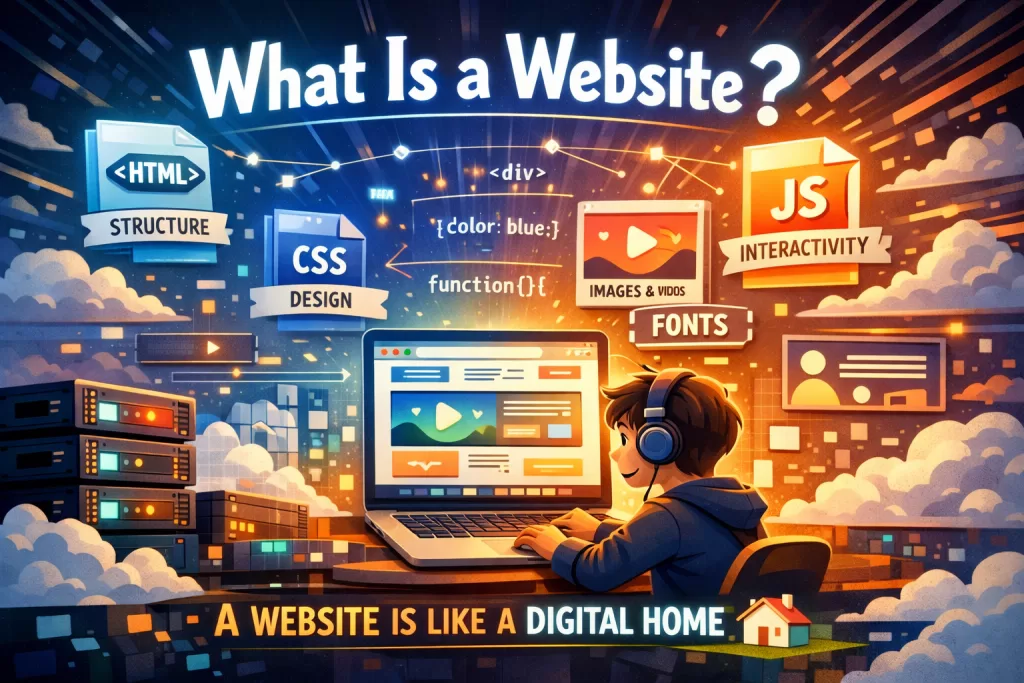
A website is a collection of web pages, files, images, and code stored on a server. When someone visits a website, their browser requests those files and displays them in a readable format.
A website usually includes:
- HTML files for structure
- CSS files for design
- JavaScript files for interactivity
- Images, videos, and fonts for visual content
In simple words, a website is like a digital house. The server stores everything, and the browser brings it to the visitor..
How Website Works in Simple Terms
To understand how website works, think of it like ordering food in a restaurant.
- You are the customer
- The browser is the waiter
- The server is the kitchen
- The website files are the food
You ask for something by entering a website address. The browser takes that request to the server. The server finds the needed files and sends them back. Then the browser shows the final result on your screen.
That is the basic idea behind How Websites Work.
Understanding the Client and Server
Every website visit depends on two important parts: the client and the server.
What Is a Client?
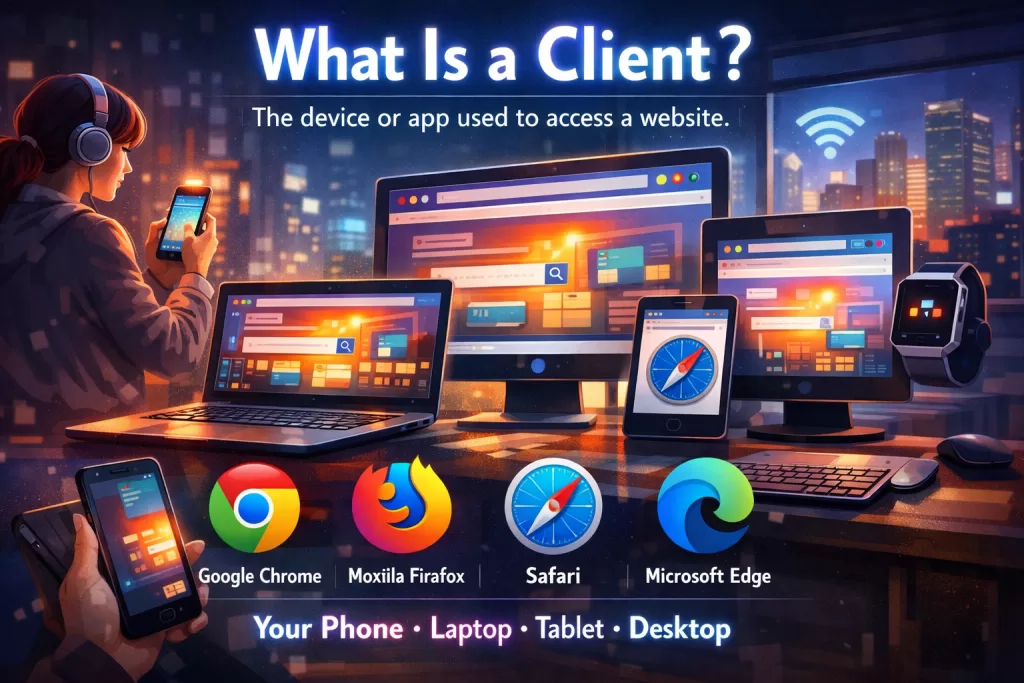
A client is the device or app used to access a website. Most of the time, this is your browser, such as:
- Google Chrome
- Mozilla Firefox
- Safari
- Microsoft Edge
Your phone, laptop, tablet, or desktop can all act as clients.
What Is a Server?
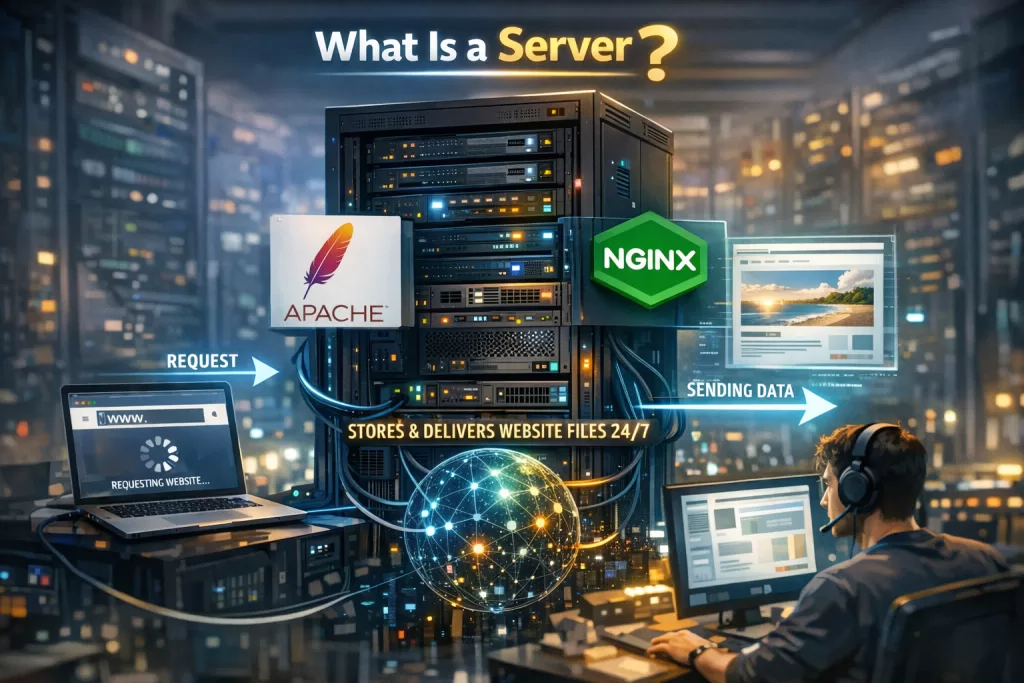
A server is a computer that stores website files and delivers them when requested. It stays connected to the internet so users can access websites anytime.
Popular server software includes:
- Apache
- NGINX
So when you visit a website, the client asks the server for the page, and the server sends it back.
The Role of a URL
A URL stands for Uniform Resource Locator. It is the web address you type into the browser.
For example:
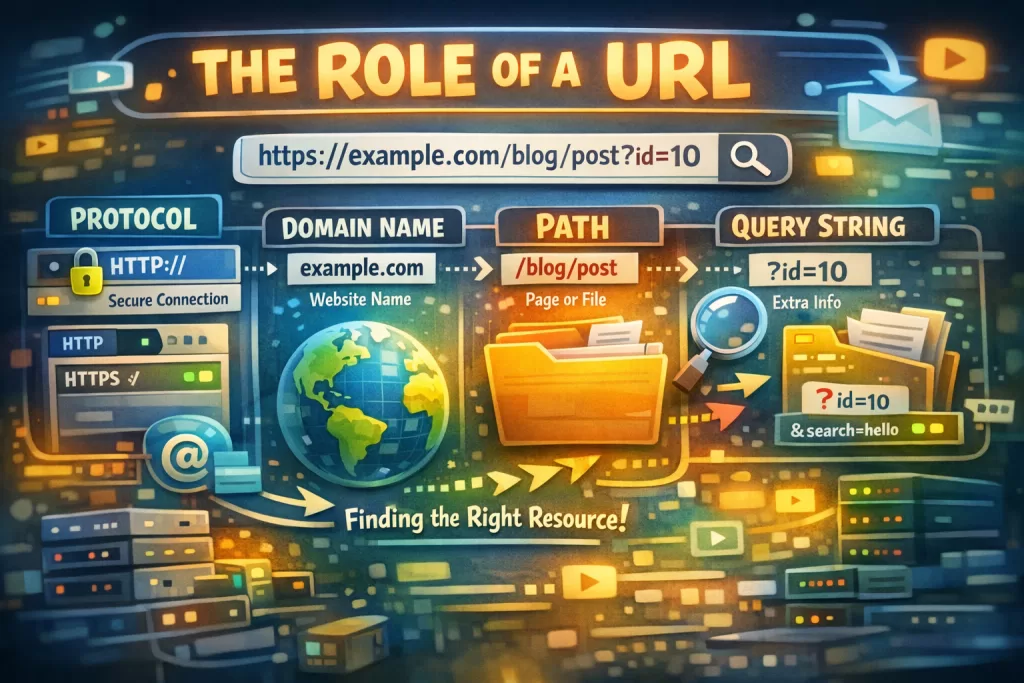
A URL tells the browser where to go and what to ask for.
Main Parts of a URL
1. Protocol
This tells the browser how to communicate with the server.
Examples:
- HTTP
- HTTPS
HTTPS is the secure version and is used by most modern websites.
2. Domain Name
This is the name of the website, such as example.com.
3. Path
This points to the exact page or file, such as /blog/post.
4. Query String
This gives extra information to the server, often used in search or tracking.
Example:
?id=10
All of these parts work together to help the browser find the right resource.
What Happens When You Enter a Website Address?
Now let’s walk through the actual process of how website works step by step.
Step 1: You Enter the URL
You type a web address into the browser and hit enter.
Step 2: DNS Finds the Website Server
The browser needs to know where the website is hosted. It uses DNS, or Domain Name System, to convert the domain name into an IP address.
You can think of DNS like the internet’s phonebook.
Step 3: The Browser Connects to the Server
Once the browser has the IP address, it creates a connection with the server.
If the site uses HTTPS, a secure connection is created first to protect data.
Step 4: The Browser Sends an HTTP Request
The browser asks the server for the required page or file using HTTP or HTTPS.
This request may include:
- The page path
- Browser details
- Accepted file types
- Cookies
- Request method like GET or POST
Step 5: The Server Sends an HTTP Response
The server processes the request and sends back a response.
This response usually contains:
- A status code
- Headers
- The requested content
Step 6: The Browser Renders the Web Page
The browser reads the returned files and turns them into the visual website you see on the screen.
This is where the actual page appears.

Understanding HTTP Requests and Responses
HTTP stands for Hypertext Transfer Protocol. It is the set of rules used for communication between browsers and servers.
What Is an HTTP Request?
An HTTP request is sent by the browser to ask for a resource.
For example, the browser may request:
- An HTML page
- A CSS file
- A JavaScript file
- An image
Common Request Methods
GET
Used to fetch a page or file.
POST
Used to send data to the server, such as form submissions or login details.
What Is an HTTP Response?
The HTTP response is what the server sends back after receiving the request.
It includes:
- Status code
- Response headers
- Response body
Common HTTP Status Codes
Status codes help the browser understand what happened.
200 OK
The request was successful.
404 Not Found
The page or file could not be found.
500 Internal Server Error
Something went wrong on the server.
These codes are important for both user experience and SEO.
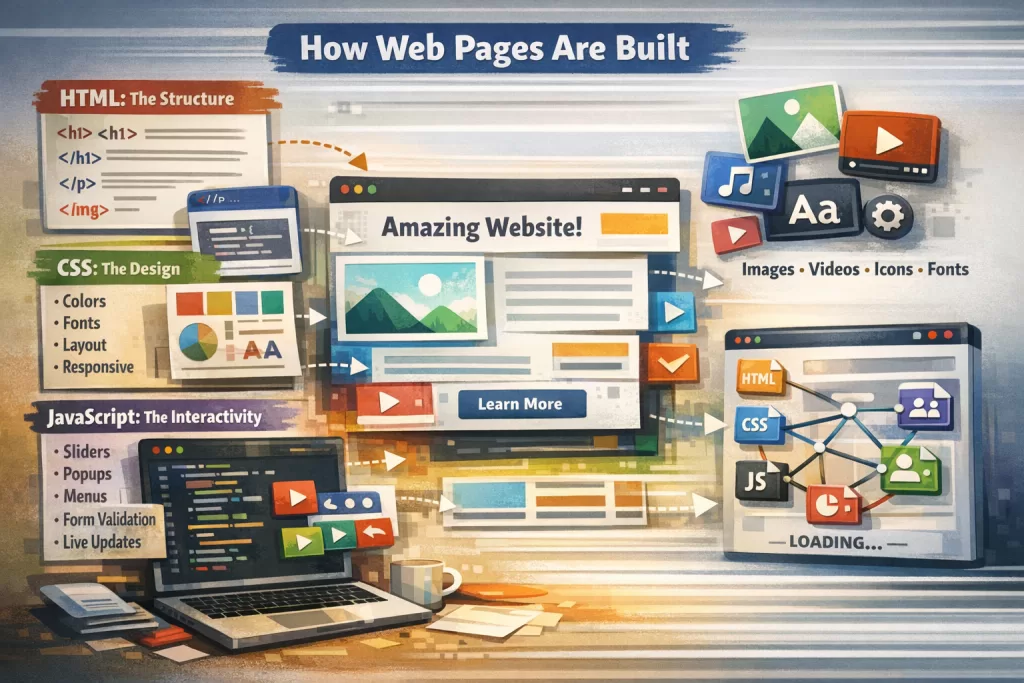
How Web Pages Are Built
A single web page is usually not just one file. It is a combination of multiple resources loaded together.
HTML: The Structure
HTML creates the page structure.
It defines elements like:
- Headings
- Paragraphs
- Images
- Links
- Forms
Without HTML, a website would have no content structure.
CSS: The Design
CSS controls the look of the website.
It handles things like:
- Colors
- Fonts
- Spacing
- Layout
- Mobile responsiveness
Without CSS, websites would look plain and unstyled.
JavaScript: The Interactivity
JavaScript adds action and behavior to websites.
It helps with:
- Sliders
- Popups
- Menus
- Form validation
- Live updates
Images and Media
Images, videos, icons, and fonts improve the visual experience of a website.
All these resources are requested separately by the browser.
How the Browser Renders a Website
Once files arrive from the server, the browser starts building the page.
The Rendering Process
Read the HTML
The browser reads the page structure.
Load CSS
It applies styles to the page elements.
Run JavaScript
It executes scripts that add dynamic behavior.
Calculate Layout
The browser decides where each element should appear.
Paint the Screen
Finally, it draws the page on your device screen.
This process happens very quickly, but if there are too many files or large resources, the page can feel slow.
Why Websites Load Slowly
Understanding how website works also helps you understand why some websites are fast and others are not.
Several things can slow down a website:
- Too many HTTP requests
- Large images
- Heavy JavaScript files
- Slow server response
- Too many third-party scripts
- Poor hosting
- Unoptimized CSS
Render-Blocking Resources
Some files stop the browser from showing the page until they are fully loaded. These are called render-blocking resources.
Usually these include:
- CSS files
- Important JavaScript files
If these resources are too large, page speed suffers.
Why Website Speed Matters
Website speed is important for users, SEO, and business success.
Benefits of a Fast Website
- Better user experience
- Lower bounce rate
- Higher Google rankings
- More conversions
- Better mobile performance
Google cares about page experience, so speed plays a big role in SEO.
How Websites Work With Secure Connections
Modern websites usually use HTTPS instead of HTTP.
Why HTTPS Matters
HTTPS protects data shared between the browser and the server.
It helps secure:
- Login credentials
- Payment information
- Personal details
- Contact forms
A secure site builds trust and is also better for SEO.
How Multiple Resources Load Together
Most websites load many files at once.
For example, one page may include:
- 1 HTML file
- 2 CSS files
- 5 JavaScript files
- 10 images
- 2 font files
The browser often loads these resources in parallel, but not all are equally important.
Critical vs Non-Critical Resources
Critical Resources
These are needed to show the visible part of the page quickly.
Examples:
- Main HTML
- Important CSS
- Essential fonts
Non-Critical Resources
These can load later without affecting the first view.
Examples:
- Footer images
- Extra scripts
- Background videos
Loading important resources first improves user experience.
Simple Example of How Websites Work
Let’s make this very practical.
Imagine you visit wikitechy.com.
Here is what happens:
- You type the website address in your browser
- DNS finds the correct server IP
- The browser opens a secure connection
- It sends an HTTP request for the homepage
- The server returns HTML
- The browser reads the HTML and sees links to CSS, JavaScript, and images
- It requests those extra files
- The browser combines everything
- The full page appears on your screen
That is the real-world answer to how website works.
How Websites Work and SEO
If you care about SEO, understanding How Websites Work is very useful.
Search engines also visit websites using bots. These bots crawl pages, read content, and evaluate technical quality.
Technical Factors That Affect SEO
- Fast page speed
- Mobile-friendly design
- Secure HTTPS connection
- Clean URL structure
- Proper status codes
- Optimized images
- Good internal linking
If a website loads slowly or has broken pages, it may rank lower in search results.
Tips to Make a Website Faster
Here are some practical ways to improve website performance:
- Compress images
- Minify CSS and JavaScript
- Use browser caching
- Choose good hosting
- Reduce unnecessary plugins
- Use a CDN
- Load important resources first
- Lazy load below-the-fold images
These improvements help users and search engines at the same time.
Why Learning How Website Works Is Helpful
You do not need to be a developer to learn how website works. Even basic knowledge can help you:
- Manage your own website better
- Talk to developers with confidence
- Improve website SEO
- Fix simple performance issues
- Understand technical reports and tools
It makes the online world feel much less confusing.
Conclusion
Now you have a clear understanding of how website works in simple language. When you open a website, your browser talks to a server, requests files using HTTP, receives content, and turns that content into a page you can see and use. Behind every fast-loading page is a combination of DNS, servers, HTML, CSS, JavaScript, and browser rendering.
Learning How Websites Work is not just for developers. It helps bloggers, marketers, business owners, students, and anyone working online. Once you understand the basics, you can make better decisions about website design, SEO, speed, and security.
If you want to build, manage, or optimize a site, knowing these fundamentals gives you a strong start.
FAQs
1. How does a website work step by step?
A website works by taking a user request from the browser, finding the server through DNS, sending an HTTP request, receiving files like HTML, CSS, and JavaScript, and then rendering the page on the screen.
2. What are the main parts needed for a website to work?
The main parts are a domain name, web hosting server, website files, browser, DNS, and HTTP/HTTPS protocol.
3. What is the difference between HTTP and HTTPS?
HTTP transfers data between browser and server, while HTTPS does the same thing securely using encryption. HTTPS is safer and better for SEO.
4. Why does a website take time to load?
A website may load slowly because of large images, too many files, slow hosting, render-blocking CSS or JavaScript, or too many external scripts.
5. Do all websites use HTML, CSS, and JavaScript?
Most modern websites use HTML for structure, CSS for styling, and JavaScript for interactivity, although some simple pages may use only HTML and CSS.



