The 3 Best RSS Readers for Mac in 2025 🔍 Stay Updated, Stay Organized

Are you searching for the best RSS readers for Mac to help you stay organized and informed in 2025? Whether you’re tracking news, blogs, or tech updates, RSS readers for Mac make it easy to gather content in one place. In this guide, we explore the best Mac apps for reading RSS feeds so you can find the perfect tool to match your workflow.
🔍 Key Highlights:
- Top 3 RSS readers for Mac tested and reviewed
- Best features for news tracking, offline reading, and feed organization
- Designed for professionals, students, and content enthusiasts
- Free and premium options included
- Includes tips for choosing the best Mac apps for reading RSS feeds
What Are RSS Readers for Mac?
RSS readers for Mac are applications that allow users to subscribe to and read RSS (Really Simple Syndication) feeds. These apps collect updates from websites and display them in a clean, readable format. Rather than checking multiple sites manually, RSS readers bring everything to your desktop.
Using the best Mac apps for reading RSS feeds, you can:
- Save time by reading all your favorite content in one place
- Avoid algorithm-driven social media feeds
- Get updates from blogs, podcasts, forums, and news portals
Why Use RSS Readers for Mac in 2025?
In 2025, information overload is real. Between social media, newsletters, and pop-up ads, staying informed can be overwhelming. That’s where RSS readers for Mac shine. They give you control over what content you see and when you see it.
Benefits of using RSS readers for Mac:
- ✅ Distraction-free reading experience
- 🌍 Follow international news and niche blogs
- 🌟 Easily organize your subscriptions by topic
- 📆 Catch up on news even when offline
1. Reeder 5: Sleek & Powerful RSS Reader for Mac
Reeder 5 is one of the most popular RSS readers for Mac. With its minimalist interface and powerful sync capabilities, it’s perfect for Apple users who want a native experience.
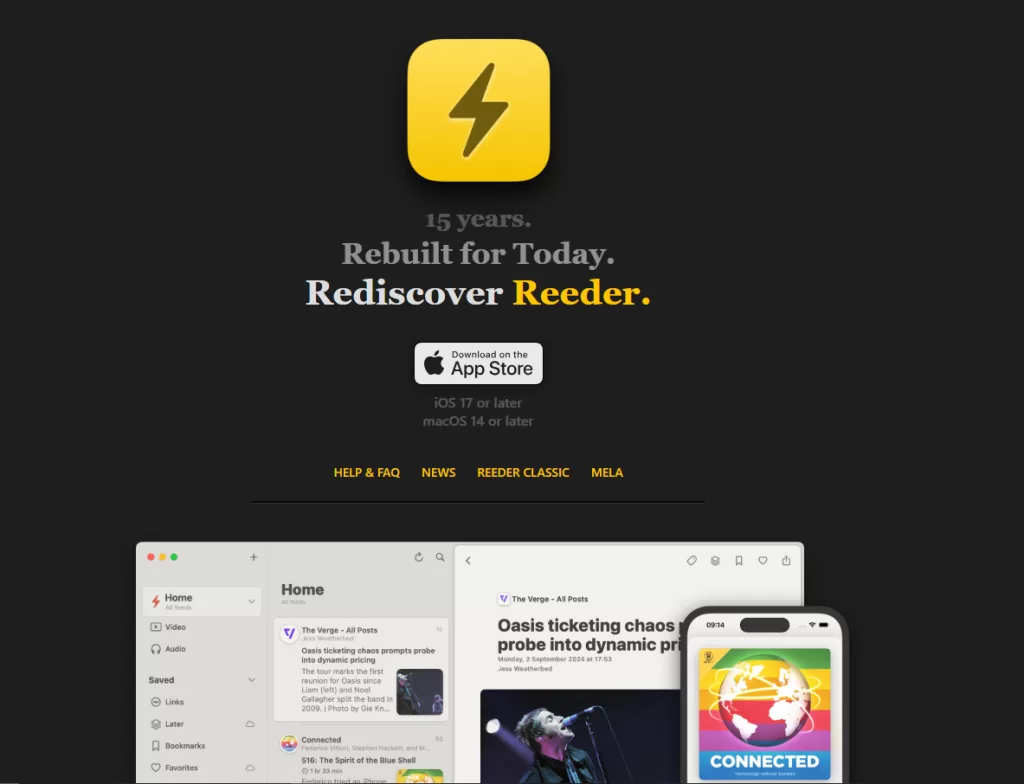
Features:
- iCloud and Feedly integration
- Read later mode
- Gorgeous UI with themes
- Keyboard shortcuts for power users
Why It’s One of the Best Mac Apps for Reading RSS Feeds:
Reeder 5 combines functionality with style. It’s fast, clean, and ideal for both casual readers and professionals.
2. NetNewsWire: Fast, Free, and Open Source
Looking for a lightweight and free RSS reader for Mac? NetNewsWire is the go-to choice for many. It’s open-source and lightning-fast, with no ads or subscriptions required.

Features:
- Sync via iCloud or Feedbin
- Clean, simple interface
- No tracking or ads
- Star articles for later reading
Why It’s One of the Best Mac Apps for Reading RSS Feeds:
It’s open-source and respects your privacy. Plus, it works great across macOS and iOS.
3. Feedly: Web-Based RSS Reader with Mac Integration
Feedly isn’t a native Mac app, but it works beautifully in the browser and syncs with many RSS readers for Mac. It’s a cloud-based solution perfect for teams and researchers.

Features:
- AI-based content suggestions
- Integration with Evernote, Slack, and more
- Folder and tag organization
- Powerful search and filtering tools
Why It’s Among the Best Mac Apps for Reading RSS Feeds:
Feedly is ideal for power users and professionals managing multiple sources. Use it with apps like Reeder or FeedMe for the full Mac experience.
How to Choose the Right RSS Reader for Mac
When selecting from the best Mac apps for reading RSS feeds, consider the following:
- ☑️ Does it support syncing with your cloud service?
- ☑️ Is it easy to organize and customize feeds?
- ☑️ Can you read offline?
- ☑️ Does it respect your privacy?
Make sure the RSS readers for Mac you choose align with your reading habits and tech preferences.
Bonus Tips for a Better RSS Experience ✨
Here are some quick tips to make the most of the best Mac apps for reading RSS feeds:
- Add custom tags for better filtering
- Use dark mode for eye comfort
- Schedule reading time each day
- Combine with tools like Pocket or Instapaper
Final Thoughts
If you’re serious about staying informed without wasting time, RSS readers for Mac are a must-have in 2025. Whether you prefer sleek design, open-source tools, or advanced content filters, the best Mac apps for reading RSS feeds will keep your digital life in order.
With macOS Catalina and later dropping support for 32-bit apps, it’s more important than ever to choose RSS readers for Mac that are fully optimized for modern systems.
✅ Learn more in our detailed guide on how to check which Mac apps will stop working.
✉️ Have a favorite RSS app? Let us know in the comments below!