Black Box Testing in Software Engineering: The Hidden Secret Behind Reliable Apps

If you’ve ever launched a website or an app that worked flawlessly on your screen but completely broke on someone else’s phone — yeah, I’ve been there too . That’s when I truly understood the importance of software testing black box techniques.
In the world of software testing, where every line of code can make or break a system, black box testing plays the role of a detective — it finds what’s wrong without even peeking inside the code.
What is Black Box Testing in Software Engineering?

In simple terms, black box testing (or software testing black box) is a testing method where we test the functionality of software without looking at its internal code.
Think of it like this — imagine you’re using a remote control. You press a button, and the TV turns on. You don’t care how the circuit inside works; you just care that it works! That’s exactly what black box testing does in software development.
When I first learned about this in my software engineering course, I remember thinking, “Wait, so I don’t even need to see the code?” But soon, I realized how powerful that perspective is — because as a user, I don’t see the code either. I just see whether the app does what I expect.
Why is Software Testing Black Box So Important?
Here’s the thing — black box testing is not just for testers; it’s for anyone who wants quality software.
I once worked on a college project — a simple to-do list web app. The logic was great, but the first time my friend tested it, it completely crashed when she entered emojis in the task name . That’s when I realized — I had never tested inputs I didn’t expect.
That’s exactly what black box testing helps uncover — the unexpected behavior, user errors, and real-world conditions that break the system.

Here’s why it’s so crucial:
- ✅ It ensures the software meets user expectations.
- ✅ It identifies functionality issues early.
- ✅ It can be performed by non-developers.
- ✅ It gives a real-world perspective to testing.
- ✅ It works for all levels — unit, integration, and system testing.
Types of Black Box Testing
When we say software testing black box, we’re not talking about one single test. There are multiple types, each used for different stages of development.
Here’s a quick rundown:
1. Functional Testing
This focuses on what the system does. You test features like login, signup, or checkout — does the system respond correctly when given input?
2. Non-Functional Testing
This tests how the system behaves — like performance, usability, and security.
3. Regression Testing
After every update, you re-run old tests to ensure that nothing else broke. (Trust me, something always breaks after an update ).
4. User Acceptance Testing (UAT)
This is where real users test the product to see if it meets their expectations.

Common Techniques in Software Testing Black Box
There are several methods to perform black box testing effectively. Here are the ones I use most often:
1. Equivalence Partitioning
Divide the input into valid and invalid partitions, and test one value from each.
Example: If your input is age (1–100), test 25 (valid), 0 (invalid), and 101 (invalid).
2. Boundary Value Analysis
Users love to break things at the edges! So test boundary values like 1, 100, 0, and 101.
3. Decision Table Testing
When you have multiple conditions, create a table of input combinations and expected results.
4. State Transition Testing
If your app has different states (like logged in/logged out), test how it behaves when moving between them.
5. Error Guessing
This is my favorite — it’s where experience comes in. Based on gut feeling and past bugs, you test scenarios that might fail.

Example of Black Box Testing
Let’s take a simple login page:
| Test Case | Input | Expected Output | Result |
|---|---|---|---|
| 1 | Correct username & password | Login successful | ✅ |
| 2 | Incorrect password | Error message | ✅ |
| 3 | Blank fields | Validation error | ✅ |
| 4 | Special characters | Error or escape handling | ✅ |
Here, we’re not checking how the backend verifies the user. We just ensure that the functionality works as intended — pure software testing black box method in action.
Black Box vs White Box Testing
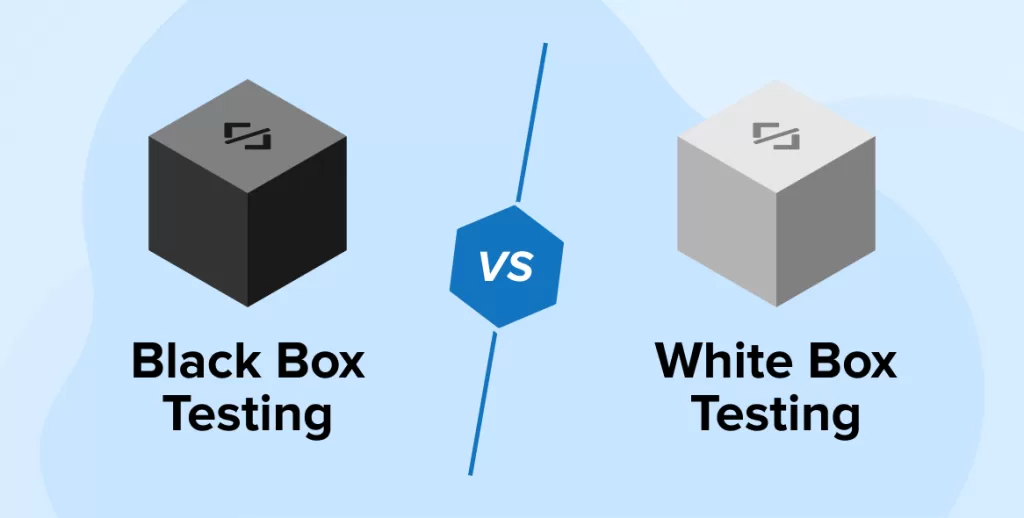
This is a common confusion — so let me simplify it.
| Aspect | Black Box Testing | White Box Testing |
|---|---|---|
| Focus | Functionality | Code logic |
| Tester | Can be non-developer | Requires programming knowledge |
| Access | No access to code | Full access to source code |
| Goal | Validate output | Optimize code structure |
Both are equally essential, but I like to start with black box testing because it mimics how actual users will use the app.
Real-Life Example from My Testing Journey
During my internship, I once tested a hospital management system. Everything worked fine — or so we thought — until I entered a patient name with a single quote ('). The system crashed instantly!
Turns out, the developer hadn’t handled SQL inputs properly (classic case of SQL injection vulnerability). We wouldn’t have caught it if we weren’t performing software testing black box techniques like input variation and error guessing.
That one bug taught me the value of thinking like a user, not a coder.
Popular Tools for Black Box Testing
There are many tools that make black box testing easier. Some of my favorites include:
- Selenium – For automated UI testing.
- TestComplete – Ideal for desktop, mobile, and web apps.
- Postman – Great for API black box testing.
- JIRA + Zephyr – For managing test cases efficiently.

Advantages of Black Box Testing
- No need to know the internal code.
- It mimics the real user experience.
- Helps detect missing functionalities.
- Works across various software levels.
- Encourages collaboration between testers and developers.
Limitations
Of course, no technique is perfect. Black box testing can sometimes miss hidden logic errors. Also, without knowing the code, it might lead to redundant test cases.
That’s why I always pair it with white box testing for a complete view of software quality.
Final Thoughts
If there’s one thing I’ve learned, it’s this — software testing black box isn’t just a method; it’s a mindset. It’s about viewing your software from the user’s eyes, expecting the unexpected, and ensuring your app performs gracefully even in chaos.
Every time I perform black box testing, I’m reminded of how unpredictable users (and bugs) can be. And honestly, that’s what makes software engineering both challenging and exciting.
If you’re someone diving into software testing, I highly recommend starting with black box testing before exploring white box or gray box approaches.
If You Want to study more about testing, kaashiv Infotech Offers, Software Testing Course, or any other course & Internship visit www.kaashivinfotech.com.
Related Reads:

![Agile Model in Software Engineering [2025]](https://www.wikitechy.com/wp-content/uploads/2025/08/Agile-Model-in-Software-Engineering-2025-380x220.webp)