Synchronization in Java: A Complete Guide to Thread Safety

When it comes to multithreading in Java, one of the primary issues developers face is the inconsistency of data when multiple threads have access to shared resources. This is where synchronization in Java is useful. Synchronization is a technique that allows us to ensure the thread safety of our applications related to how threads interact with shared variable and methods to reduce issues with race conditions and inconsistencies in behavior.
In this tutorial, I will walk you through everything there is to know about synchronize in java — from why we need it, practical examples, and best practices. By the end you will know when to and how to effectively use the synchronized keyword in your applications..
What is Synchronize in Java?
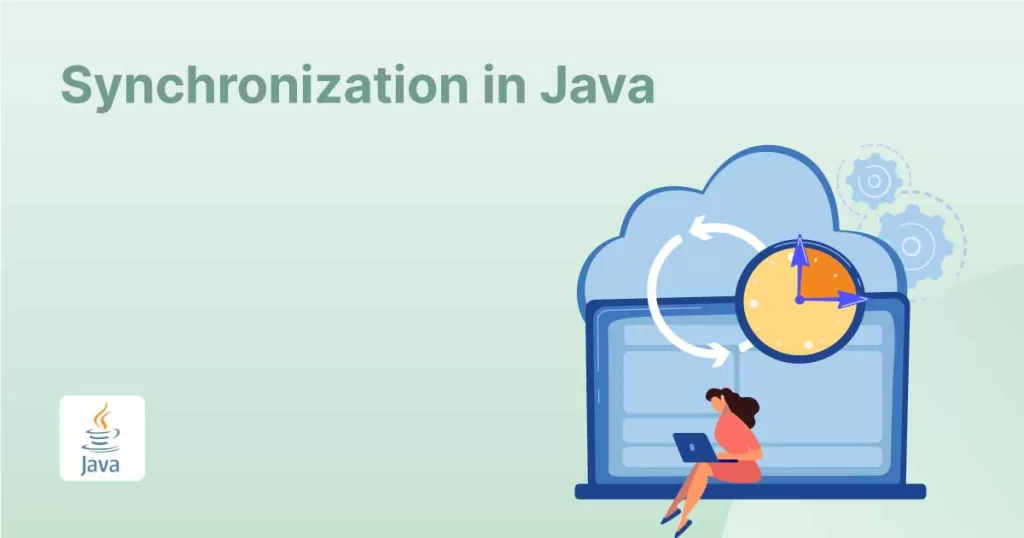
Synchronize in Java is the act of controlling access by multiple threads to shared resources. Without synchronization, if two or more threads try to update the same data at the same time you may get inconsistent results — this is known as a race condition.
Java has the synchronized keyword to ensure thread safety. Synchronization assures that only one thread can have access to a synchronized resource at one time.
Why Do We Need Synchronization?
Think about two threads that might access the same bank account balance at the same time. If the two threads do not have synchronized methods, the results could be wrong, because there could be a problem with the concurrency between the threads – both could be reading and writing at the same time.
Problems without synchronization:
- Race conditions
- Data could be inconsistent
- Deadlocks – if you do not handle accordingly
- You could create issues that are difficult to debug
If we simply use synchronize in Java we can avoid the problems associated with accessing shared data.
Types of Synchronize in Java
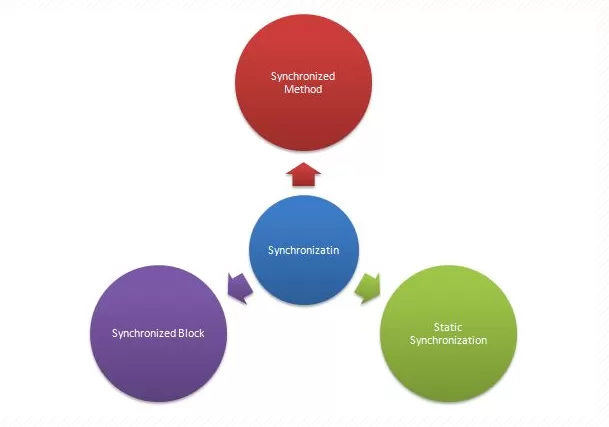
There are multiple ways to implement synchronize in java:
1. Synchronized Method
When you declare a method as synchronized, it means that only one thread at a time can execute it for a particular object.
class Counter {

    private int count = 0;

    public synchronized void increment() {

        count++;

    }

    public int getCount() {

        return count;

    }

}

public class SyncDemo {

    public static void main(String[] args) throws InterruptedException {

        Counter counter = new Counter();

        Thread t1 = new Thread(() -> {

            for (int i = 0; i < 1000; i++) {

                counter.increment();

            }

        });

        Thread t2 = new Thread(() -> {

            for (int i = 0; i < 1000; i++) {

                counter.increment();

            }

        });

        t1.start();

        t2.start();

        t1.join();

        t2.join();

        System.out.println("Final Count: " + counter.getCount());

    }

}
✅ Output will always be 2000, because the method is synchronized.
2. Synchronized Block
A synchronized block provides better granularity than a synchronized method. You can lock a smaller portion of the method instead of the complete method.
class Display {

    public void show(String msg) {

        synchronized(this) {

            for (int i = 0; i < 3; i++) {

                System.out.println(msg + " - " + i);

            }

        }

    }

}
This allows multiple synchronized blocks in the same method, each locking different objects if needed.
3. Static Synchronization
Synchronized methods that you declare static will lock on the class instead of the instance. This means that only one thread per class can execute that method.
class Printer {

    public static synchronized void printDoc(String doc) {

        System.out.println("Printing: " + doc);

    }

}
4. Inter-thread Communication
When synchronizing, Java also gives you wait(), notify(),and notifyAll(). These methods provide a mechanism for threads to run concurrently while concurrently waiting for resources.
Synchronization vs. Volatile in Java
One common point of confusion arises when comparing synchronized keyword with the volatile keyword.
- Volatile allows a variable to be immediately guaranteed visibility change to all threads.
- Synchronized guarantees both atomicity and visibility by allowing a thread to lock access to that variable.
Problems with Synchronization
While synchronize is powerful in Java, there are also drawbacks:
- Performance Overhead: Locks can impede execution and performance.
- Deadlock: If two threads have obtained different locks and each is trying to obtain the other lock, then neither can proceed.
- Starvation: If synchronization is not fair and allows long thread to obtain CPU time, one or more threads may never be granted CPU time.
Best Practices for Synchronization Java
- Synchronized blocks should be preferred over synchronized methods when possible (less performance penalty).
- Synchronized sections should be as limited as possible.
- When possible, prefer java.util.concurrent utilities (ReentrantLock, AtomicInteger, etc.) over manual synchronization.
- Make sure to not get into inadvertent nested synchronization, and avoid it if possible to prevent deadlock.
- You can use volatile when visibility alone is enough in order decrease the locking penalty.
Real-world Example: Bank Account Synchronization
Here, synchronization ensures that one withdrawal finishes before the next begins, preventing negative balance issues.

class BankAccount {

    private int balance = 1000;

    public synchronized void withdraw(int amount) {

        if (balance >= amount) {

            System.out.println(Thread.currentThread().getName() + " withdrawing " + amount);

            balance -= amount;

            System.out.println("Remaining balance: " + balance);

        } else {

            System.out.println("Insufficient funds!");

        }

    }

}

public class BankDemo {

    public static void main(String[] args) {

        BankAccount account = new BankAccount();

        Thread t1 = new Thread(() -> account.withdraw(700), "Thread-1");

        Thread t2 = new Thread(() -> account.withdraw(500), "Thread-2");

        t1.start();

        t2.start();

    }

}
FAQs on Synchronize in Java
Q1: What is synchronize in java?
Synchronize in java is a process that provides protection against threads when accessing/reading shared resources, it assures threads access shared resources in a time-slicing, non-concurrent manner.
Q2: What is the difference between synchronized method and synchronized block?
- Synchronized method: locks the whole method.
- Synchronized block: locks only the specific block.
Q3: Is synchronization always required?
No. You only want to synchronize when you have multiple threads that share valid changes to mutable resources. Abuse of synchronization in your code will slow performance.
Q4: Can synchronization cause deadlocks?
Yes. Deadlocks occur when two or more threads are waiting forever for locks held by other threads. Deadlocking is syntactically simple; Never synchronize the use of nested locks.
Conclusion
Synchronization in Java is fundamental to safe multithreading. If you use the synchronized keyword correctly – in methods, blocks and inter-thread communication, anything associated with synchronization – you will make your program thread-safe and prevent race conditions.
However, you should bear in mind that while synchronize in Java is effective, you must use it wisely, because using it too much is detrimental to performance. For modern applications, besides synchronization mechanisms built into Java, there are concurrent utilities in java.util.concurrent to refer to and write more efficient multithreading programs.
By thoroughly understanding synchronize in java, you will make your applications much more robust, scalable and free of bugs in a multithreaded environment.
Related Links