Top HTML Tags Every Web Developer Should Know in 2026
Tags for HTML — confused by them? I get it. When I first dipped my toes into web development, I was overwhelmed by all the <this> and <that>. Every tutorial threw around words like html elements, html attributes, and semantic tags without pausing to explain what they really meant.
But guess what? Once I got the hang of HTML tags, I started building actual websites. Real pages. Buttons that worked. Images that loaded. It clicked — literally and figuratively.
In this blog, I’ll walk you through the top HTML tags I wish I had learned right away. Not just definitions — we’ll go through examples, pro tips, and a few real-life dev moments.
🤔 What Are Tags for HTML, Anyway?
Tags for HTML — confused by them? I get it. When I first dipped my toes into web development, I was overwhelmed by all the <this> and <that>. Every tutorial threw around words like html elements, html attributes, and semantic tags without pausing to explain what they really meant.
That’s exactly why most Frontend developer courses in Chennai start with HTML — it’s the first language every aspiring developer must master before moving into CSS, JavaScript, and frameworks.
👉 A tag in HTML usually looks like this:
Here:
- <p> is the opening tag
- </p> is the closing tag
- Everything in between is your content
- Together, this is an HTML element
💡 HTML elements = opening tag + content + closing tag
💬 HTML attributes = extra info about the tag (like style or link target)
✨ Why Should You Learn These Tags?
Let me be honest — without knowing these tags for HTML, you can’t build anything meaningful on the web. They’re not optional. They’re essential.
I remember once spending hours trying to center text, only to realize I was misusing the <div> and forgetting to add a class attribute. Rookie mistake — but I learned the hard way.
So here’s your shortcut 🚀
📋 My Handpicked HTML Tags List (With Examples!)
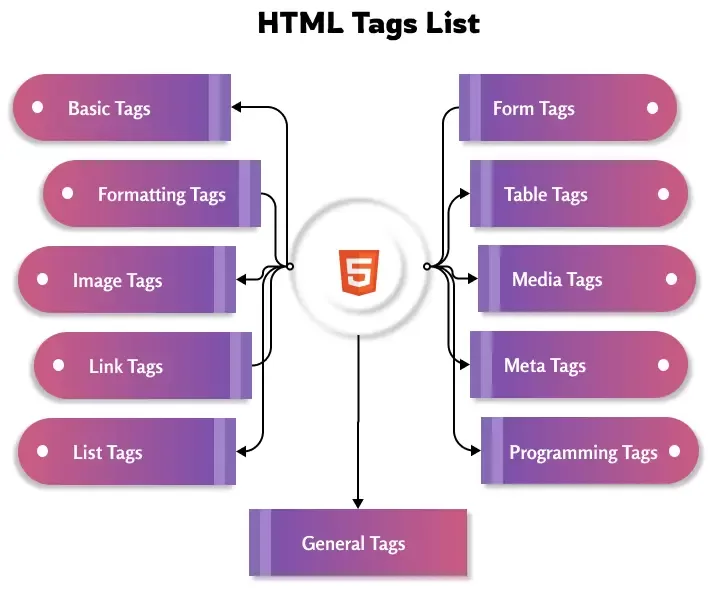
Here’s a curated HTML tags list I personally use the most:
🧱 Basic Structure Tags
These tags are your page’s foundation.
| Tag | Purpose | Example |
|---|---|---|
<!DOCTYPE html> | Defines the HTML version | <!DOCTYPE html> |
<html> | Root of the HTML document | <html lang="en"> |
<head> | Meta info, links, scripts | <head>...</head> |
<title> | Page title (shown in browser tab) | <title>My Page</title> |
<body> | Main content of the page | <body>...</body> |
✍️ Text Formatting Tags
You’ll use these daily.
✅ Pro Tip: Use <strong> and <em> for accessibility — they carry more meaning than just <b> or <i>.
🔗 Links and Media Tags
Without these, your page is basically a text document.
🎯 Always use the alt attribute in images — it’s great for accessibility and SEO!
🧩 List Tags
Perfect for menus, steps, to-dos, etc.
💡 Semantic HTML Tags
These help search engines and screen readers understand your content better.
✅ Use semantic html elements to boost your page’s SEO and accessibility.
🧠 Form Tags (For Login, Signup, Contact)
🎯 Use label tags for better form usability and screen-reader support.
🛠️ HTML Attributes You Should Know
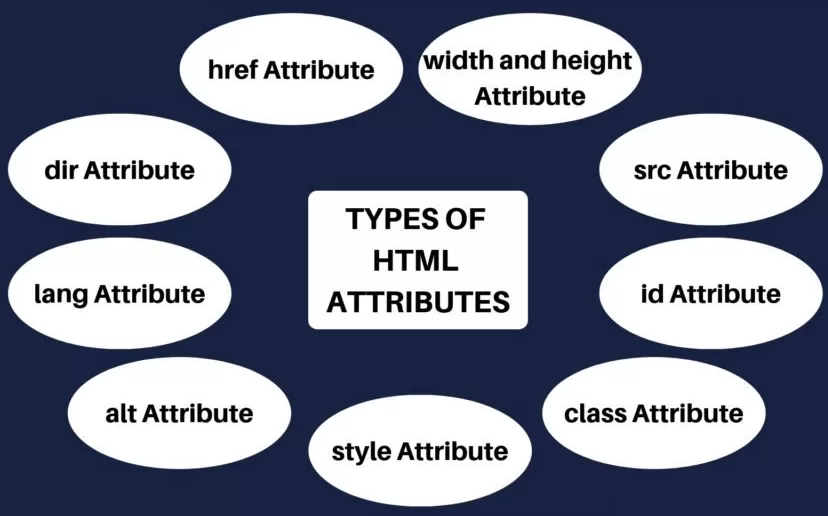
Let’s talk HTML attributes — they’re like little power-ups for your tags.
- href – for links
- src – for images
- alt – image description
- class – CSS styling
- id – unique identifier
- style – inline CSS
- target=”_blank” – open link in new tab
Example:
🧪 Real-Life Example: My First Web Page
Here’s how I started — with just 10 lines of HTML:
Simple, right? Yet powerful enough to build a landing page ✨
🎯 Final Thoughts
Tags for HTML are where it all begins. Whether you’re designing a portfolio, blog, or full-blown app — these tiny symbols control everything. And now, you’re one step closer to mastering them.
But if you’re serious about leveling up, learning HTML alone isn’t enough. Pair it with CSS, JavaScript, and project-building — that’s where the magic happens ✨
If you’re based in India and want to take your skills to the next level, I highly recommend checking out a Frontend developer course in Chennai. These courses guide you from the basics of HTML to advanced frontend frameworks, helping you build a real-world-ready skillset that employers love.
🔗 Related Links