What are Data Models in DBMS? 5 Powerful Types Explained with Real Examples (2025 Guide)
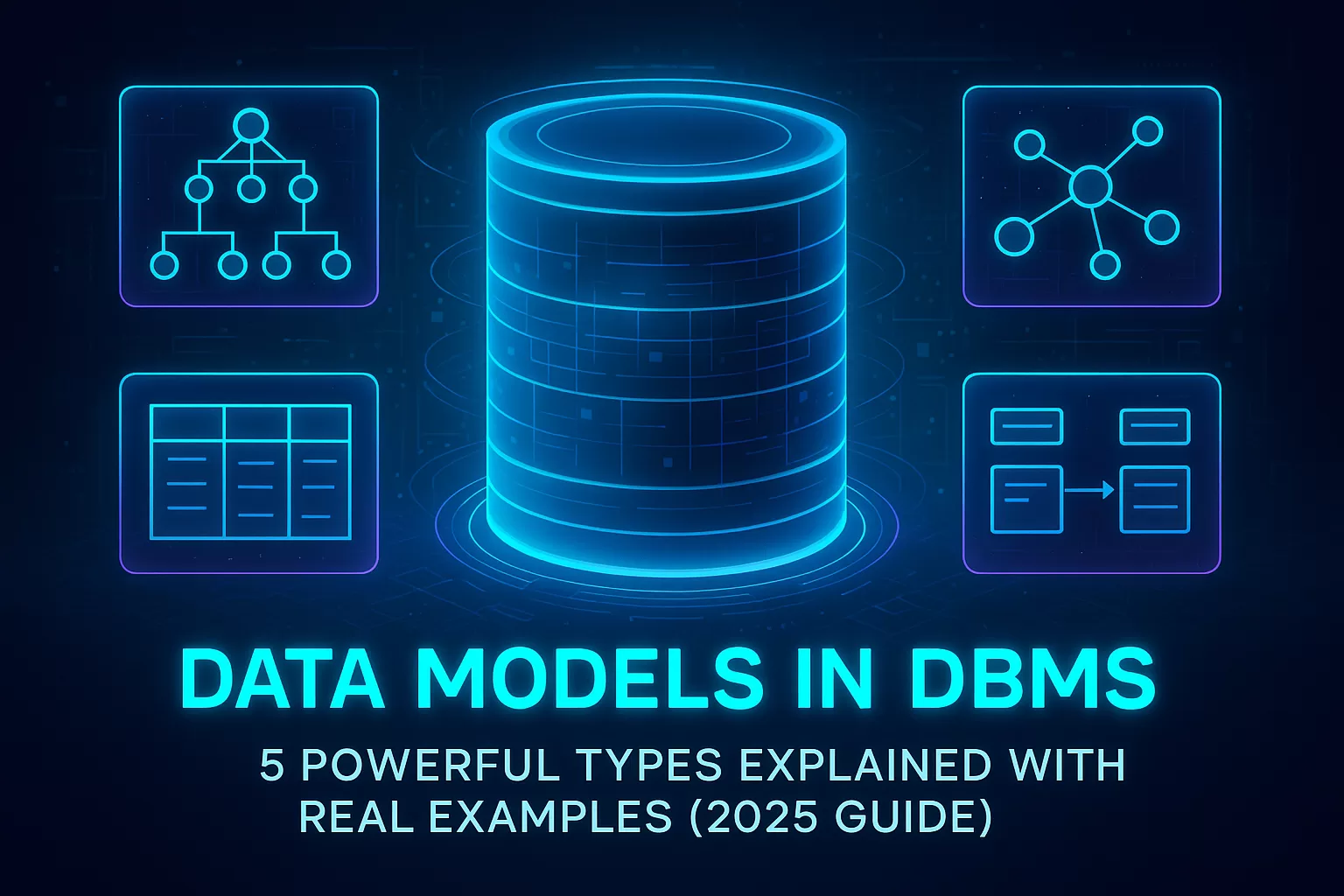
If you’ve ever wondered how massive apps like Instagram, Netflix, or banking systems manage billions of records without breaking a sweat — the answer lies in one simple concept: data models in DBMS.
Here’s a fact that might surprise you 👇
According to IDC, the world is projected to generate over 180 zettabytes of data by 2025 — that’s enough to fill 60 billion smartphones.
With so much data being generated every second, understanding what a data model in DBMS is isn’t just academic — it’s a career booster. Whether you’re a software engineer, data analyst, or database architect, mastering this concept helps you design smarter systems and land roles that pay 25–30% higher than average developer jobs (source: Glassdoor tech salaries, 2024).
So, let’s simplify one of the most foundational topics in databases — in a way that’s clear, real-world, and relevant to your tech journey.
⚡ Key Highlights
✅ Understand what a data model in DBMS really is — beyond textbook definitions.
✅ Learn the 5 major types of data models with examples and diagrams.
✅ Explore real-world applications of each model in tools like Oracle, MongoDB, and Power BI.
✅ Discover how choosing the right data model impacts your app’s performance and scalability.
✅ Get developer-friendly insights and tips for interviews and projects.
💡 What Is Data Model in DBMS? (Definition + Why It Matters)
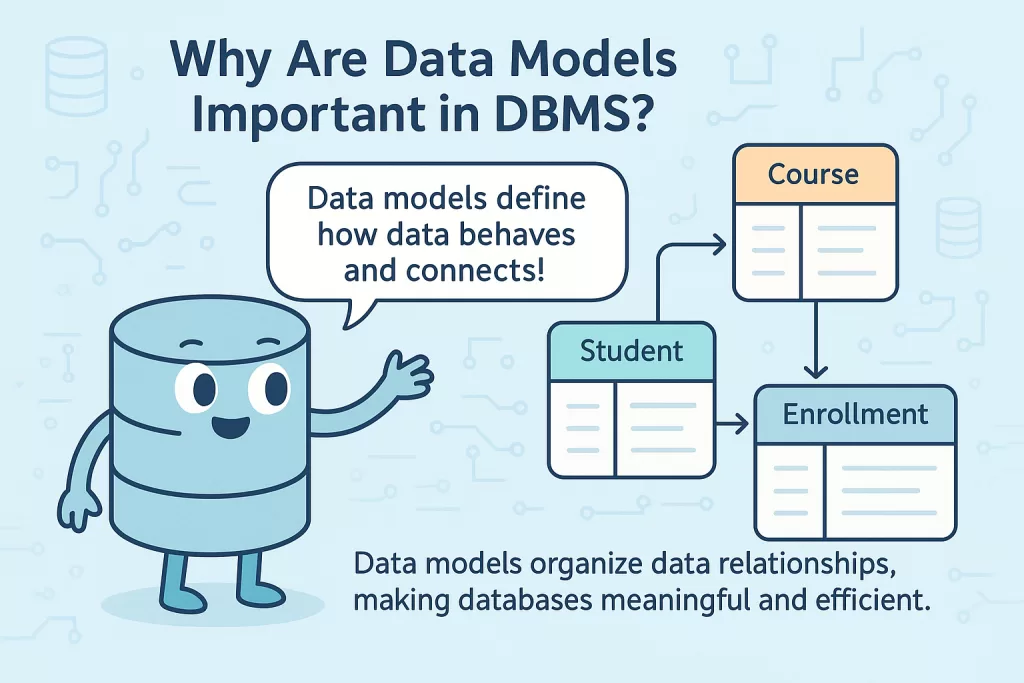
A data model in DBMS defines how data is structured, stored, and connected inside a database. Think of it as the blueprint of your app’s brain — it decides how information talks to each other.
When a developer designs a database for an e-commerce site, for instance, the data model defines how “Users,” “Orders,” and “Products” relate. Without a proper model, you’ll end up with duplicate records, slow queries, and messy logic — a nightmare for performance.
👉 In simple words:
A data model in DBMS is a conceptual representation that helps you visualize and organize data efficiently.
Why it matters:
- It brings clarity to complex systems.
- It ensures data integrity — what you store is consistent and reliable.
- It enables better scalability, especially when systems grow.

Real-world insight:
In the 2024 Stack Overflow Developer Survey, over 68% of backend developers said data modeling is a critical skill for designing maintainable systems.
⚙️ Why Are Data Models Important in DBMS?
Data models aren’t just about diagrams or theory — they’re about control.
When data grows, it tends to get messy. A solid model ensures every byte knows where it belongs. That’s why companies like Amazon and Meta have dedicated data modeling teams that shape how their systems handle billions of transactions daily.
Here’s why it matters to you as a developer:
- Improved performance: Well-structured models reduce query time dramatically.
- Fewer bugs: Logical relationships mean fewer inconsistencies between tables.
- Faster onboarding: Anyone new to the project can understand the system instantly with a clear diagram.
- Future-proofing: Makes scaling easier as data grows exponentially.
👉 Pro tip: During interviews for backend or data engineering roles, questions like “Explain the relational data model” or “Differentiate between hierarchical and network models” are common. Knowing these concepts helps you stand out.
🧱Types of Data Models in DBMS (Overview)
Now that you understand what a data model in DBMS is and why it matters, let’s look at the 5 core types of data models every developer should know.
Each one has its unique structure, use case, and advantage.
| Model Type | Structure | Best For |
|---|---|---|
| Hierarchical Model | Tree-like structure | File systems, XML storage |
| Network Model | Graph with multiple relationships | Telecom, complex databases |
| Relational Model | Tables with rows and columns | Most modern databases (MySQL, Oracle) |
| Object-Oriented Model | Objects with attributes and methods | Real-world modeling, OODBMS |
| Multidimensional Model | Cubes for analytics | Data warehouses, Power BI |
🌳 Hierarchical Data Model in DBMS (Definition + Example + Diagram)
Imagine your data organized like a family tree. That’s the hierarchical data model — where each parent record can have multiple children, but each child has only one parent.
💬 Example:
Think of your computer’s file system.
- A drive (C:) is the root node.
- Inside it, you have folders.
- Inside folders, you have files.
That’s exactly how hierarchical databases like IBM IMS store information.
📊 Diagram:
Root (Company)
 ├── Department A
 │     ├── Employee 1
 │     └── Employee 2
 └── Department B
       ├── Employee 3
       └── Employee 4
💡 Developer Insight:
Hierarchical models are super fast for predictable queries — for instance, banking systems that follow strict parent-child data flow (like accounts and transactions).

🚫 Limitation:
You can’t easily connect data across branches — not ideal for modern, cross-linked apps.
🌐 Network Data Model in DBMS (Definition + Example + Diagram)
When databases needed to handle more complex relationships than a simple tree could manage, the Network Data Model was born.
Here, data is stored as records connected by pointers, forming something that looks like a web — not a hierarchy.
Each record can have multiple parents and children, giving developers more flexibility in linking data.

💬 Example:
Imagine a university database where:
- Each student can enroll in multiple courses, and
- Each course can have multiple students.
That’s a many-to-many relationship, which the network data model handles easily.
📊 Diagram:
Student A ──→ Course X
   │  │         ↑
   │  └──→ Course Y
   │
Student B ──→ Course Y ──→ Professor Z
💡 Developer Insight:
Systems like CODASYL DBMS and TurboIMAGE relied heavily on this model. Even today, the design ideas behind it influence graph databases like Neo4j.
🚀 Best Practice:
Use the network model when your data naturally forms dense connections — like social networks, airline routes, or telecom records. It delivers faster lookups than relational databases for certain linked queries.
🧮 Relational Data Model in DBMS (The Modern Standard)
If you’ve ever used MySQL, PostgreSQL, or SQLite, you’re already living inside a relational data model — even if you didn’t know it.
Introduced by E.F. Codd in 1970, this model changed how the world stores and retrieves information. Instead of pointers or trees, everything is represented in tables (relations) made up of rows (tuples) and columns (attributes).
💬 Example:
Let’s say you have a database for an online store:
| ProductID | ProductName | Price | CategoryID |
|---|---|---|---|
| 1 | Laptop | 700 | 101 |
| 2 | Mouse | 20 | 102 |
Each table connects to others through primary and foreign keys — a concept every developer should master before touching SQL.
📊 Diagram:
[Product Table] ←── CategoryID ──→ [Category Table]
💡 Developer Insight:
This model powers over 85% of enterprise databases globally (Statista 2024).
It’s easy to scale, flexible, and supports ACID transactions — making it perfect for financial, e-commerce, and SaaS systems.

⚡ Pro Tip:
Relational models are interview gold. Expect questions like:
“How do primary and foreign keys maintain relationships in the relational model?”
Learn to answer this with real-world use cases.
🧩 Object Oriented Data Model (OODBMS Explained)
As software moved from procedural to object-oriented programming, databases had to evolve too. That’s where the Object Oriented Data Model (OODM) comes in.
In this model, data is stored as objects — just like in Java or C++. Each object contains data (attributes) and functions (methods) that define its behavior.
💬 Example:
Consider a “Car” class:
Car {
   Model: "Tesla Model Y"
   Year: 2025
   Start()
   Accelerate()
}
This object can be stored directly in the database, preserving both its state and behavior.

💡 Real-World Use Case:
Used in CAD/CAM systems, real-time simulations, and AI models, where data and functions need to stay tightly linked.
⚙️ Developer Insight:
Object databases like db4o, ObjectDB, and Versant follow this model. They shine when your application already uses an object-oriented language, removing the “impedance mismatch” between code and database.
📊 Multidimensional Data Model (Data Warehouse Hero)
When we step into the world of analytics and data warehouses, the game changes. Here, speed and insights matter more than transactional accuracy — and that’s where the Multidimensional Data Model (MDM) dominates.
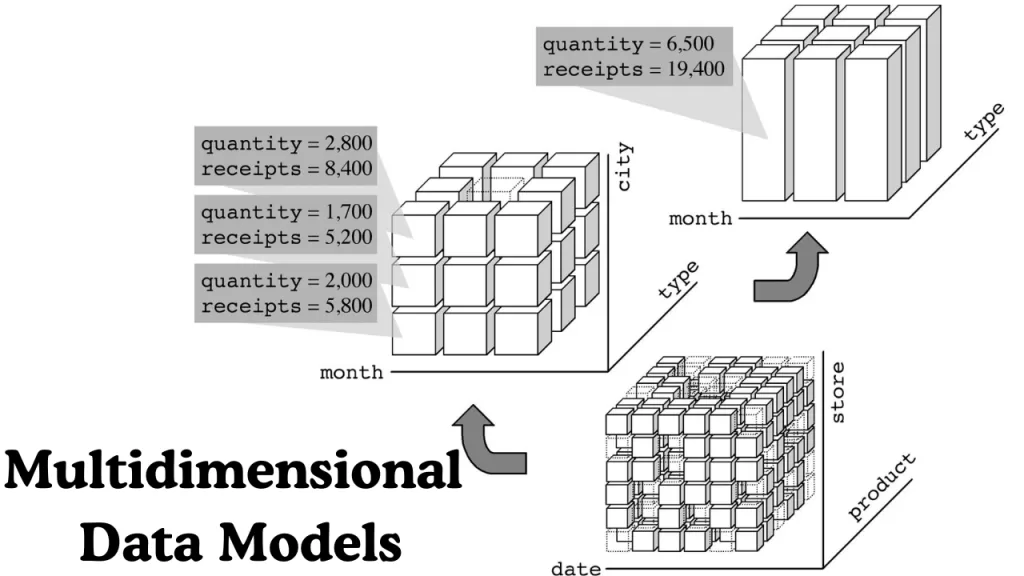
It stores data in cubes instead of tables. Each cube has dimensions (like time, region, product) and facts (like sales, revenue).
💬 Example:
A sales cube could answer:
“How much revenue did Product X generate in Asia in Q3 2025?”
This model underpins OLAP (Online Analytical Processing) systems used in Power BI, Tableau, and Snowflake.
📊 Visualization:
Cube → [Product] × [Region] × [Time]
💡 Developer Insight:
Companies adopting OLAP cubes saw up to 60% faster report generation, according to Gartner’s 2024 data-analytics report.
⚙️ Best Practice:
Use multidimensional models when your goal is analytics, forecasting, or trend analysis, not transactional systems.
🧠 Logical vs Physical Data Models (Advanced Understanding)
Now that you’ve seen all major types, let’s touch on two broader perspectives that every data architect must understand.
| Type | Description | Example |
|---|---|---|
| Logical Data Model | Abstract view of how data is related conceptually. | ER diagrams, schema designs. |
| Physical Data Model | Actual database implementation — includes data types, indexes, and constraints. | SQL DDL scripts. |
💡 Developer Tip:
Always design logical models first — they’re easier to modify and visualize. Move to physical models only after your relationships and constraints are rock solid.

🔍 Real-World Insight:
Top tech companies like Airbnb and Netflix use layered modeling — starting with logical models for collaboration, then implementing physical structures for performance tuning.
🧩 Data Model Diagram Overview (Visualizing How Data Connects)
You can’t talk about databases without talking about data model diagrams — they’re the visual backbone of how developers understand, design, and communicate data flow.
A data model diagram visually represents entities, attributes, and relationships. It’s what turns abstract relationships into a clear picture you can share with your team.
📉 Common Types of Data Model Diagrams:
- Hierarchical Data Model Diagram: Looks like a tree structure — perfect for one-to-many relationships.
- Network Data Model Diagram: Appears as a mesh or graph — ideal for many-to-many connections.
- Relational Data Model Diagram: Uses tables linked with lines (keys). Common in ER diagrams.
- Object-Oriented Data Model Diagram: Combines class-like boxes with properties and methods.
💡 Pro Tip for Developers:
When designing your database, always create diagrams first before writing code. Visualizing your model early helps catch inconsistencies and plan indexing strategies — a step that can save up to 40% of debugging time later (based on GitHub developer survey, 2024).
⚖️ Comparison Table — Types of Data Models in DBMS
Here’s a quick reference table comparing all major data models so you can choose the right one for your next project.
| Model Type | Structure | Relationship Type | Best Use Case | Example Systems |
|---|---|---|---|---|
| Hierarchical | Tree | One-to-many | File systems, XML databases | IBM IMS |
| Network | Graph | Many-to-many | Telecom, airline booking | TurboIMAGE, IDS |
| Relational | Table | Many-to-many (via keys) | SQL databases, ERP systems | MySQL, Oracle, PostgreSQL |
| Object-Oriented | Object | Real-world mapping | CAD/CAM, simulations | db4o, ObjectDB |
| Multidimensional | Cube | Multi-dimensional | Data warehousing, analytics | Power BI, Snowflake |
💬 Developer Insight:
There’s no “best” model overall — only what fits your data.
If you’re working on:
- A highly connected system → use a Network Model.
- Analytical dashboards → go for a Multidimensional Model.
- Most web apps or SaaS platforms → stick with the Relational Model — it’s battle-tested and scalable.
🌍 Real-World Applications of Data Models
Data models are everywhere — from the apps you use daily to enterprise systems running the global economy.
🏢 1. Banking & Finance Systems
- Use Hierarchical and Relational Models to manage customers, accounts, and transactions.
- These ensure data accuracy and quick retrieval for audits and compliance.
🧑💻 2. Social Media Platforms
- Network Data Models inspire the graph-like structures in Facebook and LinkedIn.
- Friend suggestions, post recommendations, and group memberships rely on connected data.
📊 3. Business Intelligence Tools
- Tools like Power BI and Tableau rely on Multidimensional Data Models for OLAP cubes.
- This helps businesses track metrics like revenue, sales trends, and user engagement across multiple dimensions.
🧠 4. AI and Simulation Systems
- Object-Oriented Models power AI simulations and virtual environments by storing real-world entities as objects.
💡 Career Connection:
Recruiters often test this topic in database and data engineering interviews.
If you can explain why a relational model scales better or when to prefer a multidimensional model, you instantly stand out.
❓ FAQs About Data Models in DBMS
Q1: What is a data model in DBMS?
A data model in DBMS defines how data is structured, related, and managed within a database. It acts as a blueprint for organizing information logically and efficiently.
Q2: What are the main types of data models in DBMS?
There are five main types — Hierarchical, Network, Relational, Object-Oriented, and Multidimensional.
Q3: Which data model is most commonly used today?
The Relational Data Model dominates the modern landscape — used in SQL-based databases like MySQL and PostgreSQL.
Q4: What is a data model diagram?
It’s a visual representation of entities and relationships that define the structure of your database.
Q5: What’s the difference between logical and physical data models?
- Logical: Abstract and conceptual — focuses on relationships.
- Physical: Implementation-level — includes data types, indexes, and constraints.
Q6: Can you create data models in Power BI or Salesforce?
Yes! Both tools let you create logical data models visually — connecting data sources, defining relationships, and setting up hierarchies for analytics.
🧭 Conclusion – Why Understanding Data Models in DBMS Elevates Your Tech Career
So, now that you know what a data model in DBMS is, how each type works, and where they shine, here’s the real takeaway — mastering data models isn’t just for database engineers.
It’s for any developer who wants to build scalable, maintainable, and efficient systems.
Think of it like this:
Every line of code you write depends on how your data is modeled behind the scenes.
Whether you’re building a small app or architecting systems for millions of users, the right data model is what keeps your project from collapsing under scale.
According to LinkedIn’s 2025 Emerging Tech Report, data modeling and database design rank among the top 10 most valuable skills for backend and data engineers.
So, the next time you open your IDE or plan a project — remember to model your data first. Your future self (and your production server) will thank you.
🔗 Related Reads (Best Fit for This Article)
- What is ER Model in DBMS: Easy Definition, Diagram, Types, and Examples (2025 Guide)
→ Perfect link because ER models are the visual foundation for conceptual and logical data models. - 7 Types of Databases in DBMS Every Student Should Learn in 2025
→ Connects well since data models vary by database type (relational, hierarchical, etc.). - Difference Between Database and Database Management System (DBMS)
→ Adds clarity for beginners reading about data modeling for the first time. - What is Normalization in DBMS – 1NF, 2NF, 3NF Explained with Examples (2025 Guide)
→ Natural follow-up topic: after modeling, the next step in database design is normalization.