What is Notion? [A Detailed Guide for Beginners]

Are you wondering, What is Notion? [A detailed guide for beginners] will help you understand why this tool is gaining massive popularity among students, professionals, and teams. Whether you’re managing tasks, creating a personal wiki, or planning your content calendar, Notion offers it all in one place. 🧠💻
✨ Key Highlights:
- What is Notion? [A detailed guide for beginners] with simple examples
- Why Notion is one of the best productivity tools in 2025
- Learn about Notion’s core features: databases, templates, and pages
- Ideal for individuals, teams, students, and freelancers
- Free & premium pricing options
What is Notion? [A Detailed Guide for Beginners]
What is Notion? It’s an all-in-one productivity and organization app that combines note-taking, task management, database building, and collaboration features into one interface. Think of it as a mix of Trello, Evernote, and Google Docs – but better!
Notion was launched in 2016 and has since exploded in popularity due to its flexible interface, minimalist design, and user-friendly functionality. If you’re new to it, this guide will help you get started fast.

Why Is Notion So Popular in 2025?
People ask, “What is Notion and why does everyone use it?” Here’s why:
- Customizable Workspaces: Design your own dashboards, pages, and templates
- Flexible Content Blocks: Everything from text to databases is built with drag-and-drop blocks
- Cross-Platform Sync: Works seamlessly across Windows, macOS, iOS, Android, and the web
- Free for Personal Use: Notion offers a robust free plan that’s perfect for beginners 🆓
- AI-Powered Features: Notion AI can now help generate text, summaries, and to-do lists
Core Features of Notion for Beginners
1. Pages and Sub-Pages
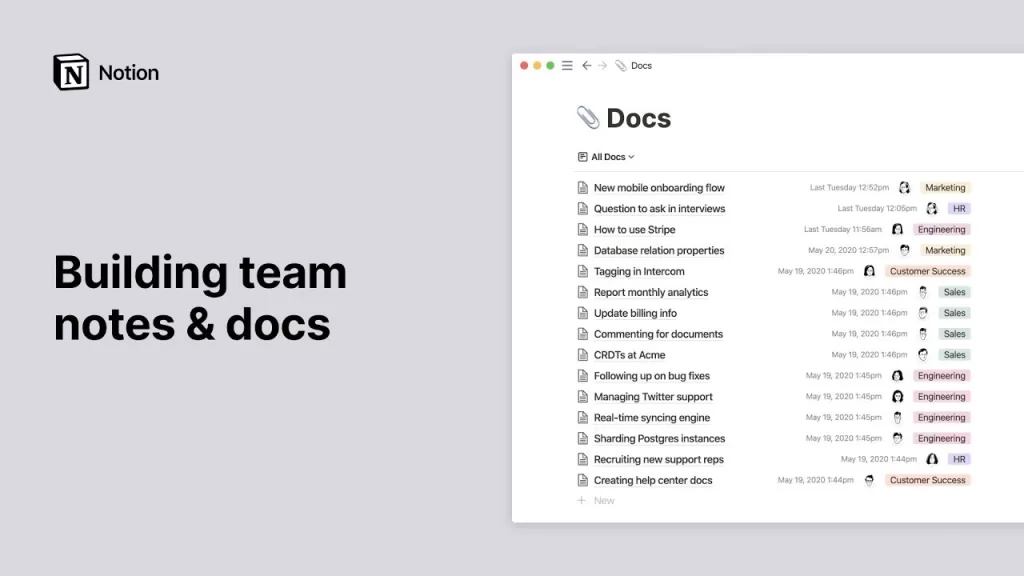
Everything in Notion starts with a page. You can add text, checklists, images, embeds, and more. Pages can have unlimited nested sub-pages.
2. Databases
Use tables, kanban boards, calendars, and gallery views. This is one of the most powerful features in Notion. For example, manage your content calendar or book list with ease.
3. Templates
Notion provides a huge collection of templates for project management, note-taking, goal tracking, and more. You can also create your own.
4. Collaboration Tools
Invite team members and collaborate on projects in real-time. Great for remote teams and students working on group projects.
5. Integration with Tools
Notion connects with Slack, Google Drive, GitHub, Trello, and many more via integrations or third-party tools like Zapier.

How to Use Notion for Personal Productivity
If you’re just starting out, here are some beginner-friendly uses:
- Create a daily journal 📝
- Manage your to-do list and weekly planner
- Track your goals and habits
- Organize your study notes or reading list
- Build a personal wiki or knowledge base
Notion vs Other Productivity Tools
Compared to apps like Evernote, Trello, or ClickUp, Notion stands out with its all-in-one approach and unmatched customization options. Want a simple note app? Use Notion. Want a full-blown project management tool? Still Notion. 🤯
| Feature | Notion | Evernote | Trello |
|---|---|---|---|
| Notes | ✅ | ✅ | ❌ |
| Task Management | ✅ | ❌ | ✅ |
| Databases | ✅ | ❌ | ❌ |
| Collaboration | ✅ | ✅ | ✅ |
Notion Pricing in 2025
- Free Plan: For individuals with basic features
- Plus Plan: $8/month for extended features
- Business Plan: $15/month for team usage
- Enterprise: Custom pricing for large organizations
🔗 Notion Official Pricing Page
Helpful Links and Resources to Learn More
- Beginner’s Guide to Notion by Notion
- Notion Templates Gallery
- The 8 Best Notion Alternatives
- Best note taking apps in 2025
Final Thoughts: Is Notion Right for You?
So, What is Notion? [A detailed guide for beginners] has shown you that this tool is not just a trend. It’s a powerful platform for anyone looking to boost personal and professional productivity. Whether you’re a student, a freelancer, or a team leader, Notion adapts to your workflow.
Start simple and explore more as you grow. ✨
Ready to try it out? Visit the official Notion site and sign up for free today!