Java Serialization is one of those Java concepts that sounds complicated at first but becomes extremely useful once you understand the “why” behind it. Whether you’re saving objects to a file, sending data over a network, or working with distributed systems, serialization plays a key role in how Java applications move and store data.
This guide explains Java Serialization from scratch, with clear explanations, real examples, and best practices—no prior knowledge required.
What Is Java Serialization?
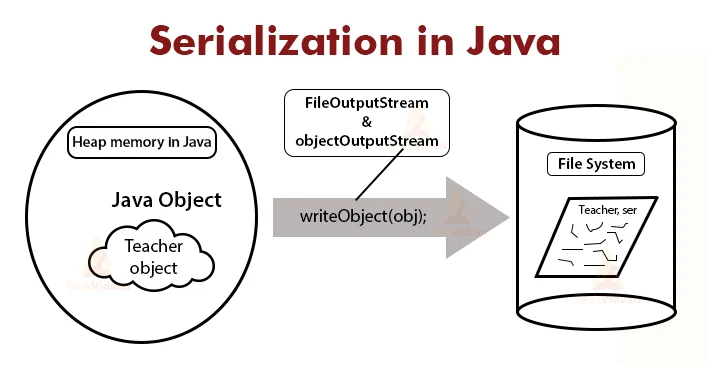
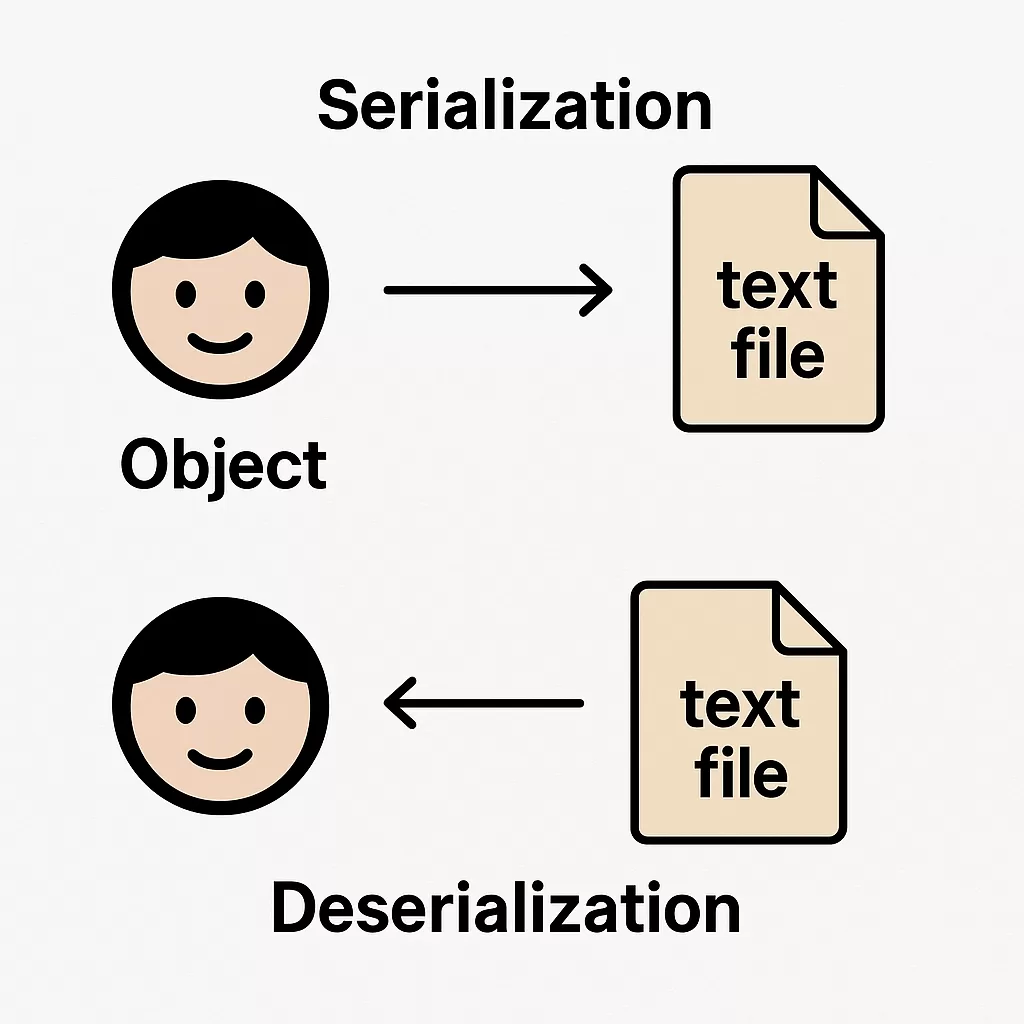
Serialization is the process of converting a Java object into a byte stream so that it can be:
- Saved to a file
- Sent over a network
- Stored in a database
- Transferred between JVMs (Java Virtual Machines)
The reverse process—converting the byte stream back into a Java object—is called deserialization.
In simple terms:
Serialization = Object ➜ Byte stream
Deserialization = Byte stream ➜ Object
Why Do We Need Serialization?
Java objects exist only in memory. Once the program stops, everything is lost. Serialization allows objects to live beyond the runtime of a program.
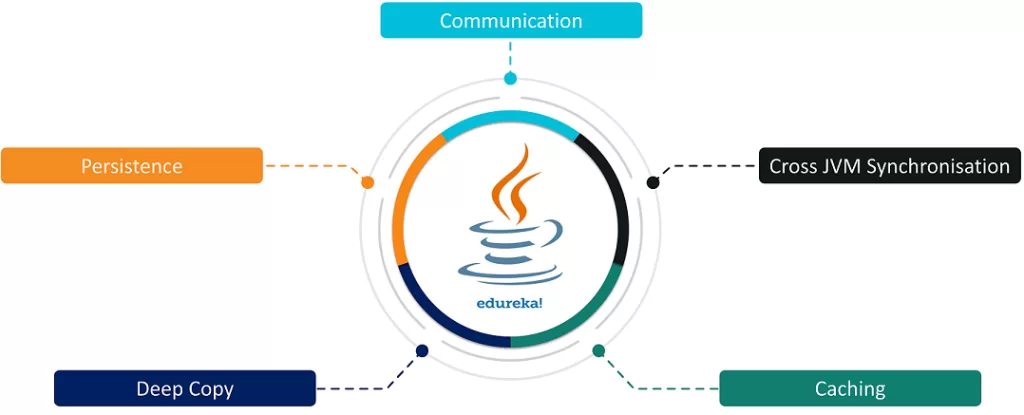
Common real-world use cases include:
- Saving user session data
- Transferring objects in client-server applications
- Caching objects for performance
- Storing application state
- Distributed systems and microservices
How Serialization Works in Java
Java provides built-in support for serialization through the java.io package.
The key idea is simple:
- The class must implement the
Serializableinterface - Java handles the rest automatically
The Serializable Interface
Serializable is a marker interface, which means:
- It has no methods
- It simply tells the JVM that the object can be serialized
import java.io.Serializable;

class Student implements Serializable {
    int id;
    String name;
}
Once a class implements Serializable, its objects can be converted into a byte stream.
Serializing an Object (Writing to a File)
Let’s see a complete example.
Step 1: Create a Serializable Class
import java.io.Serializable;

class Student implements Serializable {
    int id;
    String name;

    Student(int id, String name) {
        this.id = id;
        this.name = name;
    }
}
Step 2: Serialize the Object
import java.io.FileOutputStream;
import java.io.ObjectOutputStream;

public class SerializeExample {
    public static void main(String[] args) {
        try {
            Student s1 = new Student(101, "Arun");

            FileOutputStream fileOut =
                    new FileOutputStream("student.ser");
            ObjectOutputStream out =
                    new ObjectOutputStream(fileOut);

            out.writeObject(s1);

            out.close();
            fileOut.close();

            System.out.println("Object serialized successfully");
        } catch (Exception e) {
            e.printStackTrace();
        }
    }
}
This code:
- Converts the
Studentobject into bytes - Saves it in a file called
student.ser
Deserializing an Object (Reading from a File)
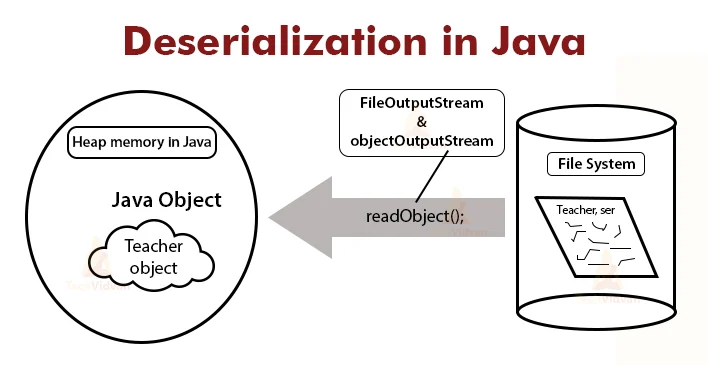
Now let’s convert the byte stream back into an object.
import java.io.FileInputStream;
import java.io.ObjectInputStream;

public class DeserializeExample {
    public static void main(String[] args) {
        try {
            FileInputStream fileIn =
                    new FileInputStream("student.ser");
            ObjectInputStream in =
                    new ObjectInputStream(fileIn);

            Student s =
                    (Student) in.readObject();

            in.close();
            fileIn.close();

            System.out.println(s.id + " " + s.name);
        } catch (Exception e) {
            e.printStackTrace();
        }
    }
}
Output:
101 Arun
Important Rules of Serialization
- Only instance variables are serialized
- Static variables belong to the class, not the object
- They are not saved
- Constructors are not called during deserialization
- Object is created directly from the byte stream
- All non-serializable fields cause an error
- Unless marked as
transient
- Unless marked as
The transient Keyword
The transient keyword tells Java:
“Do not serialize this variable.”
Example:
class User implements Serializable {
    String username;
    transient String password;
}
usernamewill be serializedpasswordwill NOT be saved
This is useful for:
- Passwords
- Sensitive data
- Temporary values
SerialVersionUID (Very Important)

serialVersionUID is a unique identifier for each Serializable class.
private static final long serialVersionUID = 1L;
Why it matters:
- Prevents version mismatch during deserialization
- Ensures compatibility when class structure changes
If not defined, Java generates one automatically—which can cause errors later.
Best practice: Always define serialVersionUID.
What Happens If a Class Changes?
If you:
- Add/remove variables
- Change data types
- Modify class structure
Deserialization may fail with:
InvalidClassException
Defining serialVersionUID helps control compatibility.
Serialization with Inheritance
- If a parent class implements
Serializable, child classes are automatically serializable - If parent is not serializable, its constructor is called during deserialization
Externalizable vs Serializable
| Feature | Serializable | Externalizable |
|---|---|---|
| Control | Less | Full control |
| Ease of use | Easy | Complex |
| Performance | Slower | Faster (if optimized) |
| Methods required | None | writeExternal(), readExternal() |
Externalizable is used when you want custom serialization logic.
Common Serialization Problems
NotSerializableException- Class version mismatch
- Performance overhead
- Security risks
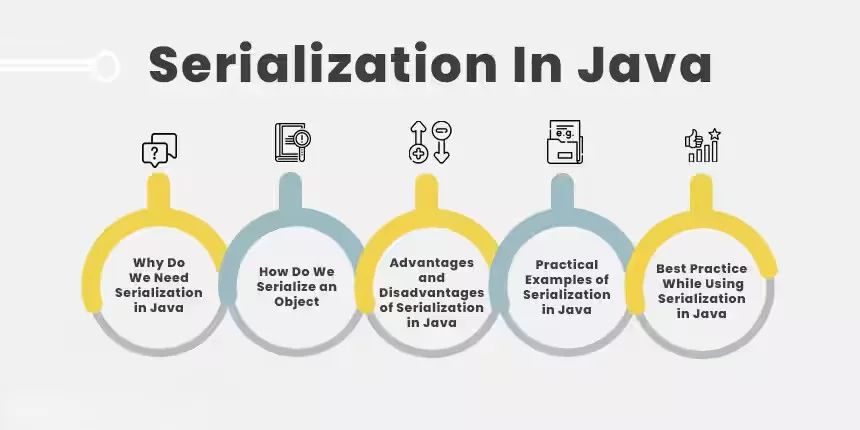
Best Practices for Serialization
- Use
transientfor sensitive data - Always define
serialVersionUID - Avoid serializing large object graphs
- Prefer JSON/XML for cross-platform communication
- Consider alternatives like:
- JSON (Jackson, Gson)
- Protocol Buffers
- Kryo
When NOT to Use Serialization
Avoid Java serialization when:
- Working with microservices
- Needing language-independent data exchange
- Performance and security are critical
Real-World Example Use Case
- HTTP sessions in web applications
- RMI (Remote Method Invocation)
- Caching frameworks
- Distributed Java systems
Conclusion:
Java Serialization allows objects to be converted into a portable format that can be stored or transferred easily. While Java makes serialization simple through the Serializable interface, understanding its rules, limitations, and best practices is essential to avoid bugs, security issues, and performance problems.
If you’re starting out, master basic serialization first—then explore advanced techniques and alternatives as your applications grow.
Want to Learn More About Java ?, Kaashiv Infotech Offers, Full Stack Java Course, Java Course, Data Science Course, Internships & More, Visit Their Website www.kaashivinfotech.com.