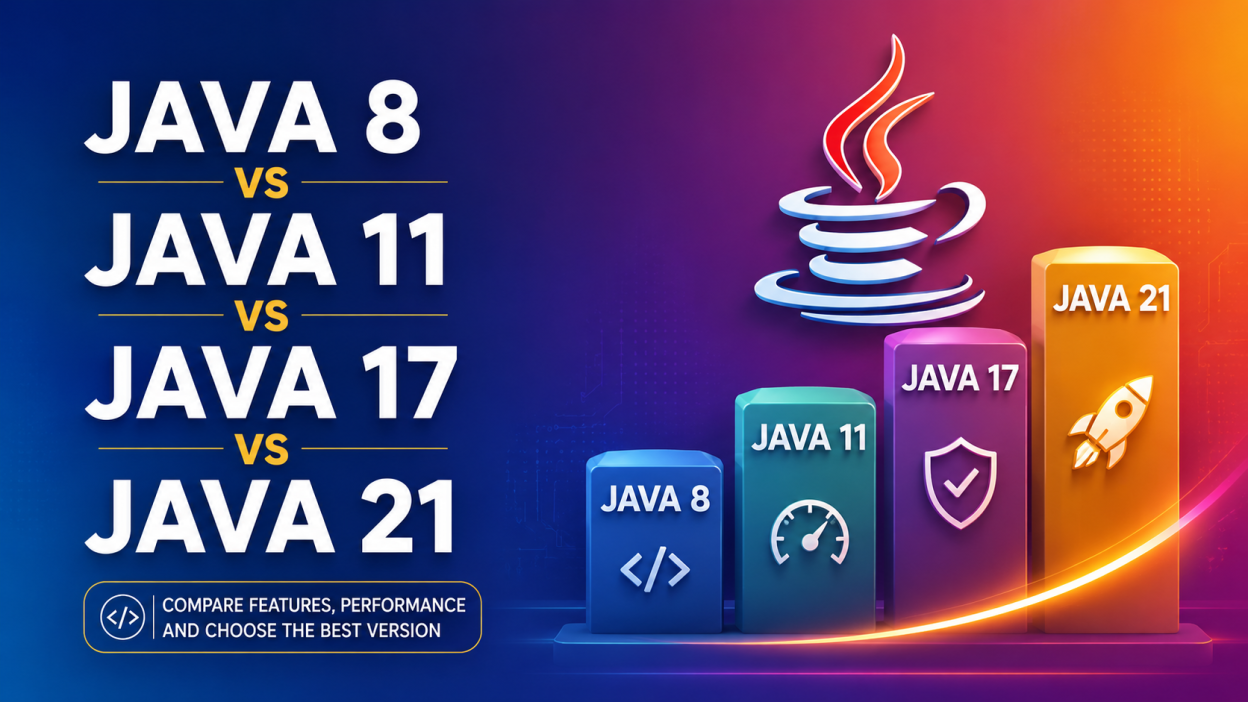
If you’ve been searching for Java 8 vs Java 11 vs Java 17 vs Java 21, you’re probably wondering one simple thing: Which Java version should I learn or use in 2026?
I had the exact same question when I started learning Java. Everywhere I looked, people had different opinions. Some developers refused to leave Java 8. Others insisted Java 17 was the safest choice. Then there were developers already talking about Java 21.
Honestly, it was confusing.
So, instead of reading dozens of articles, I decided to compare every major Java release myself. After spending time learning their features and seeing how companies actually use them, I realized each version has its own purpose.
In this guide, I’ll explain Java 8 vs Java 11 vs Java 17 vs Java 21 in the simplest way possible. Whether you’re a beginner, student, or experienced developer, you’ll know exactly which version fits your needs by the end of this article.
✨ Key Highlights
- ✅ Understand Java 8 vs Java 11 vs Java 17 vs Java 21 in simple language
- ✅ Learn the biggest features introduced in each version
- ✅ Compare performance and security improvements
- ✅ Find out which version companies prefer
- ✅ Know which Java version beginners should learn
- ✅ Discover the latest Long-Term Support (LTS) releases
- ✅ See an easy comparison table
- ✅ Get practical recommendations for 2026
☕ What Is Java?
Before comparing versions, let’s quickly understand Java itself.
Java is one of the world’s most popular programming languages. I like to think of it as a language that lets me write code once and run it almost anywhere. That’s why you’ll find Java powering banking software, Android apps, enterprise applications, e-commerce websites, cloud platforms, and even embedded systems.
One reason Java has stayed relevant for nearly three decades is that it keeps improving without breaking existing applications. Every few years, Oracle introduces a new version with better performance, stronger security, and modern programming features.
That’s where the comparison of Java 8 vs Java 11 vs Java 17 vs Java 21 becomes important.
🤔 Why Are There So Many Java Versions?
This was one of the first questions I asked myself.
Why not just keep updating one version?
The answer is simple.
Technology changes quickly.
Developers expect faster applications, stronger security, and easier coding. Instead of replacing Java completely, Oracle releases newer versions that improve the language while keeping it compatible with older applications whenever possible.
Some versions are called LTS (Long-Term Support) releases.
LTS versions receive updates and security fixes for several years, making them the preferred choice for businesses.
The four most popular LTS versions are:
- Java 8
- Java 11
- Java 17
- Java 21
These are exactly the versions we’ll compare today.
🔥 Java 8 vs Java 11 vs Java 17 vs Java 21 at a Glance
| Version | Release Year | LTS | Main Focus |
|---|---|---|---|
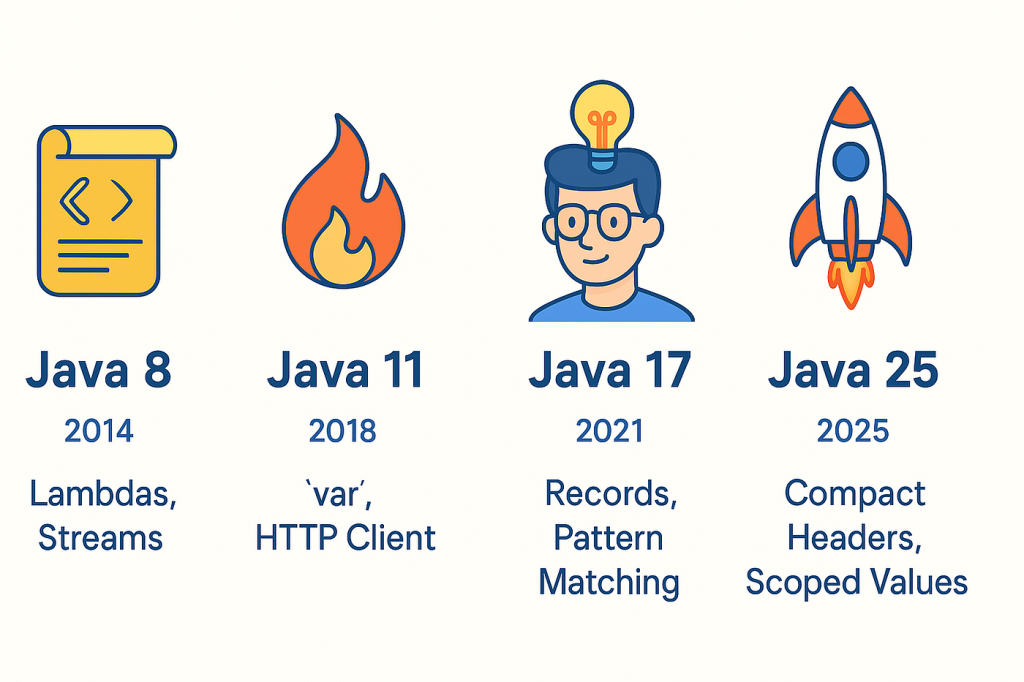
| Java 8 | 2014 | ✅ Yes | Functional programming, Streams, Lambda Expressions |
| Java 11 | 2018 | ✅ Yes | Better performance, HTTP Client, modern APIs |
| Java 17 | 2021 | ✅ Yes | Security, productivity, pattern matching |
| Java 21 | 2023 | ✅ Yes | Virtual Threads, AI-ready performance, structured concurrency |
Looking at this table alone, you can already see how Java has evolved over time.
🚀 Java 8 – The Version That Changed Everything
Whenever someone asks me about the most influential Java release, I always say Java 8.
Why?
Because it completely changed how developers write Java code.
Before Java 8, many programs were longer than they needed to be. Simple tasks often required lots of repetitive code.
Java 8 introduced features that made coding cleaner and easier.
⭐ Major Features of Java 8
- Lambda Expressions
- Stream API
- Functional Interfaces
- Method References
- Optional Class
- Date and Time API
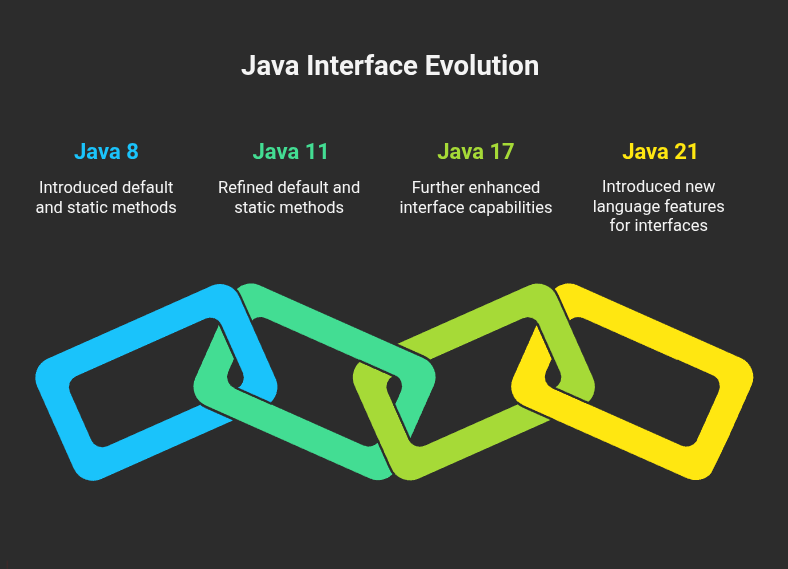
- Default Methods
- Nashorn JavaScript Engine
One feature I absolutely love is Lambda Expressions.
Instead of writing five or six lines of code for a simple task, I can often finish it in just one line.
That makes code easier to read and maintain.
👍 Advantages of Java 8
- Huge community support
- Millions of existing applications
- Excellent learning resources
- Stable and reliable
- Works with many legacy enterprise systems
👎 Limitations of Java 8
- Older garbage collection methods
- Missing newer language features
- Lower performance compared to recent releases
- Some modern libraries no longer prioritize Java 8
Even today, many banks, insurance companies, and government organizations continue using Java 8 because their systems have been running reliably for years.
⚡ Java 11 – A Smarter and Faster Upgrade
After Java 8, the next major Long-Term Support release was Java 11.
When I first explored Java 11, I noticed that it wasn’t about flashy features. Instead, it focused on making Java faster, cleaner, and more developer-friendly.
⭐ New Features in Java 11
- Improved Garbage Collection
- New HTTP Client API
- Local Variable Syntax for Lambda Parameters
- Flight Recorder
- Better String Methods
- Single File Source-Code Execution
One feature beginners love is running a Java file without compiling multiple files manually.
That saves time while learning.
👍 Benefits of Java 11
- Better application performance
- Improved memory usage
- Stronger security updates
- Easier cloud deployment
- Long-term Oracle support
Many organizations upgraded directly from Java 8 to Java 11 because it offered noticeable improvements without requiring major code changes.
📊 Java 8 vs Java 11
Here’s a quick comparison that helped me understand the difference.
| Feature | Java 8 | Java 11 |
| Release | 2014 | 2018 |
| LTS | ✅ | ✅ |
| Lambda Expressions | ✅ | ✅ |
| Stream API | ✅ | ✅ |
| HTTP Client | ❌ | ✅ |
| Better Garbage Collection | Limited | Improved |
| Performance | Good | Better |
| Security | Good | Improved |
| Cloud Support | Basic | Better |
When I compare Java 8 vs Java 11, Java 11 feels like a refined and polished version rather than a complete redesign.
If you’re working on a new enterprise project, Java 11 is generally a stronger choice than Java 8 because of its improved performance and long-term support.
In the next part, we’ll dive into Java 17 vs Java 21, compare all four versions side by side, discuss performance, security, industry adoption, and help you choose the best Java version to learn in 2026. 🚀
🚀 Java 17 – The New Enterprise Favorite
If you ask me which Java version changed enterprise development in recent years, I’d say Java 17. It’s a Long-Term Support (LTS) release that balances modern features, stability, and performance. That’s why many companies have upgraded from Java 8 or Java 11 to Java 17.
When I first started experimenting with Java 17, I noticed that the language felt cleaner and more enjoyable to use. It introduced features that reduce boilerplate code and make programs easier to understand.
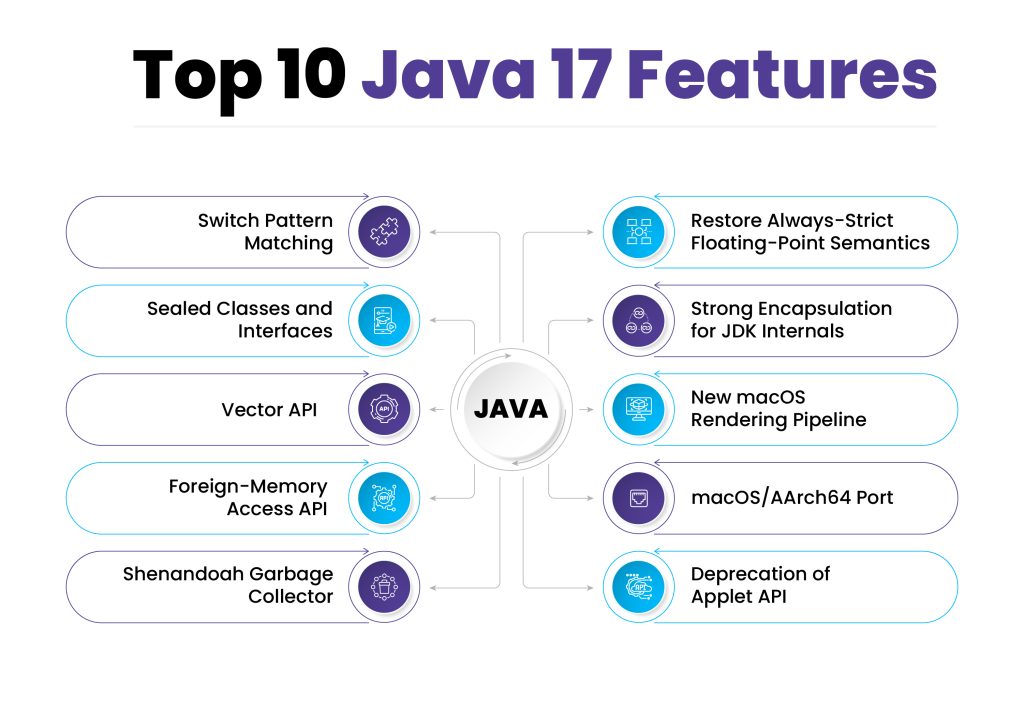
⭐ Major Features of Java 17
- Sealed Classes
- Pattern Matching for
instanceof - Enhanced Random Number Generators
- Strong Encapsulation of JDK Internals
- Improved Garbage Collection
- Better performance and security
- Long-Term Support (LTS)
👍 Advantages of Java 17
- Excellent performance for enterprise applications
- Improved security compared to Java 8 and Java 11
- Modern language features that simplify coding
- Better support for cloud-native applications
- Strong community and enterprise adoption
👎 Limitations of Java 17
- Older libraries may require updates
- Teams using legacy systems may need additional testing before migrating
If you’re starting a new Java project today, Java 17 is one of the safest and most practical choices.
🌟 Java 21 – The Latest Long-Term Support Release
The newest LTS version in this comparison is Java 21. While Java 17 focused on modernizing the language, Java 21 takes things further with features designed for high-performance and scalable applications.
One feature that caught my attention was Virtual Threads. Traditional threads can consume a lot of memory, especially in applications handling thousands of users. Virtual Threads make it much easier to build applications that can manage a huge number of tasks efficiently.
⭐ Major Features of Java 21
- Virtual Threads (Project Loom)
- Sequenced Collections
- String Templates (Preview)
- Structured Concurrency (Preview)
- Pattern Matching Improvements
- Enhanced performance
- Better memory efficiency
👍 Advantages of Java 21
- Excellent for cloud and microservices
- Handles large workloads efficiently
- Faster application performance
- Improved developer productivity
- Latest security updates
👎 Limitations of Java 21
- Some preview features are still evolving
- Older projects may require migration planning
If you’re building a brand-new application and want to take advantage of the latest Java innovations, Java 21 is an exciting option.
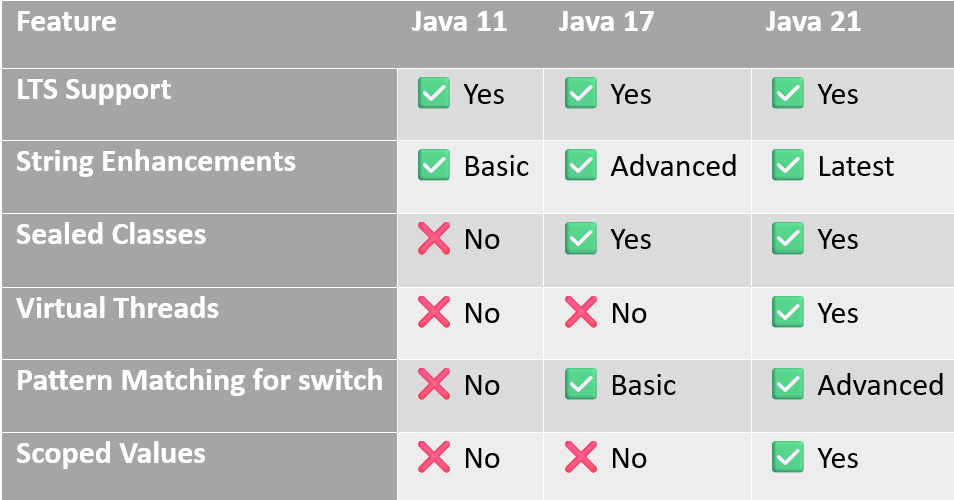
📊 Java 8 vs Java 11 vs Java 17 vs Java 21 – Complete Comparison
| Feature | Java 8 | Java 11 | Java 17 | Java 21 |
|---|---|---|---|---|
| Release Year | 2014 | 2018 | 2021 | 2023 |
| LTS | ✅ | ✅ | ✅ | ✅ |
| Performance | Good | Better | Excellent | Outstanding |
| Security | Good | Better | Excellent | Latest |
| Lambda Expressions | ✅ | ✅ | ✅ | ✅ |
| Stream API | ✅ | ✅ | ✅ | ✅ |
| HTTP Client | ❌ | ✅ | ✅ | ✅ |
| Sealed Classes | ❌ | ❌ | ✅ | ✅ |
| Virtual Threads | ❌ | ❌ | ❌ | ✅ |
| Cloud Readiness | Basic | Good | Excellent | Excellent |
| Enterprise Adoption | Very High | High | Very High | Growing |
💡 Java 8 vs Java 11 vs Java 17 vs Java 21 – Which One Should You Choose?
The answer depends on your goals.
👨🎓 If you’re a beginner
I recommend learning Java 17. It offers modern features while remaining stable and widely used in the industry.
🏢 If you’re maintaining older enterprise software
You’ll probably encounter Java 8 or Java 11, as many organizations still rely on these versions for existing applications.
🚀 If you’re starting a brand-new project
Go with Java 21 if your tools and libraries fully support it. You’ll benefit from the latest performance improvements and modern features.
☁️ If you’re building cloud-native or scalable applications
Java 21’s Virtual Threads can make handling many concurrent tasks much more efficient.
📈 Java Version Adoption in 2026
From what I’ve seen across job postings and developer discussions, here’s a general trend:
- Java 8 is still common in legacy enterprise systems.
- Java 11 remains popular in organizations that upgraded a few years ago.
- Java 17 has become the preferred choice for many new enterprise applications.
- Java 21 is gaining momentum, especially for modern cloud-based and high-performance systems.
🔍 Frequently Asked Questions (FAQs)
Is Java 8 still used?
Yes. Many enterprise applications continue to run on Java 8 because they’re stable and reliable. However, new projects often prefer Java 17 or Java 21.
Is Java 11 better than Java 8?
Yes. Java 11 offers improved performance, stronger security, and several useful APIs while maintaining long-term support.
Should I learn Java 17 or Java 21?
If you’re just starting out, Java 17 is a fantastic choice because it’s widely adopted and beginner-friendly. Once you’re comfortable, exploring Java 21 will help you stay up to date.
Which Java version is fastest?
Among these four versions, Java 21 generally delivers the best performance, especially for applications that benefit from Virtual Threads and other runtime improvements.
Which Java version do companies use?
It varies by organization. Legacy systems often use Java 8, while many modern enterprise applications are built on Java 17. Adoption of Java 21 is steadily increasing
🎯 Final Thoughts
When I first tried to understand Java 8 vs Java 11 vs Java 17 vs Java 21, I thought the newest version would automatically be the best. But after learning more, I realized that choosing the right Java version depends on your goals, your project’s requirements, and the technologies your team uses.
If you’re working with older enterprise applications, you’ll likely spend time with Java 8 or Java 11. If you’re starting fresh or preparing for software development interviews, Java 17 is an excellent choice because it combines stability, modern features, and widespread industry adoption. And if you’re excited about the future of Java, Java 21 introduces powerful capabilities that make building scalable applications even easier.
My advice is simple: don’t get overwhelmed by the number of Java versions. Focus on understanding the core concepts first. Once those fundamentals are strong, moving from one Java version to another becomes much easier.
I hope this comparison of Java 8 vs Java 11 vs Java 17 vs Java 21 helped clear up the confusion and made it easier for you to decide which version to learn next. Happy coding! ☕🚀
Want to Learn More About Java ?, Kaashiv Infotech Offers, Full Stack Java Course, Java Course, Data Science Course, Internships & More, Visit Their Website www.kaashivinfotech.com.