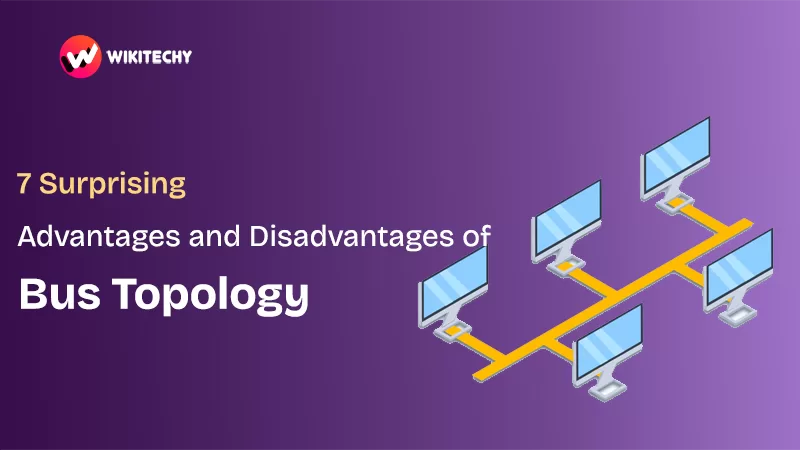
7 Surprising Advantages and Disadvantages of Bus Topology
Topology bus, topology bus — I still remember the first time I heard this term during my networking class. And honestly? I thought it was something super complicated. But the moment I worked on my first network lab setup, everything clicked.
If you’re here searching for the advantages and disadvantages of bus topology, let me keep it simple, friendly, and straight to the point. You’ll understand everything within the first few paragraphs — that’s my promise
What is Bus Topology?

So, topology bus basically means:
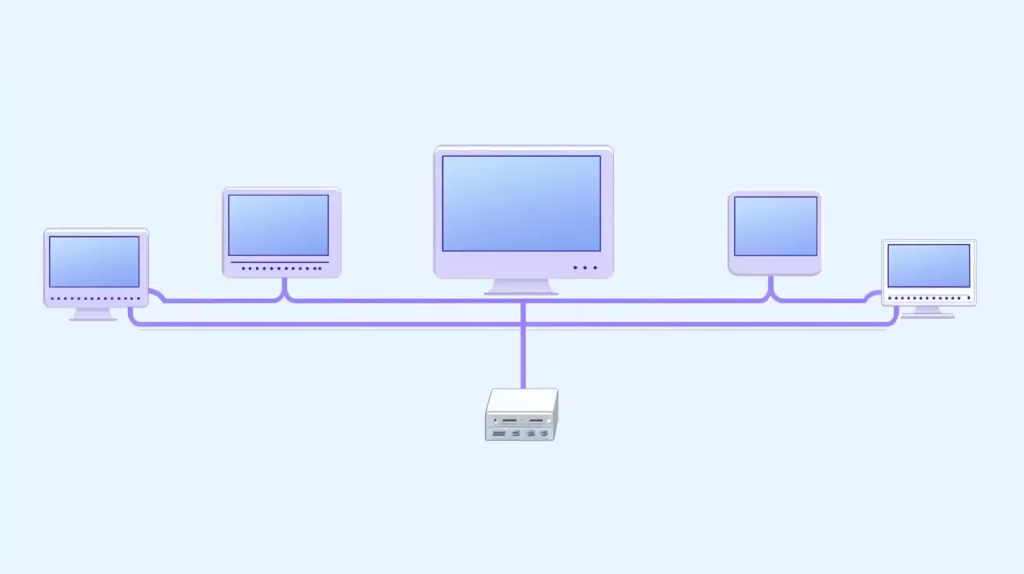
👉 All the computers and devices in a network are connected to a single main cable.
This cable is called the backbone, and it acts like the “main road” where all data travels.
Imagine a straight road with houses built on both sides.
Every house can receive mail through this single road.
That’s exactly how topology bus works.
And trust me — if you’ve ever tried setting it up in a college lab or a small office, you’d know how satisfying it feels to connect everything quickly.
Advantages of Bus Topology
I’ve worked on topology bus networks in small labs, classroom projects, and tiny office setups. Here’s the honest truth — when it works, it’s smooth.
1. Super Simple to Install
The first advantage? Simplicity.
When I ran my first topology bus project, I finished it in less than an hour.
- One backbone cable
- A few connectors
- Devices connected in line
That’s it. No complicated structure. No confusion.
For beginners, it’s a blessing.
2. Budget-Friendly
I still remember calculating the costs for a college lab network.
Using a topology bus setup… the cost was almost half compared to star topology.
Why?
- Only one main cable
- No need for hubs or switches
- Fewer connection points
Perfect for:
✔️ Small offices
✔️ Home labs
✔️ Student projects
If you’re short on budget, this is a real-life money saver.
3. Easy to Expand
With topology bus, if someone in your office says,
“Can we add one more system?”
You simply do it.
Just tap into the backbone cable → connect → done.
No complex rewiring.
No downtime.
No extra hardware.
4. Requires Less Cable
If you’ve ever set up a LAN, you know how frustrating long cables can be.
I have tripped on cables more times than I want to admit
But topology bus uses only one main cable, which reduces:
- clutter
- cost
- time
- mistakes
Disadvantages of Bus Topology

Now this is the part nobody warns you about.
Topology bus is simple… but it has serious drawbacks.
Let me walk you through what I personally faced.
1. Backbone Failure = Entire Network Down ⛔
This is the biggest disadvantage.
Once, during a mini-project demonstration, the backbone cable got slightly damaged.
Guess what?
✔️ Everything stopped
✔️ No system responded
✔️ We had to restart the entire setup
That’s the problem with topology bus — the backbone is the single point of failure.
If it dies, the whole network collapses.
2. Not Good for Heavy Traffic 🚦
I tried using topology bus for a slightly larger network (around 15 devices).
And it was a disaster.
Why?
Because data flows through the same cable, leading to:
- collisions
- slow performance
- long wait times
If you’re planning a modern office or high-traffic environment, this is NOT the topology for you.
3. Troubleshooting Takes Forever
Imagine this:
Something goes wrong.
But you don’t know where along the cable the issue is.
I once had to spend two hours trying to find where the cable was loose.
Two whole hours.
Topology bus troubleshooting = patience test.
4. Limited Cable Length
A backbone cable can only go up to a certain distance.
Beyond that, signals weaken.
So if you want a big network?
Forget it.
Topology bus works best for small, limited spaces — like small classrooms or labs.
5. Security? Not Great
Since all data travels through one cable, anyone connected can technically “listen in.”
In today’s world where cybersecurity matters so much, that’s not ideal.
When Should You Use Bus Topology?

Use topology bus when:
✔️ You’re building a small, temporary network
✔️ You’re a beginner learning networking basics
✔️ You’re trying to save money
✔️ You want quick setup without complex hardware
Avoid topology bus when:
❌ You need high performance
❌ You’re managing many devices
❌ Security is important
❌ The network will grow in the future
Real-Life Example: My First Bus Topology Project
We had to create a small LAN for a 10-system student lab.
We chose topology bus because:
- We were new
- We had low budget
- We needed something easy
It worked beautifully initially.
Installation took less than 40 minutes.
But three days later?
The cable got damaged.
Everything stopped.
The teacher wasn’t happy
Final Thoughts:
If I’m being honest, bus topology feels a bit like those old-school tools we all learned with. They taught us the basics, they shaped our foundations, and they still hold a lot of nostalgic value. But at the same time, we all know they’re not built for the modern world.
Topology bus is simple, cheap, and beginner-friendly — and that’s why I still appreciate it. Whenever I teach networking to juniors or help students set up small labs, this is the first topology I introduce. It builds confidence.
Want to Learn More About Networking ? Kaashivinfotech Offers Networking Course, Cloud Computing Course, Cyber Security Course, Visit www.kaashivinfotech.com.
Related Reads: