🔥 Apache Cordova Explained: What It Is, Why It Matters, and Your Ultimate Cheat Sheet (Free PDF)

Cordova. If you are a web developer wondering how the heck you can build a real mobile app without learning Java, Swift, or any platform-specific language.
Guess what? You’re not alone and this article is for you.
Cordova is that one underrated tool in the mobile dev toolbox that nobody really talks about, but many quietly rely on. It’s not flashy. It doesn’t get featured in startup pitch decks. But if you’ve got HTML, CSS, and JavaScript under your belt, it might just become your new favorite thing.
Let’s break it down — without the buzzwords.
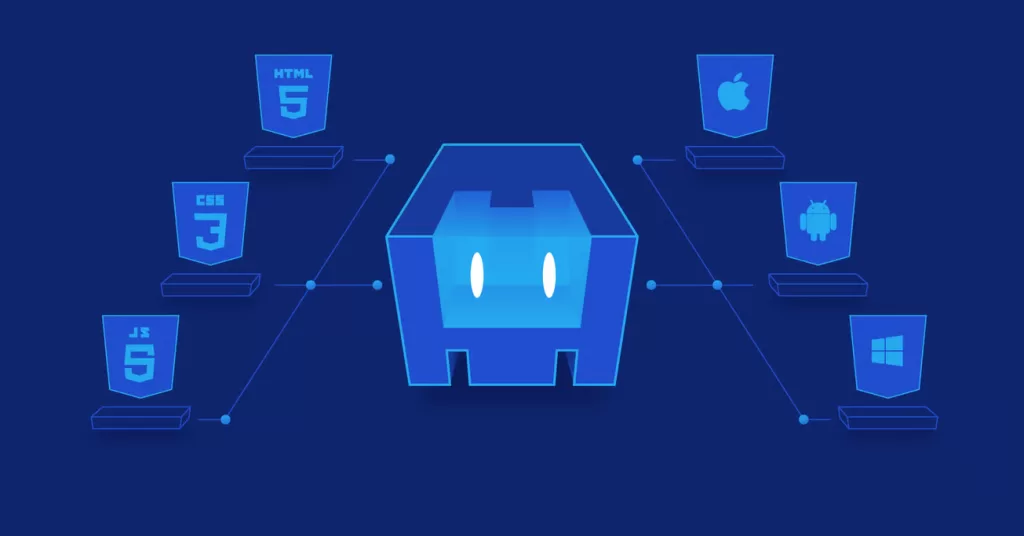
✨ Key Highlights
- 📱 Cordova lets you build mobile apps using HTML, CSS & JavaScript
- 🔌 It gives you access to native device features — via plugins
- 🔁 Write once, run on Android, iOS, and Windows
- 🧠 Best for web devs moving into mobile development
- 📄 Free downloadable Cordova Cheat Sheet PDF at the end of this post
- 🧰 Use it with React, Vue, or plain JS
- 💡 Still relevant in 2025, especially for hybrid or internal business apps
🎯 What is Cordova, really?
Cordova — originally known as PhoneGap — is an open-source framework that helps developers build mobile apps with web technologies. Instead of writing native code, you build your app like a website, and Cordova wraps it inside a native WebView so it can run on a phone like any other app.
Yes, a real app. From the Play Store. Or the App Store.
Cordova is maintained by the Apache Software Foundation, which is why it’s now commonly called Apache Cordova. It’s lightweight, cross-platform, and best of all — you already know how to use it if you’re a frontend developer.
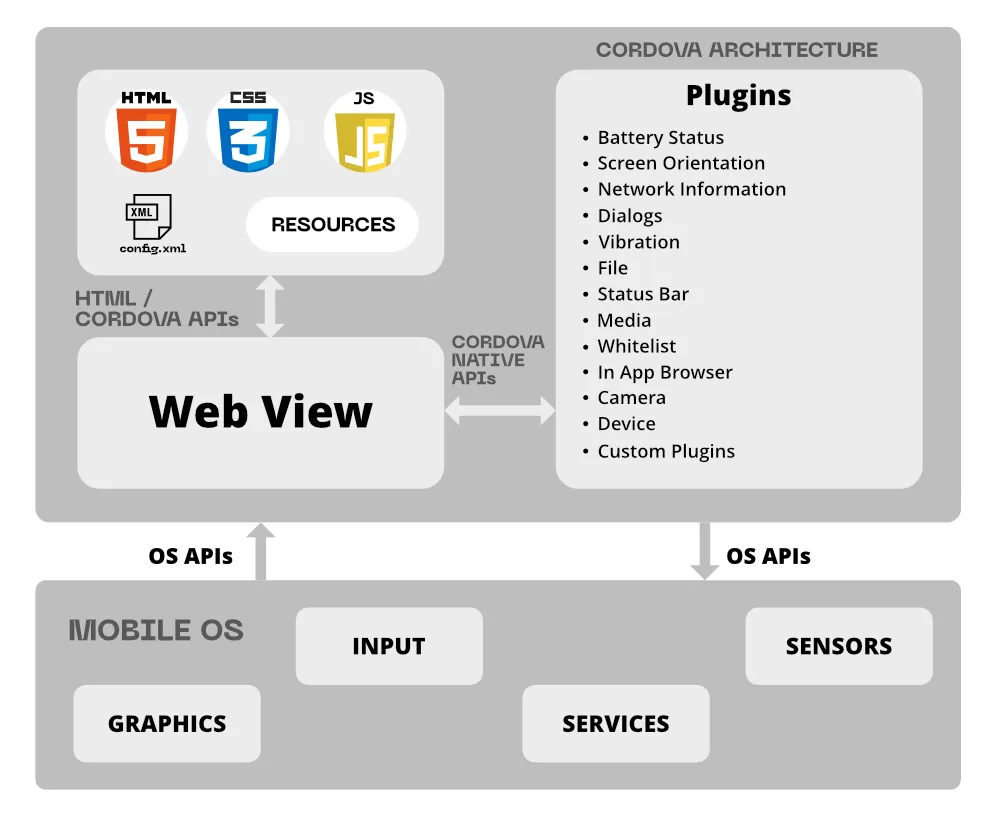
⚙️ How does Apache Cordova work?
Here’s how it functions under the hood:
- Your app lives inside a WebView, basically a stripped-down browser window
- You write your app in HTML, CSS, and JS
- Cordova provides plugins to bridge JavaScript with native device APIs
- It bundles your app into a native package (APK for Android, IPA for iOS)
Want to access the camera? Use the cordova-plugin-camera.
Need GPS? There’s a plugin for that too.
In a way, it’s like having cheat codes for mobile app development.
📦 Real-life applications of Cordova
Cordova isn’t just for hobby projects. It’s used in the wild:
- TripCase – a travel itinerary app built with Cordova
- JustWatch – movie discovery app
- FanReact – a sports community app
- Internal enterprise tools by logistics companies, hospitals, and banks
These aren’t small-time apps. They’re used by millions.
And for small teams, startups, or freelancers? Cordova is gold. You can build apps fast without hiring a whole mobile team.

💼 Why Cordova Still Matters in 2025
In a world obsessed with Flutter and React Native, some people think Cordova is dead. But that’s far from the truth.
👉 Developers still use cordova for Android apps that don’t need cutting-edge native animations.
👉 It’s still the easiest entry point for web devs moving into mobile.
Don’t take my word for it. Cordova had over 2 million downloads in 2024 via npm. And yes, companies are still hiring for cordova phonegap skills — especially for internal tools, hybrid web apps, and legacy systems.
📈 Career & Salary Scope in India (2025)
Cordova may not be the shiniest tool in the box, but it still pays. Here’s what it looks like in India:
| Role | Avg Salary (INR/year) |
|---|---|
| Junior Cordova Developer | ₹3.5 – ₹5.5 LPA |
| Hybrid App Developer (Cordova + Vue) | ₹6 – ₹9 LPA |
| Senior Cordova Dev in Enterprise | ₹10 – ₹14 LPA |
| Freelance Projects (per month) | ₹30,000 – ₹1.2L |
(Source: Glassdoor, Naukri, Upwork India, GitHub Jobs)
🛠️ Who Should Use Cordova?
Use Cordova if:
- You’re a web developer trying to break into mobile
- You’re building a hybrid app or MVP
- You need an internal tool for Android phones
- You want to wrap a PWA and put it on the Play Store
Skip Cordova if:
- You need buttery-smooth animations (think gaming or AR apps)
- You want advanced performance or platform-specific features
- You’re already deep into native dev
⚡ Cordova for Android: Why It’s Still a Winner
Let’s face it — Android owns ~71% of the Indian smartphone market. If you’re targeting India-first users, Cordova for Android makes total sense. You can:
- Build once and publish to the Play Store
- Access camera, GPS, files, and more using plugins
- Avoid Java and still ship a working Android app
- Get feedback faster, iterate faster
And with tools like ADB, Chrome remote debugger, and Android Studio integration, you’ve got the ecosystem to back you.
📚 Want to Build Your First App? Here’s How It Starts:
- Install Node.js and Cordova: bashCopyEdit
npm install -g cordova - Create your project: bashCopyEdit
cordova create myApp com.example.myapp MyApp - Add Android platform: bashCopyEdit
cordova platform add android - Build and run: bashCopyEdit
cordova build android cordova run android
Boom. That’s your first app.
Need React or Vue? You can integrate those too. Details inside the cheat sheet 👇
📄 Download: Apache Cordova Cheat Sheet (Free PDF)
No more flipping through tabs or copy-pasting from Stack Overflow.
This Cordova Cheat Sheet PDF includes:
- ✅ Command-line basics
- ✅ Plugin installation
- ✅ config.xml configuration
- ✅ App icons and splash setup
- ✅ Real-life React/Vue integration
- ✅ Debugging & troubleshooting
👉 Download Cordova Cheat Sheet (Free PDF)
📚 Related Reads
- 🔧 Best No Code App Builder in 2025: Top Platforms for Easy App Development
Explore powerful no-code tools for building apps fast — no programming required. - 📱 Make Android App Without Coding in Minutes using Android Smartphone
Learn how to turn your phone into a mobile app factory — no laptop needed! - 🔐 How to Sеcurе Your Mobilе App: Essеntial Tips for Dеvеlopеrs
Must-know tips to protect your mobile apps from data leaks, hacks, and threats.
💬 Final Thoughts: Should You Learn Cordova?
Yes — if you’re a web dev who wants to go into mobile or android development , fast.
Cordova is that “invisible glue” behind hundreds of working apps. It doesn’t try to be trendy. It tries to be useful. And most of the time, it succeeds.
For solo devs, students, and freelancers in India, Cordova remains one of the fastest, cheapest, and simplest ways to get into mobile app development. And with the help of our cheat sheet, it just got even easier.
So go ahead — download it, build your first app, and tell your clients (or your boss):
“Yep, we’ve got an Android app now.”