How to Use an API: Beginner’s Guide with Easy Step-by-Step Tutorial
If you’re new to coding or curious about how apps talk to each other, this guide is for you. How to Use an API: Beginner’s Guide with Easy Step-by-Step Tutorial is your complete walkthrough to understanding what APIs are, why they matter, and how to use them with confidence.
🔑 Key Highlights
- What is an API and why it’s important
- Types of APIs (REST, SOAP, GraphQL)
- Real-world example using Python
- API tools for beginners
- Common errors and how to fix them
📌 What Is an API?
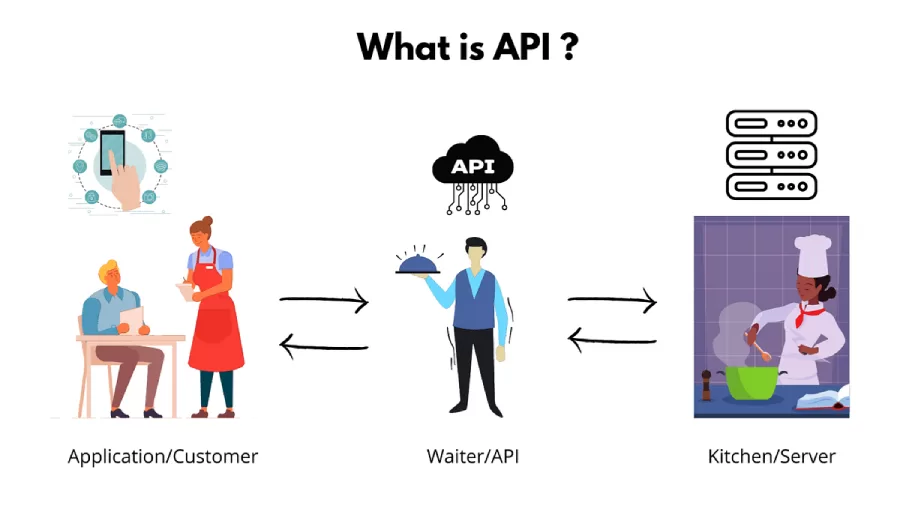
An API (Application Programming Interface) is like a bridge that allows two applications to communicate with each other. APIs are used everywhere — from weather apps to payment gateways.
For example, when you check the weather on your phone, your app uses an API to fetch data from a weather server.
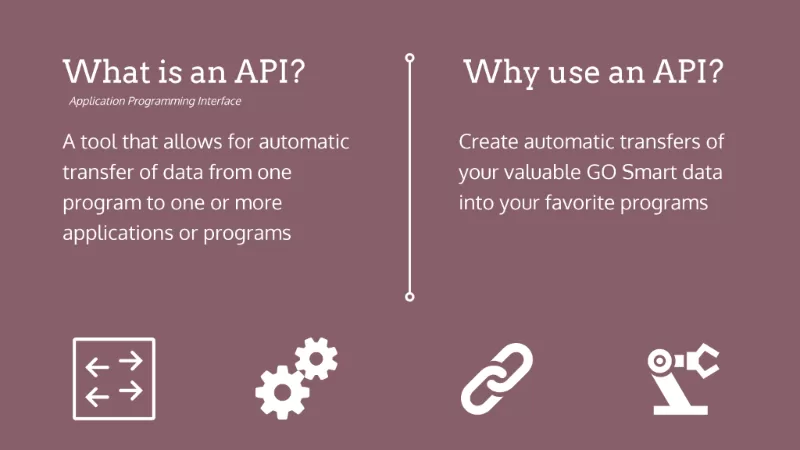
🤔 Why Use an API?
Using an API can:
- Save development time 🕒
- Improve app functionality 💡
- Enable app integrations 🔗
Businesses also use APIs to access third-party data, automate tasks, and connect services.
🚀 Getting Started with APIs
To start using an API, you generally need:
- API key (a unique code)
- Documentation to guide your requests
- An API testing tool (like Postman or cURL)
📘 How to Use an API: Beginner’s Guide with Easy Step-by-Step Tutorial
Here’s a basic process:
- Choose an API – Use sites like RapidAPI or go directly to providers like OpenWeatherMap.
- Sign up & Get API Key – Register and get your authentication key.
- Read the Documentation – Understand the endpoints and parameters.
- Test with Postman or browser – Try basic GET or POST requests.
- Write Your Code – Connect the API to your app using Python, JavaScript, or another language.
💻 Real-World Example: Using the OpenWeatherMap API with Python
import requests

api_key = "your_api_key"
city = "London"
url = f"http://api.openweathermap.org/data/2.5/weather?q={city}&appid={api_key}"

response = requests.get(url)
data = response.json()

print(f"Weather in {city}: {data['weather'][0]['description']}")
📍 Breakdown:
- Replace
your_api_keywith your own API key. - The API returns weather data in JSON format.
- We print the weather description for the city.
🌐 Table of Popular APIs
| API Name | Purpose | Link |
|---|---|---|
| OpenWeatherMap | Weather Data | Visit |
| Google Maps API | Location/Maps | Visit |
| NewsAPI | News Aggregator | Visit |
| Twilio | SMS & Voice | Visit |
🧰 API Tools for Beginners
Here are some helpful tools to get started:
- Postman – Test API requests easily
- Swagger UI – Read and test APIs with a browser
- RapidAPI – Find public APIs and test them
- Mocky.io – Create fake API endpoints for testing
🔄 REST vs. GraphQL vs. SOAP APIs
- REST – Most popular. Uses HTTP methods (GET, POST, PUT, DELETE).
- GraphQL – Lets you ask for specific data.
- SOAP – An older XML-based protocol used in enterprise apps.
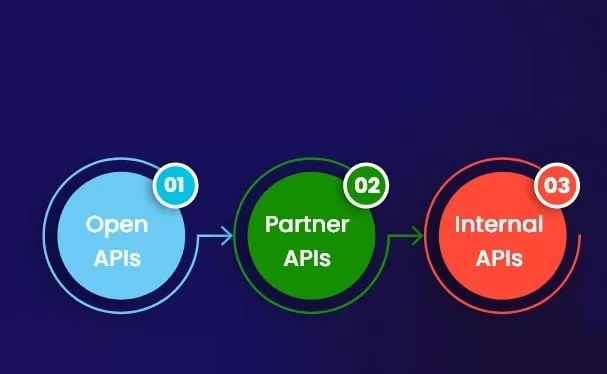
🔍 Types of APIs
- Open APIs – Available to anyone (e.g., Twitter API)
- Internal APIs – Used within companies
- Partner APIs – Shared with partners with restricted access
❗ Troubleshooting API Errors
| Error Code | Meaning | Fix |
|---|---|---|
| 401 | Unauthorized | Check your API key |
| 403 | Forbidden | You may not have access permissions |
| 404 | Not Found | Check the endpoint URL |
| 500 | Server Error | Try again later or contact support |
❓ API FAQ
Q: Do I need to know coding to use an API?
A: Basic coding helps, especially in Python or JavaScript.
Q: Are APIs free?
A: Many offer free tiers, but advanced usage may require payment.
Q: Can APIs handle large amounts of data?
A: Yes, but it depends on the API and plan you choose.
🔗 📚 Recommended Reads
- What Is a Content Management System (CMS)?
- Top Marketing Automation Tools 2025
- Rest API vs Web API: Key Differences Explained Simply
🎉 Final Thoughts
How to Use an API: Beginner’s Guide with Easy Step-by-Step Tutorial is your gateway to modern software development. By understanding how to use an API, you unlock endless possibilities — whether you’re building an app, automating tasks, or creating smart integrations.
Ready to build something amazing? 🌟