JavaScript Sleep Function: How to Pause Execution Like a Pro (Complete Guide)
JavaScript Sleep Function – When developers transition from languages like Python or Java, one common question arises: “What is the JavaScript version of sleep()?”
Unlike many traditional programming languages, JavaScript does not provide a built-in sleep() function that blocks execution. This is mainly because JavaScript is designed to be non-blocking and asynchronous, especially in environments like browsers and Node.js.
Still, there are several effective ways to simulate a “sleep” behavior. In this guide, we’ll explore how it works, why it’s different, and the best modern approaches to implement it.
Why JavaScript Doesn’t Have a Native sleep()
In languages like Python, you can simply write:
time.sleep(2)
This pauses the entire program for 2 seconds.
However, JavaScript runs on a single-threaded event loop, which means blocking execution would freeze everything—UI rendering, user interactions, and background tasks. To avoid this, JavaScript uses asynchronous programming patterns instead of blocking delays.
The Modern JavaScript Sleep Function
Using setTimeout() with Promises
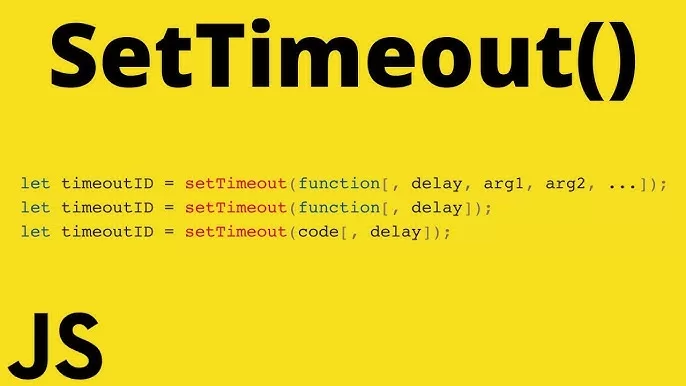
The most common way to mimic sleep() in JavaScript is by wrapping setTimeout() inside a Promise.
function sleep(ms) {
  return new Promise(resolve => setTimeout(resolve, ms));
}
This function allows you to delay execution without blocking the main thread.
Using sleep() with async/await

The real power comes when you combine this with async/await.
async function example() {
  console.log("Start");  await sleep(2000);  console.log("End after 2 seconds");
}example();
How It Works
asyncmakes the function return a Promiseawaitpauses execution within the function only- The rest of the program continues running normally
This creates a clean and readable delay mechanism that behaves similarly to sleep().
Alternative: Using setTimeout() Directly
You can also use setTimeout() without Promises:
console.log("Start");setTimeout(() => {
  console.log("Executed after 2 seconds");
}, 2000);
However, this approach is less flexible when you need sequential execution.
Blocking Sleep (Not Recommended)

Technically, you can block execution using a loop, but this is a bad practice:
function sleep(ms) {
  const end = Date.now() + ms;
  while (Date.now() < end) {}
}
Why You Should Avoid This
- Freezes the UI
- Stops all other operations
- Breaks the asynchronous nature of JavaScript
This method should never be used in production.
Using sleep() in Loops
One of the most common use cases is adding delays inside loops:
async function runTasks() {
  for (let i = 1; i <= 3; i++) {
    console.log(`Task ${i}`);
    await sleep(1000);
  }
}runTasks();
This ensures each iteration waits before moving to the next.

Real-World Use Cases
API Rate Limiting
When working with APIs, you may need to delay requests:
for (const item of data) {
  await process(item);
  await sleep(500);
}
Animations and UI Effects
Used to create smooth delays between UI updates.
Retry Logic
async function retry(fn, retries) {
  for (let i = 0; i < retries; i++) {
    try {
      return await fn();
    } catch {
      await sleep(1000);
    }
  }
}
Node.js Built-in Alternative
In modern Node.js, you can use a built-in promise-based timer:
import { setTimeout as sleep } from "timers/promises";await sleep(2000);
This is a cleaner and official way to handle delays in Node.js.
Best Practices for Using Sleep in JavaScript
Use async/await for better readability and control. Avoid blocking the main thread at all costs. Keep delays minimal to ensure good performance and user experience. Always prefer non-blocking solutions like Promises.
Common Mistakes to Avoid
A frequent mistake is forgetting to use await, which causes the delay to be ignored. Another issue is mixing callbacks and async code unnecessarily, making the code harder to maintain. Developers also sometimes overuse delays where event-driven logic would be more appropriate.
Conclusion
JavaScript Sleep Function – JavaScript doesn’t include a traditional sleep() function because it follows a non-blocking, asynchronous execution model. However, by using setTimeout() combined with Promises and async/await, you can easily replicate sleep-like behavior in a clean and efficient way.
Understanding JavaScript Sleep Function concept is essential for writing modern JavaScript code, especially when dealing with APIs, animations, or timed operations. Once you get comfortable with asynchronous patterns, you’ll realize that JavaScript’s approach is not a limitation—but a powerful feature.
Want to learn more about javascript??, kaashiv Infotech Offers Front End Development Course, Full Stack Development Course, & More www.kaashivinfotech.com.
Related Reads: