🧭 Nmap Cheat Sheet 2025: Essential Commands & Scanning Tips for Ethical Hackers

If you’re diving deep into ethical hacking, penetration testing, or network auditing, you’ve probably come across Nmap — and if not, you’re missing one of cybersecurity’s most powerful open-source tools.
This Nmap Cheat Sheet isn’t just a list of commands — it’s your 2025 field guide to mastering network scanning, reconnaissance, and system analysis like a pro. Whether you’re a security researcher, system administrator, or bug bounty hunter, this cheat sheet helps you find live hosts, detect open ports, and uncover vulnerabilities in seconds.
In today’s fast-paced cybersecurity landscape, time is everything. And that’s where a Nmap cheat sheet saves you — no more searching through pages of documentation. Just the right commands, real-world examples, and practical use cases you can apply right now.
✨ Key Highlights
- Nmap Cheat Sheet helps ethical hackers perform faster, smarter network scans.
- Understand basic syntax and how each flag modifies Nmap’s behavior.
- Learn common Nmap commands used by professionals worldwide.
- Discover how Nmap usage saves time in penetration testing and network auditing.
- Get real-world examples and practical tips for efficient scanning.
🔍 Why Every Ethical Hacker Needs an Nmap Cheat Sheet
Let’s be honest — network mapping can get messy. You’ve got hundreds of IPs, ports, and protocols to deal with. Without a quick reference, it’s easy to lose track.
A Nmap cheat sheet becomes your secret weapon. It helps you:
- 🔹 Run scans faster with the right flags and syntax.
- 🔹 Avoid misconfigurations that might alert firewalls or IDS.
- 🔹 Stay efficient during penetration tests or CTF challenges.
- 🔹 Quickly recall complex Nmap options and scan types.
In real-world penetration testing, speed and stealth matter. According to a 2024 report by Rapid7, over 70% of cybersecurity professionals rely on Nmap for network reconnaissance. The tool’s precision and flexibility make it the Swiss Army knife of ethical hacking.
So yes — every ethical hacker needs an Nmap cheat sheet not because it’s fancy, but because it’s necessary.
🧠 What Is Nmap?
Before diving into commands, let’s revisit the basics.
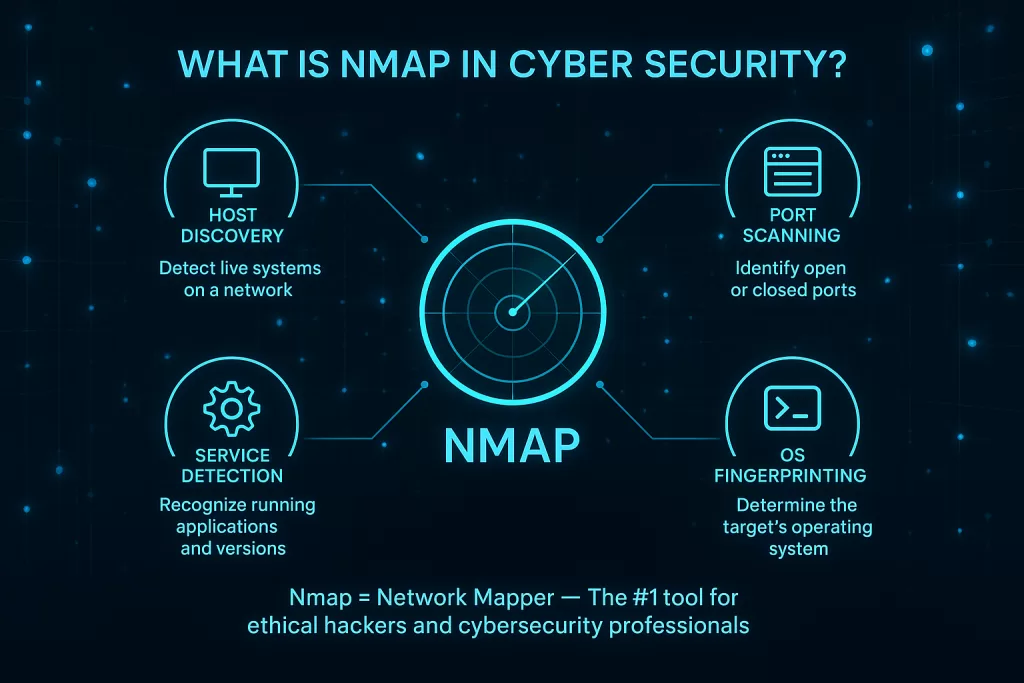
Nmap (Network Mapper) is an open-source tool that helps you scan and analyze networks. It detects live hosts, open ports, running services, and even the operating systems behind them.
Here’s what makes Nmap so widely used across the globe:
- 🖥️ Port Scanning: Identify open and filtered ports.
- ⚙️ Service Detection: Know what software is running and which version.
- 🧩 OS Detection: Find out which operating system a target is using.
- 🌐 Network Auditing: Map large networks in just a few commands.
Nmap runs smoothly on Windows, Linux, and macOS, making it a universal favorite among IT pros and ethical hackers alike.
💡 Fun fact: Nmap was created by Gordon Lyon (Fyodor) and is still one of the most trusted tools in cybersecurity after more than 25 years.
💻 Nmap Basic Command Syntax
Before you get into advanced scanning, you must understand Nmap’s core syntax. It’s surprisingly simple:
nmap [Scan Type] [Options] [Target]
Let’s break it down:
- Scan Type: Defines how Nmap scans (e.g., SYN scan, UDP scan).
- Options: Add-ons that modify how Nmap behaves (e.g., verbose mode, save output).
- Target: The IP address, range, or domain you want to scan.
For example:
nmap -sS 192.168.1.1
This command performs a stealth SYN scan on the IP 192.168.1.1, quickly checking which ports are open without completing the full TCP handshake — a technique often used to avoid detection.
👉 Pro tip: Always start with basic scans to identify live hosts before running deep scans. It reduces noise and keeps you under the radar.
⚡ Common Nmap Commands Every Ethical Hacker Should Know
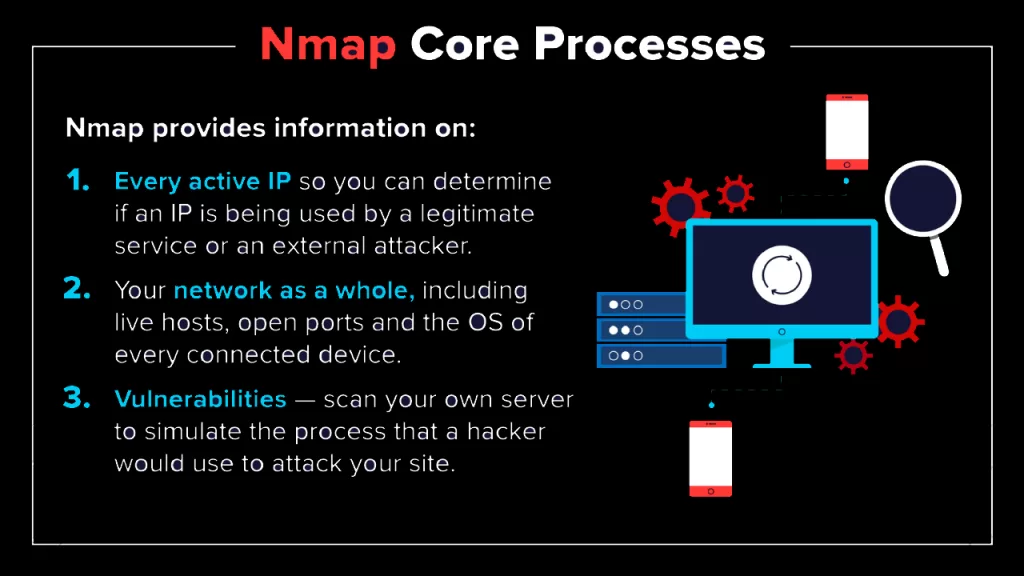
Here’s your quick-access table of the most commonly used Nmap commands, along with what they do.
| Purpose | Command | Description |
|---|---|---|
| Ping scan | nmap -sn 192.168.1.0/24 | Discover live hosts in a subnet |
| Port scan | nmap -p 1-65535 192.168.1.1 | Scan all TCP ports |
| Service version detection | nmap -sV 192.168.1.1 | Identify service and software versions |
| OS detection | nmap -O 192.168.1.1 | Detect the target’s operating system |
| Aggressive scan | nmap -A 192.168.1.1 | Combines OS, version, and traceroute info |
| Save output | nmap -oN scan.txt 192.168.1.1 | Save readable output to a file |
| Top ports | nmap --top-ports 20 192.168.1.1 | Scan the top 20 most used ports |
| Fast scan | nmap -F 192.168.1.1 | Scan the most common ports quickly |
These commands are the backbone of every security assessment.
💬 For instance, sysadmins often run nmap -sV weekly to ensure no unexpected services appear on their production servers — a crucial step in attack surface management.
Meanwhile, ethical hackers might combine -A and -T4 for a detailed but optimized scan during client audits.
✅ Real-World Insight: Nmap’s top-ports scan (
--top-ports) is incredibly efficient — it covers nearly 90% of real-world services in just a few seconds, based on datasets collected from Shodan and Censys scans.
Advanced Nmap Scanning Techniques (Nmap Cheat Sheet — Advanced Scans)
When simple scans don’t cut it, advanced techniques pull back the curtain. These are the scans used during real-world pen tests and incident response — use them responsibly and always with permission.
a) Stealth (SYN) Scan — -sS
nmap -sS target_ip
- Sends TCP SYN packets but doesn’t complete the handshake (half-open).
- Fast and less noisy than a full connect scan (
-sT), so it avoids some basic IDS rules. - Use when stealth matters (but remember modern IDS/IPS still detect SYN floods).
Why use it: good initial recon on unknown targets; fewer TCP connections logged.
b) UDP Scan — -sU
nmap -sU target_ip
- Sends UDP packets to detect open UDP ports and services (DNS, SNMP, NTP).
- Slower and less reliable (no ACKs), often requires retries and version detection to confirm.
- Combine with
-sVto improve service detection on UDP.
Why use it: attackers exploit exposed UDP services; defenders often forget UDP in audits.
c) Combination Scan (TCP + UDP)
nmap -sS -sU target_ip
- Scans both TCP and UDP in one go.
- Expect longer runtime; use timing flags (
-T3/-T4) carefully.
d) SCTP, ICMP, and Other Specialized Scans
-sYfor SCTP INIT scanning (used for telecom and certain services).-PE,-PPfor ICMP ping types during discovery.- Use specialized scans when the environment requires them (VoIP, telecom infrastructure).
e) Timing and Evading Detection
-T0to-T5: control speed.-T4speeds up scans on stable networks;-T2/-T3safe for stealth.- Packet fragmentation (
-f) and decoys (--spoof-mac,-D) exist, but they can trigger sophisticated defenses and may be illegal in many contexts — use only in authorized tests.
Scan Specific Ports and Ranges: Practical Nmap Examples
Targeting ports smartly saves time and reduces noise.
- Scan a single port
nmap -p 22 target_ip
- Scan multiple specific ports
nmap -p 22,80,443 target_ip
- Scan a range of ports
nmap -p 1-1024 target_ip
- Common useful ranges
1-1024— well-known system ports1025-49151— registered/user ports49152-65535— dynamic/private ports
When to focus on certain ranges
- Web app assessments → prioritize
80, 443, 8080, 8443. - Remote management audits →
22, 3389, 5900. - IoT/embedded devices → look for exotic higher ports and UDP services.
Pro tip: combine --top-ports with -sV to quickly identify likely services:
nmap --top-ports 100 -sV target_ip
This catches the most common services while saving time.
Output Options and File Saving: Make Scans Reproducible
Saving Nmap output correctly makes reporting and automation far easier.
| Output Type | Flag | Use case |
|---|---|---|
| Normal (human) | -oN filename.txt | Readable logs for reports |
| XML (machine) | -oX filename.xml | Import into tools (e.g., Nessus, custom parsers) |
| Grepable (legacy) | -oG filename.gnmap | Quick grepping and scripting |
| All formats | -oA basename | Saves basename.nmap, basename.xml, basename.gnmap |
Example:
nmap -A -T4 -oA clientA_fullscan 10.0.0.5
This runs an aggressive, optimized scan and saves all output formats for the engagement.
Why this matters
- XML is essential for feeding results into scanners and SIEMs.
- Consistent filenames and timestamps avoid confusion during multi-day engagements.
- Scripts can parse grepable output for quick dashboards or alerts.
Useful Nmap Scripting Engine (NSE) Commands
The Nmap Scripting Engine (NSE) turns Nmap from a scanner into a powerful vulnerability and discovery platform.
Common NSE usage patterns
- Run a category of scripts:
nmap --script discovery target_ip
- Run a specific script:
nmap --script http-title target_ip
- Run vulnerability checks (use with caution and legal authority):
nmap --script vuln target_ip
NSE script categories
discovery— find additional information (hosts, banners).auth,brute— credential and brute-force checks (risky; use with permission).vuln— search for known vulnerabilities.safe— non-intrusive scripts safe for production.exploit— demonstrates exploitation (high risk; seldom used in standard pentests).
Example: Find web vaults and metadata
nmap -p 80,443 --script http-enum,http-title -oN web_discovery.txt target_ip
Why NSE is a game-changer
- Extensible: community and custom scripts exist for nearly every protocol.
- Automates checks that otherwise require multiple tools.
- Integrates smoothly into reconnaissance workflows: run discovery first, then targeted NSE scripts based on findings.
🔬 Practical Nmap Examples (Real, Copy-Paste Commands)
These are bite-sized, real-world commands you can run during recon, bug bounties, or audits. Each example includes what it does and when to use it.
a) Scan a single host (fast reconnaissance)
nmap -sS -Pn -T4 -oN quick_host.txt 192.168.1.10
-sSstealth SYN scan,-Pnskip host discovery (assume host is up),-T4faster timing.- Use when the host is known to be alive and speed matters.
b) Scan an entire subnet (find live hosts + common services)
nmap -sn 10.0.0.0/24 -oG livehosts.gnmap
-snping discovery only. Good first step to list live machines before deeper scanning.
c) Deep scan for services + versions + OS
nmap -A -sV -O -p1-65535 --reason -oA full_recon 203.0.113.5
-Aenables aggressive detection (traceroute, scripts),--reasonshows why a port state was determined.
d) Discover HTTP endpoints, enumerate titles
nmap -p 80,443 --script http-title,http-enum -oN web_enum.txt example.com
- Use when mapping web applications and discovering hidden virtual hosts.
e) Quick top-ports scan (speed vs coverage tradeoff)
nmap --top-ports 100 -sV target_ip -oN top100.txt
- Quickly surface the most likely open services with minimal time.
f) UDP + TCP combined (comprehensive)
nmap -sS -sU -p T:1-1024,U:53,161 --top-ports 50 -T3 -oA combined_scan target_ip
- TCP ports 1–1024 + UDP common ports (DNS, SNMP). Expect this to take longer.
g) Run specific NSE vulnerability checks (with permission)
nmap --script vuln -sV -oN vuln_scan.txt target_ip
- Use only in authorized engagements.
--script vulnruns many known vulnerability probes.
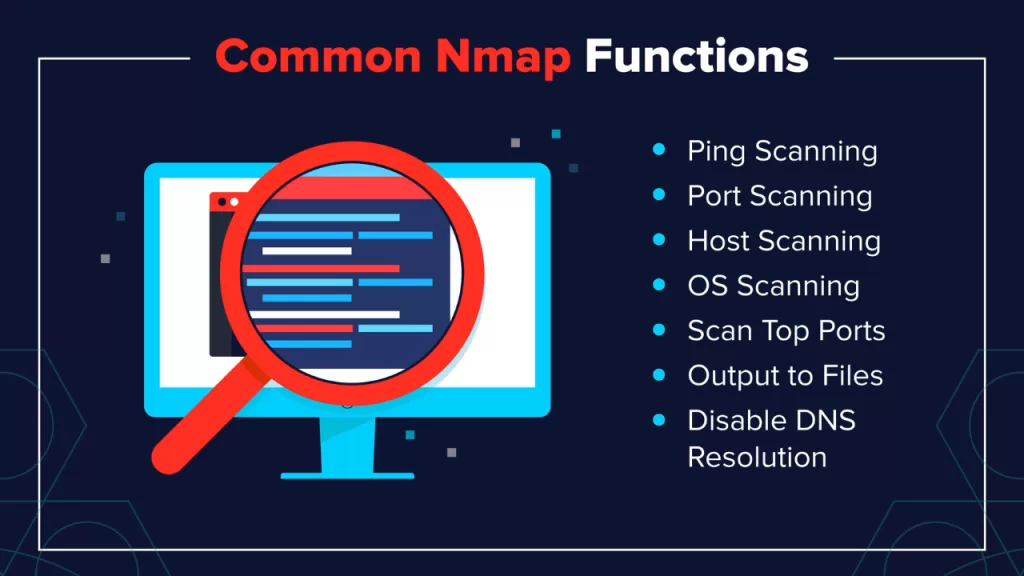
Pro Tips: Making the Most of Nmap
These are the small decisions that separate casual scanning from professional reconnaissance.
- Start small, iterate: Run
-snto discover live hosts, then target high-value hosts with-sV -O. This reduces noise and scan time. - Timing matters: Use
-T4on stable internal networks for speed; drop to-T2/-T3for stealth near IDS/IPS. - Combine tools, not replace them: Nmap finds services and versions; use Nikto, Gobuster, or Dirb for web discovery and Metasploit for exploit validation—Nmap feeds them.
- Automate with scripts: Save common command templates in small bash scripts to standardize scans across engagements. Example Bash template below.
- Log everything: Use
-oAwith timestamped basenames —clientX_$(date +%F_%H%M)— so results remain auditable. - Use NSE wisely: Run
--script safeon production. Reservevulnandexploitcategories for labs or explicit authorization. - Be ethical: Always get written permission before scanning external networks. Unauthorized scanning can be illegal.
- Mind the noise: Refrain from packet fragmentation and decoys in professional reports unless part of a sanctioned stealth exercise. They can confuse results and raise legal/ethical flags.
Small Bash automation snippet (save as nmap_template.sh)
#!/bin/bash
TARGET=$1
BASENAME="${TARGET}_$(date +%F_%H%M)"
mkdir -p scans/$BASENAME
nmap -sS -sV -O --top-ports 200 -T4 -oA scans/$BASENAME/$BASENAME $TARGET
- Usage:
./nmap_template.sh 10.0.0.5— creates organized scan folders for reporting.
Python snippet to run nmap and parse XML (simple)
import subprocess, sys, xml.etree.ElementTree as ET

target = sys.argv[1]
xml_file = f"{target}_scan.xml"
subprocess.run(["nmap", "-sV", "-oX", xml_file, target])
tree = ET.parse(xml_file)
hosts = tree.findall(".//host")
print(f"Found {len(hosts)} hosts in {xml_file}")
- Helpful when integrating Nmap results into dashboards or pipelines.
Nmap Cheat Sheet PDF Download
Want a printable cheat sheet? Below is a one-page PDF Cheat sheet.
Conclusion
Mastering this Nmap Cheat Sheet accelerates reconnaissance and makes security work less guessy and more surgical. Use the cheat sheet to:
- Discover targets quickly.
- Prioritize high-value services.
- Automate repeatable scans for consistent reporting.
🔗 Related Reads
- 🔐 Zero Trust Architecture: 7 Reasons This Cybersecurity Framework Is Built for the Future
Discover why Zero Trust is redefining enterprise security for a borderless world. - 🛡️ Intrusion Prevention System (IPS): A Friendly Guide With 7 Key Takeaways
Understand how IPS works and why it’s crucial for detecting and stopping modern attacks. - 🌐 CloudSEK: The Cyber Sentinel Empowering a Safer Digital India
Explore how CloudSEK is using AI-driven threat intelligence to secure digital India. - 🚀 The Future of Cybersecurity in 2025 and Beyond: 7 Shocking Trends You Can’t Ignore
Stay ahead with the top cybersecurity trends shaping the future of data protection. - 🕵️♂️ Cyber Crime Prevention Tips I Wish I Knew Earlier
Learn practical ways to safeguard your data, devices, and digital identity from cybercrime.