Top 5 VLSI Design Tools in 2025: Revolutionizing the Way We Build Chips

In the fast-paced world of semiconductor design, VLSI (Very Large-Scale Integration) has become the backbone of modern technology. Whether we realize it or not, every time we pick up our smartphones, boot up a laptop, or use a cutting-edge gadget, we’re benefitting from the magic that happens in VLSI design. But here’s the catch – this magic wouldn’t be possible without the right VLSI design tools.
As someone who’s been in the tech world for a while, I’ve seen the evolution of VLSI design tools firsthand. From clunky software to sleek, AI-powered design systems, it’s amazing how far we’ve come. And now, in 2025, things are more exciting than ever. Let me take you through some of the best tools out there that are shaping the future of chip design.

Key Highlights:
- The VLSI design tools landscape has evolved to accommodate advanced AI and machine learning algorithms.
- There’s a shift towards tools that prioritize speed, accuracy, and collaboration.
- These tools are making the design process faster and more efficient than ever.
- Some of the most popular VLSI design tools in 2025 offer robust simulation capabilities and integration with cloud-based services.
What Makes VLSI Design Tools So Important in 2025?
Before we dive into the list of tools, let’s talk about why these tools are so critical today. VLSI design tools are the backbone of the semiconductor industry. They help engineers design complex integrated circuits (ICs) with millions (sometimes billions!) of components. Without the right tool, the entire design process would be a chaotic mess.
In 2025, we’re dealing with smaller nodes, faster processes, and greater complexity. Traditional design tools would struggle to handle such demands. That’s why VLSI design tools have had to evolve and adapt to the changing landscape.
1. Cadence Virtuoso – The Go-To Tool for Analog Design 💡
Let’s kick things off with a tool that’s practically a household name in the VLSI design world: Cadence Virtuoso. If you’re working with analog design, you’ve probably heard of this one. For me, it’s always been the gold standard. Virtuoso offers an entire suite of features tailored to meet the demands of analog, RF, and mixed-signal designs. It helps you create everything from tiny chips to complex ICs.
What sets Virtuoso apart? Well, it offers deep integration with simulation tools and layout editors, meaning you can design, simulate, and refine your circuits all within the same environment. It also has robust support for custom layouts, which is essential for those times when you’re not working with standard components.
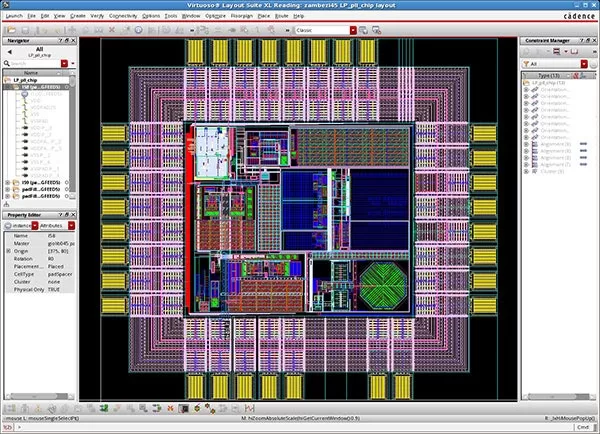
Real-life example: When I worked on a project involving a low-power sensor, we relied heavily on Cadence Virtuoso for the analog simulation. Without it, we’d have been stuck with multiple disconnected tools, wasting hours of time.
Pros:
- Seamless integration with other Cadence tools.
- Rich libraries and model support.
- Powerful for analog and mixed-signal designs.
Cons:
- It’s expensive. The licensing fees can be steep for smaller teams or startups.
2. Synopsys Design Compiler – The Powerhouse for RTL Design 💥
Next up, we have Synopsys Design Compiler, which is hands-down one of the best tools for RTL design (Register Transfer Level). It’s great for both synthesis and optimization, and it’s widely used for designing digital circuits.
Design Compiler helps streamline the RTL-to-Gates flow, ensuring that your design is as efficient as possible. It also includes built-in optimization algorithms to minimize area, power, and timing, which is crucial when you’re dealing with ultra-compact chips.
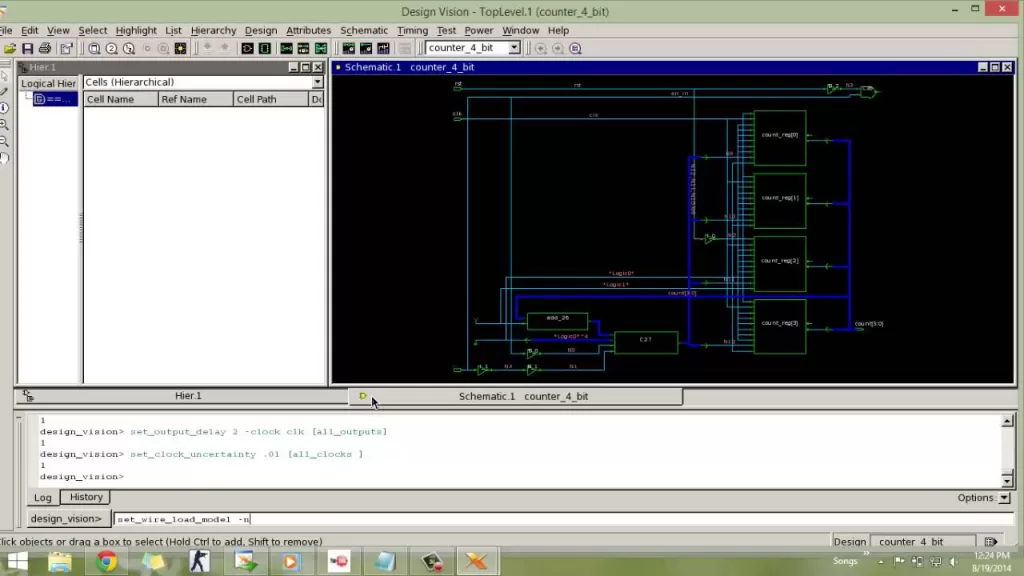
Real-life example: I’ve used Synopsys Design Compiler in projects where timing constraints were tight. The tool’s optimization features really helped us hit our targets, while minimizing the chip’s overall area.
Pros:
- Excellent for complex digital designs.
- Fast, efficient synthesis with high accuracy.
- Built-in power and area optimization.
Cons:
- Can have a steep learning curve if you’re new to RTL design.
3. Mentor Graphics PADS – Perfect for PCB Design 🛠️
While most of the VLSI design tools focus on chip-level design, Mentor Graphics PADS shines in the PCB (Printed Circuit Board) design space. If you’re working on the hardware side and need to design the physical board that will hold your chips, PADS is a fantastic choice.
PADS offers a comprehensive suite of tools for PCB layout, design verification, and component management. The best part? It’s incredibly intuitive to use, even for newcomers in the world of hardware design.

Real-life example: I remember when I was working on a project for a wearable tech startup, we used Mentor Graphics PADS to design the PCB. The ease of use was key in helping us quickly iterate on the designs and get our product out to market faster.
Pros:
- Intuitive and user-friendly.
- Excellent for designing and testing PCBs.
- Rich library of components for fast design.
Cons:
- Not as powerful for full-chip IC design as some of the other tools on this list.
4. ANSYS HFSS – For High-Frequency Simulation 📡
If you’re working on designs that require high-frequency simulation, like RF circuits or antenna design, you need a tool that can handle the complexities of electromagnetic fields. ANSYS HFSS is my go-to for these kinds of simulations. It uses advanced Finite Element Analysis (FEA) to simulate the behavior of high-frequency signals, which is crucial for 5G, IoT devices, and satellite communications.
What makes HFSS stand out is its high level of accuracy and its ability to model complex geometries. This is especially helpful for ensuring that high-frequency signals will propagate correctly through your design.

Real-life example: We once used ANSYS HFSS to simulate a millimeter-wave antenna design for a drone communication system. The results helped us optimize the antenna’s performance before we even built the prototype.
Pros:
- Excellent for RF and high-frequency design.
- High simulation accuracy.
- Great for antenna and waveguide designs.
Cons:
- The learning curve can be intimidating for newcomers.
5. Xilinx Vivado – For FPGA Design 🧠
Now, if you’re into FPGA (Field-Programmable Gate Array) design, Xilinx Vivado is one tool you can’t ignore. It’s the go-to choice for many engineers working on programmable logic. Vivado supports the entire FPGA development flow, from high-level synthesis to bitstream generation.
The coolest thing about Vivado? It integrates with machine learning and AI-based optimization techniques, which gives it an edge in making your designs smarter and faster. Plus, it has an easy-to-use GUI and supports both hardware and software co-design.
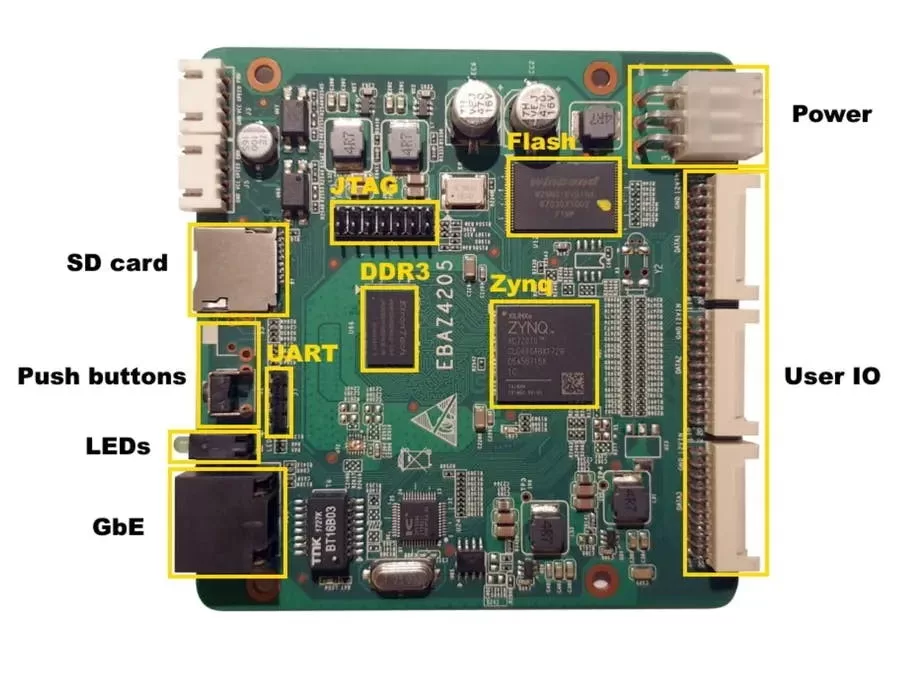
Real-life example: On a recent project involving AI-based image processing, we used Vivado to implement the FPGA logic. The tool’s support for high-level synthesis made it easier to map the algorithm onto the FPGA.
Pros:
- Excellent for FPGA design and optimization.
- Supports AI-driven optimization.
- Good integration with other Xilinx tools.
Cons:
- Limited to Xilinx FPGAs.
Final Thoughts: Why VLSI Design Tools Are More Essential Than Ever 🔧
As we move further into 2025, VLSI design tools are becoming more powerful and more integrated than ever. The shift toward AI, machine learning, and cloud-based design is changing the way we build chips, making the process faster, smarter, and more efficient. Whether you’re working on a complex analog IC or a cutting-edge FPGA design, these tools are making it easier than ever to push the boundaries of what’s possible.
The future of semiconductor design is bright, and these tools are right at the heart of it. So, if you’re deep in the world of VLSI design or just starting out, investing in the right tools will make all the difference in the world.
Want to Learn More??, Kaashiv Infotech Offers, VLSI Internship, IOT Internship & More, Visit Their website course.kaashivinfotech.com.
Related Reads: