
What is vue.js - Vue.js Tutorial - What is Vue JS ?
What is Vue.js ?
- Vue.js is an open-source JavaScript framework used for building user interfaces and single-page applications (SPAs).
- Developed by Evan You in 2014, Vue.js has rapidly grown into one of the most popular frameworks due to its simplicity, versatility, and performance.
- Similar frameworks to Vue are React and Angular, but Vue is more lightweight and easier to start with.
- It can be added to an HTML page with a <script> tag.
- Vue extends HTML attributes with Directives, and binds data to HTML with Expressions.
Benefits of Vue.js
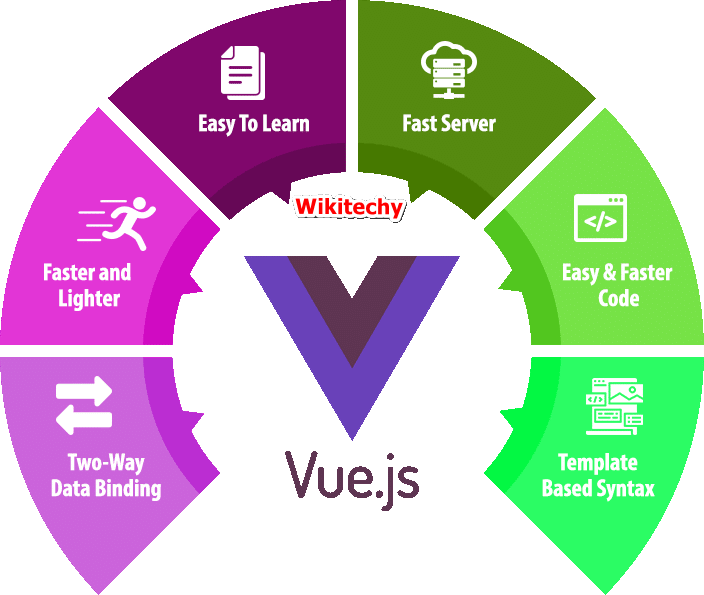
- Simplicity: Vue.js boasts an intuitive and straightforward syntax, making it easy for developers of all skill levels to grasp.
- Flexibility: Vue.js offers a progressive framework that can be incrementally adopted into existing projects, allowing for seamless integration and scalability.
- Reactivity: Vue.js utilizes a reactive data-binding mechanism, enabling real-time updates to the DOM whenever the underlying data changes.
- Component-Based Architecture: Vue.js encourages a modular approach to development, with reusable components that can be easily managed and maintained.
- Performance: With its lightweight core and virtual DOM implementation, Vue.js delivers impressive rendering speed and optimization.
Prerequisites of Vue.js
- While Vue.js is known for its simplicity, having a strong foundation in HTML, CSS, and JavaScript is beneficial. Familiarity with concepts like component-based architecture, reactive programming, and ES6 syntax will also aid in your understanding of Vue.js.
Applications of Vue.js
- Single-Page Applications (SPAs)
- Progressive Web Apps (PWAs)
- Interactive Web Interfaces
- Cross-Platform Mobile Apps (using frameworks like NativeScript or Quasar)
- Enterprise Solutions
- Content Management Systems (CMS)
Sample Code
<!DOCTYPE html>
<html>
<script src="https://cdn.jsdelivr.net/npm/[email protected]/dist/vue.js"></script>
<body>

<div id="app">
  <h1>{{ message }}</h1>
</div>

<script>
var myObject = new Vue({
  el: '#app',
  data: {message: 'Hello Vue!'}
})
</script>

</body>
</html>
Output
Hello Vue!
Vue.js Directives
- Here, In Vue.js we use double braces {{ }} as place-holders for data. Vue.js directives are more like the HTML attributes with an added prefix 'v-'.
Vue.js Binding
- If a Vue object is bound to an HTML element, then the HTML element will change when the Vue object changes:
Sample Code
<!DOCTYPE html>
<html>
<script src="https://cdn.jsdelivr.net/npm/[email protected]/dist/vue.js"></script>
<body>

<h2>Vue.js</h2>

<div id="app">
  {{ message }}
</div>

<p>
<button onclick="myFunction()">Click Me!</button>
</p>

<script>
var myObject = new Vue({
  el: '#app',
  data: {message: 'Hello Vue!'}
})

function myFunction() {
    myObject.message = "John Doe";
}
</script>

</body>
</html>
Output

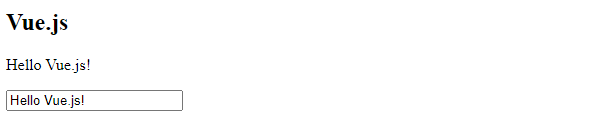
Vue.js Two-Way Binding
- The v-model directive is used for the value of HTML elements to application data.
Sample Code
<!DOCTYPE html>
<;html>
<script src="https://cdn.jsdelivr.net/npm/[email protected]/dist/vue.js"></script>
<body>

<h2>Vue.js</h2>

<div id="app">
  <p>{{ message }}</p>
  <p><input v-model="message"></p>
</div>

<script>
myObject = new Vue({
  el: '#app',
  data: {message: 'Hello Vue.js!'}
})
</script>

</body>
</html>
Output
Vue.js Loop Binding
- v-for directive is used to bind an array of Vue objects to an "array" of HTML element.
<!DOCTYPE html>
<html>
<script src="https://cdn.jsdelivr.net/npm/[email protected]/dist/vue.js"></script>
<body>

<h2>Vue.js</h2>

<div id="app">
  <ul>
    <li v-for="x in todos">
      {{ x.text }}
    </li>
  </ul>
</div>

<script>
myObject = new Vue({
  el: '#app',
  data: {
    todos: [
      { text: 'Learn JavaScript' },
      { text: 'Learn Vue.js' },
      { text: 'Build Something Awesome' }
    ]
  }
})
</script>

</body>
</html>
Output
Learn JavaScript
Learn Vue.js
Build Something Awesome