7 Things I Wish I Knew Earlier: The Truth About var vs let vs const & JavaScript Data Types

When I first started learning JavaScript, the terms var vs let vs const kept showing up everywhere. And honestly? I was confused. Why three different ways to create a simple variable? And don’t even get me started on JavaScript data types — at one point I felt like they were chasing me around every tutorial I opened.
If you’re feeling the same way, take a deep breath. I’ve been there.
This guide is my “I wish someone had told me this earlier” version — friendly, honest, and packed with real-life examples that helped ME finally understand what JavaScript was trying to say.
1️⃣ What is JavaScript?
Let me tell you a tiny story.
When I wrote my first JavaScript code, I didn’t write anything fancy. It was just:
console.log("Hello World");
But the moment those words appeared on my screen, something clicked.
JavaScript felt alive. Fast. Friendly. A little chaotic sometimes — but fun.
Today, JavaScript powers:
- interactive websites
- real-time apps
- mobile apps
- backend servers
- even robots and AI tools
If the web had a heartbeat, it would be JavaScript.
If you want to go deeper, check this:
🔗 External resource: https://developer.mozilla.org/en-US/docs/Web/JavaScript
2️⃣ Understanding JavaScript Data Types
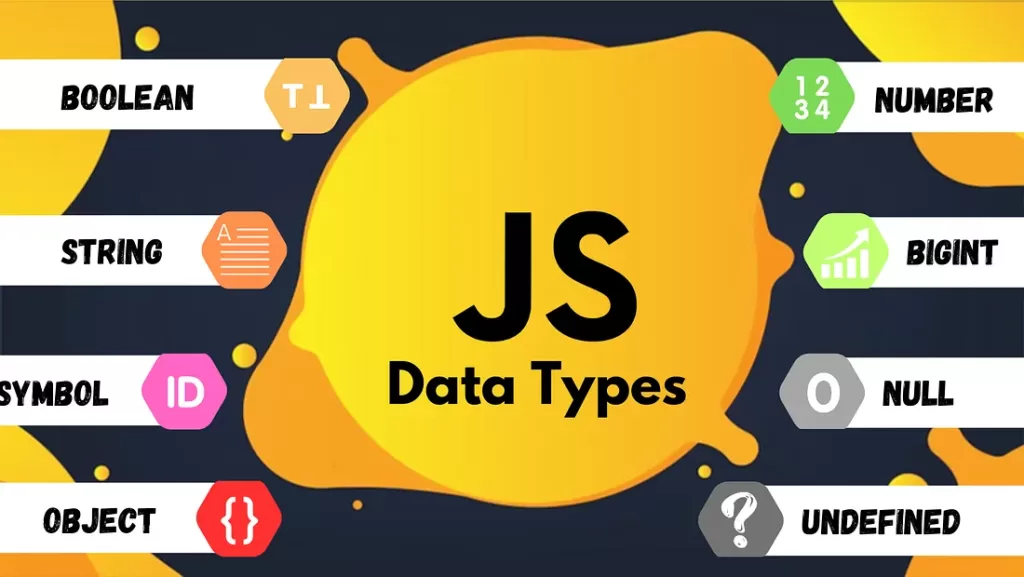
Now, let’s talk about JavaScript data types — the building blocks of everything you store, log, or manipulate.
When you understand what kind of data you’re working with, debugging becomes easier, code becomes cleaner, and you start THINKING like a developer.
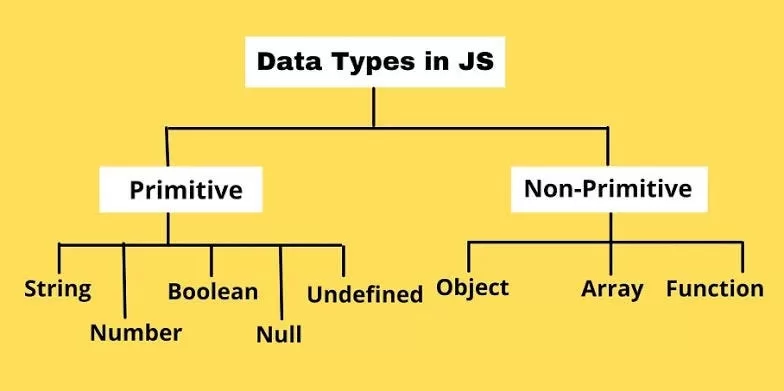
🔸 JavaScript Primitive Data Types
These are the simplest and most frequently used:
- String →
"Hello" - Number →
42 - Boolean →
trueorfalse - Undefined → declared but not assigned
- Null → intentionally empty
- Symbol → unique values (useful for advanced stuff)
- BigInt → very large numbers

🔸 JavaScript Non-Primitive Data Types
These store collections or complex structures:
- Object
- Array
- Function
And believe me, 90% of JavaScript revolves around these three.
3️⃣ Let’s Dive Into the Heart of It: var vs let vs const 💛
(Primary Keyword again: var vs let vs const)
Before I understood them, I used to throw var everywhere like confetti — because that’s what old tutorials did.
Then ES6 came and everything changed.
Here’s my personal breakdown — the way I finally got it.
🔹 var — The “Old but Gold (Sometimes)” Variable
When you use var, think of a person who walks into every room without knocking.
👉 Where it works:
- Inside functions ONLY
- In old codebases
- When supporting older browsers
👉 What makes var tricky?
- It ignores block boundaries
{ } - It gets hoisted with a default value of
undefined
Example:
console.log(a); // undefined
var a = 10;
When I first saw this, I thought JavaScript was broken 😅
But no — it’s just how var behaves.
🔹 let — The “Respect My Boundaries” Variable
When I discovered let, everything made sense.
It stays inside block scope, doesn’t leak outside, and behaves logically.
Example:
let age = 20;
age = 21; // works fine
You can change the value, but it respects curly braces { } like a civilized human.
🔹 const — The “Don’t Touch Me Again” Variable
I use const the most in my projects.
- It’s predictable
- It’s clean
- It prevents silly bugs
const PI = 3.14;
You can’t reassign it.
But (and here’s the twist) objects created with const can STILL change internally.
const user = { name: "John" };
user.name = "Doe"; // allowed
This blew my mind the first time.
4️⃣ When Should YOU Use var vs let vs const?
Here’s my cheat sheet:
✔ Use const when:
- the value should never change
- you’re creating functions
- you’re dealing with arrays or objects
✔ Use let when:
- the value will change (like counters, loops, or user input)
✔ Use var when:
- you’re working on old code
- you need function scope
If you’re coding in 2025 and beyond?
👉 Prefer const, use let, avoid var.
5️⃣ Understanding Scope & Hoisting
This was the part that frustrated me for MONTHS.
But here’s how I finally got it:
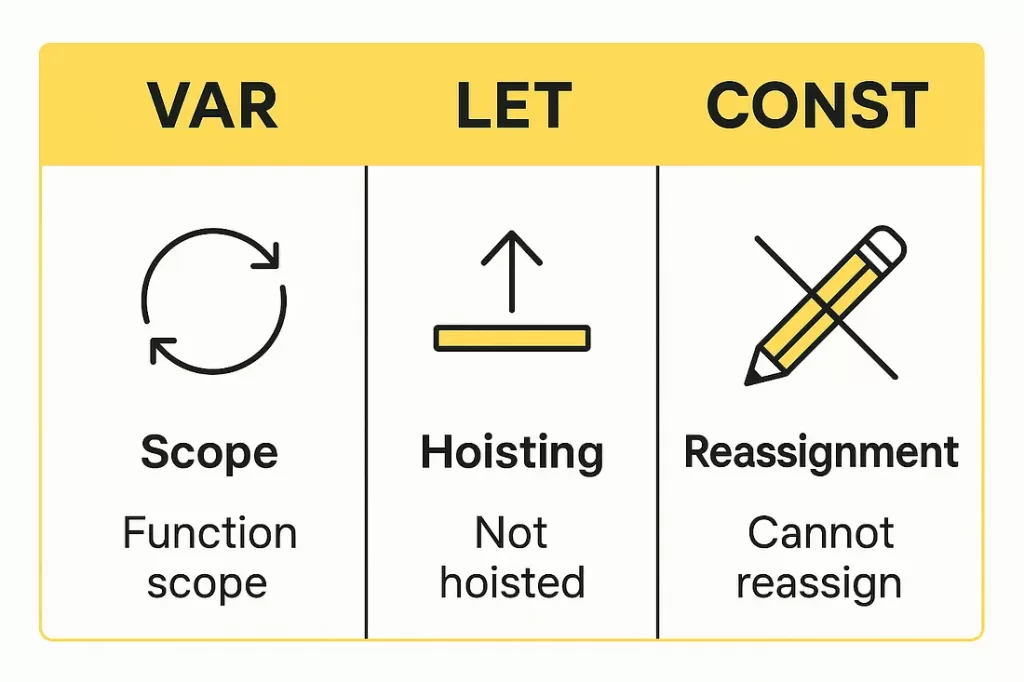
🎯 Scope
Think of it as:
“Where can I access this variable?”
- var → function scope
- let & const → block scope
🎯 Hoisting
JavaScript says:
“I’ll move your variable DECLARATION to the top. Value? Nope.”
Example:
console.log(x);
let x = 10; // ❌ Error
This happens because of the Temporal Dead Zone — a fancy term that simply means:
“Don’t use a let/const variable before you declare it.”
6️⃣ Real-Life Examples
⭐ Mistake #1: Using var inside loops
for(var i = 0; i < 5; i++) {}
console.log(i); // 5 (leaks outside)
⭐ Using let instead:
for(let i = 0; i < 5; i++) {}
console.log(i); // ❌ Error (as expected)
⭐ Mistake #2: Trying to overwrite const
const city = "Chennai";
city = "Mumbai"; // ❌ Error
⭐ Mistake #3: Assuming const objects can’t change
Wrong. They can.
7️⃣ So… What Should You Take Away?
If you remember only THIS, I’ll be proud of you:
👉 const > let > var
(in that priority)
👉 Use const by default.
👉 Use let when you must.
👉 Use var if your project is older than you. 😄
Conclusion
Learning JavaScript doesn’t have to feel robotic or confusing — trust me, I struggled for months before it “clicked.”
But once I understood var vs let vs const and the main JavaScript data types, everything else became FAR easier.
🔗 Related Reads
If you’re exploring JavaScript variables and data types, these guides will help you go even deeper into the language:
- What is JavaScript? 2025 Beginner’s Guide – Why We Use It & Real Examples You’ll Love
- 🧠 Mastering reduce in JavaScript : Ultimate 2026 Guide
- Closure in JavaScript – Explained with Real-Life Examples
- JavaScript 2D Array – Two Dimensional Arrays in JS
- javascript tutorial – [Solved-5 Solutions] Let and Var – javascript – java script – javascript array