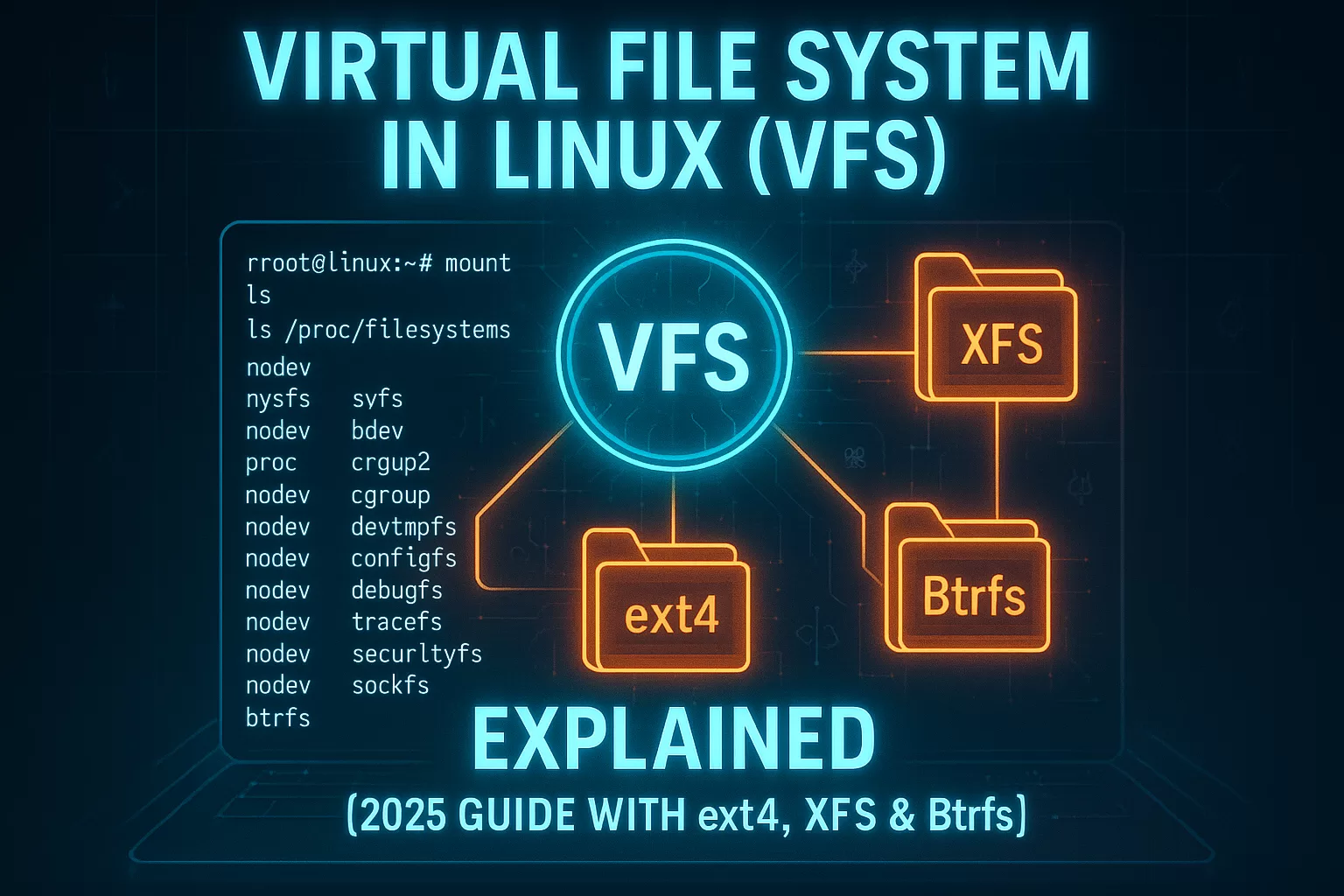
🔥 Virtual File System in Linux (VFS) Explained [2025 Guide with ext4, XFS & Btrfs]
🌍 Why Start With Virtual File System?
The Virtual File System (VFS) in Linux is one of those hidden features that makes the OS so powerful. If you’ve ever formatted a USB drive in Linux and then plugged it into Windows, you might have noticed something strange—Windows often shows nothing. No files. No folders. Just empty space.
Now flip the test. Format that same USB in Windows, copy some files, and then plug it back into Linux. Surprise: Linux reads it without breaking a sweat.
What’s happening here? Why does Linux seem smarter?
👉 The answer lies in the Virtual File System (VFS).
The virtual file system in Linux acts as a universal translator for different storage formats. It lets Linux talk to almost any filesystem—whether it’s ext4, FAT32, NTFS, XFS, or Btrfs—without forcing applications to deal with the messy details.
That’s why developers, sysadmins, and even cloud engineers love Linux. The VFS in OS design is one of the key reasons Linux remains the operating system of choice in servers, supercomputers, and embedded devices.

Key Highlights
- Understand what a Virtual File System (VFS) is and why it matters in Linux.
- Learn how VFS bridges different file systems like ext4, XFS, and Btrfs.
- Discover how tmpfs, sysfs, and overlayfs shape modern workloads in containers and cloud computing.
- See how Windows and Linux differ when handling file systems in 2025.
- Get practical insights, examples, and real-world use cases for developers and system admins.
🛠️ Virtual File System in OS – How It Works
At its core, the virtual file system in OS is a software layer inside the kernel. Think of it as a middleman:
- User process initiates a system call (like
open(),read(),write()). - The Linux VFS translates this into a generic request.
- VFS then calls the right file system driver (ext4, XFS, FAT, Btrfs, etc.).
- The driver hands it off to the device driver (SSD, HDD, USB, NVMe).
- The hardware does its job, and data flows back to the user process.
This means developers don’t need to rewrite code for every filesystem type. Instead, they rely on VFS as a consistent API.

🔑 Primary Components of Linux Virtual File System
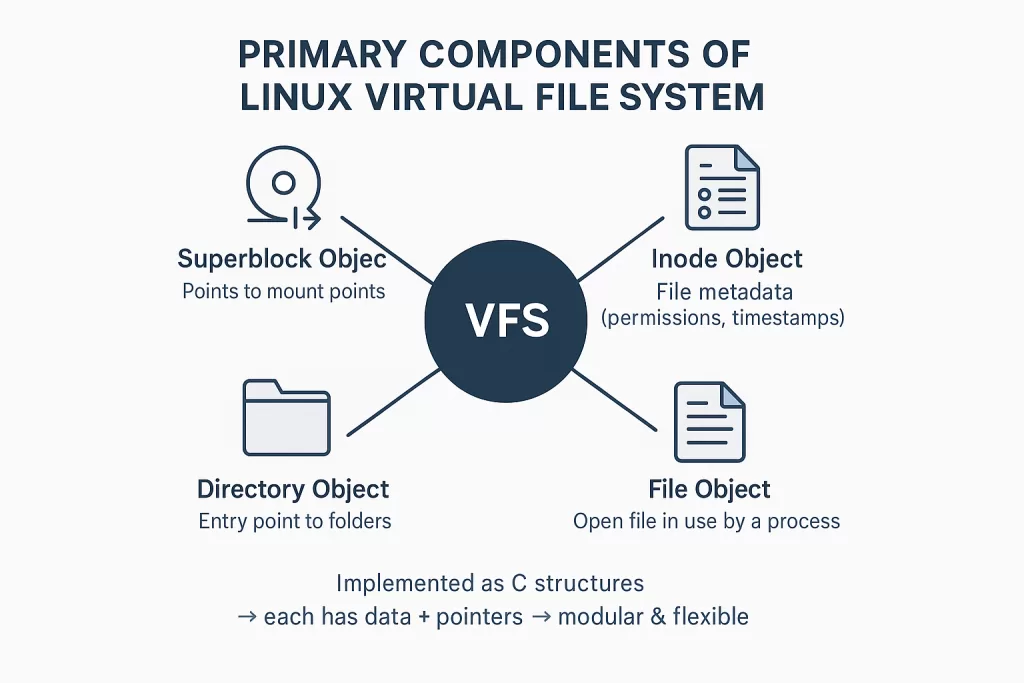
Every Linux virtual file system revolves around four key objects:
- Superblock object → points to specific mount points.
- Inode object → relates to a specific file (metadata like permissions, timestamps).
- Directory object → entry point to folders.
- File object → depicts an open file being used by a process.
Since these are implemented as C structures, each object comes with data and pointers. This modularity makes VFS extremely flexible.
💡 Special Virtual File Systems in Linux
Linux doesn’t just rely on ext4 or XFS. It also has virtual file systems that act as special-purpose tools:
- Tmpfs (Temporary File System)
- Stores data in RAM.
- Used in containers and temporary workloads for speed.
- Example: Docker often uses tmpfs for caching layers.
- Sysfs
- Exposes information about devices under
/sys. - Developers and sysadmins use it to check power states, IRQ numbers, and hardware details.
- Example: Need to debug why your GPU isn’t working? You’ll find details in sysfs.
- Exposes information about devices under
- OverlayFS
- Backbone of Docker and Kubernetes.
- Lets containers share a base image but apply unique changes without copying everything.
- Example: A 500 MB image can be reused across 100 containers without eating 50 GB of disk space.

📊 Linux File System Types in 2025
Here’s where things get exciting. Beyond the virtual file system in Linux, you need to understand actual Linux file system types.
- ext4 file system – Still the default in most distros. Reliable, simple, and fast.
- XFS – Great for large files. RHEL and CentOS rely on it heavily.
- Btrfs – Supports snapshots, checksums, and advanced features. Fedora and OpenSUSE prefer it.
- ZFS – Loved by enterprises for data integrity, though licensing issues kept it out of the Linux kernel for years.

📊 ext4 vs XFS
| Feature | ext4 | XFS |
|---|---|---|
| Release Year | 2008 (successor to ext3) | 1994 (but modernized heavily in RHEL) |
| Best For | General-purpose workloads | Very large files, enterprise-level storage |
| Performance | Consistent for small to medium files | Excels with very large files & parallel I/O |
| Scalability | Supports volumes up to 1 EB, files up to 16 TB | Handles filesystems up to 8 EB, very scalable |
| Journaling | Yes (metadata and full journaling options) | Yes (metadata journaling, efficient logging) |
| Default Usage | Ubuntu, Debian, many distros | RHEL, CentOS, some enterprise setups |
| Snapshots | Not natively supported | Not natively supported |
| Maturity | Extremely stable, widely tested | Mature, but optimized for heavy workloads |
Conclusion:
👉 Use ext4 if you want stability and all-round performance for desktops or servers. Choose XFS if you’re handling very large files and enterprise workloads.
📊 Btrfs vs ext4
| Feature | Btrfs | ext4 |
|---|---|---|
| Release Year | 2009 (still evolving in 2025) | 2008 (very stable and mature) |
| Best For | Snapshots, rollbacks, advanced features | General-purpose workloads |
| Performance | Slight overhead due to copy-on-write (CoW) | Faster and lighter in most use cases |
| Snapshots | Yes, built-in snapshot and rollback support | No snapshot support |
| Data Integrity | Checksums for data + metadata | Metadata journaling only |
| Scalability | Supports up to 16 EB volumes | Supports up to 1 EB volumes |
| Adoption | Default in Fedora, SUSE, growing in enterprise | Default in Ubuntu, Debian, many distros |
| Stability | Still maturing (some features experimental) | Extremely stable, proven in production |
Conclusion:
👉 Btrfs is great if you need snapshots, self-healing, and modern features (popular in Fedora and SUSE). But for production stability, ext4 is still the safer choice in 2025.
Developer Insight
A recent Phoronix benchmark (2024) showed XFS outperforming ext4 for very large databases, while Btrfs shined in snapshots and rollbacks for container-heavy workloads.
So when you choose a filesystem, think about what kind of workload you’re running, not just what the distro defaults to.
⚡ Windows vs Linux in 2025 – Still Different Worlds
Back in the day, Windows couldn’t read Linux partitions at all. In 2025, that’s partially solved:
- Windows Subsystem for Linux 2 (WSL2) lets Windows 11 mount Linux filesystems like ext4 directly.
- Tools like Linux Reader or ext2fsd make it possible to browse Linux partitions in Windows Explorer.
But there’s still a catch: by default, Windows won’t read ext4 or Btrfs partitions. Linux, on the other hand, reads almost everything—NTFS, FAT32, exFAT, ISO9660—without needing extra tools.
📚 Real-World Use Cases of VFS
- Cloud storage → Mounting S3 buckets with s3fs (FUSE-based).
- DevOps → Docker and Kubernetes rely on overlayfs.
- Cybersecurity → Analysts use
/procand/systo monitor live processes. - Embedded Linux → Tmpfs is common in devices with limited disk storage.

❓ FAQs on Virtual File System
Q. What is the full form of VFS?
👉 VFS full form = Virtual File System.
Q. Why does Linux need a virtual file system?
👉 To provide a unified interface so applications don’t care whether the underlying storage is ext4, XFS, or Btrfs.
Q. What’s the difference between VFS and a real filesystem?
👉 VFS is an abstraction layer, while ext4, XFS, and Btrfs are real filesystems storing actual data.
🎯 Conclusion
The virtual file system may sound abstract, but it’s the invisible hero of Linux. Without it, you couldn’t run Docker containers, mount cloud storage, or even boot your OS smoothly.
As of 2025, the Linux virtual file system in OS design remains one of the strongest reasons Linux powers 96.7% of the world’s top servers (Statista, 2024).
So, whether you’re a student, a budding Linux admin, or a cloud engineer, mastering the Linux virtual file system isn’t just good for your resume—it’s essential for your career. 🚀
🔗 Related Reads
- What is tr Command in Linux (2025 Guide) – Syntax, Options & Examples 🚀
- 25 Basic Linux Commands for Beginners (2025)
- Read Access Memory – How to Access Your Computer’s RAM
- Virtualization in Cloud Computing and Types: My Honest Take in 2025
- What is Java Virtual Machine? A Complete Guide to JVM and Its Architecture
- 7 Things You Must Know About Virtual Private Network (VPN): How It Works, Types, Benefits & Best Practices