

HTML and CSS are the two fundamental technologies used to create websites. HTML (HyperText Markup Language) provides the structure of a webpage, while CSS (Cascading Style Sheets) controls its appearance, layout, colors, fonts, and overall design. Anyone interested in becoming a web developer should start by learning these two technologies.
For beginners, understanding HTML and CSS through practical projects is one of the best ways to improve web development skills. Instead of focusing only on theory, building small websites helps learners understand how different elements work together. It also provides practical experience that can be useful when applying for internships or entry-level web development jobs.
If you are starting your web development journey, here are 10 beginner-friendly HTML and CSS projects you can build in 2026.
Why Should Beginners Build HTML and CSS Projects?
Learning HTML and CSS is easier when you apply concepts to real-world examples. Projects allow beginners to understand website structure, page layouts, responsive design, and styling techniques.
Some important benefits include:
- Practical Experience: Apply HTML tags, CSS properties, selectors, and layouts in real projects.
- Creative Thinking: Learn how to design attractive and user-friendly websites.
- Problem-Solving Skills: Understand how to identify and fix layout and styling issues.
- Portfolio Development: Showcase completed projects to demonstrate your technical skills.
- Career Preparation: Build a strong foundation before moving into JavaScript and advanced web development.
10 Best HTML and CSS Projects for Beginners
Here are ten project ideas that beginners can complete using only HTML and CSS.
1. Personal Portfolio Website
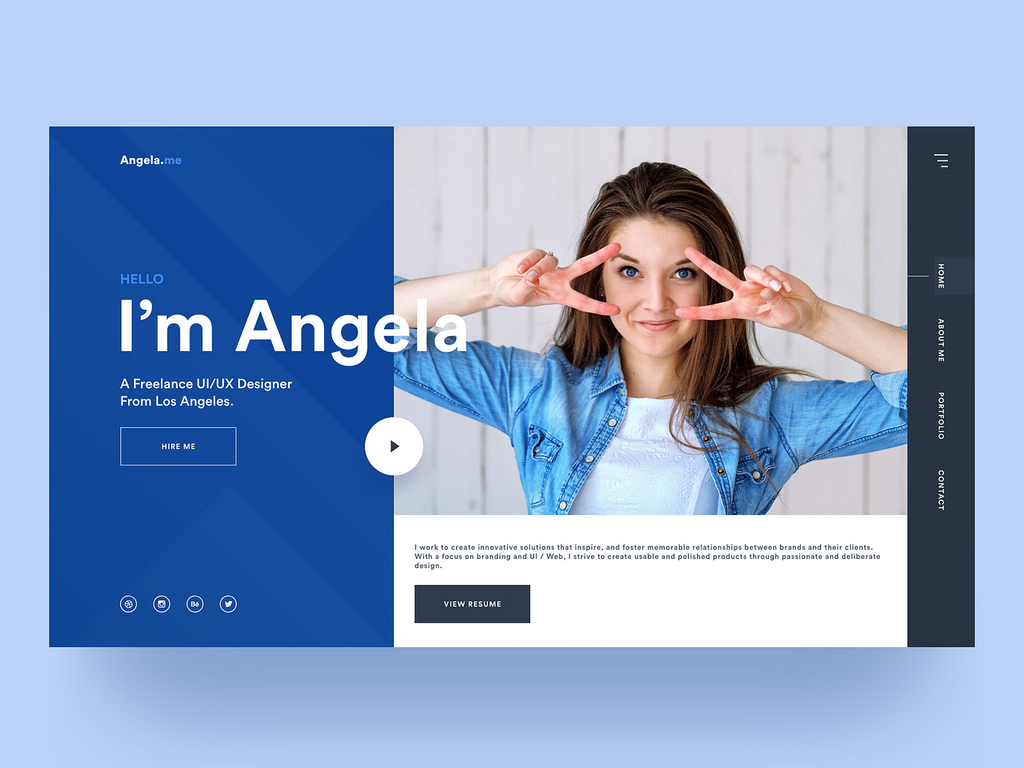
A personal portfolio website is one of the best projects for beginners. It allows you to introduce yourself, display your technical skills, and showcase your completed projects in one place.
You can create different sections, such as About Me, Skills, Projects, Education, and Contact. Use HTML to organize the content and CSS to create an attractive layout.
Features to include:
- Personal introduction and profile image.
- Technical skills and educational details.
- Project showcase section.
- Contact information and social media links.
- Navigation menu and responsive layout.
This project helps beginners understand webpage structure, navigation links, CSS positioning, and typography.
2. Restaurant Website
Creating a restaurant website is another interesting project for beginners. Restaurants need websites to display their menus, provide contact details, and attract customers.
You can design a homepage with a restaurant name, food images, menu categories, and customer information. Use CSS Grid or Flexbox to organize different sections.
Features to include:
- Restaurant introduction.
- Food menu with prices.
- Food gallery.
- Opening hours and location.
- Contact details and reservation information.
This project helps beginners practice image placement, background styling, buttons, and multi-section layouts.
3. Product Landing Page
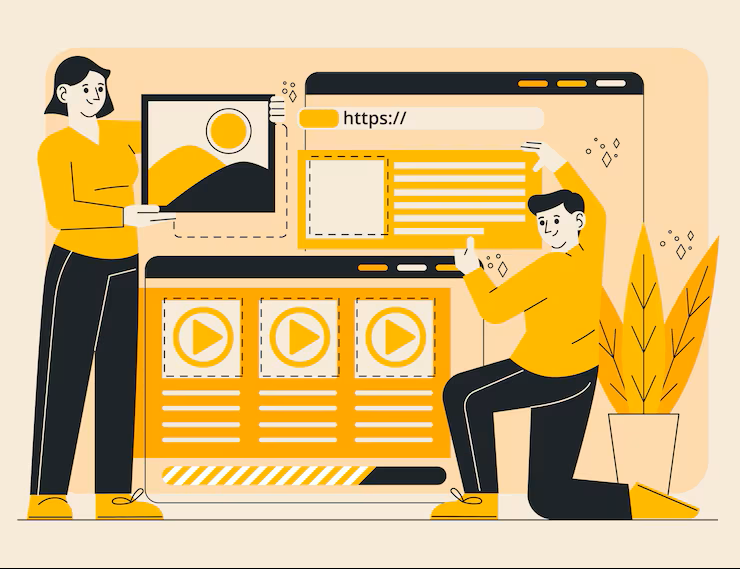
A product landing page is designed to promote a particular product or service. It usually contains product images, descriptions, important features, and a call-to-action button.
Beginners can choose any product, such as a smartphone, laptop, smartwatch, or headphones, and create a promotional webpage.
Features to include:
- Product name and description.
- Product images.
- Key specifications and benefits.
- Pricing information.
- Buy Now or Learn More button.
This project introduces beginners to hero sections, CSS buttons, spacing, colors, and attractive product layouts.
4. Login and Registration Page
Login and registration pages are commonly used in websites and applications. Creating these pages is a useful way to understand HTML forms and CSS styling.
You can build a login page with username, email, and password fields. You can also create a separate registration page with additional user information.
Features to include:
- Username or email input.
- Password field.
- Login and registration buttons.
- Remember Me checkbox.
- Forgot Password link.
This project helps beginners understand form elements, input types, labels, borders, shadows, and alignment.
5. Personal Blog Website
A personal blog website allows users to publish articles, share knowledge, and express their ideas. Beginners can create a simple blog layout using HTML and CSS.
Start with a homepage containing a navigation bar, featured article, blog cards, and footer. Each blog card can display a title, image, short description, and Read More link.
Features to include:
- Blog homepage.
- Article categories.
- Featured blog section.
- Recent articles.
- Author information and footer.
This project helps learners understand content organization, CSS Grid, Flexbox, and reusable webpage layouts.
6. Responsive Image Gallery
An image gallery website is a simple and creative project for beginners. It displays multiple images in an organized grid layout.
You can select images based on different categories, such as nature, travel, technology, or photography. Use CSS Grid to arrange images and CSS hover effects to improve the appearance.
Features to include:
- Multiple image categories.
- Responsive image grid.
- Hover effects.
- Image captions.
- Attractive background and spacing.
This project helps beginners understand image handling, responsive layouts, CSS Grid, and transitions.
7. Travel Website Homepage
A travel website homepage is a great project for learners who want to practice designing visually attractive webpages.
You can create a travel homepage featuring popular destinations, holiday packages, travel photographs, and information about different locations.
Features to include:
- Travel destination banner.
- Popular tourist destinations.
- Travel package cards.
- Destination descriptions.
- Contact and booking information.
This project improves your understanding of background images, section layouts, image cards, and responsive web design.
8. Online Resume Website
An online resume website presents professional information in a structured digital format. It is useful for students and job seekers who want to showcase their qualifications online.
You can create a single-page resume with personal information, education, technical skills, work experience, and achievements.
Features to include:
- Personal profile section.
- Educational qualifications.
- Technical skills.
- Work experience and certifications.
- Contact details.
This project helps beginners practice HTML headings, lists, sections, typography, and CSS layouts.
9. Coffee Shop Website
A coffee shop website is a beginner-friendly project that combines attractive visuals with practical webpage design.
You can create a homepage for a fictional coffee shop and display different coffee varieties, food items, prices, and shop information.
Features to include:
- Coffee shop introduction.
- Coffee and food menu.
- Product images and prices.
- About Us section.
- Location and contact details.
This project helps beginners experiment with color combinations, typography, image layouts, and CSS styling.
10. Student Registration Website

A student registration website is a useful project for understanding how online forms are designed. Educational institutions commonly use registration forms to collect student information.
You can create a webpage containing student details, course selection, contact information, and educational qualifications.
Features to include:
- Student name and email fields.
- Phone number input.
- Course selection dropdown.
- Gender selection.
- Submit and Reset buttons.
This project provides practical knowledge of HTML forms, dropdown menus, radio buttons, checkboxes, and CSS form styling.
Tips for Building HTML and CSS Projects Successfully
Before starting your projects, understand the basic concepts of HTML and CSS. Follow these tips to make your learning experience more effective.
Start with Simple Projects: Begin with a login page or personal resume website before moving to larger projects.
Practice HTML Structure: Learn commonly used HTML elements, including headings, paragraphs, images, links, lists, forms, and semantic tags.
Understand CSS Layouts: Practice Flexbox, CSS Grid, margins, padding, positioning, and responsive design.
Make Websites Responsive: Use CSS media queries to ensure your websites work properly on desktops, tablets, and smartphones.
Use Developer Tools: Browser developer tools help you inspect webpage elements and identify styling issues.
Build Without Copying: Try to create layouts independently instead of copying complete project code from tutorials.
Conclusion
HTML and CSS projects provide an excellent starting point for anyone interested in learning web development. From personal portfolio websites to restaurant homepages and student registration forms, these ten project ideas help beginners understand practical website development.
Start with simple projects and gradually move towards more complex designs. Once you become comfortable with HTML and CSS, learn JavaScript to add interactive features such as form validation, dynamic menus, and image sliders.
Consistent practice, creativity, and real-world project development will help you build the skills required to become a successful frontend or full-stack web developer in 2026.
Want to Learn More About Java ?, Kaashiv Infotech Offers, Full Stack Java Course, Java Course, Data Science Course, Internships & More, Visit Their Website www.kaashivinfotech.com.

