🔟 Surprising Things You Didn’t Know About a Desktop in a Computer 🖥️ (Even If You Use One Daily!)
“Wait, isn’t a desktop just… a computer?”
That’s exactly what I used to think! But the truth is — there’s so much more behind that screen we stare at every day. Whether you’re a student, a 9-to-5er, a gamer, or just someone trying to make sense of tech, understanding the desktop in a computer can literally change how you work, play, or even build your own PC!
🤔 What is a Desktop in a Computer?
Let’s get right into it — no fluff.
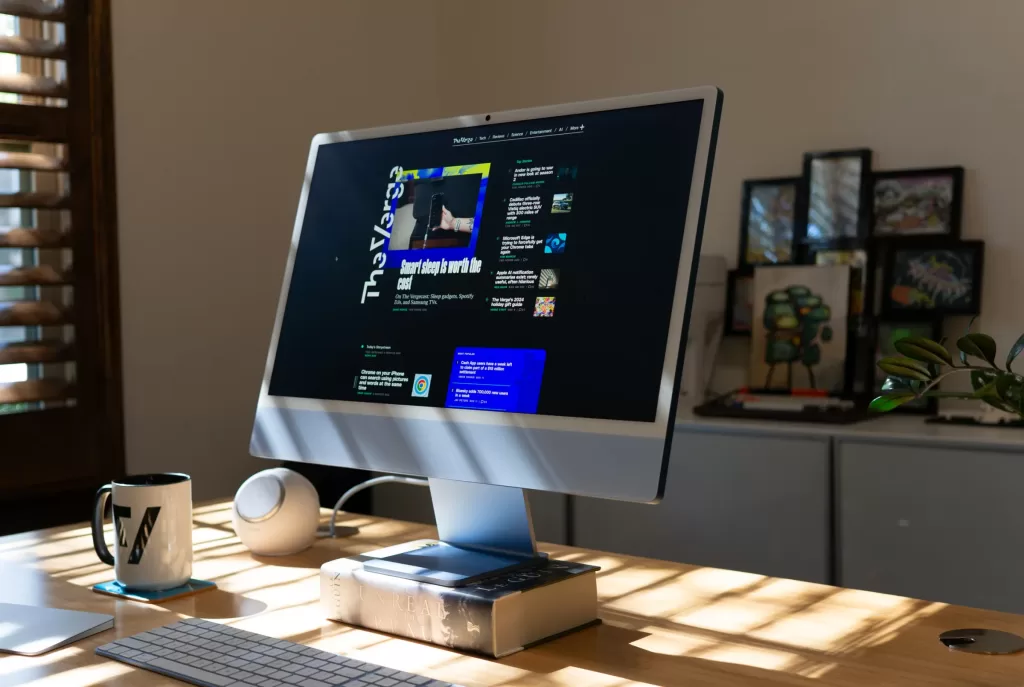
When we say “desktop in a computer,” we’re usually talking about one of two things:
- A desktop computer — the physical machine that sits on (or under) your desk.
- The desktop interface — that screen with icons and folders you see after booting your computer.
Both are different — yet connected — and both are crucial to how we use computers today.
🖥️ The Desktop Computer: Your Tower of Power
Let’s start with the hardware side — the desktop in a computer as a device.
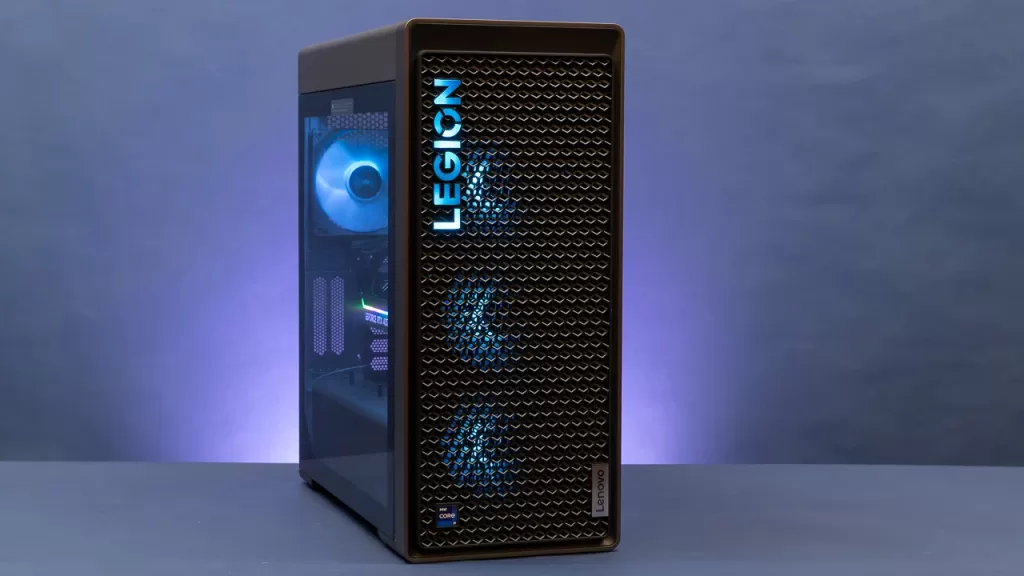
A desktop computer is typically made of:
- A CPU tower (the actual computer brain)
- A monitor (the screen)
- A keyboard and mouse
- Optional accessories: speakers, webcams, drawing tablets, etc.
Unlike laptops, desktops aren’t portable — but that’s actually a huge advantage.
Here’s why:
- ✅ Easier to upgrade and customize (think graphics cards, RAM, SSDs!)
- ✅ Better cooling and performance
- ✅ Longer lifespan
- ✅ More affordable power for gamers, developers, and creators
When I built my first desktop PC back in college, I felt like a wizard. I still remember inserting the RAM sticks with trembling hands — and then booting it up successfully on the first try? Magic.
📺 The Desktop Interface: Your Digital Workbench
Now, let’s talk about the software side of a desktop in a computer.
This is the desktop environment you see when your computer turns on. Whether you’re using Windows, macOS, or Linux, the desktop is your personal command center.

Think of it like your digital desk:
- Files and folders = your documents
- Recycle bin/trash = your dustbin
- Shortcuts = sticky notes to your apps
- Taskbar or dock = your tool belt 🧰
It’s your space, and how you organize it says a lot about how you work. (Mine’s… a mess. Let’s be honest. 😅)
💡 Why Should You Even Care About a Desktop in a Computer?
I get it. Why dive deep into something we use every day?
Here’s why the desktop in a computer matters:
- 💼 Job efficiency: Know your desktop, and you can work 2x faster
- 🧠 Mental clarity: A clutter-free digital workspace = a clutter-free mind
- 🧩 Customization: You can personalize your experience, add widgets, themes, and more
- 🛠️ Troubleshooting: Understand your desktop, and you’ll fix problems before calling tech support!
⚔️ Desktop vs Laptop – Which One Should You Use?
This is a question I get all the time.

Let’s break it down quickly:
| Feature | Desktop Computer | Laptop |
|---|---|---|
| Portability | ❌ Not portable | ✅ Portable |
| Performance | ✅ More powerful | ⚖️ Moderate |
| Upgrade options | ✅ Easy to upgrade | ❌ Limited upgrades |
| Battery life | ❌ Needs power supply | ✅ Has battery |
| Cost | ✅ More value for money | ⚖️ Can be expensive |
Personally? I love having a desktop in my computer room for heavy tasks like video editing and programming. But when I’m out at a café, my laptop’s my best buddy. ☕
🧩 Different Types of Desktops in a Computer
Did you know there are different types of desktop computers?
Let me quickly list them out:
- Tower Desktops – The classic big box. Powerful. Customizable.
- All-in-One Desktops – Monitor + CPU combined (like Apple iMac).
- Mini PCs – Small but mighty (like Intel NUC).
- Gaming Desktops – Packed with performance and RGB lights! 🔥
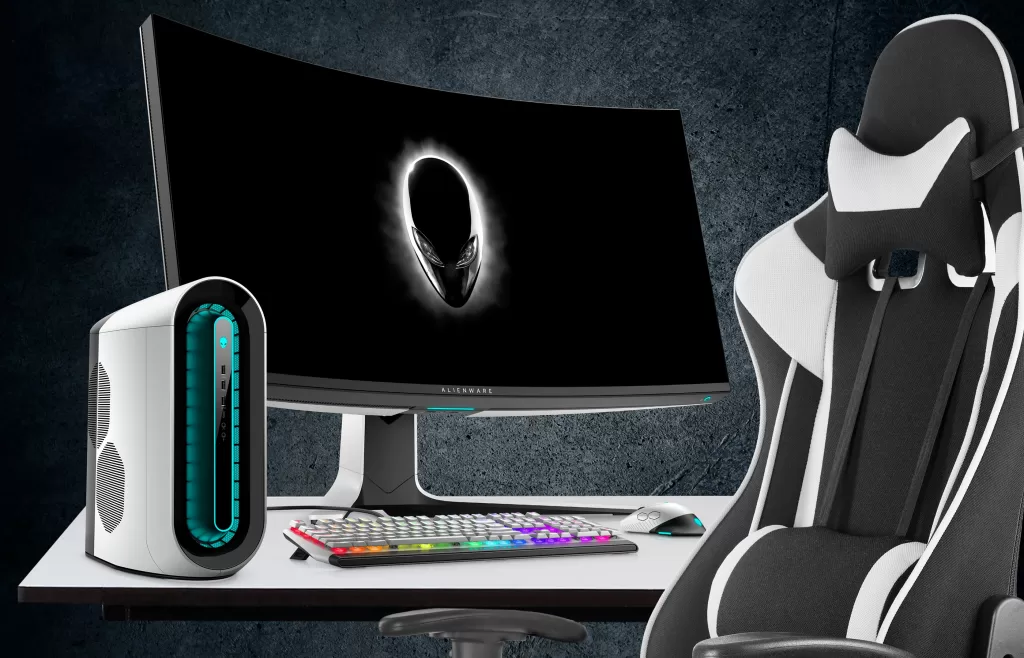
Each has its own vibe, depending on your needs. If you’re building a gaming rig, for example, go tower. If you’re just working on documents, a mini PC might be enough!
🧠 Little Things That Make a Big Difference
Here are a few features in the desktop in a computer that made my life easier:
- Virtual desktops (especially in Windows 11): Perfect for separating work and play.

- Snap layouts: Helps in multitasking like a pro.
- Right-click context menu: It’s a goldmine of shortcuts — don’t ignore it.
- File organization: Create folders for everything. Trust me. Thank me later.
🛠️ Real-Life Desktop Hacks I Use Daily
Here’s how I actually use the desktop in my computer:
- 🌄 Set a calming wallpaper to reduce stress
- 📁 Use “Downloads” as an inbox — clean it every Friday
- 🎯 Pin my most-used apps to the taskbar
- 🔒 Lock my desktop when I step away (Win + L)
Tiny things, huge impact. 💥

📚 Want to Learn More?
- Top 100+ Computer Keyboard Shortcut Keys List (A to Z)
- 7 Easy Ways to Take a Screenshot on a Mac (Beginner’s Guide)
❓ FAQs on Desktop in a Computer
Q1: Is a desktop better than a laptop?
Depends! For performance and upgrades — yes. For travel and flexibility — no.
Q2: Can I use a desktop without a monitor?
Not really. It needs a display device. But you can connect to a TV!
Q3: What’s the lifespan of a desktop computer?
With good care and upgrades, easily 5–8 years, or even more.
Q4: Is a desktop cheaper than a laptop?
Generally, yes — for the same specs, desktops are usually more affordable.
🏁 Final Thoughts: The Humble Desktop Deserves Some Love
The desktop in a computer isn’t just a screen full of icons or a box collecting dust under your desk.
It’s your portal to the internet, your workspace, your canvas, your battle station (if you’re a gamer 😎). Whether you’re organizing files, building code, editing videos, or just watching cat videos — your desktop is your unsung hero.
And if you treat it well — organize it, upgrade it, personalize it — it’ll reward you tenfold.
If You want to learn about computer networking course, ui/ux course, or web development course in online with certification visit www.kaashivinfotech.com.
So, next time you boot up your system, take a second to appreciate the mighty desktop in a computer — both the hardware and the digital space. 💖🖥️