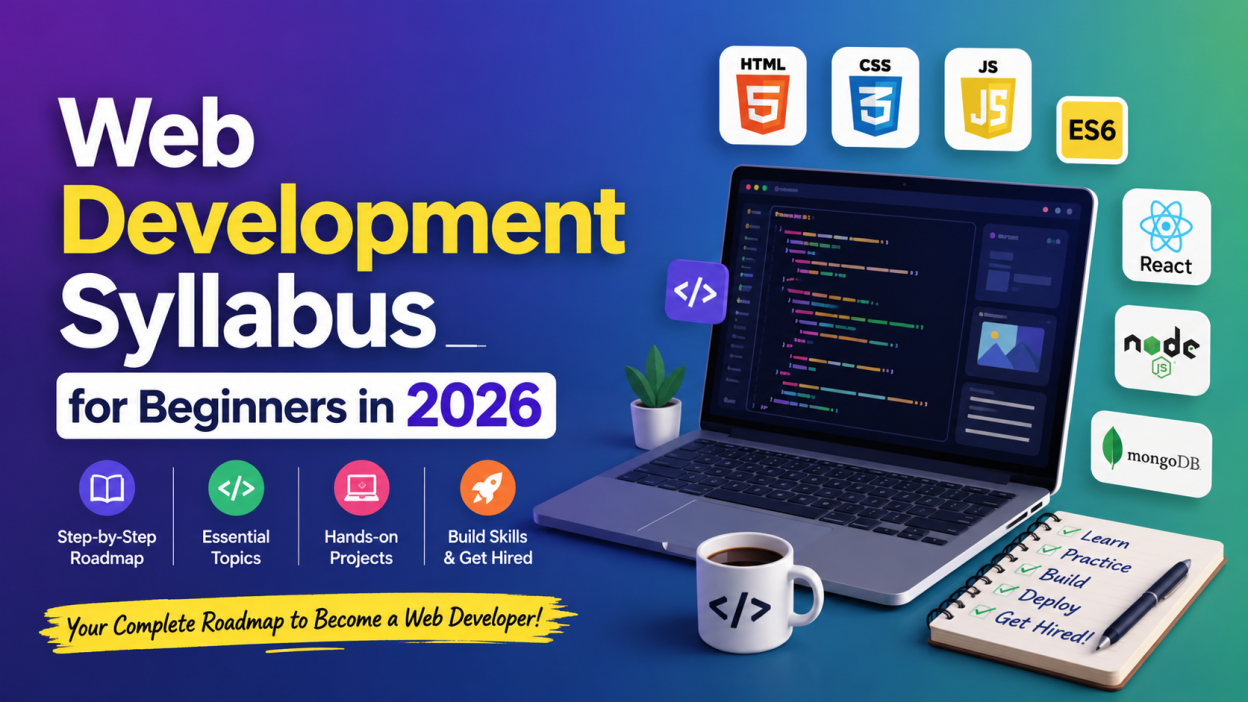
In this article, I’ll walk you through the Web Development Syllabus that actually makes sense for beginners in 2026. Instead of randomly jumping between technologies, you’ll follow a structured path that gradually builds your skills.
Key Highlights
- ✅ Complete Web Development Syllabus for absolute beginners
- ✅ Learn the correct order without feeling overwhelmed
- ✅ Covers HTML, CSS, JavaScript, Git, React, Backend, Databases, APIs, and Deployment
- ✅ Includes free resources and practice ideas
- ✅ Real-world project roadmap
- ✅ Tips I wish someone had given me when I started
- ✅ Perfect for students, career changers, and job seekers in 2026
By the end of this guide, you’ll know exactly what to learn, why you’re learning it, and what projects to build after every stage.
Let’s begin! 💻
Why Follow a Proper Web Development Syllabus?
Many beginners quit because they don’t have a roadmap.
I made that mistake too.
I’d watch one HTML video, then jump to React, then start learning Python, and somehow end up watching videos about AI! 😅
Learning becomes much easier when you follow a proper Web Development Syllabus.
It helps you:
- Learn topics in the correct order
- Avoid unnecessary confusion
- Build projects with confidence
- Prepare for internships and jobs
- Stay motivated because every topic connects to the next one
1. Learn How the Internet Works 🌐
Before writing code, understand what happens when someone visits a website.
Topics to learn:
- What is the Internet?
- What is a website?
- What is a web application?
- Browser basics
- Client and Server
- HTTP & HTTPS
- URL structure
- Domain Name System (DNS)
- Hosting
- Web servers
Real-life example
When you type amazon.com, your browser doesn’t magically know where Amazon lives.
The DNS finds the server, the browser sends a request, and the server returns the webpage.
Understanding this simple flow made everything else much easier for me.
2. HTML – The Foundation of the Web Development Syllabus 🏗️
Every Web Development Syllabus starts with HTML, and for good reason.
HTML gives structure to webpages.
Learn:
- HTML document structure
- Headings
- Paragraphs
- Links
- Images
- Lists
- Tables
- Forms
- Audio and Video
- Semantic HTML
- Meta tags
- Accessibility basics
Practice Project
Build:
- Resume website
- Portfolio page
- Restaurant webpage
- Contact form
Don’t worry about making it beautiful yet.
That’s CSS’s job.
3. CSS – Make Websites Beautiful 🎨
Now comes the fun part.
CSS transforms plain webpages into attractive websites.
Topics:
- CSS Syntax
- Selectors
- Colors
- Fonts
- Backgrounds
- Borders
- Padding
- Margin
- Display
- Position
- Flexbox
- CSS Grid
- Animations
- Transitions
- Responsive Design
- Media Queries
Real-life example
Think of HTML as the skeleton.
CSS is the clothing, hairstyle, makeup, and personality.
Without CSS, every website would look almost identical.
4. JavaScript – Bring Websites to Life ⚡
This is where your Web Development Syllabus becomes exciting.
JavaScript adds interaction.
Learn:
- Variables
- Data Types
- Operators
- Functions
- Arrays
- Objects
- Loops
- Conditions
- Events
- DOM Manipulation
- Form Validation
- Local Storage
- Fetch API
- Async & Await
- ES6 Features
Mini Projects
- Calculator
- Digital Clock
- Quiz App
- To-do List
- Weather App
- Notes App
I still remember building my first calculator. It wasn’t perfect, but clicking those buttons and seeing the result felt amazing.
5. Learn Git and GitHub 📂
This part of the Web Development Syllabus is often skipped by beginners.
Don’t skip it.
Companies expect developers to know version control.
Learn:
- Git installation
- Repository
- Commit
- Push
- Pull
- Branch
- Merge
- GitHub basics
Create a GitHub profile and upload every project you build.
Trust me—future recruiters love seeing consistent work.
6. Responsive Web Design 📱
People browse websites on:
- Mobile phones
- Tablets
- Laptops
- Desktop computers
Your website should work on all of them.
Learn:
- Mobile-first design
- Media Queries
- Flexible layouts
- Responsive images
- Viewport
Open your projects on your phone regularly.
You’ll quickly notice what needs fixing.
7. CSS Frameworks
Once you’re comfortable with CSS, explore frameworks.
Popular choices include:
- Bootstrap
- Tailwind CSS
These help you build professional-looking websites much faster.
Don’t replace CSS with a framework too early.
Learn the basics first.
8. JavaScript Framework – React ⚛️
Most modern companies use React.
That’s why every modern Web Development Syllabus includes it.
Topics:
- Components
- JSX
- Props
- State
- Hooks
- Routing
- API Integration
- Forms
- Context API
- Project Structure
Build Projects
- Movie App
- Shopping Cart
- Blog Website
- Expense Tracker
- Task Manager
Once I built my first React application, I finally understood why developers loved component-based development.
9. Backend Development 🔧
Frontend is only half the story.
Backend handles:
- Login
- Database
- Authentication
- Payments
- Business logic
Popular backend options:
- Node.js
- Express.js
Topics:
- Server basics
- REST APIs
- Routing
- Middleware
- Authentication
- JWT
- CRUD Operations
10. Learn Databases 💾
Every dynamic website stores data somewhere.
Learn:
SQL
- MySQL
- PostgreSQL
Topics:
- Tables
- Primary Keys
- Foreign Keys
- CRUD
- Joins
- Aggregate Functions
- Indexes
NoSQL
- MongoDB
Learn:
- Collections
- Documents
- Queries
- Relationships
11. APIs – Connect Applications Together 🔗
Modern websites constantly exchange data.
Examples:
- Weather Apps
- Google Maps
- Payment Gateways
- Social Login
Learn:
- REST API
- JSON
- Fetch API
- POSTMAN
- Authentication Tokens
Building API-based projects helped me understand how real applications communicate.
12. Authentication & Security 🔒
Don’t ignore security.
Learn:
- Login
- Registration
- Password Hashing
- JWT
- Cookies
- Sessions
- CORS
- Basic Cybersecurity
Even a small portfolio project should have secure login practices.
13. Deployment 🚀
A website isn’t complete until people can actually visit it.
Learn deployment using platforms such as:
- GitHub Pages (Static Websites)
- Netlify
- Vercel
- Render
Seeing my own website live on the internet for the first time was incredibly satisfying.
It’s a milestone every beginner should experience.
14. Build Real Projects
Projects matter more than certificates.
Some ideas:
- Portfolio Website
- Weather App
- E-commerce Website
- Blog Website
- Online Quiz
- Banking Dashboard
- Expense Tracker
- Student Management System
- Hospital Management System
- Chat Application
Every project teaches something new.
Every mistake makes you a better developer.
15. Learn Basic Developer Tools
A complete Web Development Syllabus should also include essential tools.
Learn:
- Visual Studio Code
- Browser Developer Tools
- Chrome DevTools
- Terminal Basics
- npm
- Package Management
These tools will become part of your daily workflow.
Suggested Learning Timeline 📅
Here’s a practical timeline if you’re learning consistently:
| Month | Topics |
|---|---|
| Month 1 | HTML + CSS |
| Month 2 | Responsive Design + JavaScript Basics |
| Month 3 | Advanced JavaScript + Git + GitHub |
| Month 4 | React |
| Month 5 | Backend + Node.js + Express |
| Month 6 | Databases + APIs + Deployment + Projects |
If you can dedicate 2–3 hours every day, you’ll build solid foundations within six months.
Common Mistakes Beginners Make ❌
I see these mistakes all the time—and I’ve made a few of them myself.
- Skipping HTML basics
- Memorizing code instead of practicing
- Watching tutorials without building projects
- Ignoring GitHub
- Jumping into advanced frameworks too early
- Giving up after encountering errors
Errors aren’t signs that you’re failing.
They’re signs that you’re learning.
Final Thoughts ❤️
Learning web development isn’t about finishing a hundred courses. It’s about building, breaking, fixing, and repeating that cycle until things start to click.
If I could give one piece of advice to every beginner following this Web Development Syllabus, it would be this: don’t rush. Learn one topic well, build something with it, and then move on. Small, consistent progress beats trying to learn everything in a weekend.
The road to becoming a web developer isn’t always smooth, but it’s incredibly rewarding. A few months from now, you’ll look back at your first HTML page and smile because you’ll realize just how far you’ve come.
So open your code editor, write your first line of code, and enjoy the journey. Your future self will thank you. 🚀
Want to Learn More About Java ?, Kaashiv Infotech Offers, Full Stack Java Course, Java Course, Data Science Course, Internships & More, Visit Their Website www.kaashivinfotech.com.