Key Highlights
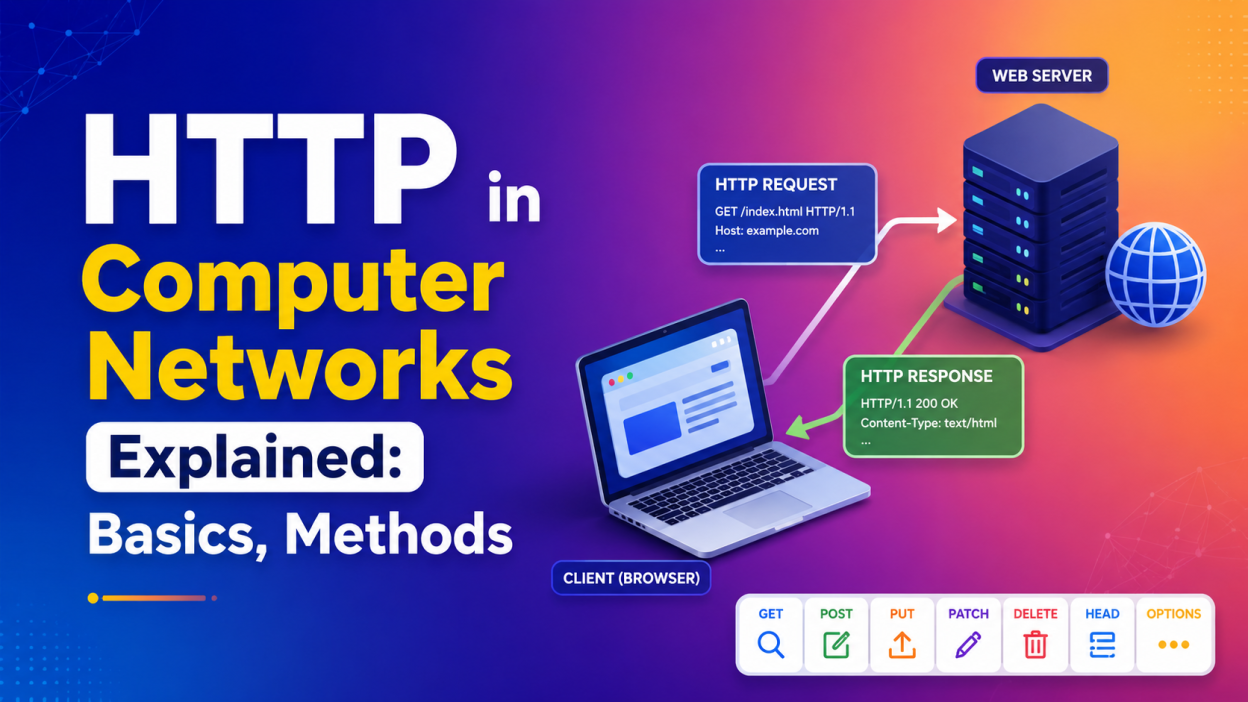
- HTTP in Computer Networks is an application-layer protocol used for communication between clients and servers.
- HTTP stands for Hypertext Transfer Protocol.
- A browser acts as a client, while a web server processes the request and sends back a response.
- HTTP mainly works through a request-response model.
- Common HTTP methods include GET, POST, PUT, PATCH, DELETE, HEAD, and OPTIONS.
- HTTP uses status codes such as 200, 404, and 500 to tell us what happened to a request.
- HTTPS adds encryption through TLS, making HTTP communication more secure.
- HTTP has evolved from HTTP/1.1 to HTTP/2 and HTTP/3, improving performance and connection handling.
What Is HTTP in Computer Networks?
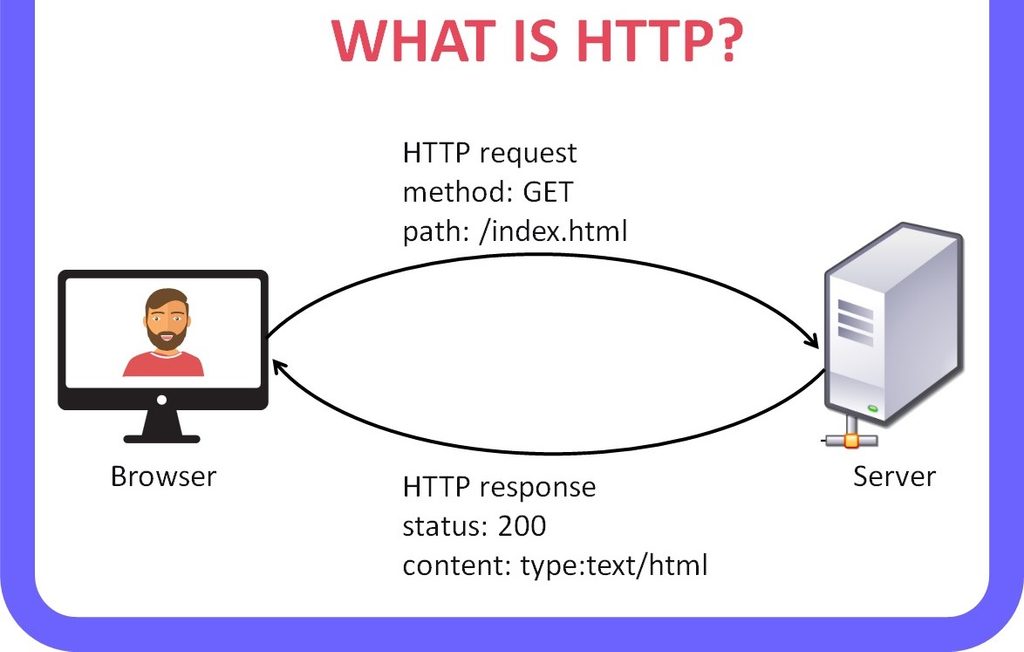
HTTP in Computer Networks is a protocol that allows a client and a server to communicate over a network.
If you’ve ever opened Google, YouTube, Amazon, or even this blog, you’ve already used HTTP.
In simple words: HTTP is a set of rules that tells a client and server how to communicate with each other.
When I type a website address into my browser and press Enter, something interesting happens behind the scenes.
My browser doesn’t simply “open the website.”
Instead, it sends a request to a server.
The server receives that request, processes it, and sends a response back.
That’s the basic idea behind HTTP in Computer Networks.
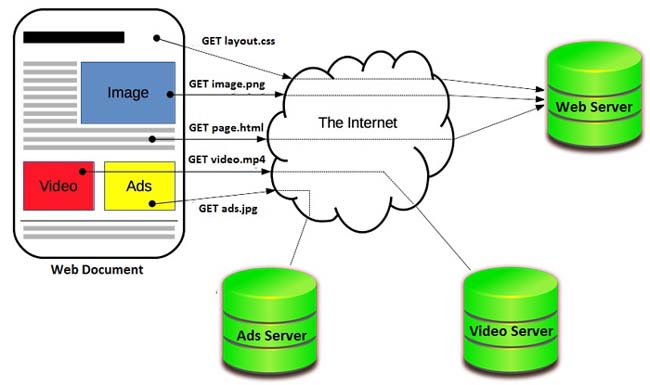
HTTP is an application-layer protocol and follows a client-server communication model. It is used not only for HTML pages but also for resources such as images, videos, scripts, and APIs.
HTTP in Computer Networks: A Simple Real-Life Example
Let me make this easier with a situation we all understand.
Imagine I walk into a restaurant and say:
“Can I have a pizza?” 🍕
The waiter takes my request to the kitchen.
The kitchen prepares the pizza and sends it back.
Here:
- I = Client
- Waiter = Communication process
- Kitchen = Server
- Pizza = Requested resource
- My order = HTTP request
- Pizza delivered = HTTP response
The internet works in a similar way.
When I request a webpage:
Browser → HTTP Request → Server
Then:
Server → HTTP Response → Browser
That’s the heart of HTTP in Computer Networks.
How Does HTTP Work?
The basic HTTP communication process is surprisingly simple.
Step 1: I enter a URL
For example:
https://example.com
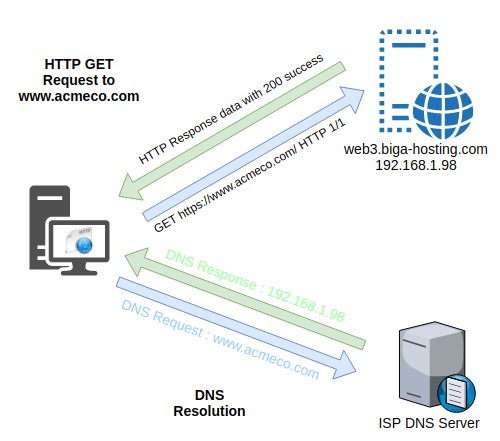
My browser needs to find the server associated with that website.
Step 2: The browser sends a request
The browser creates an HTTP request asking the server for a particular resource.
For example:
GET /index.html HTTP/1.1
Host: example.com
Step 3: The server processes the request
The server receives the request and determines what it should return.
Maybe it’s an HTML page.
Maybe it’s JSON data from an API.
Maybe it’s an image.
Step 4: The server sends a response
The server might respond with something like:
HTTP/1.1 200 OK
Content-Type: text/html
Then the actual content follows.
Step 5: The browser displays the result
My browser receives the response and uses the returned resources to construct the webpage.
So, the basic flow is:
Client
   ↓
HTTP Request
   ↓
Web Server
   ↓
HTTP Response
   ↓
Client
This request-response model is one of the most important things to understand when learning HTTP in Computer Networks.
HTTP Request and HTTP Response
HTTP communication has two major parts:
- HTTP Request
- HTTP Response
Let’s look at both.
1. HTTP Request
An HTTP request is sent by the client to the server.
A request can contain:
- HTTP method
- URL/path
- HTTP version
- Headers
- Request body
For example:
GET /products HTTP/1.1
Host: example.com
Accept: application/json
Here:
GET tells the server what operation I want.
/products identifies the resource I want.
Host identifies the website/server.
Accept tells the server what type of response the client can handle.
HTTP requests can also contain a body, especially when sending data with methods such as POST or PUT.
2. HTTP Response
The server sends an HTTP response back to the client.
A response can contain:
- Status code
- Headers
- Response body
For example:
HTTP/1.1 200 OK
Content-Type: application/json

{
  "name": "John",
  "age": 25
}
The 200 OK tells me that the request was successful.
The body contains the actual data.
HTTP Methods Explained
Now we reach one of the most important parts of HTTP in Computer Networks — HTTP methods.
HTTP methods tell the server what the client wants to do.
The most commonly used methods are:
| Method | Purpose |
|---|---|
| GET | Retrieve data |
| POST | Send/create data |
| PUT | Replace/update a resource |
| PATCH | Partially update a resource |
| DELETE | Delete a resource |
| HEAD | Get headers without response content |
| OPTIONS | Find supported communication options |
These methods have defined meanings in HTTP.
1. GET Method
GET is used to retrieve information from a server.
For example:
GET /students
I’m basically saying: “Server, please give me the student information.”
When I open a webpage, my browser commonly makes GET requests to retrieve resources.
Example
GET /products/10
This could mean: Give me the product whose ID is 10.
GET is primarily an information-retrieval method.
2. POST Method
POST is generally used when I want to send data to the server for processing.
For example, suppose I’m creating a new account.
My browser might send:
POST /users
with data such as:
{
  "name": "Ram",
  "email": "example@email.com"
}
The server processes this information and may create a new user.
I usually remember POST as:
POST = Send data to the server.
3. PUT Method
PUT is generally used to replace the current representation of a resource with the supplied representation.
For example:
PUT /users/10
with:
{
  "name": "Ram",
  "email": "new@email.com"
}
Think of PUT as: “Here is the new version of this resource.”
The exact behavior still depends on how the application implements its resources, but the HTTP semantics define PUT as replacing the current representation of the target resource.
4. PATCH Method
PATCH is used for a partial modification.
Suppose a user has:
{
  "name": "Ram",
  "email": "old@email.com",
  "city": "Chennai"
}
I only want to change the city.
Instead of sending the entire resource, I can send:
PATCH /users/10
with:
{
  "city": "Bengaluru"
}
So I remember it this way:
PUT → Replace
PATCH → Partially modify
5. DELETE Method
The name gives this one away. 😄
DELETE is used to request deletion of a resource.
For example:
DELETE /users/10
This tells the server: “Delete the resource identified by user 10.”
Again, the server decides whether the operation is allowed and what actually happens.
6. HEAD Method
HEAD is similar to GET, but the server doesn’t send the response content.
Why would we need that?
Suppose I only want to check information about a resource without downloading the entire content.
A HEAD request can help retrieve metadata such as headers.
The HTTP specification defines HEAD as essentially GET without transferring the response content.
7. OPTIONS Method
OPTIONS can be used to discover the communication options supported for a resource.
For example, a server might indicate that certain methods are supported.
This method also appears frequently when dealing with CORS in web applications.
HTTP Status Codes
Here’s another topic I always recommend learning along with HTTP in Computer Networks: status codes.
When the server sends a response, it includes a numerical status code.
For example:
200 OK
means the request was successful.
Status codes are divided into five major groups.
1xx — Informational
These indicate that the request is being processed or that additional information is available.
Example:
100 Continue
2xx — Success ✅
These indicate successful processing.
Common examples:
200 OK
201 Created
204 No Content
200 OK is probably the status code you’ll see most often as a beginner.
3xx — Redirection 🔄
These indicate that the client needs to follow a different path or that the resource has another location.
Examples:
301 Moved Permanently
302 Found
304 Not Modified
4xx — Client Errors ❌
These generally indicate a problem with the request from the client side.
Examples:
400 Bad Request
401 Unauthorized
403 Forbidden
404 Not Found
If you’ve ever seen:
404 Page Not Found
you’ve already encountered an HTTP status code.
5xx — Server Errors 🔥
These indicate that the server encountered an error while handling the request.
Examples:
500 Internal Server Error
502 Bad Gateway
503 Service Unavailable
A simple way to remember them:
1xx → Information
2xx → Success
3xx → Redirect
4xx → Client problem
5xx → Server problem
HTTP Headers
Headers are another important part of HTTP in Computer Networks.
Think of headers as extra information attached to an HTTP request or response.
For example:
Content-Type: application/json
This tells the client that the content is JSON.
Another example:
Content-Type: text/html
This indicates HTML content.
Some commonly encountered headers include:
Content-TypeContent-LengthAuthorizationAcceptCache-ControlCookieSet-CookieUser-Agent
Headers carry metadata and help the client and server understand how to handle a message.
Is HTTP Secure?
This is where HTTP vs HTTPS becomes important.
Normal HTTP does not provide encryption for the communication.
That’s why we have:
HTTPS = HTTP + TLS
HTTPS protects HTTP communication by using TLS encryption.
You’ll usually see:
https://
instead of:
http://
when visiting a secure website.
For example:
https://example.com
HTTPS is especially important when dealing with things like:
- Passwords
- Banking information
- Payment details
- Personal information
- Login sessions
So, when someone asks me:
“Is HTTP secure?”
My short answer is: HTTP itself doesn’t provide the same encryption protection that HTTPS provides.
HTTP Is Stateless — What Does That Mean?
This phrase sounds complicated at first.
It really isn’t.
HTTP is stateless, which means that each request is treated independently at the protocol level.
Imagine I send:
Request 1 → "My name is Ram."
Then later:
Request 2 → "What is my name?"
HTTP itself doesn’t automatically remember the information from Request 1.
But websites obviously need to remember things sometimes.
For example, when I log into a shopping website, I don’t want to log in again every time I click a page.
That’s where mechanisms such as cookies and sessions come into play.
So:
HTTP = Stateless
but
Web applications can maintain state using cookies, sessions, tokens, databases, and other mechanisms.
MDN describes HTTP as stateless while noting that cookies can be used to create stateful sessions.
HTTP Versions: HTTP/1.1, HTTP/2 and HTTP/3
HTTP didn’t stay the same forever.
It evolved as the web became larger and more demanding.
HTTP/1.1
HTTP/1.1 became widely used and introduced features such as persistent connections.
It uses a text-based message format that’s relatively easy for humans to understand.
HTTP/2
HTTP/2 introduced binary framing and multiplexing, allowing multiple streams of communication over a connection more efficiently.
This helped address limitations associated with HTTP/1.x.
HTTP/3
HTTP/3 takes a different approach at the transport layer.
It uses QUIC, which runs over UDP, instead of relying on TCP.
HTTP/3 keeps the core HTTP semantics such as methods, status codes, and headers while changing how HTTP messages are transported.
I find this easiest to remember:
HTTP/1.1 → Traditional text-based messaging
HTTP/2   → Multiplexing + binary framing
HTTP/3   → QUIC over UDP
You don’t need to master HTTP/2 and HTTP/3 on your first day. Understand the basic request-response model first.
HTTP in Computer Networks vs HTTPS
| Feature | HTTP | HTTPS |
|---|---|---|
| Full form | Hypertext Transfer Protocol | HTTP Secure |
| Encryption | No built-in TLS encryption | Uses TLS |
| Security | Less secure for sensitive communication | More secure |
| URL | http:// | https:// |
| Common use | Basic web communication | Modern websites, APIs, logins, payments |
The important point is that HTTPS still uses HTTP semantics. The additional protection comes from TLS.
Real-Life Example of HTTP in Computer Networks
Let’s imagine I’m shopping online.
I search for a laptop.
My browser may send:
GET /products/laptop HTTP/1.1
Host: example.com
The server processes it.
Then it might respond:
HTTP/1.1 200 OK
Content-Type: application/json
with product information:
{
  "name": "Laptop",
  "price": 65000,
  "available": true
}
Now I click Buy.
The application may send another HTTP request, perhaps a POST request, containing the necessary information.
The server processes it and sends a response.
This happens constantly.
I don’t see the requests.
I don’t manually write them.
My browser, applications, servers, APIs, and other software handle them for me.
That’s why understanding HTTP in Computer Networks is so useful if you’re learning:
- Web development
- Full-stack development
- APIs
- JavaScript
- .NET
- Cloud computing
- Cybersecurity
- Networking
HTTP in Computer Networks and APIs
HTTP isn’t limited to opening websites.
Modern applications use HTTP heavily for APIs.
For example, a JavaScript application might request information from a server:
fetch("https://example.com/api/products")
  .then(response => response.json())
  .then(data => console.log(data));
Here, JavaScript sends an HTTP request to an API.
The server might return:
[
  {
    "id": 1,
    "name": "Laptop"
  },
  {
    "id": 2,
    "name": "Keyboard"
  }
]
This is one reason HTTP matters so much to developers.
I can build a frontend using HTML, CSS and JavaScript, while a backend built with technologies such as .NET, Java, Node.js, or Python communicates through HTTP-based APIs.
Why Should You Learn HTTP?
If you’re a beginner, you might wonder:
“Do I really need to understand HTTP?”
Honestly, yes.
You don’t need to memorize every HTTP header or every RFC.
But you should understand:
- What HTTP is
- Client and server
- Request and response
- HTTP methods
- Status codes
- Headers
- HTTP vs HTTPS
- Stateless communication
- HTTP versions
- How HTTP is used with APIs
Once these concepts click, web development starts making much more sense.
When I learned web development, concepts like APIs, forms, authentication, browsers, and servers initially felt like separate topics. HTTP is one of the things that connects them together.
How to See HTTP Requests Yourself 🔍
Here’s a little exercise I recommend.
Open any website in Chrome.
Then:
- Right-click the webpage.
- Select Inspect.
- Open the Network tab.
- Refresh the page.
- Click one of the requests.
You’ll see information such as:
Request Method: GET
Status Code: 200
Content-Type: text/html
You may also see:
- Request URL
- Request headers
- Response headers
- Response data
- Timing information
- Cookies
- Status codes
Suddenly, HTTP stops being just theory.
You’re actually watching it happen.
Frequently Asked Questions About HTTP in Computer Networks
What is HTTP in Computer Networks?
HTTP in Computer Networks is an application-layer protocol used for communication between clients and servers. It follows a request-response model where the client sends a request and the server returns a response.
What does HTTP stand for?
HTTP stands for Hypertext Transfer Protocol.
What are the common HTTP methods?
The commonly used methods include:
- GET
- POST
- PUT
- PATCH
- DELETE
- HEAD
- OPTIONS
Is HTTP a network-layer protocol?
No.
HTTP operates at the application layer.
A simplified view is:
Application Layer → HTTP
Transport Layer   → TCP / QUIC
Internet Layer    → IP
The exact protocol stack depends on the HTTP version and networking context.
What is the difference between HTTP and HTTPS?
HTTP provides the application-level web protocol, while HTTPS uses HTTP with TLS protection to secure communication.
What is an HTTP status code?
An HTTP status code is a three-digit number sent in a response to indicate the result of processing a request.
For example:
200 → Success
404 → Not Found
500 → Server Error
Final Thoughts
HTTP in Computer Networks might look like a small topic when you first see it in a networking syllabus.
It isn’t.
HTTP is one of those concepts that quietly sits underneath a huge part of modern web development.
Every time I open a website, submit a form, load an image, call an API, log into an application, or retrieve data from a server, HTTP is involved in the communication.
The good news?
You don’t need to memorize everything.
Start with this simple picture:
CLIENT
   ↓
HTTP REQUEST
   ↓
SERVER
   ↓
HTTP RESPONSE
   ↓
CLIENT
Then learn HTTP methods, status codes, headers, HTTPS, and finally HTTP/1.1, HTTP/2 and HTTP/3.
Once those pieces fit together, HTTP in Computer Networks becomes much less intimidating.
And if you’re learning web development, trust me — understanding this one topic will make many other topics feel easier. 🌐💻