

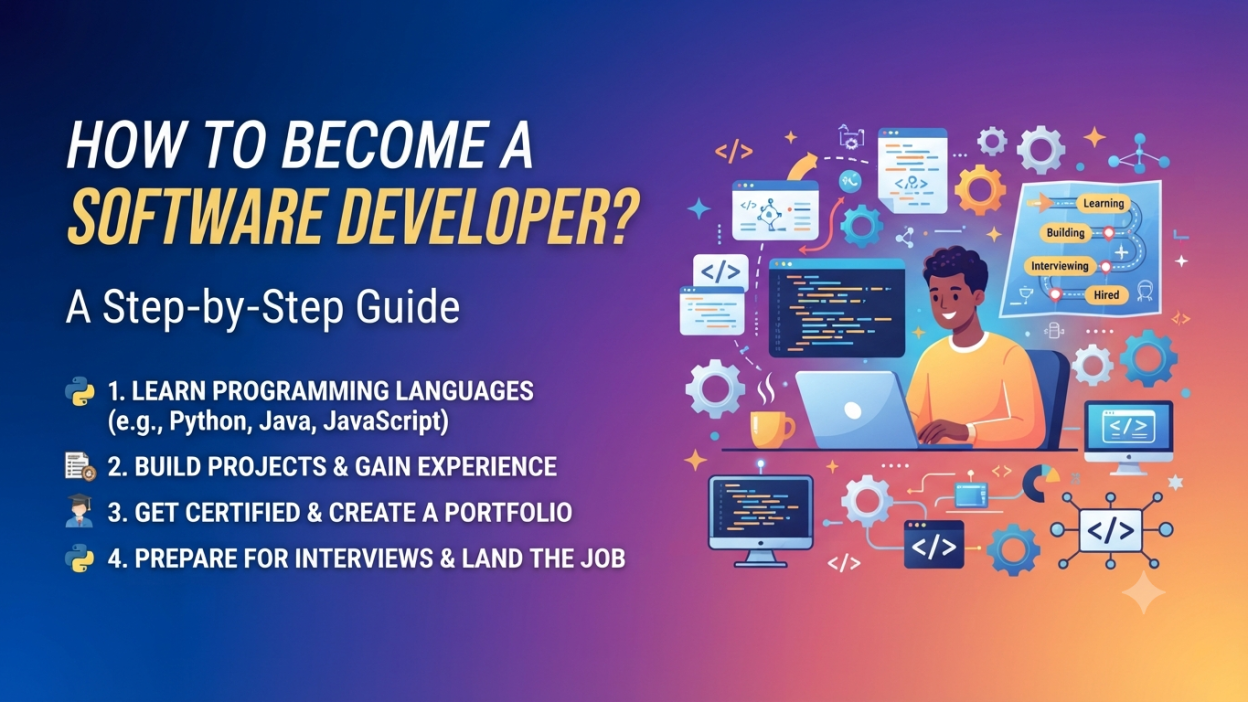
Software Developer is one of those career titles we hear everywhere. But when I first started looking at software development, I realized something: the title sounds much simpler than the journey.
What should I learn first?
Should I start with Python, Java, JavaScript, or C#?
Do I need a computer science degree?
How many projects should I build?
And most importantly, how do I actually become job-ready?
If you are asking these questions, don’t worry. You are not alone.
In this guide, I’ll break down how to become a Software Developer step by step, especially if you are starting from the beginning.
The good news is that you don’t need to learn everything at once. You need a clear direction, consistent practice, and enough real-world projects to prove that you can build things.
Key Highlights
- 💻 Understand what a Software Developer actually does.
- 🧭 Choose a programming language based on your career goal.
- 📚 Learn programming fundamentals before jumping into advanced topics.
- 🌐 Understand databases, APIs, Git, testing, and development tools.
- 🛠️ Build real-world Software Developer projects.
- 📂 Create a GitHub portfolio and keep your projects organized.
- 📝 Prepare your resume and LinkedIn profile.
- 🎯 Practice coding and technical interview questions.
- 🚀 Apply for internships, junior developer, and entry-level Software Developer jobs.
- 🔄 Keep learning even after getting your first job.
Java vs JavaScript: 3 Key Differences Every Developer Must Know
What Does a Software Developer Do?
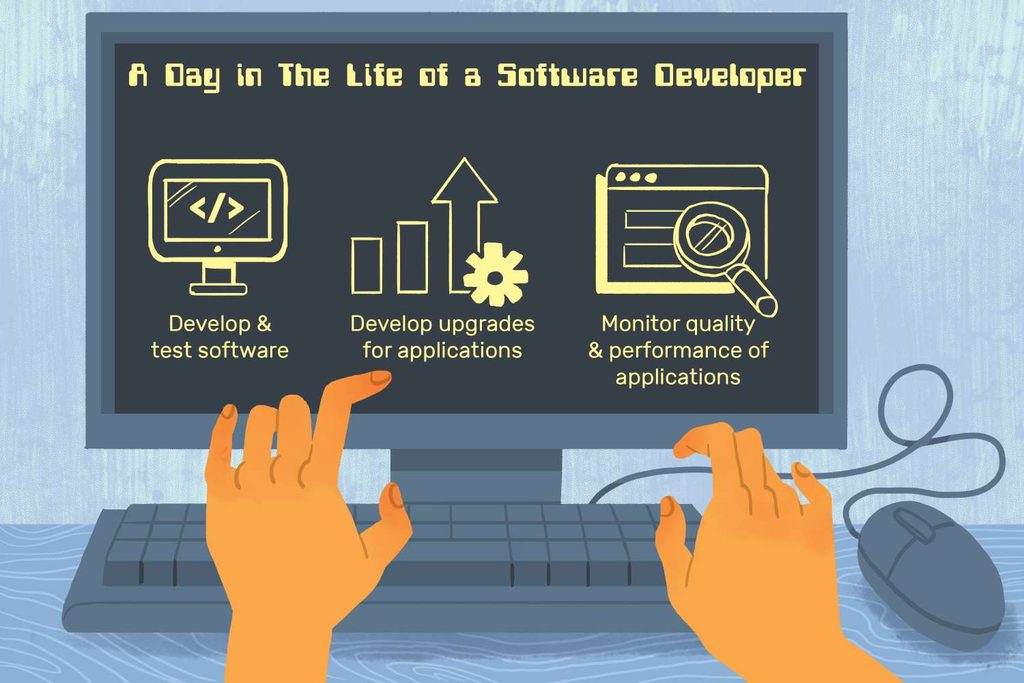
A Software Developer creates, maintains, tests, and improves software applications.
That could mean building:
- Websites
- Mobile applications
- Desktop applications
- Business applications
- APIs
- E-commerce platforms
- Banking applications
- Healthcare software
- Cloud-based applications
- Internal company tools
For example, imagine you open a food delivery application.
You see restaurants and food items on the screen. That’s only one part of the application.
Behind the scenes, software has to handle things such as:
User login → Restaurant data → Food selection → Payment → Order processing → Delivery tracking
A team of Software Developers may work on different parts of this system.
So, software development isn’t simply about “writing code.”
It involves understanding a problem, designing a solution, writing code, testing it, fixing problems, and improving the application.
Step 1: Understand the Basics of Programming
If you are completely new to coding, don’t immediately start with frameworks.
This is a mistake I see beginners make quite often.
They jump directly into React, Angular, .NET, Spring Boot, or other frameworks without understanding variables or loops.
Then everything starts looking confusing.
Instead, start with programming fundamentals.
Learn:
- Variables
- Data types
- Operators
- Conditional statements
- Loops
- Functions
- Arrays
- Strings
- Collections
- Exception handling
- Basic debugging
For example:
int age = 25;

if (age >= 18)
{
    Console.WriteLine("Eligible");
}
else
{
    Console.WriteLine("Not Eligible");
}
You don’t need complicated applications at this stage.
Your goal is simple:
Understand how a program thinks.
Once these concepts become comfortable, learning another programming language becomes much easier.
Step 2: Choose a Programming Language
One of the biggest questions beginners ask is:
“Which programming language should I learn to become a Software Developer?”
There isn’t one universal answer.
Your choice should depend on the type of development you want to do.
Popular choices include:
| Career Direction | Common Technologies |
|---|---|
| Web Development | JavaScript, TypeScript |
| .NET Development | C#, .NET, ASP.NET Core |
| Java Development | Java, Spring Boot |
| Python Development | Python, Django, FastAPI |
| Data/AI Development | Python |
| Mobile Development | Kotlin, Swift, Dart |
| Game Development | C#, C++ |
If you are interested in .NET Software Developer roles, for example, a sensible path is:
C# → OOP → .NET → ASP.NET Core → Web API → SQL → Entity Framework Core → Git → Projects
Microsoft provides beginner-friendly C# and .NET learning paths, including exercises for writing your first C# programs and building .NET applications.
Microsoft Learn – C# documentation
Step 3: Learn Object-Oriented Programming
After learning basic programming, move to Object-Oriented Programming (OOP).
This is especially important if you’re planning to work with languages such as C# or Java.
Start with:
- Class
- Object
- Constructor
- Encapsulation
- Inheritance
- Polymorphism
- Abstraction
- Interfaces
At first, OOP can sound unnecessarily complicated.
I remember seeing words like encapsulation and polymorphism and thinking, “Why do I need all these terms just to write code?”
But once you work on larger applications, the reason becomes clearer.
OOP helps developers organize code into reusable and manageable components.
For example, an e-commerce application might have classes such as:
Product
Customer
Order
Payment
ShoppingCart
Each class can have its own data and behavior.
Microsoft’s C# documentation includes dedicated material on classes, object-oriented programming, exceptions, LINQ, and other fundamentals.
Java Serialization Explained: A Complete Beginner’s Guide
Step 4: Learn Data Structures and Problem Solving
You don’t have to become a competitive programmer to become a Software Developer.
However, you should understand basic Data Structures and Algorithms (DSA).
Start with:
- Arrays
- Strings
- Linked Lists
- Stacks
- Queues
- Hash tables
- Searching
- Sorting
- Recursion
- Basic algorithm complexity
Why?
Because programming is not just about knowing syntax.
Suppose you have 10,000 customer records and need to find one customer.
You need to think:
“What is an efficient way to find this data?”
That’s where problem-solving skills matter.
Start with easy problems. Don’t jump straight into extremely difficult algorithm questions.
Step 5: Learn HTML, CSS, and JavaScript for Web Development
If you want to become a Web Software Developer, HTML, CSS, and JavaScript are valuable foundations.
HTML
HTML creates the structure of a webpage.
CSS
CSS controls the appearance and layout.
JavaScript
JavaScript adds behavior and interaction.
For example:
HTML → Structure
CSS → Design
JavaScript → Interaction
You could create a simple login page using HTML and CSS and then use JavaScript to validate the form.
The MDN Web Development learning resources provide structured beginner material covering core web-development skills.
MDN also provides a JavaScript Guide covering functions, loops, objects, classes, promises, modules, and other important concepts.
Step 6: Learn SQL and Databases
Almost every real-world application needs data.
Think about an online shopping application.
Where are these stored?
- Customer details
- Product information
- Orders
- Payments
- Addresses
- Reviews
Usually, applications use databases to store and manage this information.
As a beginner Software Developer, learn SQL basics such as:
SELECT
INSERT
UPDATE
DELETE
WHERE
ORDER BY
GROUP BY
JOIN
Then understand database concepts such as:
- Tables
- Primary keys
- Foreign keys
- Relationships
- Normalization
- Indexes
You don’t need to become a database administrator.
But you should be comfortable retrieving and updating data.
Step 7: Understand APIs
This is another important step in becoming a Software Developer.
An API allows different software systems to communicate with each other.
For example:
Frontend
   ↓
API
   ↓
Backend
   ↓
Database
Suppose you open your profile page.
The frontend might request:
GET /api/profileThe backend processes the request, retrieves information from the database, and sends the response back.
You should eventually understand:
- HTTP
- GET
- POST
- PUT
- DELETE
- Request
- Response
- JSON
- Status codes
- REST APIs
- Authentication
If you choose .NET, Microsoft provides tutorials covering web applications, Web APIs, Entity Framework Core, authentication, and other application-development topics.
Step 8: Learn Git and GitHub
Imagine spending three weeks building a project.
Then you accidentally delete an important file.
Not fun. 😅
That’s one reason version control matters.
Git helps developers track changes in their code.
Learn basic commands such as:
git init
git add .
git commit
git push
git pull
git branch
git merge
Then learn how to use GitHub to store and share your projects.
A GitHub profile with properly organized projects can become an important part of your developer portfolio.
Step 9: Learn a Framework
Once your fundamentals are strong, choose a framework based on your career path.
For example:
.NET Developer
C# → .NET → ASP.NET Core → Web API → Entity Framework Core
Front-End Developer
HTML → CSS → JavaScript → React/Angular/Vue
Java Developer
Java → OOP → Spring → Spring Boot → REST API
Python Developer
Python → OOP → Django/FastAPI → APIs
Don’t try to learn five frameworks simultaneously.
Pick one path and go deeper.
For example, Microsoft’s current .NET learning resources cover C#, .NET applications, ASP.NET Core, web APIs, data access, authentication, and testing.
Step 10: Build Real-World Software Developer Projects 🛠️
This is where everything starts coming together.
Watching 50 tutorials doesn’t automatically make you a Software Developer.
Building something does.
Start small.
Beginner projects
- Calculator
- To-do list
- Student management system
- Simple portfolio website
- Quiz application
- Expense tracker
Intermediate projects
- E-commerce application
- Employee management system
- Online appointment system
- Blog application
- Inventory management system
- Job portal
Advanced projects
- Full-stack e-commerce application
- Banking-style transaction application
- Healthcare management system
- Real-time chat application
- Cloud-based application
Here’s a simple rule I like:
Learn → Build → Make mistakes → Debug → Improve → Repeat.
Your project doesn’t have to be revolutionary.
A well-built student management system can teach you more about CRUD operations, databases, APIs, validation, and application structure than another five-hour tutorial.
Step 11: Learn Testing and Debugging
A Software Developer doesn’t just write code and say, “Done!” 😄
The application needs testing.
Learn the basics of:
- Unit testing
- Integration testing
- Debugging
- Error handling
- Logging
- Validation
Suppose a payment function works correctly when the customer pays ₹500.
What happens when:
- The payment fails?
- The internet disconnects?
- The customer enters invalid information?
- The same request is sent twice?
Good developers think about these situations.
Testing helps identify problems before users encounter them.
Step 12: Develop Your Soft Skills
This part is often ignored.
But real software development involves people.
You may need to:
- Explain technical problems
- Ask questions
- Attend meetings
- Work with testers
- Communicate with designers
- Discuss requirements
- Review code
- Write documentation
So don’t focus only on coding.
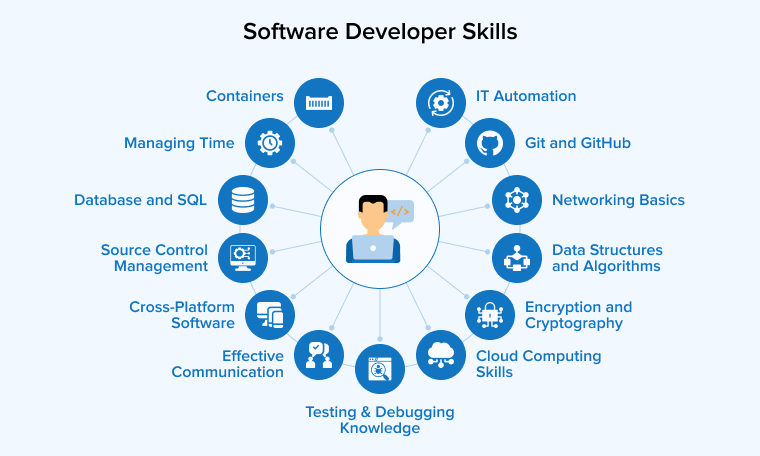
Improve:
- Communication
- Teamwork
- Problem-solving
- Time management
- Logical thinking
- Technical writing
A strong Software Developer needs both technical and communication skills.
Step 13: Create Your Software Developer Portfolio
Now it’s time to show what you’ve learned.
Your portfolio can include:
- GitHub profile
- Personal website
- 3–5 strong projects
- Resume
- LinkedIn profile
- Technical skills
- Project descriptions
For every project, explain:
What did I build?
Why did I build it?
What technologies did I use?
What problem does it solve?
What did I learn?
Don’t simply write:
“Created an e-commerce website.”
Instead, explain what you actually implemented.
For example: “Built a full-stack e-commerce application using ASP.NET Core Web API, SQL Server, and a JavaScript-based frontend. Implemented product management, user authentication, shopping cart functionality, and order processing.”
That gives recruiters something concrete to understand.
Step 14: Prepare for Software Developer Interviews
Once you start applying, interview preparation becomes important.
Depending on the role, you may be asked about:
Programming
- Variables
- Loops
- Functions
- OOP
- Collections
- Exception handling
DSA
- Arrays
- Strings
- Searching
- Sorting
- Basic algorithms
Database
- SQL queries
- Joins
- Keys
- Normalization
Development
- APIs
- Git
- Frameworks
- Debugging
- Projects
Behavioral questions
You may also hear:
- Tell me about yourself.
- Explain your project.
- What problem did you face in your project?
- How did you solve it?
- Why do you want this role?
Practice explaining your own projects without memorizing a paragraph.
If an interviewer asks, “What did you personally do?”, you should be able to answer naturally.
How Long Does It Take to Become a Software Developer?
This is probably the question everyone wants answered.
The honest answer is:
It depends.
Your previous experience, available study time, learning method, programming background, and target role all matter.
A beginner who studies consistently might spend several months building the fundamentals and portfolio needed to start applying for entry-level roles.
A simple roadmap could look like this:
| Stage | Focus |
|---|---|
| Month 1 | Programming fundamentals |
| Month 2 | OOP + DSA basics |
| Month 3 | SQL + Git |
| Month 4 | Framework |
| Month 5 | APIs + databases |
| Month 6 | Projects + portfolio |
| Month 7+ | Interviews + applications |
Don’t treat this as a fixed deadline.
Some people move faster. Others need more time.
The important thing is progress, not speed.
Do You Need a Degree to Become a Software Developer?
A degree can be useful, and many employers list a bachelor’s degree or related education among their typical requirements. For example, the U.S. Bureau of Labor Statistics currently states that software developers, QA analysts, and testers typically need a bachelor’s degree in computer and information technology or a related field.
But your learning shouldn’t stop at your degree.
Technology changes quickly.
Your practical skills, projects, programming knowledge, and ability to solve problems matter when you are trying to demonstrate that you can actually build software.
Common Mistakes Beginners Should Avoid 🚫
I’ve seen beginners make the same mistakes repeatedly.
1. Learning too many languages
You don’t need Python + Java + C# + JavaScript + C++ simultaneously.
Start with one.
2. Watching tutorials without coding
Watching someone else write code feels productive.
But your fingers need practice too.
3. Jumping into advanced frameworks too early
Learn the basics first.
4. Copying projects without understanding them
If you copy a project from YouTube, that’s okay for learning.
But then close the tutorial and rebuild parts of it yourself.
5. Ignoring Git
Start using version control while learning.
Don’t wait until your first job.
6. Building projects but never explaining them
Learn to explain your decisions.
That skill becomes extremely useful during interviews.
A Simple Software Developer Roadmap
If you’re completely confused about where to start, save this roadmap:
Programming Fundamentals
          ↓
Object-Oriented Programming
          ↓
Data Structures & Algorithms
          ↓
SQL & Databases
          ↓
Git & GitHub
          ↓
Choose a Development Path
          ↓
Learn a Framework
          ↓
APIs
          ↓
Build Projects
          ↓
Testing & Debugging
          ↓
Portfolio + Resume
          ↓
Interview Preparation
          ↓
Apply for Software Developer Jobs
You don’t need to know everything before moving forward.
Learn enough → practice → build → then move to the next stage.
Final Thoughts
Becoming a Software Developer can feel overwhelming when you look at the entire roadmap at once.
I understand that feeling.
There are programming languages, frameworks, databases, APIs, Git, cloud platforms, testing, DSA, interviews… the list seems endless.
But here’s the thing: you don’t learn all of it in one day.
Start with one programming language.
Write your first small program.
Then another.
Build a tiny project.
Break it.
Fix it.
Build something slightly bigger.
That’s how I believe software development becomes easier to understand.
You don’t become a Software Developer because you memorized hundreds of programming concepts. You become one by repeatedly solving problems with code and learning from the problems you encounter.
So if you’re standing at the starting line today, don’t worry about learning everything.
Just choose your first step.
Want to Learn More About Java ?, Kaashiv Infotech Offers, Full Stack Java Course, Java Course, Data Science Course, Internships & More, Visit Their Website www.kaashivinfotech.com.

