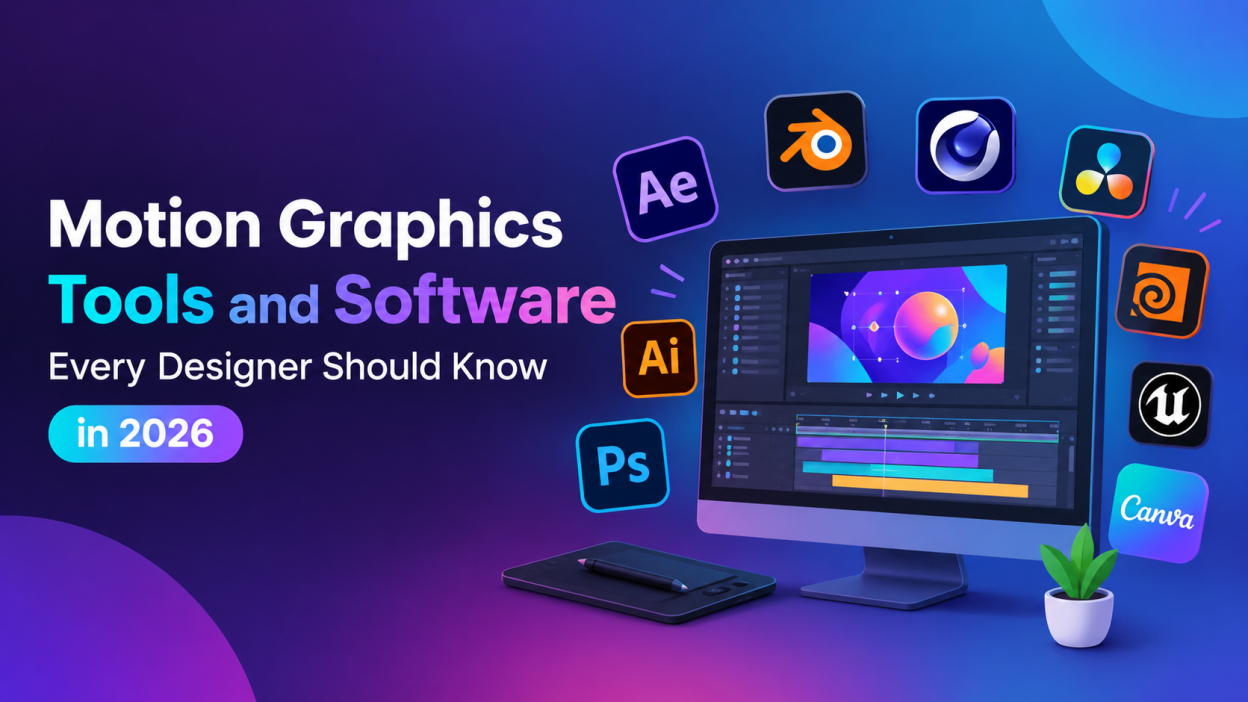
Motion Graphics Tools & Software – Motion graphics has become an important part of digital content, advertising, social media, branding, film, and video production. From animated logos and typography to 3D product animations and visual effects, motion graphics designers use specialized software to turn static designs into engaging visual experiences.
Choosing the right tools can make a major difference in workflow, creativity, and production speed. Some applications focus on 2D animation and compositing, while others are designed for 3D modeling, visual effects, editing, or real-time graphics. In this article, we explore some of the most useful motion graphics tools and software for designers in 2026.
Best Motion Graphics Tools & Software
Adobe After Effects
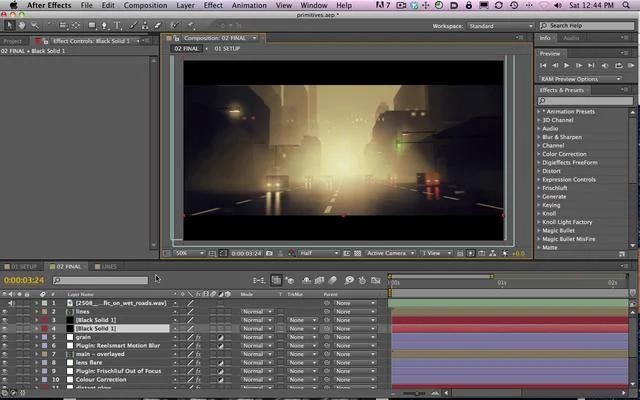
Adobe After Effects is one of the most widely recognized applications for motion graphics and visual effects. It is commonly used for animated typography, logos, transitions, title sequences, explainer videos, compositing, and visual effects.
Designers can animate text, illustrations, shapes, and images using keyframes and expressions. The software also provides tools for masking, tracking, motion blur, and compositing. Recent versions include improved 3D capabilities, AI-assisted object isolation, SVG animation, and native 3D workflows.
After Effects works particularly well with other Adobe applications such as Photoshop, Illustrator, and Premiere Pro, making it useful for designers who already work within the Adobe ecosystem.
Blender
Blender is a free and open-source 3D creation platform that can be used for modeling, animation, rendering, simulations, visual effects, and motion graphics.
It is especially useful for designers who want to explore 3D without purchasing expensive software. Blender includes camera and object tracking, compositing, animation, rendering, and many other capabilities in one application. Its built-in compositor also allows artists to work with images and video without leaving the software.
Blender can be a practical choice for students, beginners, freelancers, and designers interested in expanding from 2D into 3D motion design.
Cinema 4D
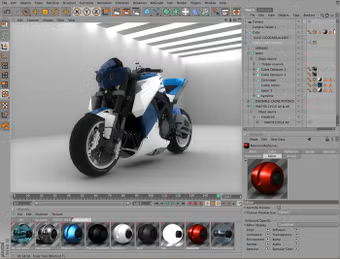
Cinema 4D is a professional 3D application widely associated with motion design. It can be used for 3D modeling, animation, rendering, product visualization, title sequences, and commercial graphics.
One of its major strengths is its motion graphics workflow. Tools such as MoGraph and Fields help designers create complex animated patterns and effects efficiently. Cinema 4D is also commonly used alongside After Effects in professional motion design workflows.
For designers concentrating heavily on 3D motion graphics, learning Cinema 4D can provide a strong foundation for creating polished animations and visual compositions.
DaVinci Resolve and Fusion
DaVinci Resolve is known primarily as a video editing and color-grading application, but it also includes Fusion for visual effects and motion graphics. The current version provides editing, visual effects, motion graphics, color correction, and audio post-production in one application.
Fusion uses a node-based workflow and provides 2D and 3D tools for creating titles, effects, animations, and compositing. Designers can create sophisticated visual effects without switching to a separate application.
The availability of a free version also makes DaVinci Resolve an attractive option for people starting their motion graphics journey.
Adobe Illustrator

Adobe Illustrator is not primarily an animation application, but it plays an important role in many motion graphics workflows. Designers frequently use Illustrator to create logos, icons, illustrations, typography, and vector artwork before importing these assets into animation software.
Because vector graphics can be scaled without losing quality, Illustrator is especially useful for creating assets that will later be animated at different resolutions.
A designer who combines Illustrator with After Effects can create artwork and then animate individual elements to produce professional motion graphics.
Adobe Photoshop
Photoshop is another useful supporting tool for motion designers. It can be used to prepare photographs, textures, backgrounds, concept artwork, and layered graphics.
Designers can separate elements into layers before importing them into After Effects or another animation application. Photoshop is particularly useful when a project combines photography with animated graphics.
For example, a designer might create a promotional background in Photoshop, develop vector elements in Illustrator, and then animate everything inside After Effects.
Houdini
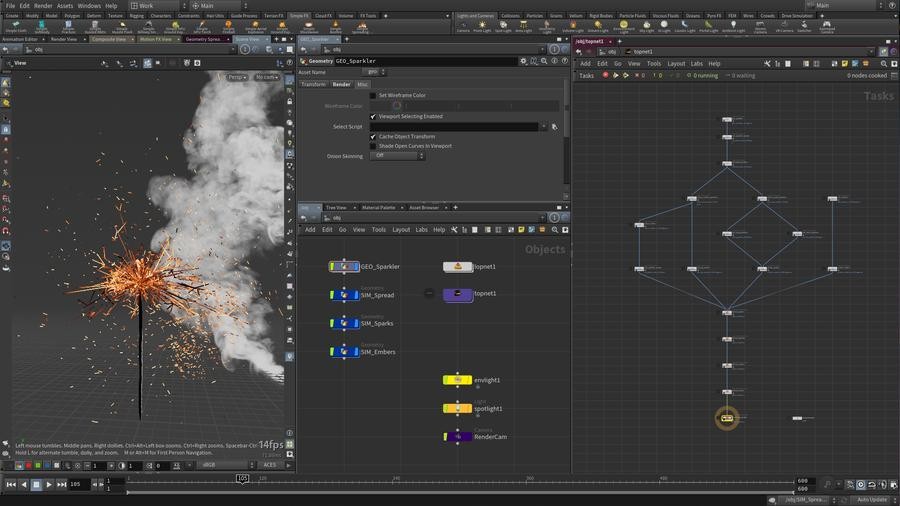
Houdini is a powerful application for procedural animation, simulations, and visual effects. It is commonly used when projects require complex effects such as particles, fluids, destruction, smoke, fire, or large-scale procedural environments.
Its node-based procedural workflow allows artists to create systems that can be modified and reused instead of manually creating every element.
Houdini has a steeper learning curve than some beginner-friendly applications, but it can be valuable for designers who want to move into advanced 3D motion design and VFX.
Unreal Engine
Unreal Engine has expanded beyond traditional game development and is increasingly used for real-time visualization, virtual production, animation, and motion graphics.
Its real-time rendering capabilities allow designers to create and preview complex 3D environments quickly. This can be useful for broadcast graphics, interactive experiences, virtual production, and immersive content.
Designers interested in real-time graphics can consider Unreal Engine as an additional skill alongside traditional motion graphics applications.
Canva
Canva is designed for accessible graphic and content creation rather than complex professional animation. However, its simple interface and templates can be useful for creating basic animated social media posts, presentations, advertisements, and short promotional content.
It can be especially useful when speed is more important than advanced animation control. Beginners can use it to understand basic concepts such as timing, visual hierarchy, typography, and transitions before moving to advanced applications.
How to Choose the Right Motion Graphics Software
There is no single application that is perfect for every motion graphics project. Your choice should depend on the type of work you want to create.
For 2D animation and compositing, After Effects is a strong option. For 3D modeling and animation, Blender and Cinema 4D provide powerful workflows. For advanced simulations and procedural effects, Houdini can be useful. For editing, color grading, and integrated VFX, DaVinci Resolve provides a broad production environment.
Beginners should avoid trying to learn every application at once. Start with one primary tool, understand animation principles such as timing, spacing, easing, composition, and typography, and gradually add supporting applications.
Skills That Matter Alongside Software
Software knowledge alone does not make someone a strong motion graphics designer. Designers also need a good understanding of visual communication and animation principles.
Important skills include typography, color theory, composition, storytelling, timing, keyframe animation, transitions, sound synchronization, and creative problem-solving. Understanding these fundamentals makes it easier to adapt to different software and workflows.
It is also useful to learn how to organize project files, manage assets, optimize compositions, and export videos for different platforms.
Final Thoughts
Motion graphics designers now have access to a wide range of powerful tools. Applications such as After Effects, Blender, Cinema 4D, DaVinci Resolve, Illustrator, Photoshop, Houdini, and Unreal Engine can support different stages of a creative workflow.
The right combination depends on whether you are interested in 2D animation, 3D design, visual effects, video editing, real-time graphics, or social media content. Instead of trying to master every application, focus on one primary tool and build complementary skills over time.
With strong design fundamentals and practical software knowledge, aspiring motion graphics designers can create everything from animated social media content to sophisticated 3D visual experiences.
Want to learn more, Kaashiv Infotech Offers, UI UX Course, Front End Development Course, Full Stack Development Course & More, Visit Their Website www.kaashivinfotech.com.