

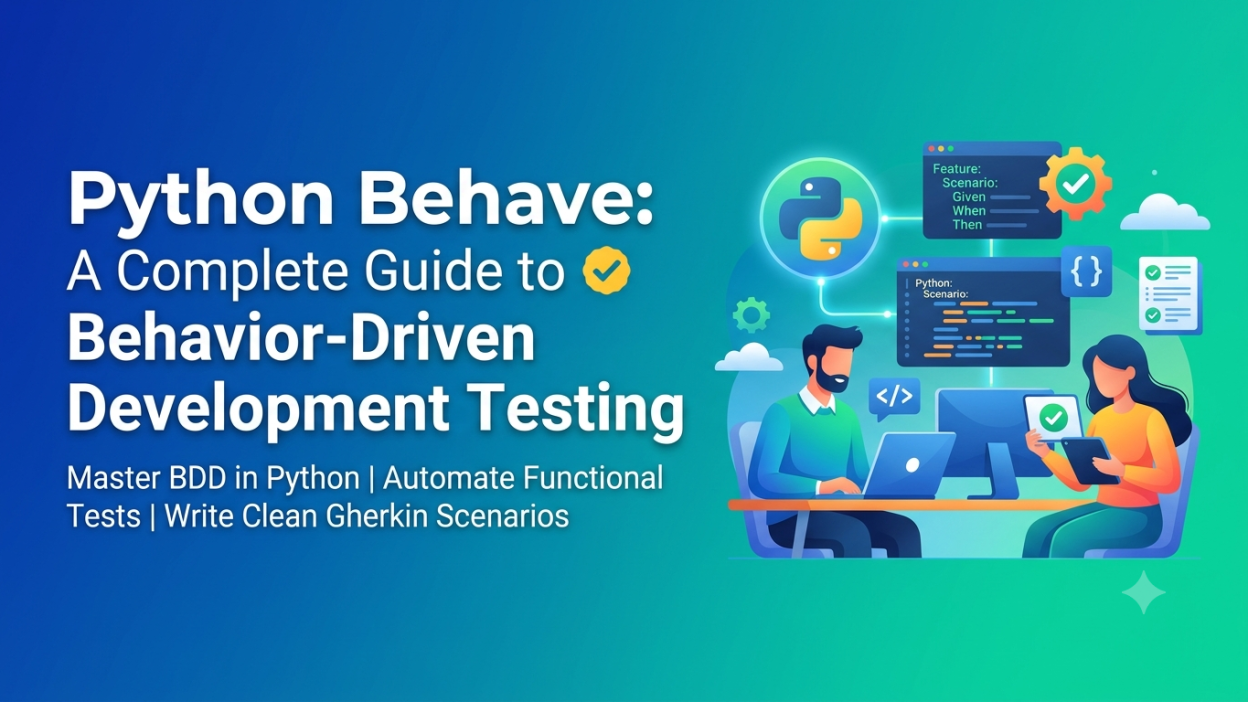
Software testing is an important part of software development because it helps developers identify errors and ensure that applications work as expected. Traditional testing methods often focus on technical details, which can make it difficult for non-technical team members to understand test cases. Behavior-Driven Development (BDD) solves this problem by describing application behavior in simple, understandable language.
Python Behave is a popular testing framework that supports BDD in Python projects. It allows developers, testers, business analysts, and other stakeholders to collaborate using readable scenarios written in the Gherkin language.
This article explains Python Behave, its features, installation, working process, practical examples, benefits, and limitations.
What Is Behavior-Driven Development (BDD)?
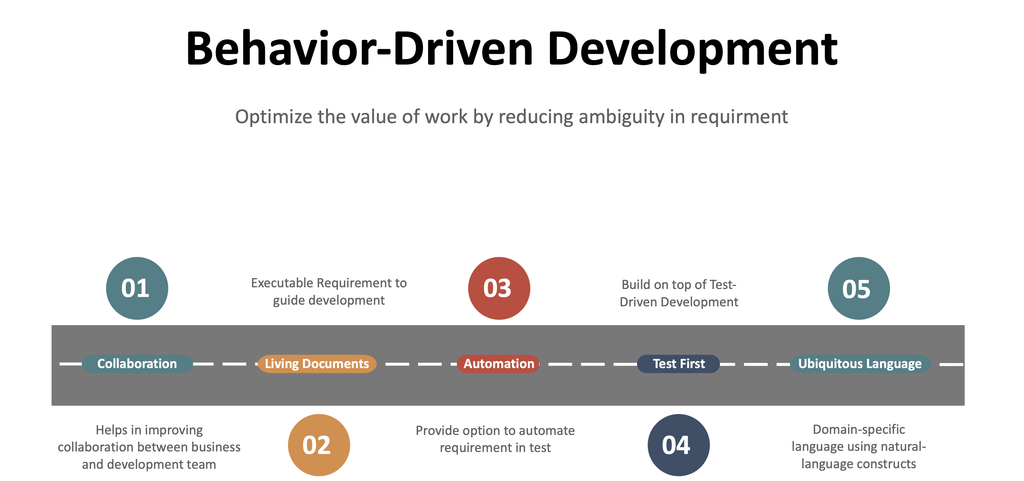
Behavior-Driven Development is a software development approach that focuses on describing how an application should behave from the user’s perspective. It extends ideas from test-driven development by encouraging collaboration between technical and non-technical team members.
BDD scenarios describe expected behavior using simple statements instead of relying only on programming code. For example, an online shopping application might need to verify that customers can successfully log in with valid credentials.
A BDD scenario can describe the requirement clearly before developers implement the functionality. Developers and testers can then use the same scenario to verify the application.
BDD commonly uses three keywords:
- Given: Describes the initial condition or context.
- When: Describes the action performed by the user.
- Then: Describes the expected result.
These keywords make test cases easier to read, discuss, and maintain.
What Is Python Behave?
Python Behave is a BDD testing framework that allows users to write automated tests using Gherkin syntax. The scenarios are stored in feature files, while Python functions define the actions required to execute those scenarios.
Behave connects readable requirements with executable test automation. When a scenario runs, the framework matches its steps to Python step definitions and executes the corresponding code.
It is useful for testing web applications, APIs, business workflows, and other Python-based software systems.
Unlike a conventional test written entirely in Python, a Behave feature file can be understood by people who do not regularly write code. This makes it easier for teams to discuss requirements and identify missing conditions before software is released.
Key Features of Python Behave
Python Behave provides several features that simplify automated testing:
- Readable feature files: Test scenarios are written in Gherkin syntax.
- Reusable step definitions: The same Python function can support multiple scenarios when their step text matches.
- Scenario outlines: Test similar behavior with multiple sets of input data.
- Tags: Organize tests and run selected groups of scenarios.
- Environment hooks: Execute setup and cleanup operations before or after tests.
- Detailed test reports: View passed, failed, skipped, and undefined steps.
These features help teams organize their tests and maintain automation projects as applications grow.
How Python Behave Works
The testing process connects three main components: feature files, step definitions, and the application being tested.
Feature File (.feature)
Describes expected behavior using Given, When, Then
Python Step Definitions
Connects each scenario step to executable Python code
Application Under Test
Executes the required action and checks the result
Test Results
Shows whether each scenario passed or failed
Behave reads the feature files, matches each step with its Python implementation, and executes the associated code. Assertions determine whether the observed result matches the expected behavior.
Installing Python Behave
Before using Behave, install Python and ensure that Python and pip are available on your system.
Open a terminal or command prompt and run:
pip install behaveVerify the installation using:
behave --versionCreate a project directory with the following structure:
python_behave_project/
├── features/
│   ├── login.feature
│   └── steps/
│       └── login_steps.py
The features directory stores feature files, while the steps directory contains the Python code that implements each scenario.
Practical Example: Login Testing with Python Behave
Consider a login system that accepts a valid username and password. We can use Behave to test whether the login succeeds.
Step 1: Create the feature file
Create features/login.feature and add the following code:
Feature: User Login

  Scenario: Login with valid credentials
    Given the user has a valid username and password
    When the user attempts to log in
    Then the login should be successful
This file describes the expected behavior in readable language.
Step 2: Create the step definitions
Create features/steps/login_steps.py:
from behave import given, when, then@given("the user has a valid username and password")def step_given(context): context.username = "admin" context.password = "12345"@when("the user attempts to log in")def step_when(context): context.login_success = ( context.username == "admin" and context.password == "12345" )@then("the login should be successful")def step_then(context): assert context.login_success is TrueHere, @given, @when, and @then connect the feature-file steps to Python functions. The context object shares information between those functions, and the assertion checks the expected outcome.
This example simulates login logic rather than testing a real website. In an actual project, the steps would interact with the application’s authentication service or user interface.
Step 3: Execute the test
Run this command from the project directory:
behaveBehave discovers the feature file, executes its steps, and displays the results. If all steps execute successfully and the assertion passes, the scenario is reported as passed.
Common Use Cases of Python Behave
Python Behave can support different types of software testing, depending on the application’s architecture and the integrations available.
- Web application testing: Verify login, registration, navigation, and checkout workflows using browser automation tools.
- API testing: Check response codes, returned data, authentication, and error handling by connecting steps to HTTP clients.
- E-commerce testing: Validate shopping carts, discounts, order placement, and payment workflows.
- Banking applications: Test account operations, transaction rules, and user permissions in controlled environments.
- Regression testing: Re-run existing scenarios after code changes to identify unexpected behavior.
- Acceptance testing: Confirm that implemented functionality meets agreed business requirements.
Behave provides the BDD framework, but additional libraries or application-specific code may be necessary to interact with browsers, APIs, or databases.
Advantages of Python Behave
Python Behave offers several benefits for development and quality assurance teams.
Improved collaboration: Readable scenarios help business analysts, developers, and testers discuss requirements using a shared format.
Better documentation: Feature files describe expected application behavior and can serve as living documentation when maintained alongside the software.
Reusable automation: Shared step definitions reduce duplication when multiple scenarios use the same operations.
Early requirement validation: Teams can identify unclear requirements and missing scenarios before implementation is complete.
Repeatable testing: Automated scenarios can be executed repeatedly during development and regression testing.
Limitations of Python Behave
Despite its advantages, Python Behave is not suitable for every testing situation. Writing and maintaining feature files requires additional effort, especially when scenarios are overly detailed or duplicated.
The framework also requires Python step definitions to make scenarios executable. A readable feature file alone does not verify application behavior.
For simple unit tests that focus on individual functions, Python’s built-in unittest framework or pytest may be more straightforward. Behave is particularly useful when readable, business-focused scenarios and collaboration are important.
Best Practices for Using Python Behave
Follow these practices to build maintainable BDD tests:
- Write scenarios around observable user behavior rather than internal implementation details.
- Keep each scenario focused on one expected outcome.
- Use meaningful feature and scenario names.
- Reuse step definitions where appropriate without making them overly complex.
- Use tags to organize smoke, regression, and other test groups.
- Keep test data separate from sensitive production information.
- Use setup and cleanup hooks to prepare and restore the test environment.
- Run tests regularly and investigate failures instead of ignoring them.
These practices help keep feature files understandable and automation reliable as the project grows.
Conclusion
Python Behave is a useful framework for implementing Behavior-Driven Development in Python projects. By combining Gherkin feature files with executable Python step definitions, it allows teams to describe, automate, and verify application behavior in a consistent format.
From login workflows and API validation to e-commerce acceptance tests, Behave can improve collaboration, test coverage, and documentation when applied appropriately. Understanding its core concepts and starting with small scenarios is an effective way to build practical BDD testing skills.
Want to Learn More About Python & Artificial Intelligence ???, Kaashiv Infotech Offers Full Stack Python Course, Artificial Intelligence Course, Data Science Course & More Visit Their Website course.kaashivinfotech.com.