What is API Testing?
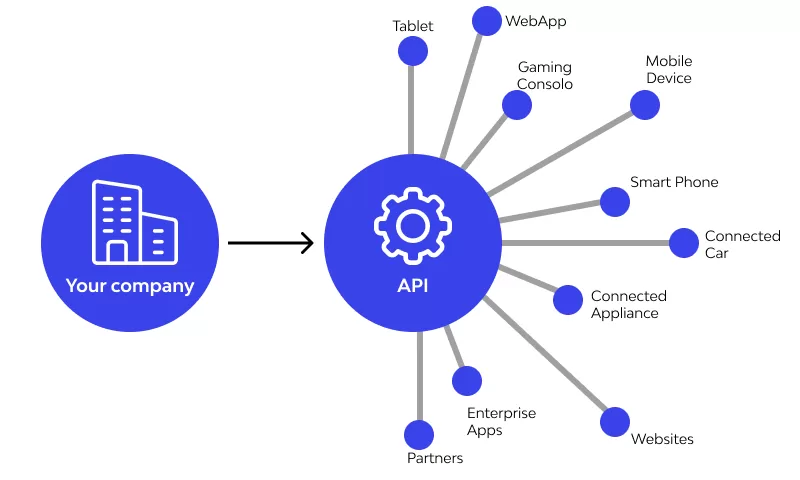
API testing is the process of verifying that application programming interfaces (APIs) work properly by supplying the right response (content, format, and performance) for correct inputs, and that it handles errors properly, while maintaining security. These days, APIs are relied on heavily by microservices, third party services, mobile apps, and SPA (single page applications), which is why testing APIs (application programming interfaces) is very important. Rigorous API testing can help prevent bugs from lurking invisibly and becoming a hassle for your production users.
Why API Testing Matters
- Reliability & Stability: API testing verifies that all endpoints work, as expected, from expected inputs (with handling of unexpected inputs).
- Early Detection (Shift Left): Testing earlier in the Software Development Lifecycle, means fewer bugs later, and cheaper to fix.
- Performance & Scaling: Verifying performance (response time, throughput) helps you avoid slow APIs, which can frustrate your users.
- Security & Compliance: API vulnerabilities (authentication, authorisation, injection attacks) are a source of vulnerabilities.
- Less Burden in UI Tests: API tests are less brittle than automated UI tests, and API tests can run more quickly than automated UI tests, meaning faster CI runs.
Types of API Testing
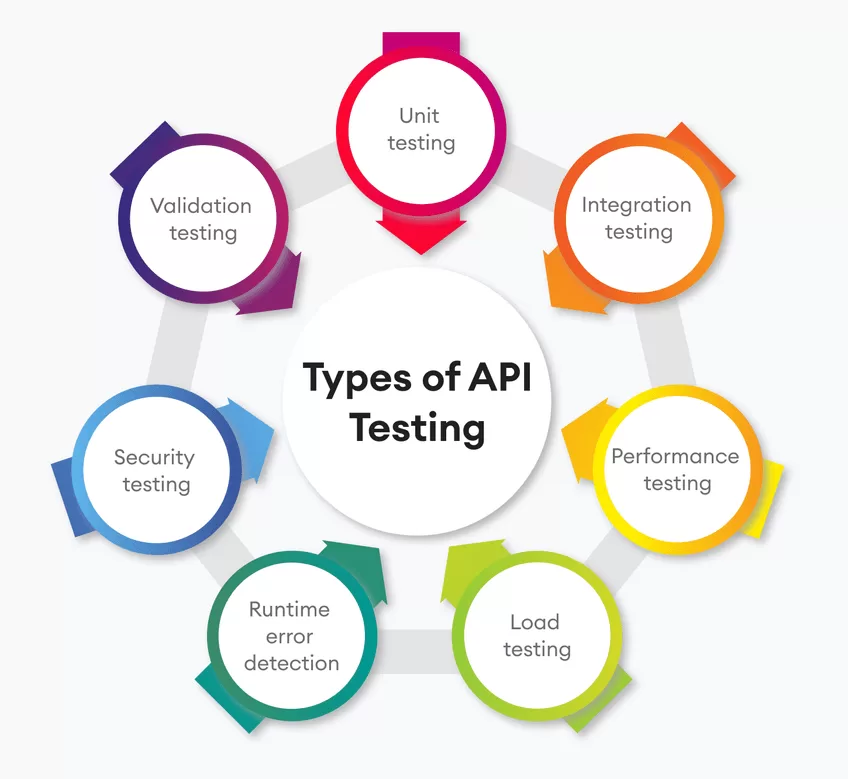
Here are key types of api testing you should consider:
| Type | Focus | When to Use |
| Functional Testing | Ensures each API endpoint does what it should: correct data, correct status codes, input validation. | Always, as a foundation. |
| Integration Testing | Verifies that multiple components or services work together (e.g., your API + database + external services). | When building multi-component systems. |
| Performance Testing | Tests response times, throughput under load, how API behaves under stress. | Before release / during scaling phases. |
| Security Testing | Authentication, authorization, data leakage, rate limiting, etc. | Always; before going live especially. |
| Contract Testing | Ensures the API adheres to its specification (e.g. OpenAPI / Swagger) so consumers know how to use it. | For public APIs or internal services used by multiple teams. |
| Mocking / Virtualization | Simulate parts of the system not yet built or unavailable so testing can proceed. | Early stage, or when external dependencies are flaky. |
Common Challenges in API Testing
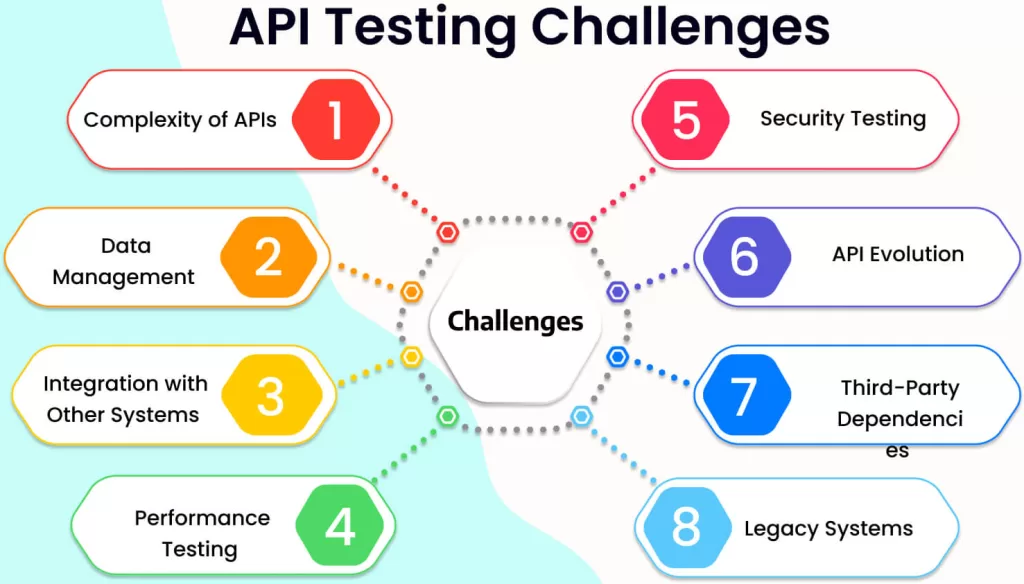
- Spec / Documentation Gaps: It’s difficult to know what an endpoint should return or expect with bad or incomplete API specifications.
- Environment Mismatch: Test, staging, and prod are bound to have differences of some sort; if something’s not configured correctly that’s a surprise waiting to happen.
- Authentication & Authorization Complexity: Handling OAuth, JWT, and API keys properly is hugely important in tests.
- Third-Party / External Dependencies: When services are unreliable, tests can produce a lot of flakey or wrong outcomes.
- Versioning / Breaking changes: Managing versioning issues inside of APIs can be full of potential error when making sure backwards compatibility exists and managing deprecation.
- Performance / Load under various conditions: Simulating “real-stress” traffic, concurrency, and payloads.
- Edge / Negative Cases: Tests for input validation, missing parameters, malformed requests, etc. These “types” of tests, if not executed, can hide bugs under rocks.
Best Practices for API Testing
To do api testing well, follow these best practices:
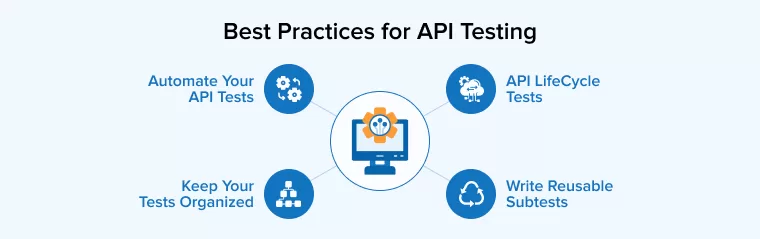
- Start with Clear Requirements & Specs
Access API documentation (Swagger / OpenAPI / Postman Collections). Document endpoints, request/response format, authentication, error codes. - Use Realistic & Varied Test Data
Test both normal and edge cases (e.g. large payloads, unexpected/malformed input, missing fields). - Include Positive + Negative Tests
Test more than just the “happy path.” Test error handling cases, unauthorized access, bad inputs. - Automate Where Possible
Build a suite of automated api tests; add them to your CI/CD pipeline so they run on any commit, or before every deployment. - Maintain Test Environment Parity
Environments (dev, staging) should be as similar to production as possible with regards to data, configurations, network latency etc. - Version & Contract Testing
Consider using contract tests that examine the interface of a resource to ensure that any changes in an API won’t inadvertently break consumers. Apply some reasonable versioning strategy; notify consumers of any deprecations. - Performance & Security in the Mix
Run load/performance tests; run security tests (especially penetration tests, input validation and authorization). Don’t assume that if something is functionally correct, it won’t have security and/or performance issues. - Organize Tests Systematically
Group your tests by endpoint or resource; tag tests, e.g. smoke, regression, performance. Write modular tests, so that they remain maintainable and understandable even as they proliferate. - Mock External Dependencies
Don’t be afraid of using mocks or service virtualization for your tests, so they don’t fail sporadically because of external service outages or failures. - Monitoring and Feedback Loops
Finally, after deployment you should be watching API performance, errors, latency etc. Data from these monitoring activities can motivate new tests or improvements.
Choosing the Right API Testing Tools
Here are popular api testing tools, and what to look for when choosing:
| Tool | Strengths | Weaknesses / Ideal Use Case |
| Postman (and Postman API Testing) | Very user-friendly GUI for crafting requests; powerful test scripting; collections; environment variables; Newman / CLI for automation. Excellent for both beginners and experienced testers. | GUI workflows can become messy in very large test suites; may require organization discipline. |
| REST-Assured | Java-based; great if your stack is Java; integrates well with unit / integration test suite. | Requires programming; steeper learning curve. |
| SoapUI / ReadyAPI | Good for SOAP services and complex API interactions. | More heavyweight; licensing costs for enterprise version. |
| JMeter | Strong for performance / load testing. | Not as strong for functional & security testing out of the box. |
| Testsigma, Katalon Studio, etc. | Some tools provide codeless testing and more visual tooling. | Might lag in flexibility for complex custom logic. |
Key features to look for in api testing tools:
- Support for multiple HTTP Methods (GET, POST, PUT, DELETE etc.)
- Ability to author tests (assertions) against the response status, headers, body, etc.
- Support for authentication schemes (OAuth, JWT, API keys)
- Environment Management (variables, base URLs)
- CI/CD Integration
- Mocking / virtualization support
- Load / performance testing, or at least the ability to plug in a load / performance tests.
Postman API Testing: A Deep Dive
Since Postman is one of the most popular tools, here’s how you can use postman api testing effectively.

- Create & Organize Collections
Group endpoints logically (e.g. User APIs, Payment APIs). Use folders, environment variables (e.g. base URL, auth token) to make switching between dev/staging easy. - Write Tests in Postman
Use the “Tests” tab in Postman to write JavaScript assertions. For example: - Automate with Newman / Postman CLI
Export collections, then run via Newman or the Postman CLI. Integrate into CI/CD (e.g., GitHub Actions, Jenkins, GitLab CI) so that on each push tests run automatically. - Use Environment Variables & Data-Driven Testing
Manage credentials, base URLs via environment variables rather than hard-coding. Use CSV / JSON data files to drive multiple test cases (e.g. different user roles, inputs). - Mock Servers & Contract Validation
Use Postman’s Mock Servers to simulate endpoints (especially useful early in dev). Use schemas / OpenAPI spec to validate responses. - Reporting & Monitoring
Use Postman’s built-in reporting / dashboards or export results to integrate with other tools. Monitor production API endpoints (post-deployment) so you can capture errors or performance regressions.
Example Walk-Through: Simple REST API
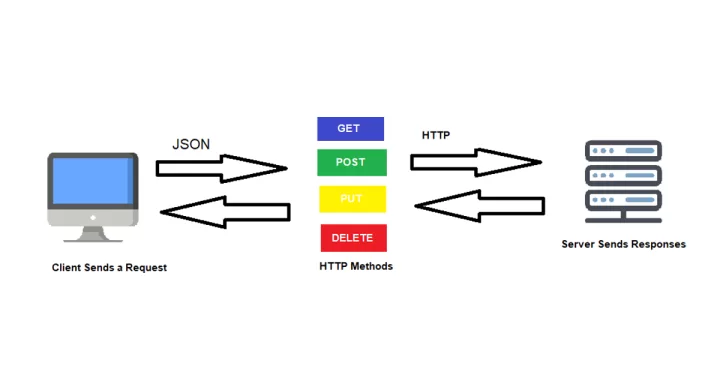
Here is a sample API testing flow with Postman for a fictional User Management API:
Endpoint 1: POST /users – Create a user
- test that status is 201
- test that response body has expected fields (id, name, email)
- negative test: expect missing required field → status 400
Endpoint 2: GET /users/{id} – Lookup user by id
- success case: proper user data
- error case: invalid id → 404
Endpoint 3: Authentication – POST /auth/login
- expect valid credentials → token within response headers or response body
- expect invalid credentials → 401, appropriate error message
Put this all into a Postman collection and run the collection with Newman in CI after every code commit. Don’t forget the performance check: make 100 parallel GET /users requests and report average response time.
Automating API Testing & CI/CD Integration
- Include API tests in CI/CD pipelines so that every commit or PR to the repo automatically triggers them.
- Use tagging so that you can run only smoke / quick tests against a PR, and run the full regression suite nightly.
- Automate the versioning of collections and specs so that the tests can follow changes to the API.
- When external services are unreachable, use mock servers or stubs to prevent failures from outside dependencies.
- In production, set up monitoring, and alerts for error rates, latencies and unexpected responses.
Conclusion & Next Steps
API testing is not optional if you want to have applications that are robust, secure and high-performing. With an API testing approach that combines API testing tools (especially with your use of Postman API testing). good practices, reasonably realistic test cases, and automation, you can dramatically lower the amount of bugs, improve stability, and ship with confidence.
If you want concrete steps:
- Select one endpoint of your system and create a Postman collection for it.
- Add happy-path and negative test cases.
- Automate that collection via Newman in your CI/CD pipeline.
- Monitor the results, improve the test data + add edge cases.
- Slowly expand that coverage to all endpoints & integrate performance / security checks.