If you’re standing at the crossroads of graphic editing, wondering whether to choose GIMP or Photoshop, you’re not alone. In 2025, this debate still sparks endless conversations in design studios, classrooms, and even Reddit threads. Both tools have passionate communities behind them, but they serve very different types of creators.
Right from the start, here’s the answer you are searching for:
👉 If you’re a beginner, hobbyist, or budget-conscious creator, GIMP is more than enough.
👉 If you’re a professional designer, photographer, or someone who needs AI-powered workflows, Photoshop is still king.
Now, let’s break this down properly.
✨ Key Highlights
- GIMP vs Photoshop remains one of the most-searched comparisons in the design world.
- GIMP is free, open-source, lightweight, and great for beginners.
- Photoshop is subscription-based, AI-powered, and the industry standard.
- GIMP lacks deep RAW handling and AI tools, while Photoshop excels in those areas.
- In 2025, Photoshop leans heavily into generative AI (Firefly, Generative Fill).
- Best practice: Use GIMP for quick edits, Photoshop for professional, client-facing work.
- Both tools continue to evolve, but your choice depends on budget, career goals, and creative needs.
What is GIMP?
If you’re new to the scene and wondering what is GIMP, here’s the short version:
GIMP stands for GNU Image Manipulation Program. First released in 1998, it has become the most popular free Photoshop alternative. Built in C, maintained by volunteers, and supported on Windows, macOS, Linux, and even BSD systems, it’s truly a cross-platform powerhouse for anyone who doesn’t want to spend money on subscriptions.
Why people love GIMP in 2025:
- ✅ Free & open-source: No hidden costs, no paywalls.
- ✅ Customizable: Plugins and scripts make it flexible.
- ✅ Lightweight: Runs smoothly on older laptops, unlike Photoshop.
- ✅ Format-friendly: Handles PNG, JPEG, TIFF, and more with ease.
Limitations that matter:
- ❌ Struggles with RAW image handling. You’ll need extra plugins like Darktable.
- ❌ No native AI editing tools (yet).
- ❌ Compatibility issues with PSD/AI files.
In real-world terms: GIMP is like that reliable hatchback car. It gets the job done, it’s cheap to maintain, but don’t expect it to race Formula 1.

What is Photoshop?
Now, let’s address the big player: what is Photoshop?
Developed by Adobe in 1990, Photoshop has evolved into the gold standard of digital editing. The 2025 version isn’t just a photo editor—it’s practically an AI-assisted creative suite. If you’ve seen social media buzz around Generative Fill or Adobe Firefly, that’s Photoshop leading the charge.
Why Photoshop dominates in 2025:
- ✅ AI features: Remove backgrounds, extend images, create art with text prompts.
- ✅ Professional-grade tools: Layer masks, smart objects, adjustment layers.
- ✅ Cross-platform availability: Windows, macOS, iPad, and cloud.
- ✅ RAW file support: Deep integration with Adobe Camera Raw.
- ✅ Templates & presets: Speeds up workflows for busy professionals.
Disadvantages in plain words:
- ❌ Expensive: $20.99/month isn’t beginner-friendly.
- ❌ Resource-heavy: Needs at least 16GB RAM for smooth performance.
- ❌ Overkill for casual users: If you just want to crop memes, this is like buying a Ferrari to fetch groceries.
In real-world terms: Photoshop is that luxury sports car with every upgrade. It’s fast, powerful, but not cheap.
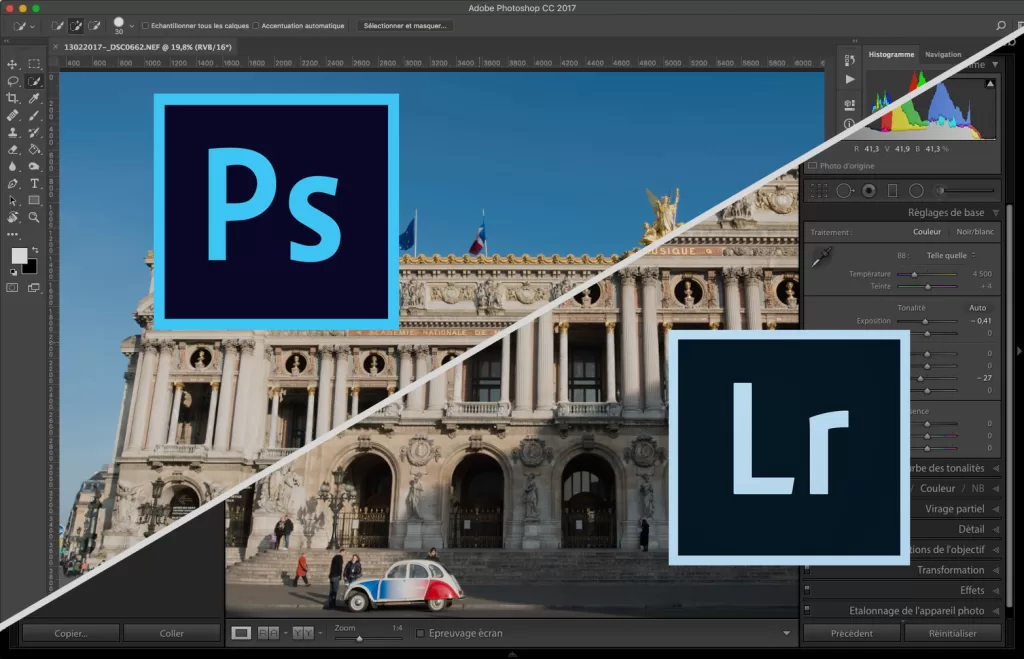
GIMP vs Photoshop: The 2025 Face-off
Here’s a straightforward comparison table that highlights the 7 key differences:
| Aspect | GIMP | Photoshop |
|---|---|---|
| Type of Software | Free, open-source image editor | Proprietary, subscription-based |
| Cost (2025) | $0 forever | $20.99/month (Creative Cloud plan) |
| AI Tools | None (community plugins exist) | Generative Fill, Firefly AI, Neural Filters |
| File Support | XCF, PNG, JPEG, TIFF | PSD, PSB, RAW, wide format range |
| Ease of Use | Beginner-friendly but basic | Steeper learning curve, but professional-level |
| System Requirements | Runs on low-end PCs | Needs modern hardware (16GB+ RAM) |
| Best For | Students, hobbyists, Linux users | Professional designers, agencies, photographers |
Real-World Use Cases (With Examples)
- Student Designer 🎓
A graphic design student with limited funds? GIMP is perfect. Imagine a student working on a poster for a campus event. No licensing worries, just install and create. - Freelance Photographer 📸
Editing hundreds of RAW wedding photos? Photoshop wins. Batch editing + Camera Raw saves hours. - Marketing Agency 💼
Agencies rarely gamble. They go Photoshop because clients demand PSDs, not XCFs. - Open-Source Advocate 🐧
A Linux power user creating digital art? GIMP integrates beautifully without needing Windows or macOS.
Best Practices When Choosing
- If you’re starting a creative career → Learn Photoshop. Recruiters and agencies expect it.
- If you’re experimenting as a hobbyist → GIMP will save money while still teaching core design principles.
- If you value AI-driven speed → Photoshop’s Firefly tools will shave hours off repetitive tasks.
- If you’re on old hardware → GIMP is far lighter, making it a practical choice.
Developer & Community Insights
Here’s something most blogs skip.
- GIMP’s developers are a volunteer-driven team. They don’t have Adobe’s billions, but their updates focus on stability and community-driven needs. That’s why GIMP feels grassroots.
- Photoshop’s development is powered by Adobe’s massive R&D, and in 2024, Adobe reported over 26 million Creative Cloud subscribers worldwide. That financial backbone fuels AI innovation that open-source projects simply can’t match (yet).
🔧 Powering Up GIMP to Get Close to Photoshop
While GIMP vs Photoshop often feels like a David vs Goliath battle, the gap narrows when you bring in the right free plugins and companion apps.
- Darktable → Acts as a free Lightroom replacement for RAW photo editing. Perfect for photographers who need to fine-tune exposure, colors, and tone before finishing in GIMP.
- G’MIC → Adds 500+ filters, from noise reduction to artistic effects, giving GIMP a Photoshop-like boost.
- Inkscape & Krita → Cover the vector and digital painting side, areas where Photoshop excels.
👉 With this ecosystem, GIMP can realistically cover 70–80% of Photoshop’s capabilities. It’s not as seamless (you’ll bounce between apps), but for hobbyists and budget-conscious designers, it’s a powerful free toolkit.
🌐 Photopea: The Browser-Based Photoshop Twin
If installing software isn’t your style, there’s Photopea — a web-based editor that mimics Photoshop almost one-to-one.
- Runs entirely in your browser (no installs).
- Opens and edits PSD files directly — huge plus for cross-compatibility.
- Supports layers, smart objects, masks, and even works on Chromebooks.
The tradeoff? It needs an internet connection, has occasional ads (unless you pay), and isn’t as fast as native Photoshop or GIMP. But for quick edits on the go, Photopea is arguably the closest free alternative to Photoshop available today.
👉 Together, GIMP (with plugins) and Photopea create a strong safety net for creators who can’t or won’t pay for Photoshop.
FAQs: GIMP vs Photoshop in 2025
Q: Is GIMP better than Photoshop for beginners?
Yes. GIMP’s free cost and simple tools make it ideal for beginners.
Q: Can GIMP replace Photoshop in 2025?
Not fully. It covers basics, but lacks AI tools, RAW editing depth, and advanced features professionals rely on.
Q: Is Photoshop worth the subscription in 2025?
If you earn from design or photography, absolutely. It pays for itself in saved time and client expectations.
Q: Does GIMP support AI editing?
Not natively. Some plugins exist, but nothing close to Photoshop’s built-in AI.
Conclusion
At the end of the day, GIMP vs Photoshop isn’t about which tool is “better.” It’s about which one is better for you.
- If you’re experimenting, learning, or working on a budget → go for GIMP.
- If you’re building a career, handling clients, or want the best AI-powered toolkit → invest in Photoshop.
Both tools have their place in 2025. What matters most is how you use them. And remember—great design isn’t about the tool. It’s about the creator behind it. 🎨
👉 For official downloads, check out GIMP.org and Adobe Photoshop.
📚 Related Reads
Looking to explore more tech insights and career-focused guides? Check out these articles:
- What Is GDB? Complete 2025 Guide to the GNU Debugger, Features, Commands & Career Impact
- GNU Full Form (2025 Guide): Meaning, Tools, Careers & Why It Still Matters
- JavaScript vs React JS: 7 Honest Lessons I Learned While Coding
- 🎨 Hex Color Code Explained: The Complete Guide to Colors, Pickers & Best Practices (2025)
- Vertical Scaling vs. Horizontal Scaling in 2025: Key Differences and Facts Every Developer Must Know