Generator Function in JavaScript & next() Method in 2025 (With Real Use Cases 🚀)

If you’ve ever wrestled with large datasets, streaming APIs, or complex async code, you’ve probably wished there was a way to control your function step by step—like pressing pause and play on demand. That’s exactly what a generator function in JavaScript gives you.
Instead of running from start to finish, a generator can stop midway, hand you a value, and then pick up right where it left off when you’re ready. The secret weapon behind this? The next() method.
In this guide, you’ll see how JavaScript generator functions work, why developers use them in 2025, and how the next() method unlocks real-world use cases like pagination, streaming, and memory optimization.

🔑 Key Highlights
- Generator function in JavaScript lets you pause and resume code execution.
- The
next()method controls when a generator produces the next value. - Unlike normal functions, generator functions don’t run to completion immediately.
- Real-world use cases include data streaming, pagination, async workflows, and memory optimization.
- Supported in all modern browsers (Chrome, Firefox, Edge, Safari, Opera).
What is a Generator Function in JavaScript?
A generator function in JavaScript is a special type of function introduced in ES6. Unlike normal functions that run from start to finish in one go, a generator function can pause execution and later resume from where it stopped.
Think of it like Netflix. You don’t binge the whole show at once (well, sometimes you do). You can pause after one episode, come back later, and continue from the exact spot. That’s what yield and next() do in JavaScript.
The syntax looks like this:
function* myGenerator() {
  yield "Step 1";
  yield "Step 2";
  yield "Step 3";
}
Notice the * after function. That’s what makes it a generator function.
How Does next() Work in Generator Functions?
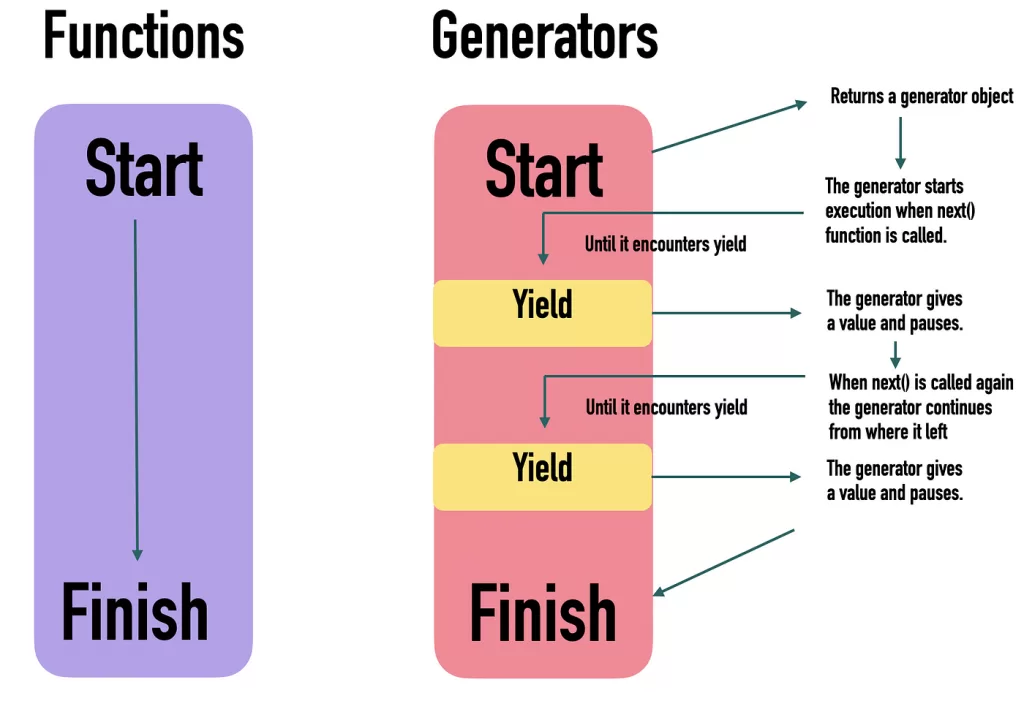
The next() method is how you interact with generators. Each time you call it, JavaScript runs the generator until it finds the next yield.
const gen = myGenerator();

console.log(gen.next()); // { value: "Step 1", done: false }
console.log(gen.next()); // { value: "Step 2", done: false }
console.log(gen.next()); // { value: "Step 3", done: false }
console.log(gen.next()); // { value: undefined, done: true }
- value → what the generator yielded.
- done → tells you if the generator finished execution.
💡 Pro tip: Always check done before using the value in production code.
Generator Function vs Normal Function in JavaScript
Developers often ask: Why bother with generator functions when async/await exists?
Here’s the difference:
- Normal function → Runs all the way through, returns one final value.
- Generator function in JavaScript → Produces multiple values over time, without blocking execution.
This makes generators memory-friendly. Instead of loading a 10,000-item dataset into memory, you can yield one item at a time.
According to a 2024 Stack Overflow developer survey, 37% of devs said they use generators for handling large datasets and async workflows. That number is expected to grow as streaming APIs become more common.
Real-World Use Cases of JavaScript Generator Functions
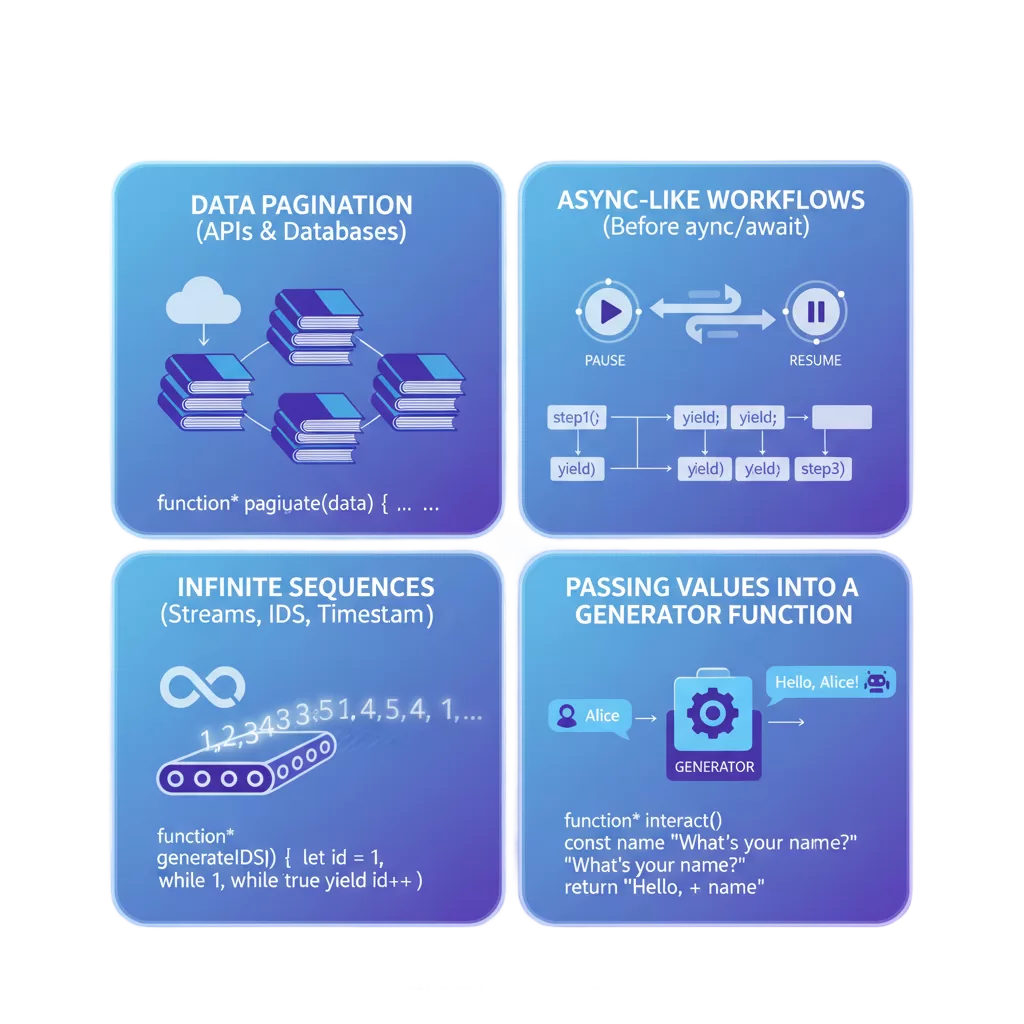
1. Data Pagination (APIs & Databases)
Fetching 1000 rows at once? Bad idea. It kills performance. Instead, use a generator to fetch results in chunks:
function* fetchPages(data, size) {
  let index = 0;
  while (index < data.length) {
    yield data.slice(index, index + size);
    index += size;
  }
}
const users = [...Array(10).keys()]; // [0,1,2,3,...9]

const gen = fetchPages(users, 3);
console.log(gen.next().value); // [0,1,2]
console.log(gen.next().value); // [3,4,5]
This way, you load only what you need, improving speed and reducing memory usage.
2. Async-Like Workflows (Before async/await)
Before async/await became popular, libraries like co.js used generator functions to handle asynchronous code cleanly. Even today, generators can act as building blocks for custom async control flows.
3. Infinite Sequences (Streams, IDs, Timestamps)
Generators are perfect for infinite sequences where you don’t know the endpoint:
function* idGenerator() {
  let id = 1;
  while (true) {
    yield id++;
  }
}
const ids = idGenerator();
console.log(ids.next().value); // 1
console.log(ids.next().value); // 2
This is often used in unique ID generation or streaming data.
Passing Values into a Generator Function Javascript code.
One powerful feature: you can send data back into a generator with next(value).
function* greeter() {
  const name = yield "What’s your name?";
  yield `Hello, ${name}!`;
}

const gen = greeter();

console.log(gen.next().value);       // "What’s your name?"
console.log(gen.next("Alice").value); // "Hello, Alice!"
This makes generator functions interactive, not just one-way data emitters.
Best Practices for Using Generator Functions
- ✅ Use generators for streams or sequences → like logs, chat messages, or sensor data.
- ✅ Chunk big data sets → prevents memory overload.
- ✅ Check
doneflag → avoid infinite loops. - ❌ Don’t overuse generators → sometimes async/await or Observables are cleaner.
👉 A rule of thumb: use a generator function in JavaScript when you need lazy evaluation (don’t calculate everything at once).
Browser Support in 2025
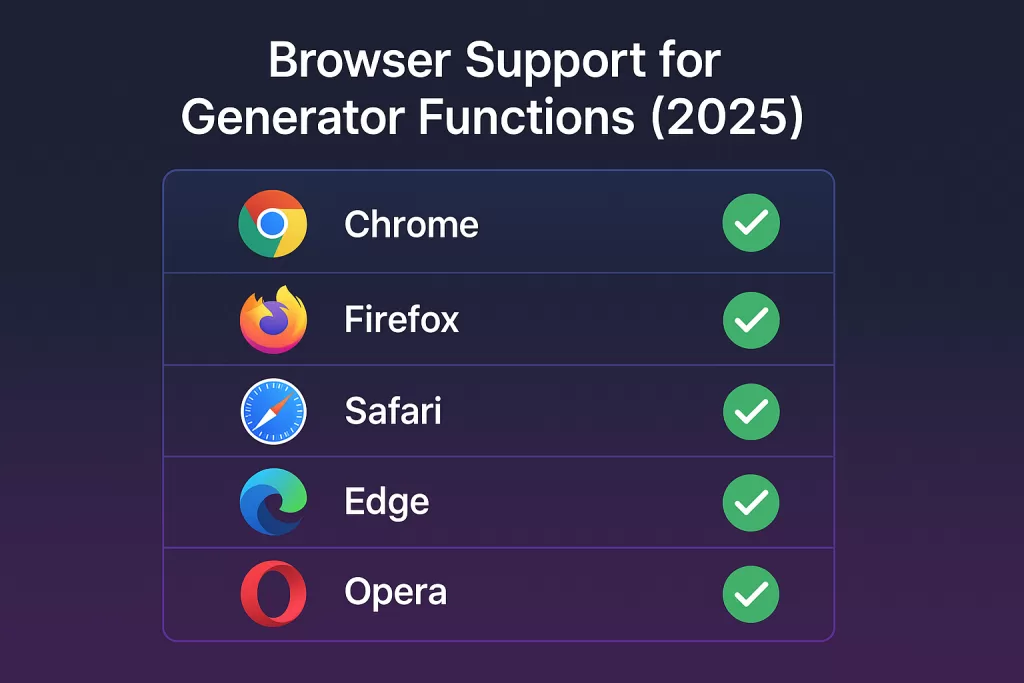
No worries here. All major browsers fully support generator functions:
- Chrome ✅
- Firefox ✅
- Safari ✅
- Edge ✅
- Opera ✅
Even Node.js (latest LTS) has full support.
FAQ: Generator Function in JavaScript
Q1: What is a generator function in JavaScript?
A function that can pause (yield) and resume (next()), returning multiple values over time.
Q2: What does the next() method return?
Always an object:
{ value: <any>, done: <boolean> }
Q3: Why use generator function in JavaScript instead of normal function?
Because generators don’t execute everything at once. They save memory and improve performance with large or infinite data sets.
Q4: How is generator function in JavaScript different from generator function in Python?
The concept is similar (yield keyword, next() method), but JavaScript uses it heavily for async flows and iteration, while Python often uses it for data pipelines and file handling.
Conclusion
If you’re serious about writing modern, efficient JavaScript, you need to understand generator functions. The next() method gives you precise control over execution, making your code more flexible, memory-friendly, and future-proof.
The next time you find yourself thinking, “Should I really load all this data at once?” — remember: a generator function in JavaScript might be your best friend.
🔗 Related Reads
- How to Create A Color Picker Tool Using HTML, CSS, and JavaScript
- Class in JS Explained: Ultimate 2025 Guide to Hoisting & Closures
- JavaScript vs React JS: 7 Honest Lessons I Learned While Coding
- Switch Case Explained: C, Java, Python & JavaScript (Complete 2025 Guide)
- Reduce Example – A Complete Guide to Using the Reduce Function in Python & JavaScript
- What is Strict Mode in JavaScript: Explained with 5 Real-Life Examples (And Why It Still Matters in 2025)
- JavaScript for React Developers: 7 Must-Know Skills to Finally Understand React 🧠