Learn Julia For Beginners – The Future Programming Language of Data Science and Machine Learning Explained

If you’ve been following the data science and machine learning world lately, you might’ve heard whispers about programming Julia. And let me tell you — it’s not just hype. Julia is quietly becoming one of the most promising languages for data science, AI, and high-performance computing.
I remember when I first discovered Julia. I was stuck running a slow machine learning model in Python — the kind that made you wish you had a time machine ⏳. Then someone casually mentioned Julia in a developer forum. “Try programming Julia,” they said, “you’ll be amazed.”
And they were right.
When I ran my Python model rewritten in Julia, it was 10 times faster — with fewer lines of code. That’s when I realized Julia isn’t just another “cool” language. It’s the future.
What Is Julia Programming Language?
Programming Julia is an open-source, high-level, dynamic programming language built for technical and numerical computing. It was created to combine the speed of C with the simplicity of Python — a dream come true for data scientists and machine learning engineers.
In short, Julia was designed to bridge the performance gap that often frustrates Python users.

Let’s look at a quick example.
Here’s what makes programming Julia special:
- ⚡ It’s fast. Julia compiles directly to machine code using LLVM, making it as fast as C or Fortran.
- 🧩 It’s simple. The syntax is easy to read, even for beginners coming from Python or JavaScript.
- 📊 It’s built for data. Julia was made with data science, machine learning, and numerical analysis in mind.
- 🔗 It’s interoperable. You can call Python, R, and even C libraries directly inside Julia.
Why Learn Programming Julia?
When I started learning programming Julia, I didn’t do it because I wanted to switch from Python. I did it because I was curious — and then I got hooked.
Here’s why Julia is such a big deal today:
1. Speed That Actually Matters
In machine learning and data science, speed isn’t just a nice-to-have — it’s crucial. Julia’s JIT (Just-In-Time) compiler makes code execution lightning fast ⚡.
You can write code that looks like Python but runs like C.
2. Mathematical Elegance
Julia was built with scientists and mathematicians in mind. You can write mathematical equations almost exactly as they look on paper.
Example:
That’s how simple mathematical modeling feels in Julia.
3. Perfect for Machine Learning
Julia has native ML libraries like:
- Flux.jl – for deep learning
- DataFrames.jl – similar to pandas in Python
4. Easy Parallelism
Julia can easily run code on multiple cores or even distributed systems. Want to scale your model training? Just a few lines of code.
5. Strong Community Support
While not as massive as Python’s, Julia’s community is passionate, open, and growing rapidly. You’ll find developers helping each other daily on Julia Discourse, GitHub, and Reddit.
How to Install Julia

You can start using programming Julia right now. Here’s how:
- Go to the official website: julialang.org/downloads
- Download the version for your OS (Windows, macOS, or Linux).
- Run the installer. It’s a simple process — no complex setups like some other languages.
- Open the REPL (Read-Eval-Print Loop). That’s Julia’s interactive command-line shell.
To check your installation, just type:
And then:
Working with Julia in VS Code
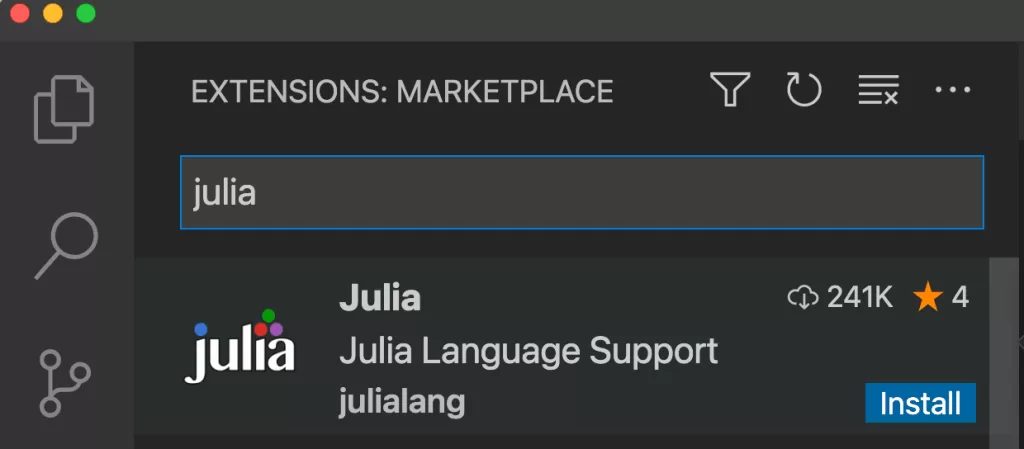
Although Julia has its own IDE called Juno, most developers (myself included) prefer using VS Code.
Just install the Julia extension from the marketplace.
Then you can write .jl files, run scripts, and explore your variables — all in one place.
📊 Julia for Data Science
If you’re into data science, you’ll love Julia’s ecosystem.
Let’s say you want to load and manipulate data like pandas in Python.
Output:
That’s it. Clean, simple, and readable.
You can even integrate Julia with Jupyter Notebooks by installing:
Now you can run Julia code right inside your notebooks alongside Python.

Julia for Machine Learning
Here’s where programming Julia really shines.
Using the Flux.jl package, you can build neural networks easily:
🔄 Julia vs Python
| Feature | Julia | Python |
|---|---|---|
| Speed | 🚀 Extremely fast (compiled) | 🐍 Slower (interpreted) |
| Syntax | Mathematical & clean | General-purpose |
| Libraries | Growing rapidly | Huge & mature |
| AI/ML | Excellent (Flux, MLJ) | Industry standard (TensorFlow, PyTorch) |
| Community | Smaller but welcoming | Massive |
🌍 Real-World Use Cases
Did you know? Julia is already being used in some of the most advanced tech projects globally:
- 🛰️ NASA uses Julia for spacecraft simulation.
- 🏦 Finance companies use it for risk modeling and forecasting.
- 🌦️ Climate scientists rely on Julia for large-scale climate data simulations.
That’s a huge endorsement for a language that’s barely a decade old.
How to Learn Programming Julia (Step-by-Step)

If you’re new, here’s my personal roadmap to learn programming Julia fast:
- Learn the basics: Variables, loops, functions.
- Understand types and multiple dispatch. (Unique to Julia!)
- Play with data: Install and explore
DataFrames.jl. - Try machine learning: Use
Flux.jlto build a small neural network. - Join the community: Ask questions on Julia Discourse.
You’ll be surprised how quickly you progress.
Final Thoughts
If I had to describe programming Julia in one word, it would be elegant.
It’s fast, readable, and built for the future. Whether you’re a data scientist, a machine learning engineer, or just a curious beginner, learning Julia will give you a competitive advantage.
And honestly — there’s something satisfying about using a tool that feels like it was made for you.
Kaashiv Infotech Offers, Full Stack Python Course, Data Science Course, & More, visit their website www.kaashivinfotech.com.
Related Reads: