Ever wondered how your office network handles massive file transfers, streams HD security footage, and keeps every Zoom call perfectly in sync — all without choking? The unsung hero behind that flawless performance isn’t magic; it’s the network switch.
In 2025, switches sit at the center of nearly every digital workspace. They decide who gets which packet, when, and how fast — like the ultimate backstage manager keeping your LAN from falling into chaos.
According to recent IDC reports, managed switches form the backbone of over 94% of enterprise LANs worldwide, proving how indispensable they’ve become in modern IT infrastructure.
In this guide, you’ll get a clear picture of what a network switch is, how it works, and why it’s a skill that can literally level up your career — whether you’re moving into network administration, DevOps, or cybersecurity.
If you’ve already read my bridges in networking article, think of switches as their modern descendants — faster, smarter, and essential for the complex traffic patterns of today’s connected world.
🔍 Key Highlights
💡 A network switch operates at Layer 2 (Data Link Layer) of the OSI model, forwarding frames using MAC addresses.
⚙️ It connects multiple devices within a LAN to form an efficient, collision-free network.
🌐 Managed vs Unmanaged Switches define how much control you have over network traffic.
🚀 Layer 2 and Layer 3 switches are at the core of enterprise, campus, and cloud networks.
🧩 Switches are basically multiport bridges with advanced intelligence and speed.
🔐 VLANs and STP (Spanning Tree Protocol) keep LANs secure and loop-free.
What Is a Network Switch?
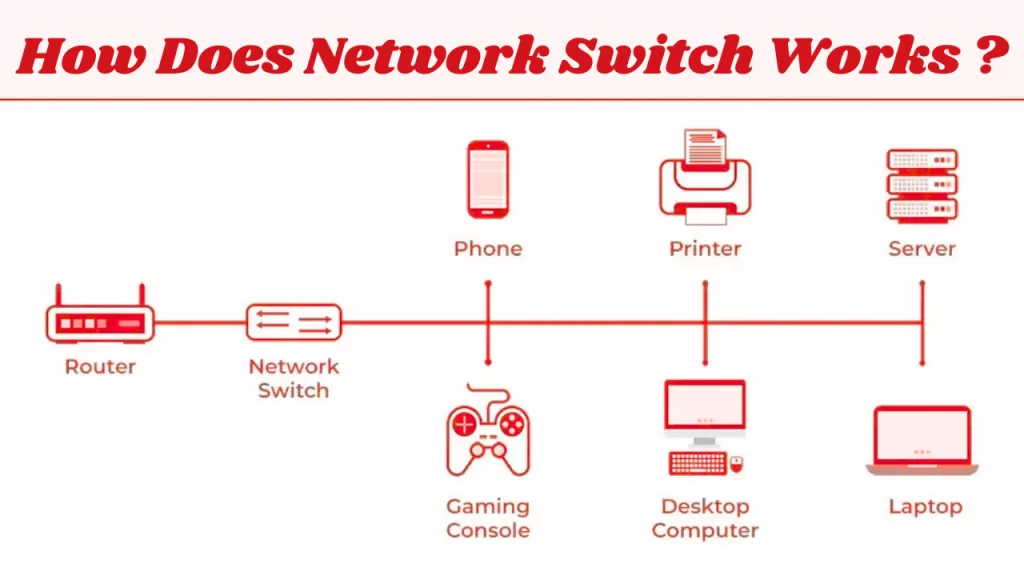
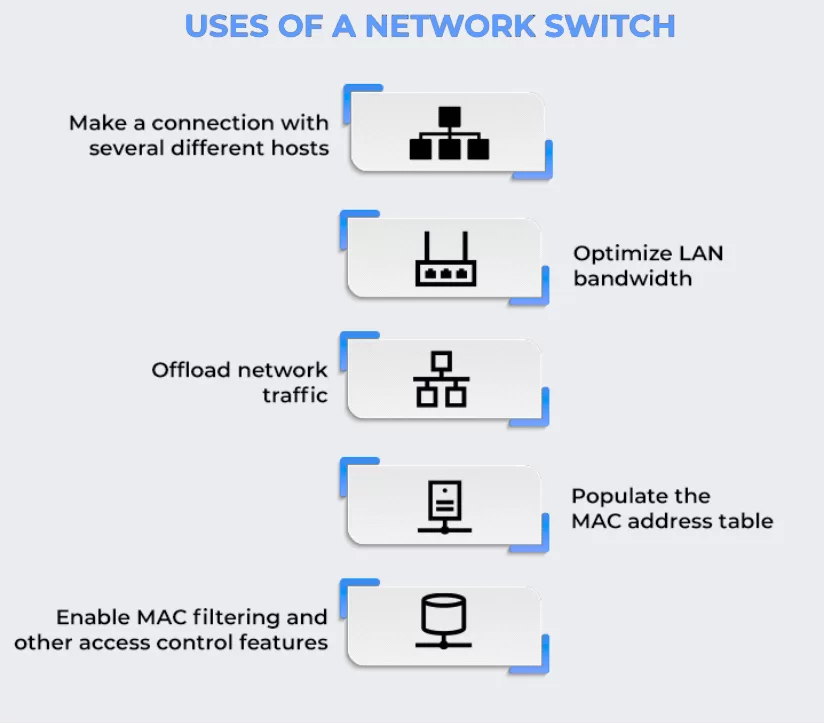
A network switch is a device that connects multiple computers and gadgets on the same Local Area Network (LAN) — think desktops, printers, routers, servers — a switch uses MAC addresses to intelligently forward packets only where they’re needed.

So every time you open a shared drive, access a file server, or print a document, a switch quietly figures out where that request should go and delivers it — fast.
Under the hood, switch operates mostly at Layer 2 of the OSI model (the Data Link Layer). which means it deals with MAC addresses — the unique hardware identifiers that let the switch know who’s who on the network instead of IPs.
Higher-end models, called Layer 3 switches, also exist which can also handle routing based on IP addresses — blurring the line between a switch and a router
You can think of it this way:
A hub shouts in a crowded room.
A bridge whispers to a small group.
A switch speaks directly to the right person — every single time.
If that analogy rings a bell, it’s because you’ve already seen its roots in the Bridge in Networking article — switches are what bridges evolved into.
How Does a Network Switch Work?
Now that you know what a switch is, let’s talk about how it pulls off this digital choreography.
Imagine this: your laptop sends a 500MB video file to a shared server. The data is broken down into Ethernet frames, each tagged with the source and destination MAC addresses.
The switch catches these frames, studies them, and decides the best path for every packet — almost instantly.
Here’s the process that happens in the blink of an eye:
1️⃣ Receiving Frames 📨
The switch receives Ethernet frames from connected devices — say, your laptop. But it doesn’t broadcast blindly; it examines the source MAC address inside each frame.
2️⃣ Learning MAC Addresses 🧠
The switch “learns” which MAC address belongs to which physical port and stores this mapping inside its MAC address table (CAM table). Over time, it builds a complete mental map of your network — who’s connected where.
3️⃣ Filtering or Forwarding 🚦
When another device (like the file server) sends a response, the switch checks the destination MAC.
- If the destination MAC exists in its table, it forwards the frame only to that port.
- If not, it temporarily broadcasts it to learn the destination’s location.
This selective forwarding drastically reduces unnecessary traffic — keeping your LAN smooth and efficient.
📊 Cisco Data Insight:
Modern Smart MAC filtering and learning algorithms techniques can cut unnecessary LAN traffic by nearly 35%, giving noticeable speed boosts even on busy enterprise networks.
4️⃣ Aging & Updating 🔄
To keep the network fast and responsive, a switch regularly removes inactive MAC entries — usually every 300 seconds. This ensures it doesn’t waste memory on disconnected devices.
💬 Developer Insight:
“When optimizing LAN performance, always monitor your switch’s MAC learning behavior. It’s literally your network’s memory — one bad entry can throw off an entire segment.”
— Arun K., Senior Network Engineer at Palo Alto Networks
Architecture of a Network Switch
To really understand why switches perform so efficiently, you’ve got to peek under the hood. A modern network switch isn’t just a box of ports — it’s a high-speed decision engine, built to handle gigabits of data without breaking a sweat.
Picture a sleek vector-style diagram:
arrows flowing between modules labeled MAC Table, Switch Fabric, Buffers, and Control Processor — all working in perfect sync. That’s the heartbeat of your LAN.
Let’s break down the key internal modules that make this possible 👇
1️⃣ MAC Address Table (Forwarding Table)
This is the switch’s memory. It keeps track of which device (MAC address) lives on which port.
Whenever a frame arrives, the switch checks this table to decide where to send it.
Without it, your switch would be just an expensive hub.
2️⃣ Switch Fabric / Backplane
Think of it as the internal highway where data packets race between ports.
A strong switch fabric ensures that multiple transmissions can happen simultaneously — no collisions, no slowdowns.
Modern enterprise switches boast non-blocking backplanes, meaning every port can run at full speed, even under peak load.
3️⃣ Buffer Memory
Network traffic isn’t always polite. Bursts happen — video calls spike, backups start, devices lag.
Buffers temporarily store incoming frames until the switch can forward them, preventing packet loss during congestion.
This small but powerful module is why even during heavy network storms, your data rarely drops.
4️⃣ Control Processor
This is the brain. It manages configuration, security policies, VLAN settings, and diagnostics.
In managed switches, it’s what allows network engineers to control the switch via CLI, SNMP, or a web interface.
When you tweak a VLAN or enable QoS — this processor makes it happen.
5️⃣ VLAN & STP Modules
- VLAN (Virtual LAN): Keeps networks segmented for better security and performance.
- STP (Spanning Tree Protocol): Prevents loops when multiple switches are connected — because one loop can bring an entire network down.
Together, these modules let modern Layer 2 and Layer 3 switches push data at gigabit and even 10-gigabit speeds — all while analyzing, learning, and filtering packets in microseconds.
🧩 Types of Switch in Networking
Switches come in all shapes, sizes, and complexity levels — from simple plug-and-play boxes under your desk to multi-layer beasts powering data centers.
Here’s a breakdown you can actually use 👇
1️⃣ Unmanaged Switch
Plug it in, and it works.
No setup, no configuration — just pure connectivity.
Perfect for home offices, small teams, or startups that don’t need fancy traffic control.
⚠️ Downside: no monitoring, no VLANs, and limited security options.
2️⃣ Managed Switch
This is where things get serious.
A managed switch gives network administrators full control — VLANs, QoS (Quality of Service), port security, and SNMP monitoring.
These switches are the backbone of corporate networks, data centers, and ISPs.
You can even manage them remotely, automate configurations, or integrate them into a cloud-based NOC dashboard.
3️⃣ Smart Switch
Not quite unmanaged, not fully managed — the “just right” middle ground.
They support essentials like VLAN tagging, port mirroring, and limited QoS, but without the learning curve of enterprise-grade switches.
They’re ideal for SMBs (small and medium businesses) that want control without complexity.
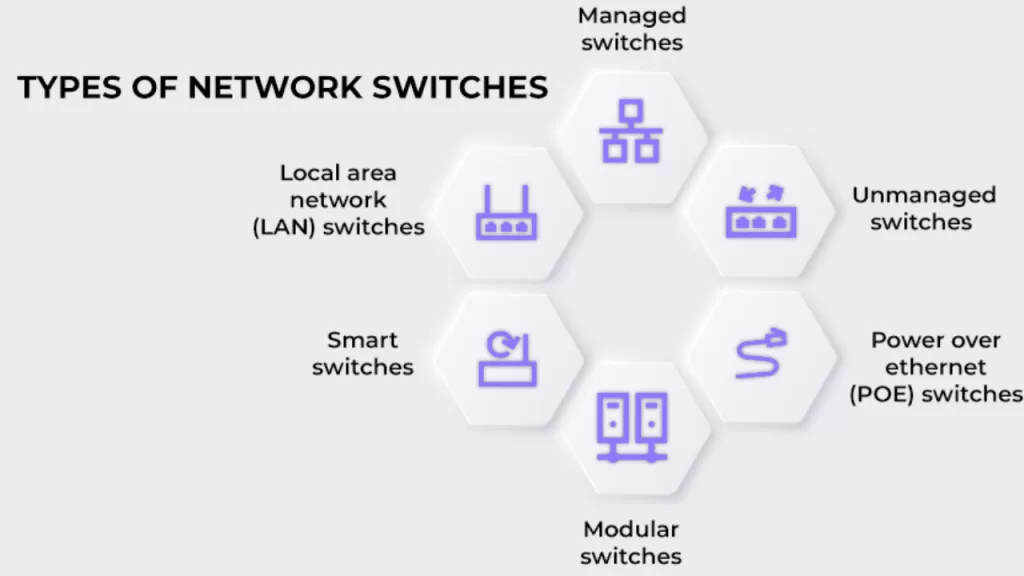
4️⃣ Types of Switch Based on OSI Layer
| Type | Description | Use Case |
|---|---|---|
| Layer 2 Switch | Works at the Data Link Layer, using MAC addresses for packet forwarding. | LAN segmentation and traffic isolation. |
| Layer 3 Switch | Adds routing capabilities — forwards packets based on IP addresses. | Inter-VLAN routing, large enterprise networks. |
💬 Pro tip: Many modern “managed switches” actually operate as hybrid Layer 2/3 devices — giving you routing power without deploying separate routers.
5️⃣ Based on Deployment Hierarchy
Just like a corporate structure, networks have layers — and so do switches:
- Access Switch: Connects end devices like PCs, printers, and IoT gadgets.
- Distribution Switch: Aggregates multiple access switches; handles routing and policy enforcement.
- Core Switch: The backbone. Manages high-speed traffic between distribution layers and data centers.
According to Dell’Oro Group (2025), more than 85% of enterprise LANs now rely on 10 Gigabit core switches, a jump of over 30% since 2022 — proof that speed and scalability are no longer luxuries, but requirements.
🛠️ Managed vs Unmanaged Switch (Quick Comparison)
| Feature | Unmanaged Switch | Managed Switch |
|---|---|---|
| Configuration | None — plug and play | Full control (VLANs, QoS, STP) |
| Ideal For | Homes / small offices | Enterprises / data centers |
| Security | Basic | Advanced (Port Security, ACLs, Monitoring) |
| Price | Low | Higher but flexible and scalable |
👉 For growing organizations, investing in managed switches early can save costly re-architecting later.
🔄 Difference Between Hub vs Bridge vs Switch
You’ve already seen how bridges started this journey — but let’s quickly recap how they stack up:
| Feature | Hub | Bridge | Switch |
|---|---|---|---|
| OSI Layer | Layer 1 | Layer 2 | Layer 2 / 3 |
| Logic | Broadcasts to all devices | Filters using MAC addresses | Intelligent forwarding, VLANs, QoS |
| Speed | Slow | Moderate | High |
| Collision Domains | Single | Divides collisions | One per port (isolation) |
If you want a deeper look at how bridges laid the foundation for this logic, check out the Bridge in Networking (2025) guide — it’s the prequel to everything switches perfected.
Real-World Use Cases of Network Switches
If there’s one thing that makes network switches timeless, it’s how seamlessly they fit into every environment — from a two-person startup to a hyperscale data center.
Here’s how they show up in the real world 👇
🏢 Corporate Offices
In large organizations, switches quietly keep departments connected across multiple floors.
They use VLANs to isolate traffic — so HR, finance, and guest networks stay secure and don’t trip over each other.
They also enable redundancy and load balancing, ensuring that even if one uplink fails, productivity doesn’t.
🏠 Home & SOHO Networks
In small offices and smart homes, an unmanaged switch is the glue that holds everything together — from Wi-Fi routers to IP cameras, NAS devices, and smart TVs.
They make sure your Netflix stream doesn’t slow down just because your backup started running in the background.
🏭 Industrial Networks
Factories and industrial IoT setups rely on rugged switches designed to handle heat, dust, and vibration.
These switches ensure low-latency machine communication, where even a few milliseconds matter — think robotic assembly lines or sensor-driven automation.
☁️ Cloud Data Centers
At the other extreme, Layer 3 switches form the backbone of cloud networks.
They route traffic between virtualized servers, container clusters, and hybrid clouds — keeping terabytes of data flowing without delay.
In Software-Defined Networking (SDN), switches are no longer just hardware; they’re intelligent, programmable control points.
💬 Developer Insight:
“In SDN environments, a switch isn’t just a box of ports — it’s a programmable gateway that connects the physical and virtual worlds.”
— Meena R., AWS Solutions Architect
⚙️ Best Practices for Using Switches
The difference between a fast, secure network and one that collapses under load often comes down to a few smart habits.
✅ Enable Spanning Tree Protocol (STP) — keeps your network loop-free and stable.
✅ Use VLANs — isolate sensitive data like HR or finance to avoid accidental leaks.
✅ Prioritize QoS (Quality of Service) — ensure smooth video calls and VoIP traffic even when the network’s busy.
✅ Monitor MAC tables — spot suspicious devices or broadcast storms early.
✅ Keep firmware updated — patch security vulnerabilities before they become real threats.
🧠 Why it matters:
These best practices don’t just prevent outages — they make your switch behave like a finely tuned instrument: stable, secure, and lightning fast.
🌟 Advantages of Network Switch in Networking
When configured right, a network switch becomes your LAN’s biggest strength:
🚀 Boosts performance by minimizing collisions and managing traffic intelligently.
🔐 Improves security through VLANs, port isolation, and access controls.
⚡ Enhances reliability with STP and redundancy support.
💬 Supports monitoring and analytics, giving admins full visibility into traffic.
🌐 Scales easily — from a 5-port desktop switch to a 48-port enterprise beast.
⚠️ Disadvantages of Network Switches
Even the smartest tech has trade-offs:
💰 Cost: Managed switches come with higher price tags — though they often pay off long-term.
🧩 Complexity: Advanced features like VLANs or ACLs need skilled configuration.
🔄 Routing limits: Traditional Layer 2 switches can’t connect multiple networks — you’ll need a Layer 3 model or a router for that.
❓ Frequently Asked Questions
1. What is a network switch used for?
It connects multiple devices on a LAN and forwards data intelligently based on MAC addresses.
2. What are the main types of switches?
Unmanaged, Managed, Smart, Layer 2, and Layer 3 switches — each serving different levels of control and scale.
3. How is a switch different from a router?
A switch connects devices within a LAN, while a router connects different networks (like LAN to Internet).
4. Which OSI layer does a switch operate on?
Most operate at Layer 2 (Data Link), though Layer 3 switches also handle routing.
5. What’s the difference between managed and unmanaged switches?
Managed switches offer configuration, monitoring, and VLAN control; unmanaged ones are simple plug-and-play devices.
🏁 Conclusion
Network switches are the heartbeat of every LAN — quietly ensuring that data moves efficiently, securely, and at gigabit speeds.
They’re what let modern offices, factories, and data centers function like well-oiled machines.
If you’re pursuing a career in network administration, cloud infrastructure, or cybersecurity, understanding switch logic isn’t optional — it’s foundational.
Concepts like MAC learning, VLANs, and STP form the bedrock of certifications like CCNA and CompTIA Network+.
In simple terms:
If bridges connected networks, switches made them intelligent.
Master this layer, and you’re already halfway to mastering networking itself. 🌐⚡
Related Reads:
📘 NCP Full Form: What is Network Control Protocol? History, PPP, and Examples (2025 Guide)
🌐 What is FTP? How to Use FTP to Transfer Files in 2025
🛰️ RIP Protocol Explained (2025)
🔒 What is HTTPS? HTTPS Protocol in 2025 — Working, Importance & Security Best Practices
📶 What Is Ping? (2025 Guide) Ping Meaning in Networking, Command, Test & More Explained