Tokens in Python – When you write a Python program, it may look like simple text—but behind the scenes, Python breaks your code into smaller pieces before executing it. These smallest meaningful pieces are called tokens.
If you’re serious about learning Python—from basics to advanced concepts—understanding tokens is essential. They form the foundation of how Python reads, interprets, and executes your code.
This in-depth guide will take you from beginner-level understanding to a more advanced perspective, helping you truly grasp how tokens work in Python.
What Are Tokens in Python?
A token is the smallest unit of a Python program that carries meaning. When Python reads your code, it doesn’t interpret it as raw text—it converts it into tokens first.
Simple Analogy:
Think of a sentence:
“Python is powerful”
This sentence is made of words. Similarly, a Python program is made up of tokens.
How Python Processes Your Code
Before execution, Python goes through multiple stages:
1. Lexical Analysis (Tokenization)
Python breaks your code into tokens.
2. Syntax Analysis (Parsing)
It checks whether the tokens follow Python’s grammar rules.
3. Compilation
The code is converted into bytecode.
4. Execution
The Python Virtual Machine (PVM) executes the bytecode.
Categories of Tokens in Python
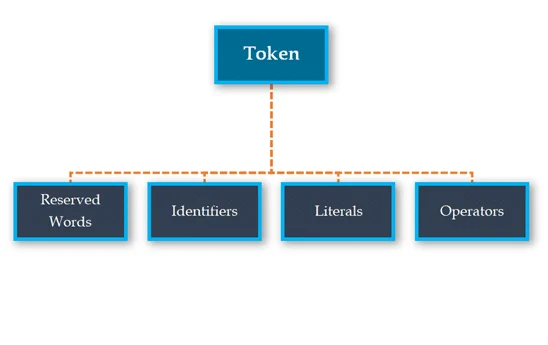
Python tokens are divided into several important categories. Let’s explore each in detail.
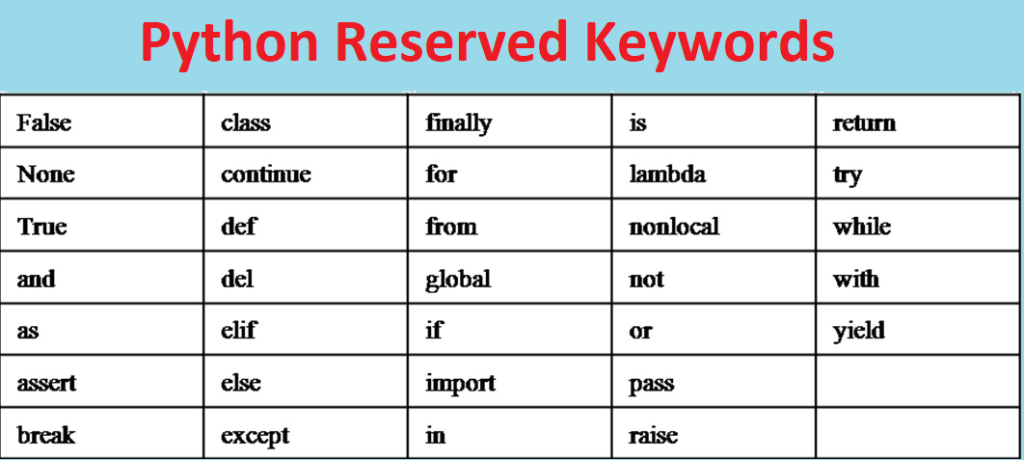
1. Keywords (Reserved Words)
Keywords are predefined words in Python that have special meanings. You cannot use them as identifiers.
Examples of Python Keywords:
if, else, elif, for, while, break, continue, pass,
def, return, class, try, except, finally,
True, False, None, import, from, as
Example:
if age >= 18:
    print("Eligible")
Here:
if→ keyword>=→ operatorprint→ identifier (function)
Key Points:
- Keywords are case-sensitive
- They are part of Python’s syntax
- Misusing them results in syntax errors
2. Identifiers (Names in Python)
Identifiers are names given to variables, functions, classes, and modules.
Rules for Naming Identifiers:
- Must begin with a letter or underscore (
_) - Cannot start with a digit
- Cannot be a keyword
- Can contain letters, digits, and underscores
- Case-sensitive
Valid Examples:
username = "Alex"
_total = 100
marks2026 = 95
Invalid Examples:
2value = 10      # ❌ Starts with digit
class = "Test"   # ❌ Keyword
Best Practices:
- Use descriptive names (
total_priceinstead oftp) - Follow snake_case naming convention
3. Literals (Fixed Values)
Literals represent constant values in Python.
Types of Literals:
a) Numeric Literals
a = 100       # Integer
b = 3.1415    # Float
c = 2 + 5j    # Complex
b) String Literals
name = "Python"
message = 'Hello World'
c) Boolean Literals
is_active = Trued) Special Literal
value = Nonee) Collection Literals
list_data = [1, 2, 3]
tuple_data = (1, 2, 3)
set_data = {1, 2, 3}
dict_data = {"a": 1, "b": 2}
4. Operators (Perform Actions)
Operators are symbols used to perform operations on variables and values.
Types of Operators:
a) Arithmetic Operators
+, -, *, /, %, **b) Comparison Operators
==, !=, >, <, >=, <=c) Logical Operators
and, or, notd) Assignment Operators
=, +=, -=, *=, /=e) Bitwise Operators
&, |, ^, ~, <<, >>f) Membership Operators
in, not ing) Identity Operators
is, is notExample:
x = 10
y = 20
print(x < y and y > 15)
5. Delimiters (Punctuators)
Delimiters are symbols that define the structure of your program.
Common Delimiters:
( )   # Function calls
[ ]   # Lists
{ }   # Dictionaries, sets
:     # Blocks
,     # Separation
.     # Attribute access
;     # Statement separator
@     # Decorators
=     # Assignment
Example:
def greet(name):
    print("Hello", name)
6. Comments and Whitespace (Special Tokens)
Although often ignored, comments and whitespace also play a role.
Comments:
# This is a commentWhitespace:
Python uses indentation to define blocks:
if True:
    print("Indented block")
Tokenization Example (Step-by-Step)
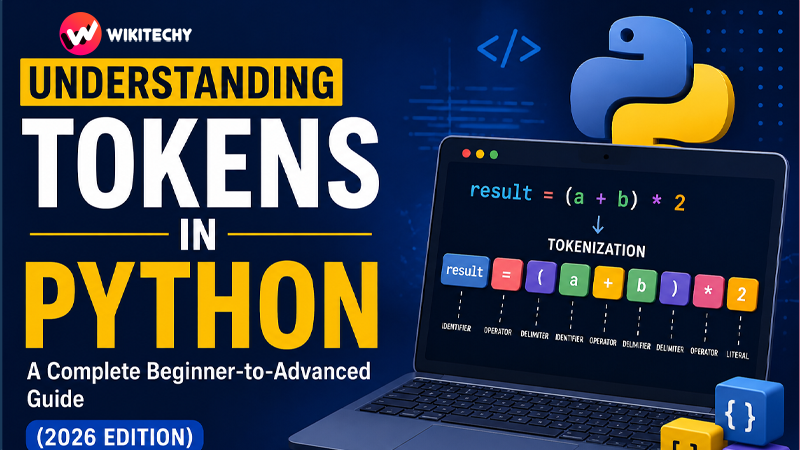
Let’s break down a line of code:
result = (a + b) * 2Tokens:
result→ Identifier=→ Operator(→ Delimitera→ Identifier+→ Operatorb→ Identifier)→ Delimiter*→ Operator2→ Literal
Advanced Insight: Tokenization in Python Internals
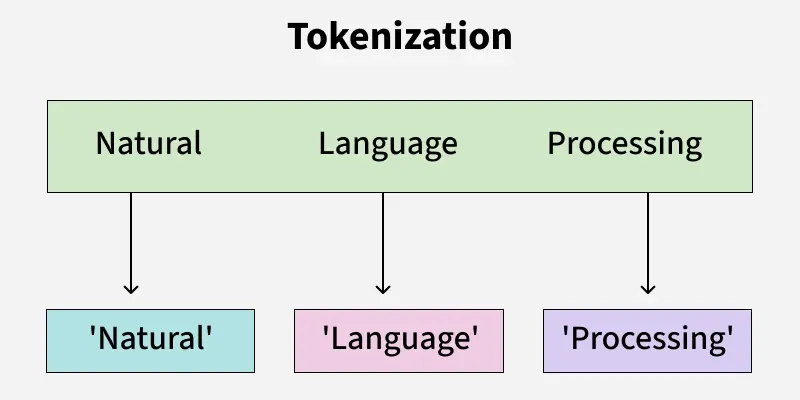
Python uses a built-in module called tokenize to convert code into tokens.
Example:
import tokenize
from io import BytesIO

code = b"x = 10 + 5"
tokens = tokenize.tokenize(BytesIO(code).readline)

for token in tokens:
    print(token)
This reveals how Python internally reads your code.
Why Understanding Tokens Matters
Understanding tokens is not just theoretical—it has practical benefits:
1. Better Debugging
You can quickly identify syntax errors.
2. Strong Foundation
Helps in learning compilers, interpreters, and parsers.
3. Cleaner Code
Improves readability and structure.
4. Interview Advantage
Many technical interviews test these fundamentals.
Common Beginner Mistakes
1. Using Keywords as Variables
for = 10 # ❌ Error2. Incorrect Operators
if a = b: # ❌ Should be ==3. Improper Indentation
if True:
print("Hello")  # ❌ Indentation error
Real-World Perspective
In real-world development, tokens are crucial in:
- Code editors (syntax highlighting)
- Linters (error detection)
- Compilers and interpreters
- Static code analysis tools
Every tool that “understands” your code relies on tokenization.
Tips to Master Tokens Quickly
- Practice reading code line by line
- Break code into tokens manually
- Use Python’s
tokenizemodule - Write small programs and analyze them
- Learn Python syntax deeply
Conclusion
Tokens are the fundamental building blocks of Python programming. Every piece of code you write—no matter how complex—is ultimately broken down into tokens before execution.
By understanding tokens, you gain insight into how Python actually works behind the scenes. This knowledge not only strengthens your fundamentals but also prepares you for advanced topics like parsing, interpreters, and compiler design.
As you continue your Python journey, remember: mastering the basics like tokens will make everything else much easier.
Want to Learn More About Python & Artificial Intelligence ???, Kaashiv Infotech Offers Full Stack Python Course, Artificial Intelligence Course, Data Science Course & More Visit Their Website course.kaashivinfotech.com.