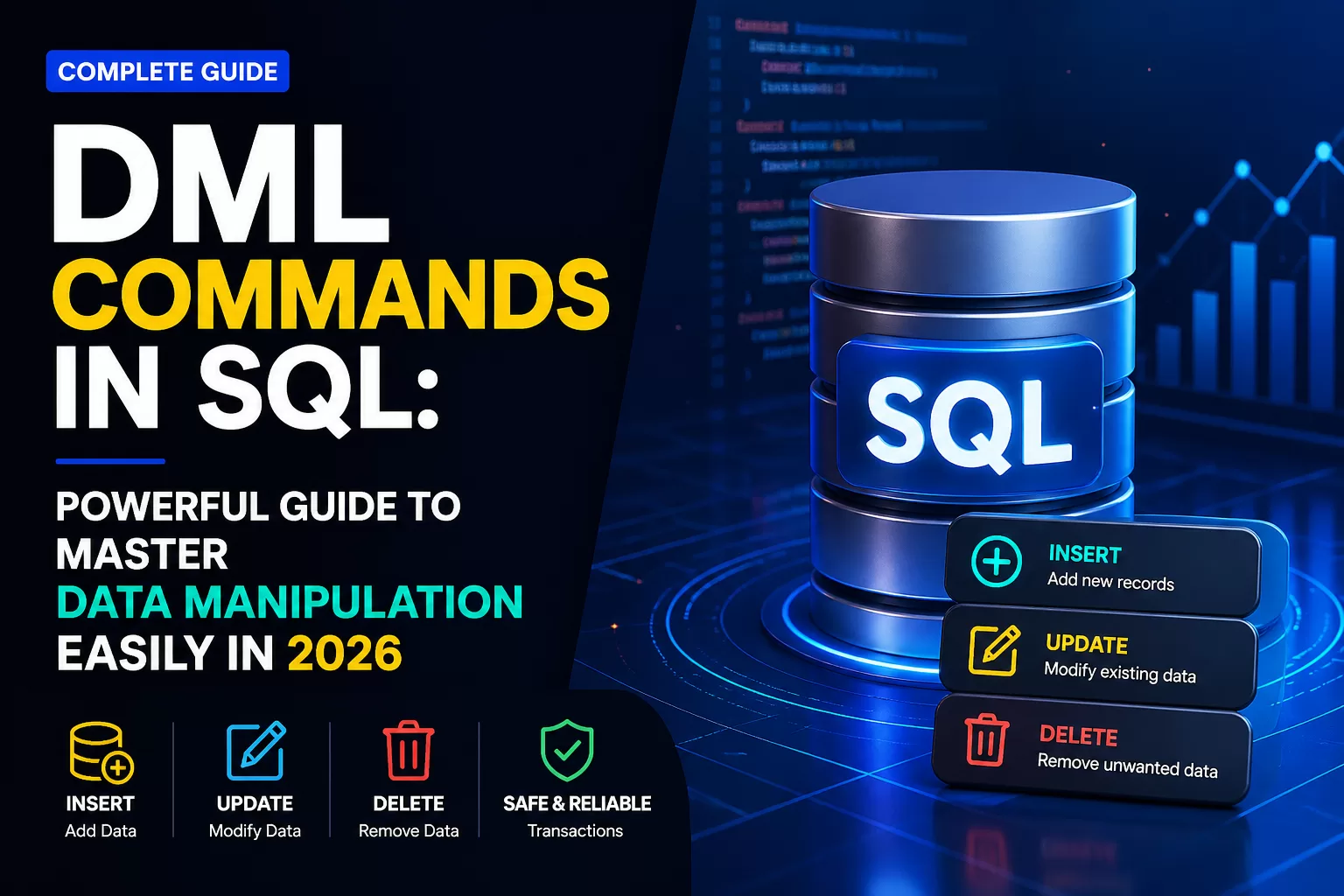
DML Commands in SQL: Powerful Guide to Master Data Manipulation Easily in 2026
When I first sat down in front of a SQL terminal years ago, I felt like I was staring at a locked vault. I knew the data was in there, but I didn’t know how to move it, change it, or clean it. That’s when I discovered the power of data manipulation language.
If you think of a database as a massive digital warehouse, DDL (Data Definition Language) is the architect that builds the shelves. However, dml commands in sql are the workers who actually move the inventory. Without these commands, your database is just an empty building.
In today’s tech landscape, where data is the new oil, knowing how to talk to databases isn’t just a “nice-to-have” skill—it’s the backbone of software engineering and data science. Whether you are building a social media giant or a small business app, mastering dml commands in sql is your first step toward technical authority. 🚀

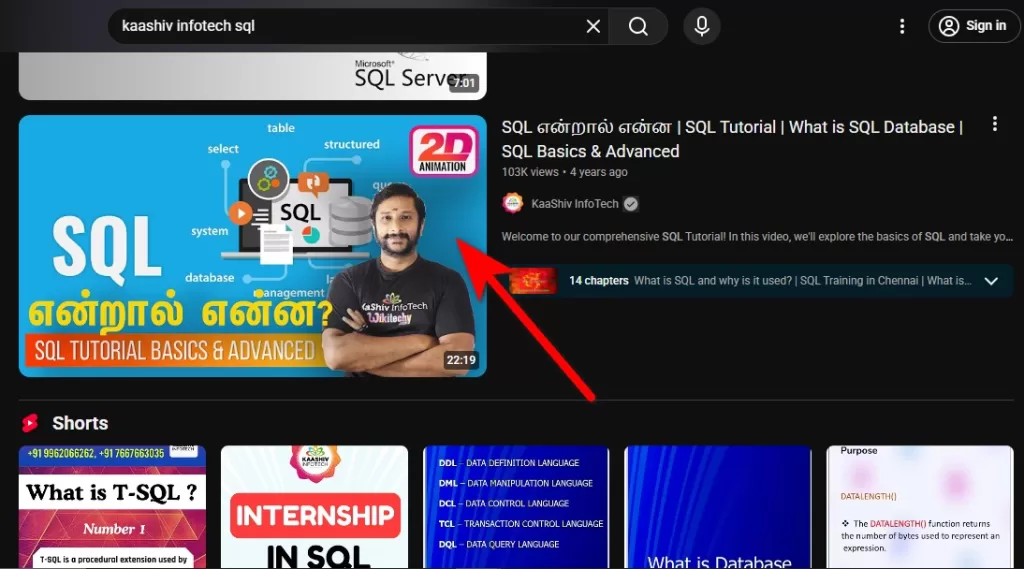
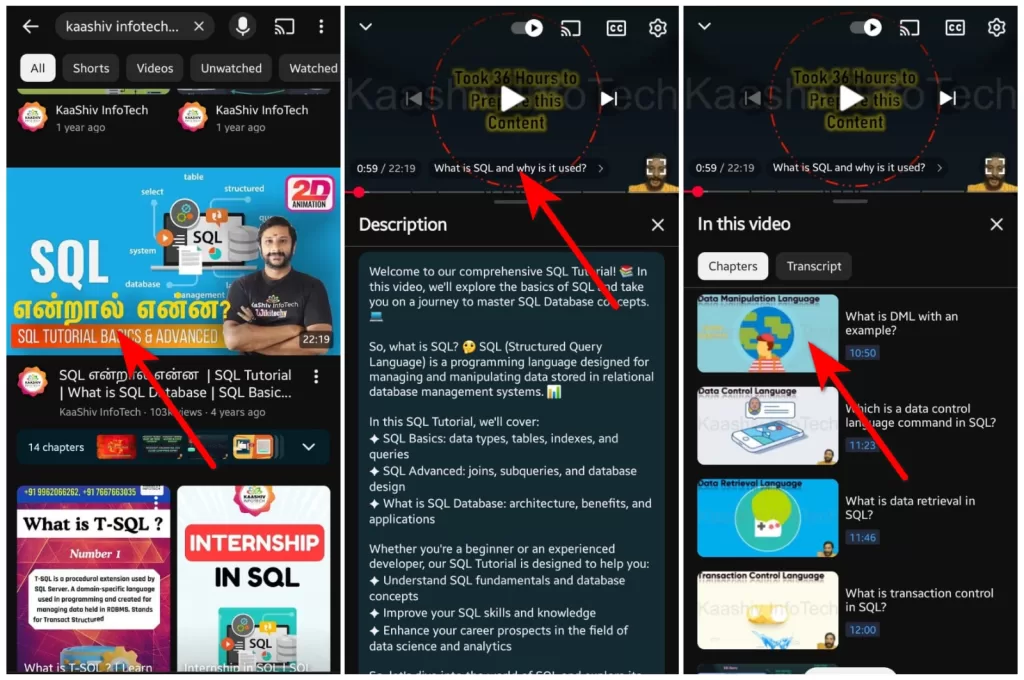
Youtube: kaashiv infotech sql
For PC:


For Mobile:
✨ Key Highlights
- DML full form: Data Manipulation Language
- Core dml commands in sql: INSERT, UPDATE, DELETE
- Used in real-world apps like Amazon, Netflix, and Google
- Essential skill for developers, data analysts, and backend engineers
- Can be rolled back using transactions for data safety
🔍 What are DML Commands in SQL?
DML commands in SQL are used to insert, update, and delete data within a database. Unlike DDL, which changes the structure of the table, DML focuses strictly on the data rows themselves.
DML commands in SQL are the most frequently used SQL operations in real-world applications.
The primary dml commands in sql include:
- INSERT: Adds new rows to a table.
- UPDATE: Modifies existing data.
- DELETE: Removes specific rows from a table.
| Command | Purpose | Example Use |
|---|---|---|
| INSERT | Add data | New user signup |
| UPDATE | Modify data | Change email address |
| DELETE | Remove data | Delete inactive users |
Why DML Commands in SQL are the Engine of Tech
Did you know that over 2.5 quintillion bytes of data are created every single day? Almost all of that data needs to be stored, updated, or deleted at some point.
Think about your daily life. Every time you:
- Sign up for a new service (that’s an INSERT).
- Change your account password (that’s an UPDATE).
- Remove an old post from your feed (that’s a DELETE).
Behind the scenes, a developer wrote dml commands in sql to make that happen. Companies like Amazon, Netflix, and Google use these commands millions of times per second to keep their platforms running smoothly.
🔥 Core DML Commands in SQL Explained – DML in SQL
Let’s get technical but keep it simple. If you want to master dml in sql, you need to understand the “Big Three.”
1️⃣ The INSERT Command: Adding Value
The INSERT statement is your entry point. It’s how you get data into your tables.
Real-World Use Case: Every time a new student signs up for an internship at Kaashiv Infotech, an INSERT command is triggered in our backend database to create their profile.
The Syntax:
SQLINSERT INTO Students (name, course, join_date)
VALUES ('Arun', 'Python Full Stack', '2024-05-01');
Expert Insight: Always specify your column names! Many beginners skip them, but if your table structure changes later, your code will break. Being explicit is a hallmark of a senior developer.
2️⃣ The UPDATE Command: Keeping Data Fresh
Data is rarely static. People change addresses, product prices fluctuate, and order statuses move from “Pending” to “Delivered.”
The Syntax:
SQLUPDATE Students
SET course = 'Data Science'
WHERE student_id = 101;
⚠️ The Golden Rule: Never, ever forget the WHERE clause. Without it, you will update every single row in your table. I’ve seen junior developers accidentally wipe out thousands of records this way. Always double-check your conditions!
3️⃣ The DELETE Command: Housekeeping
Storage isn’t infinite, and privacy laws like GDPR require companies to delete user data upon request.
The Syntax:
SQLDELETE FROM Students
WHERE status = 'Inactive';
Pro Tip: Before running a DELETE command, run a SELECT with the same WHERE clause. It allows you to see exactly which rows are about to disappear before you pull the trigger.
⚔️ Difference Between DDL and DML: What You Need to Know
In many technical interviews, you will be asked about the difference between ddl and dml. It is a fundamental concept for anyone studying ddl dml dcl in dbms.
| Feature | DDL (Data Definition Language) | DML (Data Manipulation Language) |
|---|---|---|
| Primary Goal | Defines the “Skeleton” (Structure). | Manages the “Muscle” (Data). |
| Core Commands | CREATE, ALTER, DROP, TRUNCATE. | INSERT, UPDATE, DELETE. |
| Scope | Affects the entire table structure. | Affects specific rows within a table. |
| Rollback Capability | Generally cannot be undone. | Can be rolled back if using transactions. |
Quick Takeaway:
DDL builds the database, dml commands in sql run it.
For a deeper dive into SQL syntax, check out Wikitechy SQL Tutorial or Microsoft SQL Documentation.
📊 Understanding DML in DBMS: The Full Picture
When you work in a professional environment, you aren’t just using dml commands in sql in a vacuum. You are working within a complete ecosystem:
- DDL (Data Definition): You build the table.
- DML (Data Manipulation): You add and edit the data.
- DCL (Data Control): You manage who has permission to see the data (using GRANT/REVOKE).
- TCL (Transaction Control): You ensure the dml commands in sql either all succeed or all fail together (using COMMIT/ROLLBACK).
Understanding sql ddl dml dcl tcl is what separates a “coder” from a “Database Specialist.”
💼 Career Angle: Is Learning DML Commands in SQL Profitable?
Let’s talk numbers. Is it worth your time? Absolutely.
- Market Demand: SQL has remained in the top 3 most-demanded tech skills for over a decade. Whether you are a Backend Developer, a Data Analyst, or an AI Engineer, you need to master dml in sql.
- Job Roles: Mastering dml commands in sql is a prerequisite for roles like:
- Database Administrator (DBA)
- Data Engineer
- Full Stack Developer
- Business Intelligence (BI) Developer
- Salary Potential:
- India: Entry-level SQL experts can start at ₹6 LPA, while seniors often cross ₹25 LPA.
- Global: Salaries for SQL-heavy roles range from $70,000 to $150,000 annually.
At Kaashiv Infotech, we focus on these high-demand skills because we know they lead directly to job placements. Our training isn’t just about theory; it’s about making you “industry-ready.”
🧠 Developer Insights: Best Practices for DML in SQL
Writing dml commands in sql is easy. Writing optimized and safe DML is where the expertise lies. Here are my top tips:
- Use Transactions: Always wrap your
UPDATEandDELETEcommands in a transaction. This allows you toROLLBACKif you notice a mistake. - Batch Your Operations: If you need to delete 1 million rows, don’t do it in one go. It will lock the table and slow down the entire app. Delete in smaller batches (e.g., 5,000 rows at a time).
- Indexing is Key: Your dml commands in sql will run much faster if the columns in your
WHEREclause are indexed. - Fact Check: Did you know that inefficient SQL queries are the #1 cause of slow application performance? Learning to write clean dml in sql saves companies thousands in server costs.
🎓 Take the Next Step with Kaashiv Infotech
Reading a blog post is a great start, but you can’t learn to swim by reading a book. You need to jump into the water.
If you want to master dml commands in sql through real-world projects, Kaashiv Infotech is the place to be. We offer:
- Internships: Work on live projects that use complex data manipulation language techniques.
- Expert Mentorship: Learn from industry pros who handle massive databases every day.
- Placement Support: We don’t just teach you; we help you get hired.
🚀 Ready to master dml commands in sql with real projects?
Join Kaashiv Infotech and work on live databases used in real companies.
👉 Start your journey today!
✅ Conclusion: Your Path to Data Mastery
By now, you should have a clear understanding of:
- What dml commands in sql are.
- The critical difference between ddl and dml.
- How commands like INSERT, UPDATE, and DELETE power the digital world.
Mastering data manipulation language is the foundation of a successful tech career. It’s the language of information, and in 2024, information is everything.
Keep practicing, stay curious, and remember: every expert was once a beginner who wasn’t afraid to run their first INSERT statement.
❓ FAQs (People Also Ask)
1. What are the 4 DML commands in SQL?
The main dml commands in sql are INSERT, UPDATE, and DELETE. Some also include SELECT (for data retrieval) and MERGE.
2. What is the full form of DML?
DML stands for Data Manipulation Language, a subset of SQL used to modify data within a database.
3. Is SELECT a DML or DQL command?
Strictly speaking, SELECT belongs to DQL (Data Query Language). However, in many academic contexts and interviews, it is grouped with dml commands in sql because it is used to interact with data.
4. What is the difference between DDL and DML?
DDL (Data Definition Language) defines database structure (CREATE, ALTER). DML (Data Manipulation Language) modifies the actual data (INSERT, UPDATE, DELETE).
5. Can I undo a DELETE command?
Only if you are using Transactions! If you haven’t “Committed” the change, you can use the ROLLBACK command to undo your dml in sql.