Print in Python: The Ultimate Guide to Master Powerful Output in 2026 Beginner to Advanced
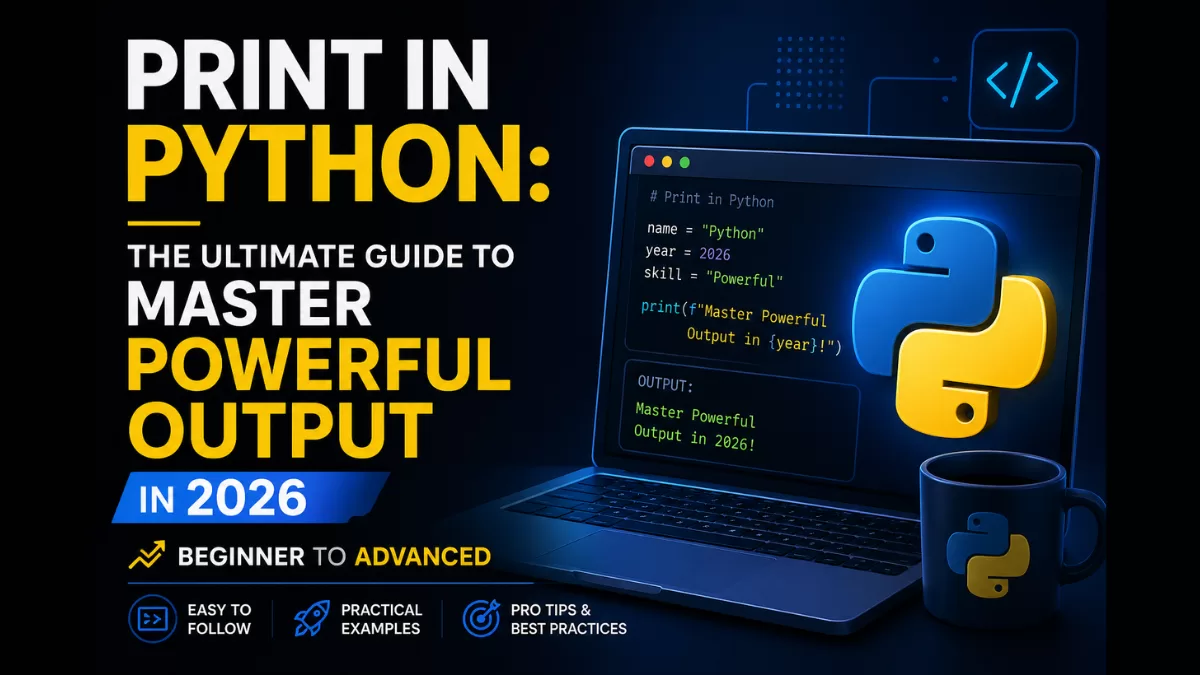
The print() function is the most used tool in the Python language. Whether you are building your first “Hello World” app or debugging a high-level data science algorithm, how you display your output matters. In this guide, we break down everything about the print in Python to help you write cleaner, more professional code.
1. What is Print in Python?
In Python, print() is a built-in function used to send data to the standard output device (the console). It takes any number of objects, converts them into a string format, and displays them for the user. It is the primary way to interact with a program during execution.
2. Python Print Statement Example
For most developers, the journey starts here. A python print statement is simple and requires only parentheses around the content you want to display.
Python Print Hello World
Python# The classic example
print("Hello, World!")
Printing Multiple Values
You can pass multiple items into a single statement using commas. Python will automatically separate them with a space.
Pythonprint("Python", "is", "powerful")
# Output: Python is powerful
3. Python Print Function Syntax
To move beyond basic usage, you must understand the full syntax and parameters available in the function.
| Parameter | Default Value | Description |
|---|---|---|
*objects | N/A | The values/variables you want to print. |
sep | ' ' (space) | The character that separates objects. |
end | '\n' (newline) | The character that appears at the end. |
file | sys.stdout | Where the output is sent (console or file). |
flush | False | Forces the output to show instantly. |
4. How to Print Multiple Lines in Python
New developers often search for how to print multiple lines in Python. There are three primary ways to achieve this:
Using Multiple Print Statements
Pythonprint("Line 1")
print("Line 2")
Using Escape Characters (\n)
The \n character tells Python to start a new line immediately.
Pythonprint("First Line\nSecond Line")
Using Triple Quotes (Multi-line Strings)
Pythonprint("""This is a
multi-line
string block.""")
5. Formatting Output: How to Print in Same Line
A common question in competitive programming is how to print in same line in python. This is controlled by the end parameter.
Using the end Parameter
By default, end is a newline (\n). If you change it to a space or an empty string, the next print statement will stay on the same line.
Pythonprint("Loading", end=" ")
print("Complete!")
# Output: Loading Complete!
Using the sep Parameter
The sep parameter controls what goes between the items you print.
Pythonprint("User", "Admin", "Guest", sep=" | ")
# Output: User | Admin | Guest
6. Escape Characters in Python Print
To handle quotes, tabs, and new lines within your text, use these standard escape sequences:
| Escape Sequence | Result | Example |
|---|---|---|
\n | New Line | print("Hello\nWorld") |
\t | Tab Space | print("Hello\tWorld") |
\' | Single Quote | print('It\'s Python') |
\\ | Backslash | print("C:\\Users\\Home") |
7. Modern Python Printing: f-Strings
Introduced in Python 3.6, f-strings are the gold standard for formatting. They allow you to embed python variables directly inside a string.
Pythonname = "Pattu"
age = 25

# Modern and fast
print(f"My name is {name} and I am {age} years old.")

# Math inside f-strings
print(f"In five years, I will be {age + 5}.")
8. Print vs. Return: What is the Difference?
Understanding the difference between return and print in python is vital for writing functions.
| Feature | print() | return |
|---|---|---|
| User Visibility | Shows the value on the screen. | Does not show anything on screen. |
| Program Flow | Code continues after print. | Exits the function immediately. |
| Data Storage | The value is “lost” after printing. | The value can be saved in a variable. |
| Best For | Debugging and showing output. | Passing data between functions. |
9. Advanced Usage: File, Flush, and Logging
For professional applications, print() can be redirected or optimized for performance.
Printing to a File
You can use print() to write directly to a text file.
Pythonwith open("logs.txt", "w") as f:
    print("System started successfully.", file=f)
Print vs. Logging
As your app grows, you should transition from print() to Python debugging via the logging module.
| Feature | print() | logging |
|---|---|---|
| Production Use | Not recommended for production. | Industry standard for apps. |
| Severity Levels | None. | Debug, Info, Warning, Error. |
| Output Control | Goes only to stdout. | Can go to console, file, or cloud. |
10. Pro Tips & Hidden Tricks
- Variable Debugging: Use
f"{var=}"to print the name and value of a variable instantly.Pythonx = 100 print(f"{x=}") # Output: x=100 - Pretty Printing Lists: Use the unpacking operator
*to print a list without brackets.Pythonarr = [1, 2, 3] print(*arr) # Output: 1 2 3 - Range Unpacking: Print a sequence of numbers instantly.Python
print(*range(5)) # Output: 0 1 2 3 4
Frequently Asked Questions (FAQ)
1. How to print in same line in Python?
Simply use the end parameter: print("Text", end=""). This prevents the cursor from moving to a new line.
2. How to print pattern in Python?
To print pattern in python, use nested loops and the end parameter to control the horizontal and vertical placement of characters like *.
3. Why use f-strings over .format()?
F-strings are more readable, have a shorter syntax, and are significantly faster in terms of execution speed.
4. What is the difference between print("A" + "B") and print("A", "B")?
The + sign concatenates strings with no space. The comma separates objects and adds a space automatically.
🔗 Related Reads
Want to deepen your Python knowledge? Explore these hand-picked guides:
- 🚀 Top 10 Python Libraries for Data Science (2025) That Every Developer Should Master
- 🧠 Python String Format – Python’s Print Format Explained with Examples
- 📘 Python Programming Languages: Everything You Need to Know to Get Started in 2025
- 🔍 Master the Python type() Function: The Ultimate Guide (2026)
- 📈 Top 10 Reasons Python Dominates Programming in 2026
- ✨ 7 Powerful Ways to Uppercase a Python String (Beginner Guide)
Conclusion
Mastering the print in Python is a milestone in your journey as a developer. It is not just about showing text; it is about controlling the flow of information and making your python debugging process seamless. From basic hello world examples to advanced file redirects, the print() function remains a versatile powerhouse.
Ready to advance further? Start applying these tricks in your next Python loop or data project to see how much cleaner your output becomes!