Software testing has evolved significantly over the years, especially with the rise of Agile and DevOps practices. One of the biggest challenges teams still face, however, is ensuring that everyone involved—developers, testers, product managers, and business stakeholders—shares a common understanding of what the software is supposed to do.
Gherkin addresses this problem by offering a structured yet human-readable way to describe software behavior. Instead of relying on technical documentation or complex test scripts, Gherkin allows teams to express requirements in plain language while still being precise enough for automation. This makes it a cornerstone of Behavior-Driven Development (BDD), where collaboration and clarity are essential.
What is Gherkin?
Gherkin is a domain-specific language designed to describe application behavior in a way that is both readable and executable. It uses simple grammar and a predefined set of keywords to structure scenarios. These scenarios represent how a user interacts with a system and what outcomes are expected.
Unlike traditional test cases that may be buried in code or documentation, Gherkin scenarios are written in plain English (or other supported languages), making them accessible to non-technical stakeholders. This inclusivity is one of its greatest strengths, as it ensures that business requirements are accurately translated into test cases.
Gherkin is not a testing framework by itself. Instead, it works alongside tools such as Cucumber, SpecFlow, and Behave, which interpret the scenarios and link them to automation code.
The Philosophy Behind Gherkin and BDD
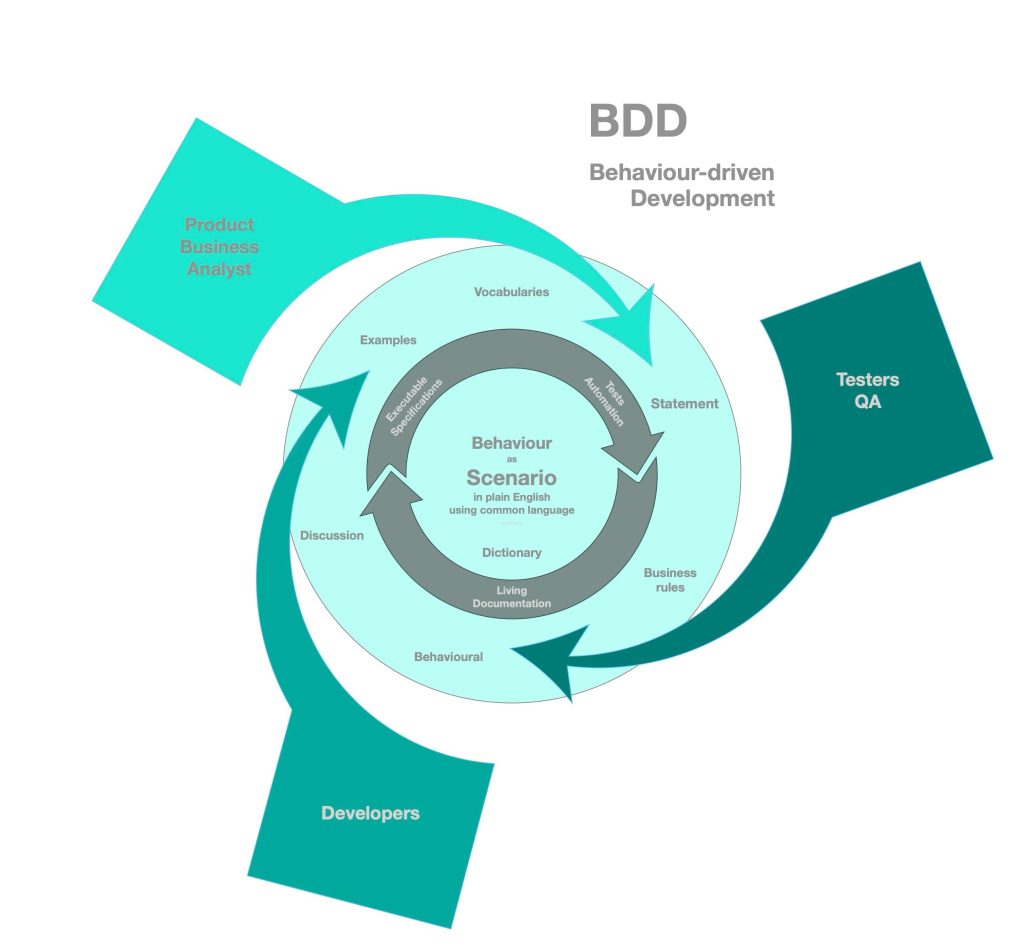
To fully appreciate Gherkin, it is important to understand the philosophy of Behavior-Driven Development. BDD is not just about testing; it is about building the right product through shared understanding.
In traditional development approaches, requirements are often documented separately, implemented in code, and then tested afterward. This separation can lead to inconsistencies and misunderstandings. BDD, on the other hand, encourages teams to define behavior collaboratively before implementation begins.
Gherkin acts as the bridge in this process. It provides a common language that all team members can use to define features, scenarios, and expected outcomes. These definitions then serve as both documentation and automated tests, ensuring alignment throughout the development lifecycle.
Understanding Gherkin Syntax in Depth
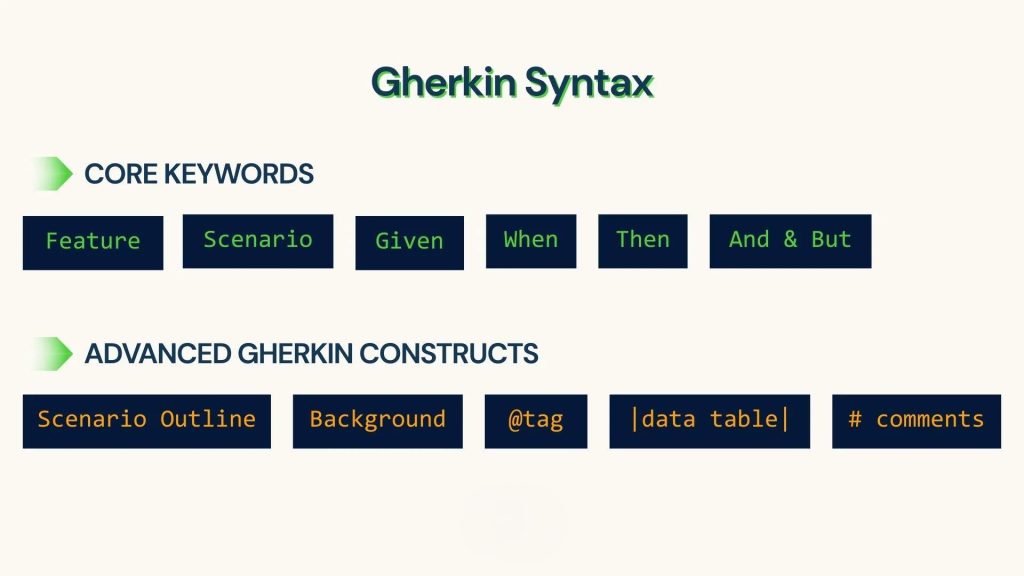
Gherkin follows a structured format that revolves around a few essential keywords. While the syntax is simple, its power lies in how consistently it is applied.
At the highest level, a Feature represents a functionality of the application. It provides context and describes the overall goal from a user’s perspective. Within each feature, multiple Scenarios define specific use cases or situations.
Each scenario is built using a sequence of steps:
- Given establishes the initial context or preconditions.
- When describes the action performed by the user or system.
- Then outlines the expected outcome.
Additional connectors like And and But allow you to extend these steps naturally without breaking readability.
Here is a simple example:
Feature: Online Shopping

  Scenario: Successful product purchase
    Given the user is on the product page
    When the user adds the product to the cart
    And completes the payment process
    Then the order should be confirmed
Even without technical knowledge, anyone can understand what is happening in this scenario. This clarity is what makes Gherkin so effective.
Writing Real-World Gherkin Scenarios
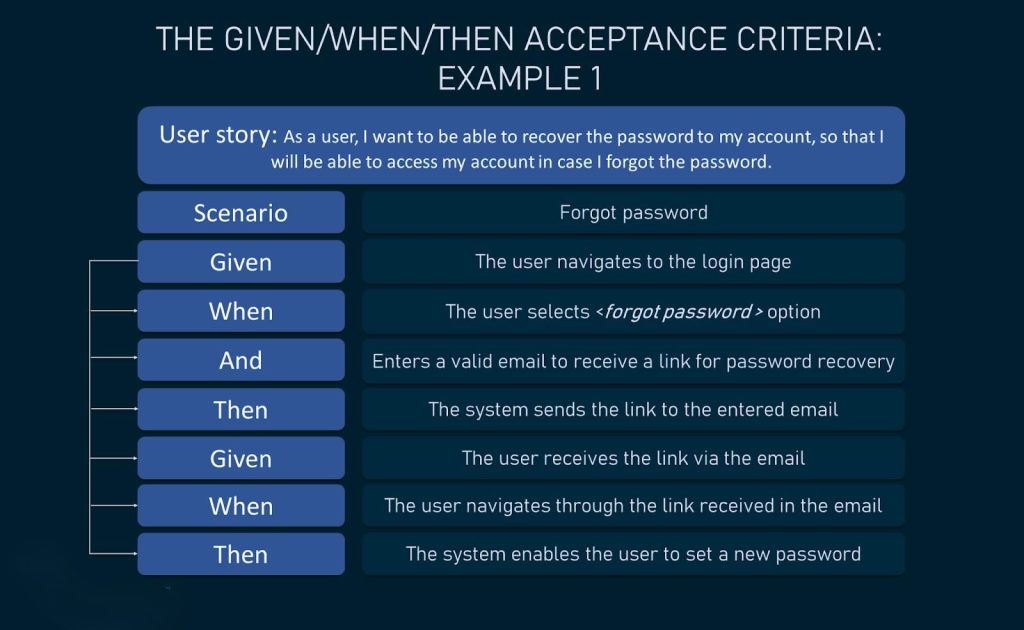
In real-world projects, Gherkin scenarios go beyond simple examples and capture detailed user interactions. Consider a login feature in a web application. Instead of writing multiple disconnected test cases, Gherkin allows you to describe different behaviors clearly within the same feature.
Feature: User Login

  Scenario: Login with valid credentials
    Given the user is on the login page
    When the user enters a valid username and password
    Then the user should see the dashboard

  Scenario: Login with invalid password
    Given the user is on the login page
    When the user enters a valid username but incorrect password
    Then an error message should be displayed

  Scenario: Login with empty fields
    Given the user is on the login page
    When the user clicks the login button without entering credentials
    Then validation messages should appear
These scenarios not only guide testing but also clarify how the system should behave under different conditions.
Advanced Gherkin Concepts
As projects grow, Gherkin provides additional constructs to keep scenarios organized and reusable.
A Scenario Outline is particularly useful when the same behavior needs to be tested with different data inputs. Instead of repeating the same steps, you define placeholders and provide examples in a table.
Scenario Outline: Multiple login attempts
  Given the user is on the login page
  When the user logs in with "<username>" and "<password>"
  Then the result should be "<status>"

Examples:
  | username | password | status  |
  | user1    | pass1    | success |
  | user2    | wrong    | failure |
The Background keyword helps reduce duplication by defining common steps that apply to all scenarios within a feature. This is especially helpful when multiple scenarios share the same starting conditions.
Tags, such as @smoke or @regression, allow teams to organize and selectively run scenarios, which becomes important in large test suites.
How Gherkin Works with Automation Tools

Gherkin scenarios become truly powerful when integrated with automation tools. Tools like Cucumber read the feature files and map each step to a corresponding piece of code known as a step definition.
For example, the step:
Given the user is on the login pageis linked to a function in code that opens the login page in a browser. Similarly, actions and validations are implemented in step definitions, allowing the entire scenario to be executed automatically.
This mapping ensures that Gherkin remains readable while still being functional. It also promotes reuse, as the same step definitions can be applied across multiple scenarios.
Writing Effective Gherkin: A Practical Approach
Good Gherkin writing is not just about following syntax; it is about clarity and intent. Each scenario should focus on a single behavior and be written from the user’s perspective. The goal is to describe what the system does, not how it does it.
It is also important to maintain consistency in wording. If one scenario uses “login page,” others should avoid switching to “sign-in screen” unless necessary. Consistency ensures that step definitions remain reusable and the test suite stays maintainable.
Another key aspect is avoiding unnecessary technical detail. Gherkin is meant to describe behavior, not implementation. Keeping this distinction clear helps maintain its readability and purpose.
Benefits of Using Gherkin in Modern Development
Gherkin transforms the way teams approach testing and documentation. By providing a shared language, it reduces ambiguity and ensures that requirements are clearly understood before development begins.
It also serves as living documentation. As scenarios evolve alongside the application, they continue to reflect the current behavior of the system. This eliminates the need for separate documentation that may become outdated over time.
Additionally, Gherkin supports automation seamlessly, enabling teams to integrate testing into continuous integration and delivery pipelines. This leads to faster feedback and more reliable software.
Challenges and Limitations
While Gherkin offers many advantages, it is not without its challenges. Poorly written scenarios can become difficult to maintain, especially in large projects. Overuse of repetitive steps or lack of structure can reduce readability and effectiveness.
It also requires discipline from the team. Writing clear and meaningful scenarios takes practice, and without proper guidelines, teams may fall back into writing technical or overly complex steps.
Furthermore, Gherkin is not ideal for every type of testing. Highly technical or performance-related tests may still require traditional approaches.
Conclusion
Gherkin has become an essential tool in modern software testing by bridging the gap between technical and non-technical team members. Its simplicity, combined with its ability to support automation, makes it a powerful asset in any development workflow.
By focusing on behavior rather than implementation, Gherkin helps teams build better software with fewer misunderstandings. When used effectively, it not only improves testing but also enhances collaboration, documentation, and overall software quality.
In 2026 and beyond, as software systems continue to grow in complexity, tools like Gherkin will remain crucial in ensuring clarity, efficiency, and shared understanding across teams.
If You Want to study Software Testing Course, or any other course & Internship visit www.kaashivinfotech.com