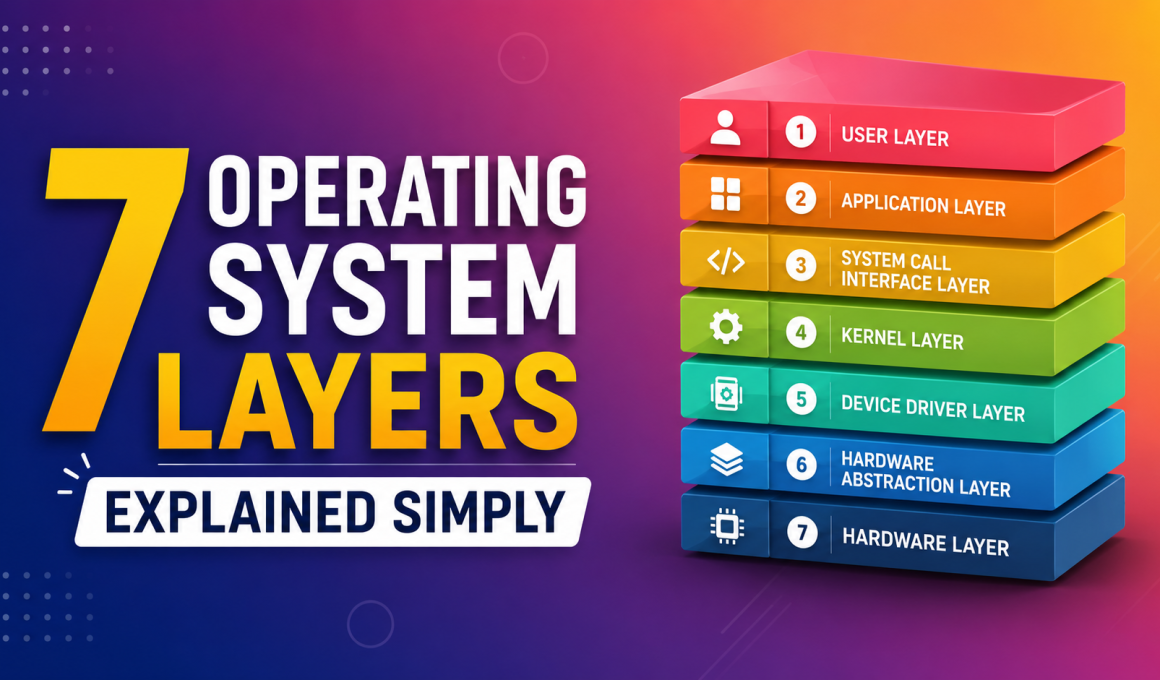
7 Operating System Layers Explained Simply is one of the easiest ways to understand how an operating system works behind the scenes. When I first started learning computers, I used Windows every day, clicked icons, opened apps, and browsed the internet. But I had no clue what was happening underneath.
If you’ve ever wondered how your computer knows what to do when you click a button, type on a keyboard, or open a game, this guide on 7 Operating System Layers Explained Simply will help.
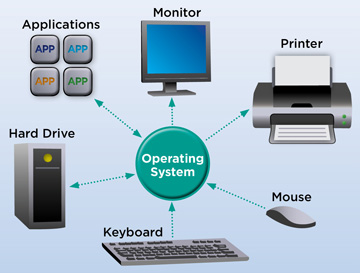
In simple terms, an operating system (OS) acts as a bridge between users and computer hardware. It manages everything from applications and memory to devices and processors.
By the end of this article, you’ll understand the 7 operating system layers, what each layer does, and why they matter.
📌 Key Highlights
- Learn the 7 Operating System Layers Explained Simply
- Understand how users interact with computers
- Discover how hardware and software communicate
- Explore real-world examples for each layer
- Perfect for students, beginners, and interview preparation
- Easy-to-understand explanations with practical examples
What Is an Operating System?
Before we dive into the 7 Operating System Layers Explained Simply, let’s understand what an operating system actually is.
An operating system is software that manages computer hardware and software resources. It allows users to interact with computers without worrying about complicated machine-level instructions.
Some popular operating systems include:
- Microsoft Windows
- Linux
- macOS
- Android
Think of the operating system as a manager in a company. Employees (applications) do their jobs, but the manager coordinates everything.
Why Learn the 7 Operating System Layers?
I remember helping a friend who thought the CPU directly handled everything on a computer. Once I explained the operating system layers, things suddenly clicked.
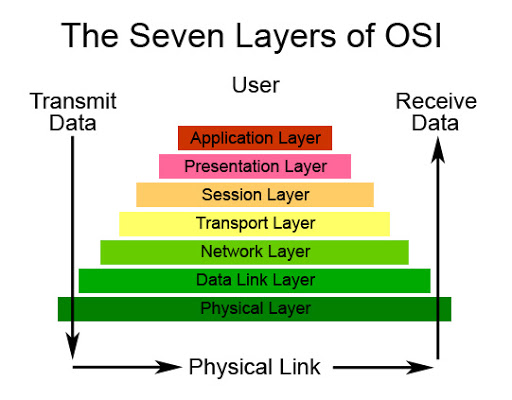
The 7 Operating System Layers Explained Simply model helps us understand:
✅ How users communicate with computers
✅ How applications run
✅ How memory is managed
✅ How hardware devices work together
✅ How data moves through the system
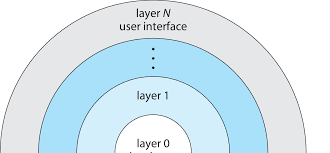
Instead of seeing an OS as one giant program, we can view it as multiple layers working together.
1. User Layer 👨💻
The first layer in 7 Operating System Layers Explained Simply is the User Layer.
This is where we interact with the computer.
Examples:
- Clicking icons
- Typing commands
- Opening applications
- Browsing websites
Whenever you use your laptop or phone, you’re working at this layer.
Real-Life Example
Imagine ordering food through a mobile app.
You don’t think about databases, servers, or networks. You simply tap a button.
Similarly, users interact with the computer without seeing what’s happening underneath.
2. Application Layer 📱
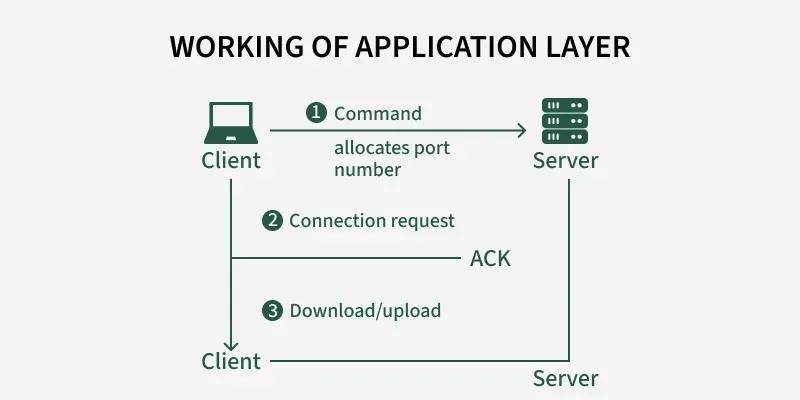
The second layer in 7 Operating System Layers Explained Simply is the Application Layer.
Applications are programs that help users perform tasks.
Examples:
- Microsoft Word
- Google Chrome
- Adobe Photoshop
- Video games
Applications request services from the operating system.
For example:
When you save a document in Word, the application asks the operating system to store the file on the disk.
3. System Call Interface Layer 🔄
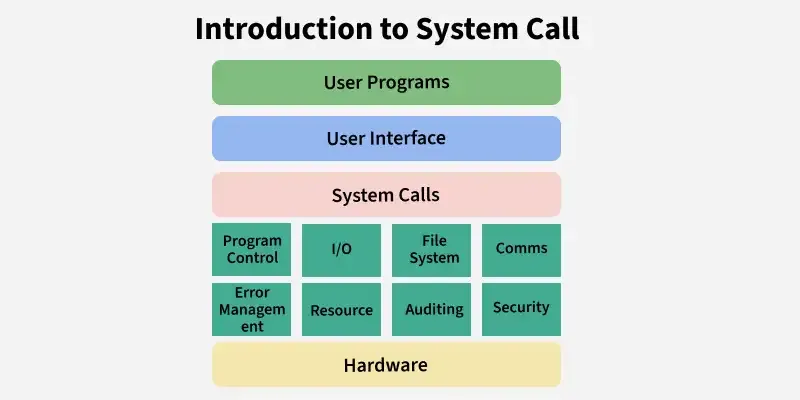
This layer acts as a communication bridge.
Applications cannot directly access hardware because that would create chaos.
Instead, they use system calls.
Common system calls include:
- Open file
- Read file
- Write file
- Create process
- Allocate memory
Simple Example
Suppose Chrome wants to save a downloaded file.
Chrome doesn’t directly talk to the hard drive.
Instead:
Application → System Call → Operating System → Hardware
This controlled approach improves security and stability.
4. Kernel Layer ⚙️
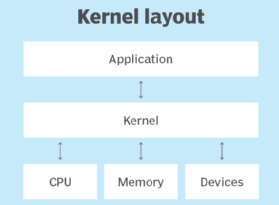
The Kernel Layer is often called the heart of the operating system.
In the 7 Operating System Layers Explained Simply, this is arguably the most important layer.
The kernel manages:
- CPU scheduling
- Memory management
- Device management
- Process management
Whenever multiple programs run simultaneously, the kernel decides who gets CPU time.
Real-Life Example
Think of a traffic police officer at a busy intersection.
Without traffic control, vehicles would crash.
Similarly, without the kernel, applications would compete for resources and create system failures.
5. Device Driver Layer 🖨️
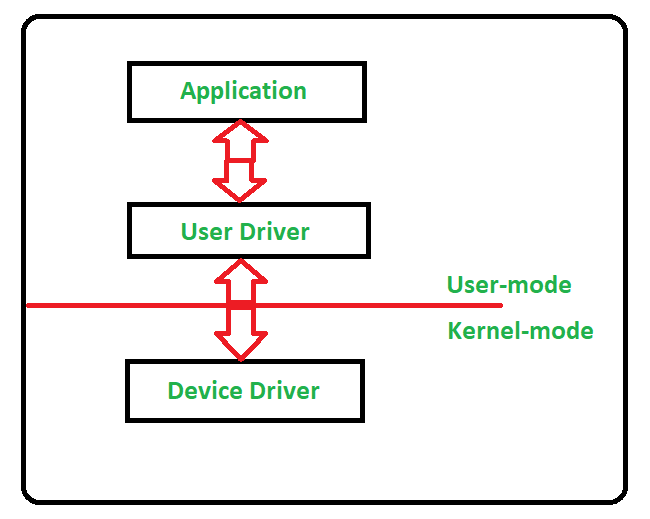
The next layer in 7 Operating System Layers Explained Simply is the Device Driver Layer.
A device driver is software that helps the operating system communicate with hardware devices.
Examples:
- Printer driver
- Keyboard driver
- Mouse driver
- Graphics driver
Why Drivers Matter
Imagine buying a new printer.
The operating system doesn’t automatically know how to communicate with every printer model.
The driver acts as a translator between the printer and the operating system.
Without drivers, many hardware devices simply wouldn’t work.
6. Hardware Abstraction Layer (HAL) 🔌
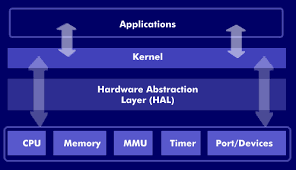
The Hardware Abstraction Layer simplifies communication between software and hardware.
Instead of every program needing to understand every hardware component, the HAL provides a standard interface.
Benefits:
- Better compatibility
- Easier hardware upgrades
- Improved portability
Simple Analogy
Think of electrical sockets.
Different appliances can plug into the same socket because a standard interface exists.
HAL performs a similar role inside the computer.
7. Hardware Layer 💻
The final layer in 7 Operating System Layers Explained Simply is the Hardware Layer.
This includes physical components such as:
- CPU
- RAM
- Hard Disk
- SSD
- Keyboard
- Mouse
- Monitor
- Network Card
Everything eventually reaches this layer.
For example:
When you save a file:
- User clicks Save
- Application sends request
- System call is generated
- Kernel processes request
- Driver communicates with storage device
- HAL standardizes communication
- Hardware stores data
That’s the complete journey!
Visualizing the 7 Operating System Layers
From top to bottom:
- User Layer
- Application Layer
- System Call Interface Layer
- Kernel Layer
- Device Driver Layer
- Hardware Abstraction Layer
- Hardware Layer
Each layer depends on the layer below it.
Think of it like a seven-story building where every floor supports the one above.
Real-World Example: Opening a Browser 🌐
Let’s see the 7 Operating System Layers Explained Simply in action.
When you open Chrome:
- You click the Chrome icon (User Layer)
- Chrome starts running (Application Layer)
- Chrome requests resources (System Call Interface)
- Kernel allocates memory (Kernel Layer)
- Graphics driver activates display functions (Device Driver Layer)
- HAL standardizes hardware communication (HAL Layer)
- CPU and RAM execute operations (Hardware Layer)
All of this happens in milliseconds.
Pretty amazing, right?
Benefits of Understanding Operating System Layers
Learning the 7 Operating System Layers Explained Simply provides several advantages:
🎯 Better Troubleshooting
You’ll understand where problems occur.
🎯 Easier Programming
Developers can write efficient applications.
🎯 Strong Interview Preparation
Operating system questions are common in technical interviews.
🎯 Better System Understanding
You’ll know what happens behind the screen every day.
Common Mistakes Beginners Make
When studying operating systems, I often see beginners:
❌ Thinking applications directly access hardware
❌ Assuming the CPU controls everything
❌ Ignoring the role of device drivers
❌ Forgetting that the kernel manages resources
Understanding the 7 Operating System Layers Explained Simply helps avoid these misconceptions.
Final Thoughts
When I first learned operating systems, the topic felt overwhelming. There were terms like kernels, drivers, memory management, and system calls everywhere.
But once I understood the 7 Operating System Layers Explained Simply, everything became much clearer.
Just remember this flow:
User → Application → System Calls → Kernel → Drivers → HAL → Hardware
That’s the foundation of how modern operating systems work.
Whether you’re a student, aspiring developer, or simply curious about computers, understanding these layers gives you a deeper appreciation for the technology you use every day.
The next time you open an application or save a file, you’ll know exactly what’s happening behind the scenes. 🚀
Kaashiv Infotech Offers Networking Course, Cyber Security Course, Cloud Computing Course Visit Their Website www.kaashivinfotech.com.