The Page Object Model (POM) in Python is a powerful and industry-standard design pattern used in test automation. When working with tools like Selenium in Python, POM helps you build automation frameworks that are clean, scalable, and easy to maintain.
This guide will walk you through everything—from fundamentals to advanced implementation—while also visually explaining key concepts to make learning easier.
What is Page Object Model (POM) in Python?
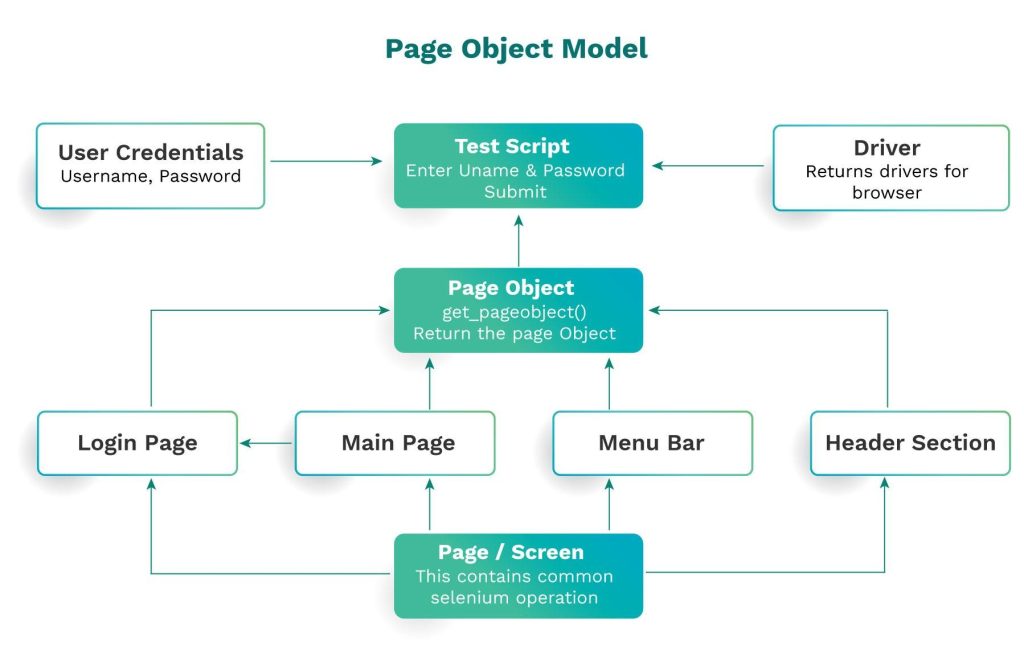
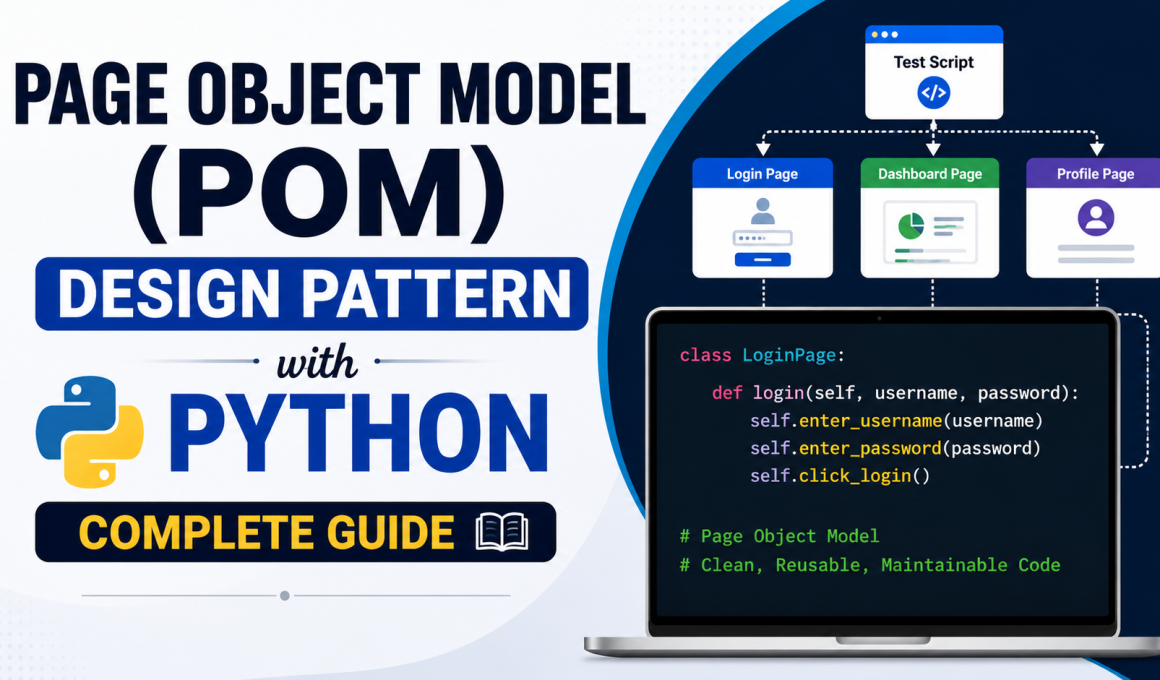
Page Object Model is a design approach where each web page is represented as a class in your code. Instead of writing Selenium commands directly in test cases, you define all page elements and actions inside dedicated classes.
In simple terms, POM separates:
- UI structure (elements)
- User actions (methods)
- Test logic (test scripts)
This separation creates a clean architecture that mirrors how real applications are structured.
Why Use POM in Automation?
As automation projects grow, test scripts often become difficult to manage. Without structure, code duplication increases and maintenance becomes painful.
POM addresses these issues by introducing organization and reusability.
Instead of rewriting the same code multiple times, you define it once and reuse it across test cases. If an element changes, you update it in a single place, saving time and effort.
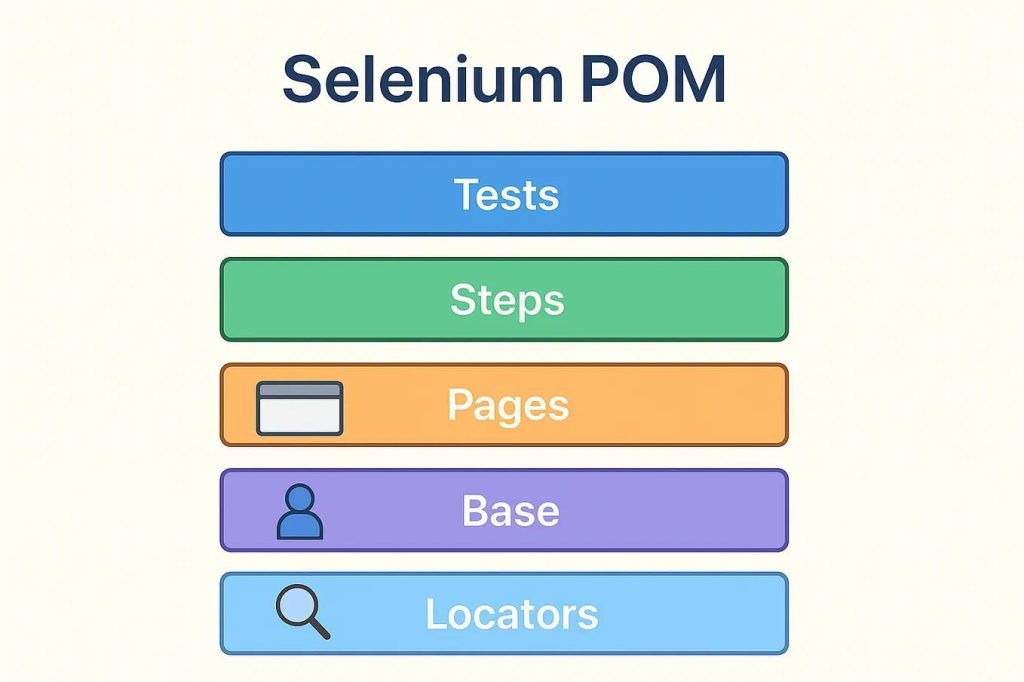
Core Components of POM
A well-structured POM framework typically includes several important components.
Page Classes represent each web page.
Locators define how elements are identified.
Methods describe user actions like clicking or typing.
Test Scripts execute scenarios using page methods.
This layered approach keeps your framework organized and easy to scale.
Problem Without POM
Let’s look at a typical Selenium script without POM:
from selenium import webdriver

driver = webdriver.Chrome()
driver.get("https://example.com/login")

driver.find_element("id", "username").send_keys("user")
driver.find_element("id", "password").send_keys("pass")
driver.find_element("id", "loginBtn").click()
This approach works for small scripts, but in real projects:
- The same locators are repeated everywhere
- Code becomes tightly coupled
- Maintenance becomes difficult
If the UI changes, every test file must be updated manually.
POM Implementation in Python
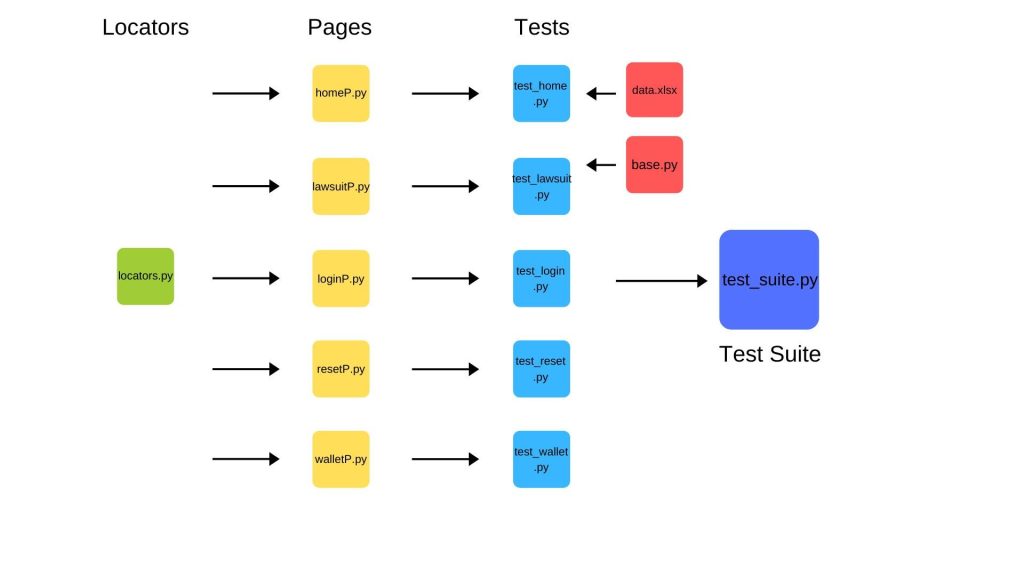
Now let’s build a proper POM framework step by step.
Step 1: Install Selenium
pip install seleniumStep 2: Project Structure
project/
│
├── pages/
│   └── login_page.py
│
├── tests/
│   └── test_login.py
│
└── drivers/
This structure separates concerns clearly and keeps your code organized.
Step 3: Create Page Class
# pages/login_page.py

from selenium.webdriver.common.by import By

class LoginPage:

    def __init__(self, driver):
        self.driver = driver

    # Locators
    username_input = (By.ID, "username")
    password_input = (By.ID, "password")
    login_button = (By.ID, "loginBtn")

    # Actions
    def enter_username(self, username):
        self.driver.find_element(*self.username_input).send_keys(username)

    def enter_password(self, password):
        self.driver.find_element(*self.password_input).send_keys(password)

    def click_login(self):
        self.driver.find_element(*self.login_button).click()

    def login(self, username, password):
        self.enter_username(username)
        self.enter_password(password)
        self.click_login()
Step 4: Create Test Script
# tests/test_login.py

from selenium import webdriver
from pages.login_page import LoginPage

def test_login():
    driver = webdriver.Chrome()
    driver.get("https://example.com/login")

    login_page = LoginPage(driver)
    login_page.login("testuser", "password123")

    driver.quit()
Here, the test file becomes clean and readable because all logic is handled inside the page class.
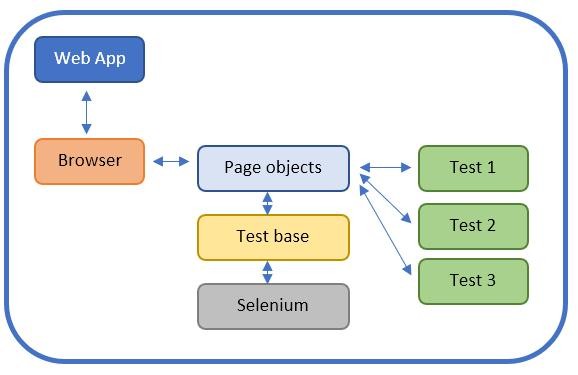
How POM Works Internally
When a test runs:
- The test script calls a method like
login() - The page class executes actions internally
- Selenium interacts with the browser
This creates a clear separation between what is tested and how it is tested.
Advanced POM Concepts
As your automation framework grows, you can enhance POM with advanced techniques.
Base Page Class
A Base Page helps reduce duplicate code.
class BasePage:

    def __init__(self, driver):
        self.driver = driver

    def find(self, locator):
        return self.driver.find_element(*locator)

    def click(self, locator):
        self.find(locator).click()

    def type(self, locator, text):
        self.find(locator).send_keys(text)
Then extend it:
class LoginPage(BasePage):

    def login(self, username, password):
        self.type(self.username_input, username)
        self.type(self.password_input, password)
        self.click(self.login_button)
PyTest Integration
Using PyTest improves test execution and reporting:
import pytest
from selenium import webdriver

@pytest.fixture
def driver():
    driver = webdriver.Chrome()
    yield driver
    driver.quit()
Data-Driven Testing
You can connect POM with external data sources like:
- CSV files
- Excel sheets
- JSON data
This allows running the same test with multiple inputs.
Best Practices for POM
To build a strong POM framework, follow these principles:
Keep all locators inside page classes and avoid scattering them across files. Your test scripts should only focus on validating behavior, not interacting directly with elements.
Use meaningful method names so that your test cases read like real user actions. This improves readability and collaboration across teams.
Advantages of POM
POM provides long-term benefits in automation projects. It reduces duplication, improves code clarity, and makes your framework easier to maintain.
When UI changes occur, you only need to update one class instead of multiple test files. This saves time and reduces errors.
Limitations of POM
Although POM is powerful, it is not perfect. Setting up a proper framework requires time and planning. If not designed well, it can become overly complex.
However, these challenges are manageable with good design practices.
Real-World Use Case
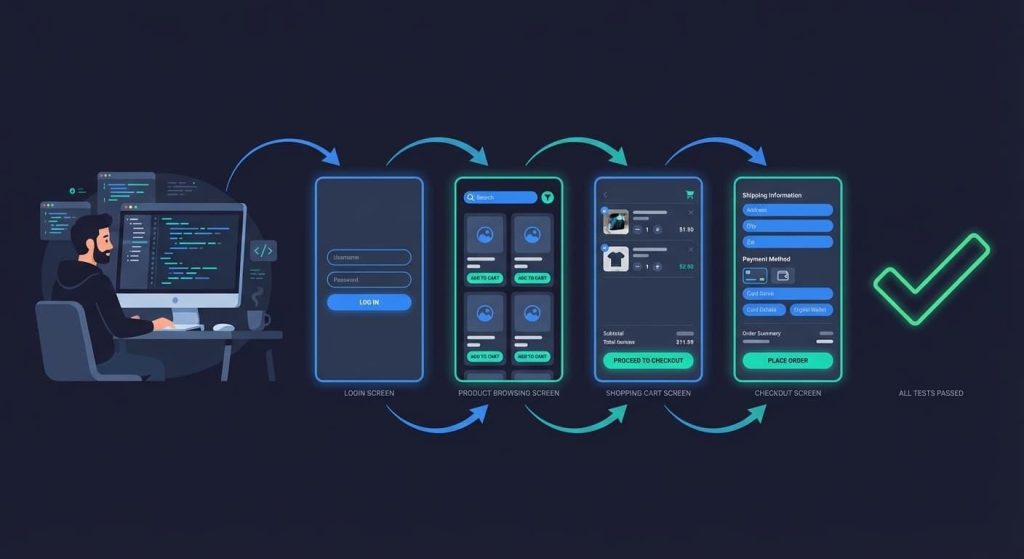
Consider an e-commerce application:
- Login Page
- Product Page
- Cart Page
- Checkout Page
Each page becomes a class, and your test flow becomes:
login_page.login()
product_page.select_item()
cart_page.checkout()
This approach makes your automation scripts intuitive and easy to understand.
Conclusion
The Page Object Model (POM) is a must-know design pattern for anyone serious about Selenium automation using Python. It introduces structure, improves maintainability, and makes your code scalable for real-world applications.
While it may seem complex at first, once you start using POM, you’ll realize how much easier automation becomes. It transforms messy scripts into clean, professional frameworks that are easier to manage and extend.
If you’re planning to build a career in automation testing, mastering POM is one of the smartest steps you can take.
Want to Learn More About Python & Artificial Intelligence ???, Kaashiv Infotech Offers Full Stack Python Course, Artificial Intelligence Course, Data Science Course & More Visit Their Website course.kaashivinfotech.com.