When most beginners start learning Python Selenium Page Object Model, the journey usually begins with excitement—opening a browser, locating elements, and automating a login flow. But very soon, things start to fall apart.
Scripts become repetitive. Locators are scattered everywhere. A small UI change breaks multiple test cases. Debugging becomes frustrating.
This is the exact point where professionals shift their approach.
They stop writing scripts and start building frameworks.
At the heart of this transition lies one powerful design pattern: Page Object Model (POM).
This guide will take you from absolute basics to a production-ready mindset, helping you understand not just how to use POM, but why it matters in real-world automation.
🧩 Understanding the Core Idea of Page Object Model
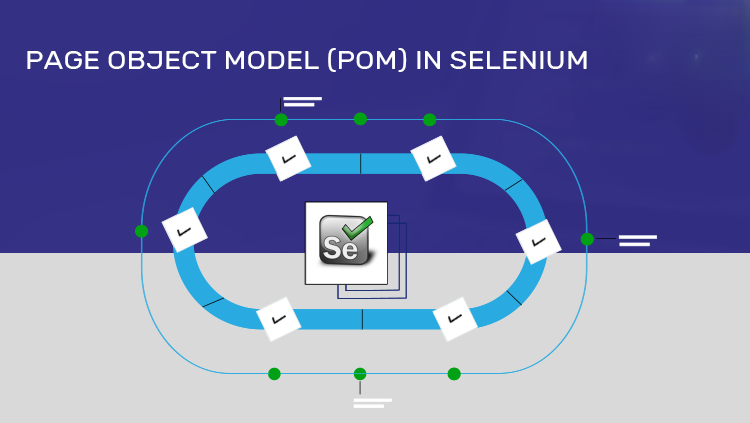
The Page Object Model is built on a simple but powerful principle:
Every web page in your application should be represented as a separate Python class.
Instead of interacting with elements directly inside test cases, you define:
- The structure of the page (locators)
- The behavior of the page (methods)
This creates a clean separation between:
- Test logic (what you are testing)
- UI logic (how the page works)
🔍 Life Without POM: The Hidden Chaos
Imagine writing test cases like this repeatedly:
driver.find_element(By.ID, "username").send_keys("admin")
driver.find_element(By.ID, "password").send_keys("1234")
driver.find_element(By.ID, "login").click()
At first glance, it looks simple. But now imagine:
- 50 test cases using the same login flow
- The login button ID changes
- You must update code in 50 places
This is where automation becomes fragile.
✅ Life With POM: Structured and Scalable
Now compare that with:
login_page.login("admin", "1234")Behind the scenes, everything is handled inside a page class.
If something changes, you update it once, not everywhere.
This is the difference between:
- Writing code that works
- Writing code that lasts
🏗️ The Philosophy Behind POM
POM is not just about structure—it’s about engineering discipline.
When applied correctly, it encourages:
- Encapsulation: Each page handles its own behavior
- Reusability: Common actions are written once
- Maintainability: Changes are localized
- Readability: Tests become easy to understand
In real companies, automation frameworks without POM rarely survive long-term.
📁 Designing a Clean Project Architecture
Before writing code, structure your project properly. A well-organized framework makes scaling effortless.
project/
│
├── pages/
│   ├── login_page.py
│   ├── dashboard_page.py
│
├── tests/
│   ├── test_login.py
│
├── utils/
│   ├── driver_factory.py
│
├── config/
│   ├── settings.py
│
├── requirements.txt
Each folder has a clear responsibility:
- pages/ → UI logic
- tests/ → test scenarios
- utils/ → reusable helpers
- config/ → environment data
This separation is what makes your framework scalable.
⚙️ Building the Framework Step by Step

Let’s now move into implementation and construct a real working structure.
🌐 Step 1: Setting Up Selenium
Start by installing Selenium:
pip install seleniumThen create a simple driver setup:
from selenium import webdriver

def get_driver():
    driver = webdriver.Chrome()
    driver.maximize_window()
    driver.get("https://example.com/login")
    return driver
This acts as the entry point for all your tests.
📄 Step 2: Creating Your First Page Object
Now comes the most important part—designing a page class.
from selenium.webdriver.common.by import By

class LoginPage:

    def __init__(self, driver):
        self.driver = driver

    username_input = (By.ID, "username")
    password_input = (By.ID, "password")
    login_button = (By.ID, "login")

    def enter_username(self, username):
        self.driver.find_element(*self.username_input).send_keys(username)

    def enter_password(self, password):
        self.driver.find_element(*self.password_input).send_keys(password)

    def click_login(self):
        self.driver.find_element(*self.login_button).click()

    def login(self, username, password):
        self.enter_username(username)
        self.enter_password(password)
        self.click_login()
Here, you are defining both what exists on the page and how to interact with it.
🧪 Step 3: Writing a Clean Test Case
Now your test becomes extremely simple:
from pages.login_page import LoginPage
from utils.driver_factory import get_driver

def test_login():
    driver = get_driver()
    login_page = LoginPage(driver)

    login_page.login("admin", "1234")

    assert "dashboard" in driver.current_url

    driver.quit()
Notice how readable this is. Even a non-technical person can understand the flow.
🔄 Elevating the Framework with a Base Page
As your project grows, you’ll notice repeated patterns like:
- finding elements
- typing text
- clicking buttons
Instead of repeating these actions in every page, create a BasePage.
class BasePage:

    def __init__(self, driver):
        self.driver = driver

    def find(self, locator):
        return self.driver.find_element(*locator)

    def type(self, locator, text):
        self.find(locator).send_keys(text)

    def click(self, locator):
        self.find(locator).click()
Now your LoginPage becomes cleaner and more maintainable:
from base_page import BasePage
from selenium.webdriver.common.by import By

class LoginPage(BasePage):

    username_input = (By.ID, "username")
    password_input = (By.ID, "password")
    login_button = (By.ID, "login")

    def login(self, username, password):
        self.type(self.username_input, username)
        self.type(self.password_input, password)
        self.click(self.login_button)
This is how frameworks evolve—from simple to elegant.
🧠 Moving from Intermediate to Advanced (Real-World Practices)
Once your base structure is ready, the next step is making your framework robust and production-ready.
One of the most important improvements is handling dynamic elements using waits.
from selenium.webdriver.support.ui import WebDriverWait
from selenium.webdriver.support import expected_conditions as EC

def wait_for_element(driver, locator):
    return WebDriverWait(driver, 10).until(
        EC.visibility_of_element_located(locator)
    )
This ensures your tests don’t fail due to timing issues.
Another key aspect is configuration management. Instead of hardcoding URLs and credentials, store them in a separate file:
BASE_URL = "https://example.com"
USERNAME = "admin"
PASSWORD = "1234"
Logging is equally important in professional environments. It helps track execution flow and debug failures efficiently.
import logging

logging.basicConfig(level=logging.INFO)
logging.info("Test execution started")
⚡ Integrating PyTest for Professional Execution
To take your framework to the next level, use PyTest.
pip install pytest
pytest -v
PyTest allows:
- Better test structure
- Fixtures for setup/teardown
- Easy parallel execution
For faster execution:
pip install pytest-xdist
pytest -n 4
Now your framework is not just functional—it’s efficient and scalable.
⚠️ Where Most Beginners Go Wrong
Many learners adopt POM but still struggle because of poor implementation choices.
They mix test logic with page logic, defeating the purpose of separation. Others avoid using waits, leading to flaky tests. Some hardcode everything, making scaling impossible.
The key is not just using POM—but using it correctly and consistently.
🧪 A Real-World Perspective
In real companies, automation frameworks can contain:
- Hundreds of test cases
- Dozens of page classes
- Multiple environments (dev, staging, prod)
Without POM, such systems become unmanageable.
With POM, they remain:
- Structured
- Maintainable
- Easy to extend
This is why POM is considered a must-know skill for automation engineers.
🏁 Conclusion: From Scripts to Systems
Learning Selenium is easy.
Mastering automation architecture is what sets you apart.
The Page Object Model is your first step into that world.
It teaches you how to think like an engineer rather than a script writer.
When you apply POM properly, you’re not just automating tests—you’re building a reliable testing ecosystem.
Want to Learn More About Python & Artificial Intelligence ???, Kaashiv Infotech Offers Full Stack Python Course, Artificial Intelligence Course, Data Science Course & More Visit Their Website course.kaashivinfotech.com.