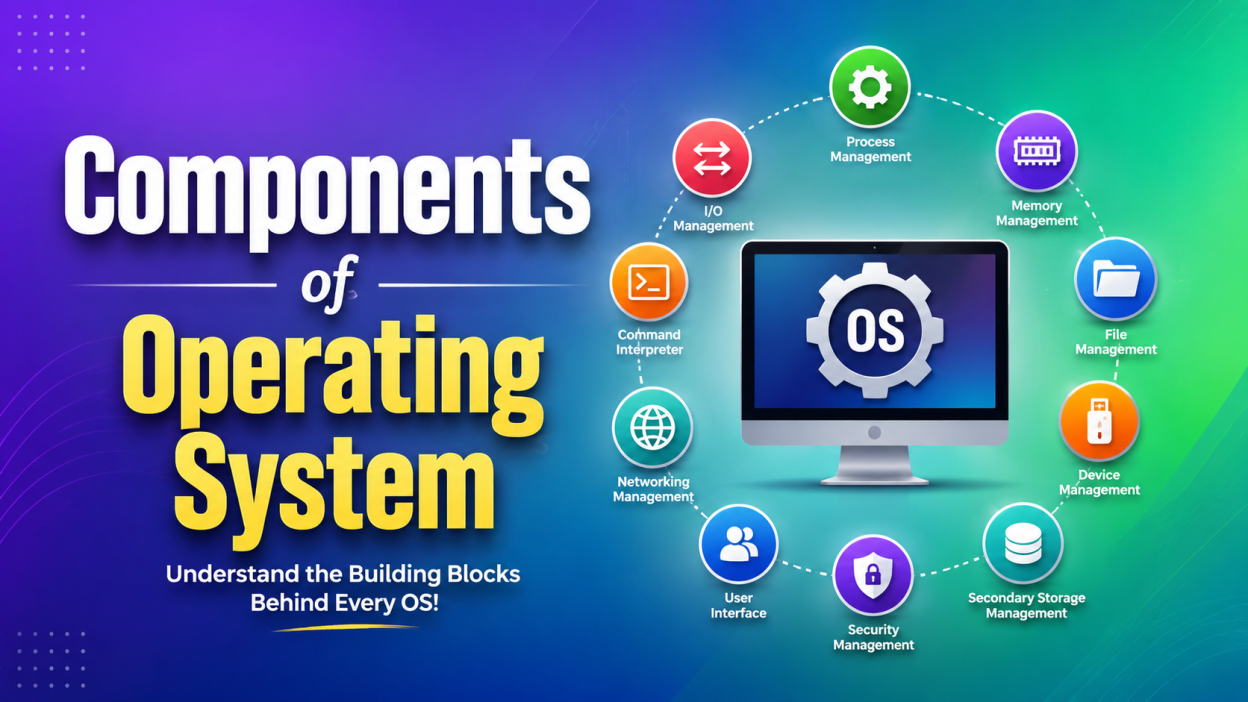
Components of Operating System are the backbone of every computer and smartphone we use today. Components of Operating System determine how smoothly our devices perform, manage files, run applications, and communicate with hardware.
If you’ve ever wondered what the Components of Operating System are or why they’re so important, you’re in the right place. I remember when I first started learning Operating Systems. Honestly, all those technical terms sounded intimidating. But once I understood each component with simple examples, everything started making sense.
In this guide, I’ll explain every Component of an Operating System in simple English with relatable examples. Whether you’re a student, preparing for interviews, or simply curious about computers, this article will help you understand the topic without feeling overwhelmed.
🌟 Key Highlights
- ✅ Learn the 10 major Components of Operating System
- ✅ Understand each component with simple examples
- ✅ Discover why every operating system needs these components
- ✅ Real-life scenarios to make learning easier
- ✅ Interview-friendly explanations
- ✅ Beginner-friendly language
- ✅ Frequently Asked Questions
What are Components of Operating System? 🤔
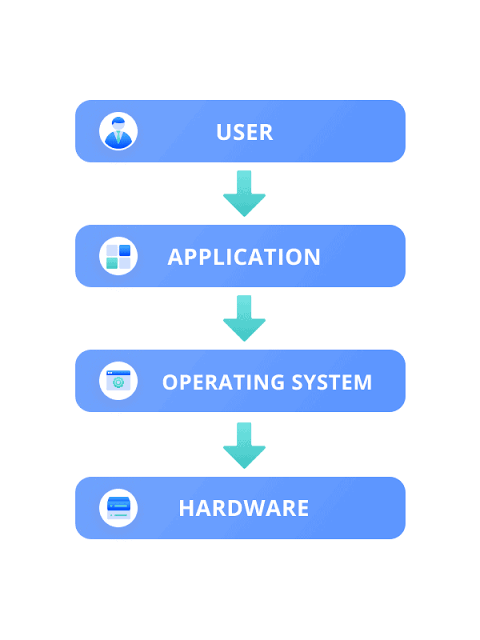
The Components of Operating System are different modules that work together to manage the computer’s hardware and software. Think of them as different departments in a company. Every department has a specific responsibility, but they all work together to keep the company running.
Similarly, every Operating System Component performs a unique task such as managing memory, files, devices, processes, and security.
Popular operating systems like:
- Windows
- Linux
- macOS
- Android
- iOS
all have these essential Components of Operating System, although the way they implement them may differ.
Why are Components of Operating System Important? 💻
I once tried running too many applications on my old laptop. Everything became painfully slow. At first, I blamed the laptop.
Later, while studying Operating Systems, I realized the issue wasn’t just the hardware. The Components of Operating System, especially memory management and process management, were working hard to allocate limited resources.
That’s when I understood something important.
Without these components:
- Applications would crash.
- Files could get corrupted.
- Hardware wouldn’t communicate properly.
- Security would be weak.
- Multitasking would be impossible.
In simple words, the Components of Operating System make our computer usable.
1. Process Management ⚙️
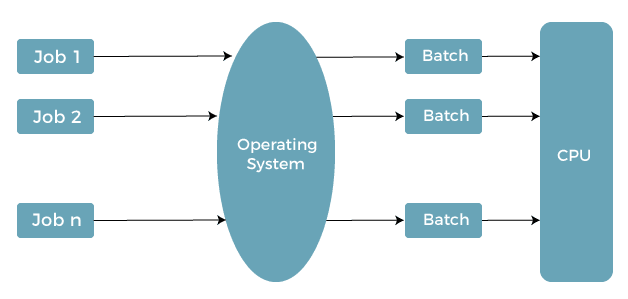
One of the most important Components of Operating System is Process Management.
A process is simply a program that is currently running.
For example,
Imagine you’re:
- Listening to Spotify
- Browsing Chrome
- Editing a Word document
All three programs run simultaneously.
The operating system decides:
- Which process runs first
- How much CPU time each gets
- Which process should wait
This is called CPU Scheduling.
Real-life example
Think of a restaurant kitchen.
Many customers place orders at the same time.
The chef doesn’t cook everything together.
Instead, they schedule each order properly.
The operating system behaves the same way.
2. Memory Management 🧠
Memory Management is another critical Component of Operating System.
RAM is limited.
The operating system decides:
- Which application gets memory
- How much memory is allocated
- When memory should be released
Without proper memory management, your computer would freeze frequently.
Example
Suppose Chrome needs 2 GB RAM.
Photoshop needs 3 GB.
Your system has only 8 GB.
The operating system distributes memory efficiently so both applications can run.
3. File Management 📁
Every photo, video, PDF, and document is stored as a file.
The File Management component manages:
- Creating files
- Deleting files
- Renaming files
- Organizing folders
- Setting permissions
Whenever I organize my project folders before starting a new coding assignment, I realize how much work this operating system component does behind the scenes.
Without File Management, finding files would be a nightmare.
4. Device Management 🖨️
Our computer connects with many devices.
Examples include:
- Printer
- Keyboard
- Mouse
- Scanner
- Webcam
- Monitor
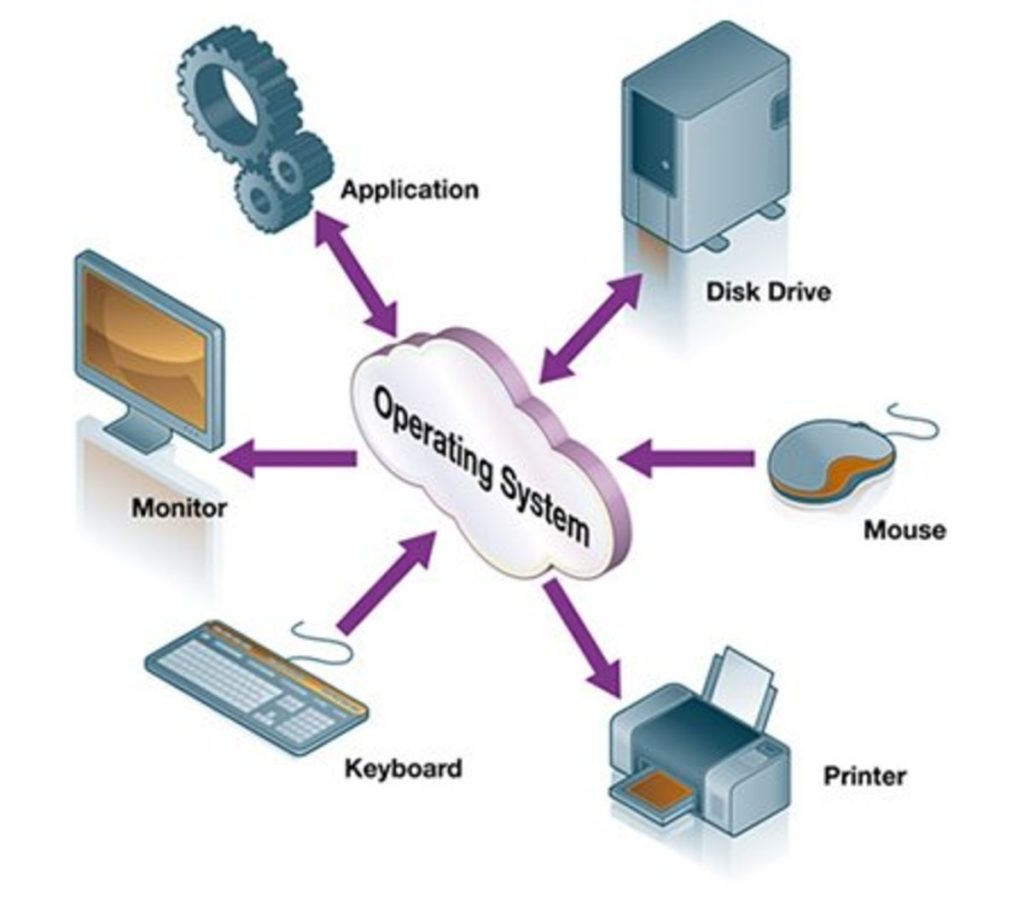
The Device Management component controls communication between these devices and the operating system.
It uses device drivers to make everything work properly.
Example
When you connect a printer and immediately print a document, Device Management handles that communication.
5. Secondary Storage Management 💾
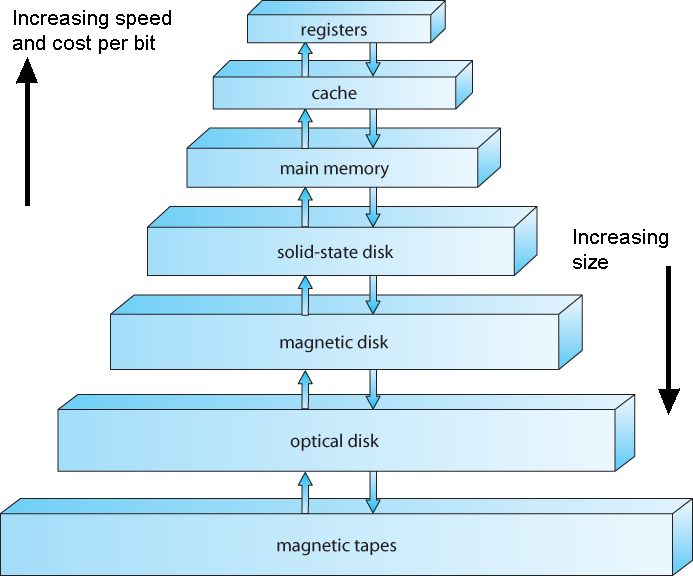
Hard disks and SSDs permanently store our data.
This Component of Operating System manages:
- Disk space
- Free blocks
- Storage allocation
- Disk scheduling
Think about downloading a 10 GB game.
The operating system decides where that data should be stored on the disk.
6. Security Management 🔒
Security has become more important than ever.
The Security Management component protects:
- Passwords
- Personal files
- Applications
- User accounts
- System resources
Features include:
- Authentication
- Authorization
- Encryption support
- User permissions
Whenever I lock my laptop with a password before stepping away, I’m relying on this operating system component.
7. User Interface (UI) 🖥️
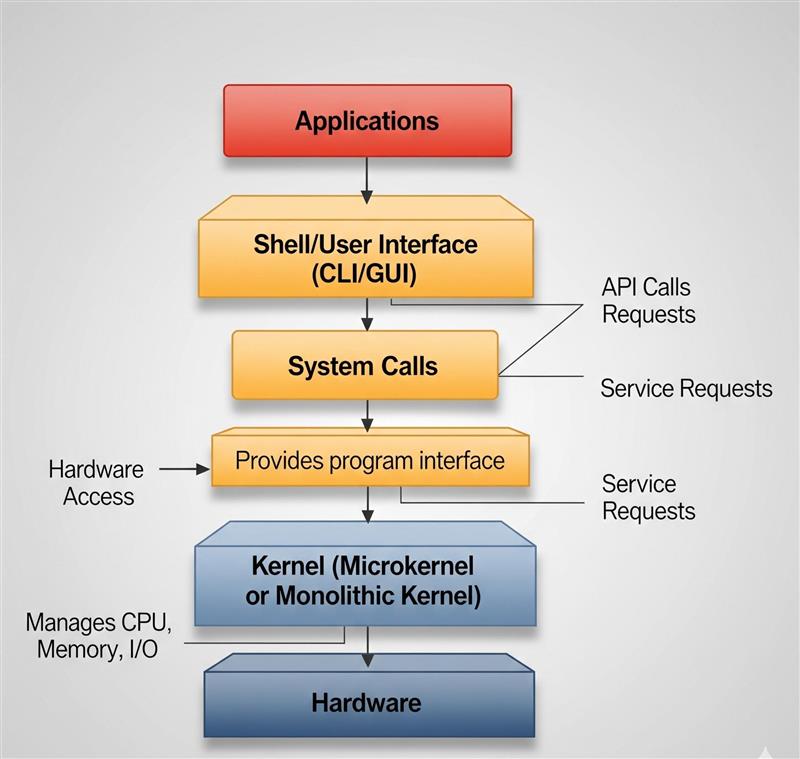
The User Interface allows users to communicate with the computer.
There are mainly two types.
Graphical User Interface (GUI)
Examples:
- Windows
- macOS
- Android
Here we use:
- Mouse
- Icons
- Menus
- Windows
Command Line Interface (CLI)
Examples:
- Linux Terminal
- Windows Command Prompt
Users type commands instead of clicking buttons.
Developers often prefer CLI because it can be faster for many tasks.
8. Networking Management 🌐
Modern computers constantly communicate with each other.
Networking Management handles:
- Internet access
- Data transfer
- Wi-Fi
- Network security
- Resource sharing
Whenever I upload files to cloud storage or join an online meeting, this operating system component quietly manages the connection.
9. Command Interpreter 💬
The Command Interpreter receives commands from users.
For example:
mkdir ProjectsThe operating system understands this command and creates a folder.
The Command Interpreter acts like a translator between humans and computers.
10. Input and Output (I/O) Management ⌨️
Every computer continuously performs input and output operations.
Input devices include:
- Keyboard
- Mouse
- Microphone
Output devices include:
- Monitor
- Printer
- Speakers
The I/O Management component ensures data flows smoothly between hardware and software.
Summary Table of Components of Operating System 📊
| Component | Purpose |
|---|---|
| Process Management | Manages running programs |
| Memory Management | Allocates RAM efficiently |
| File Management | Organizes files and folders |
| Device Management | Controls hardware devices |
| Secondary Storage Management | Manages disks and SSDs |
| Security Management | Protects users and data |
| User Interface | Enables user interaction |
| Networking Management | Handles network communication |
| Command Interpreter | Processes user commands |
| I/O Management | Manages input and output devices |
Real-Life Example of Components of Operating System 🎯
Let’s imagine you’re attending an online class.
You:
- Open Chrome
- Join Google Meet
- Download a PDF
- Listen through headphones
- Save notes in Microsoft Word
What’s happening behind the scenes?
- Process Management runs multiple applications.
- Memory Management allocates RAM.
- Device Management controls the webcam and headphones.
- Networking Management keeps the internet connection stable.
- File Management saves your notes.
- Security Management protects your account.
All these Components of Operating System work together without you even noticing.
Advantages of Components of Operating System ✅
Some major benefits include:
- Faster multitasking
- Better security
- Efficient memory usage
- Organized file storage
- Smooth hardware communication
- Stable application performance
- Improved user experience
Frequently Asked Questions (FAQs)
What are the Components of Operating System?
The major Components of Operating System include Process Management, Memory Management, File Management, Device Management, Security Management, Networking Management, User Interface, Secondary Storage Management, Command Interpreter, and I/O Management.
Which is the most important Component of Operating System?
Every component is important. However, Process Management and Memory Management are often considered the core components because they ensure applications run efficiently.
Why should students learn Components of Operating System?
Understanding the Components of Operating System helps students prepare for university exams, technical interviews, and certifications. It also builds a strong foundation for learning programming, system design, and computer architecture.
Are Components of Operating System the same in Windows and Linux?
The core components are generally the same across Windows, Linux, macOS, Android, and other operating systems. However, their internal implementation and architecture differ.
Final Thoughts 💡
When I first learned about the Components of Operating System, I thought it would be one of the hardest topics in computer science. Surprisingly, once I connected each component to everyday activities—opening apps, printing documents, browsing the internet, or saving files—it all became much easier.
The Components of Operating System are always working in the background. We rarely notice them, yet they make every click, every download, and every application possible. If you’re building a strong foundation in computers, this is one topic that’s absolutely worth mastering.
Kaashiv Infotech Offers Networking Course, Cyber Security Course, Cloud Computing Course Visit Their Website www.kaashivinfotech.com.