How to Use Paytm in 2025: 7 Must-Know Tips for Beginners (With 💡 Shortcuts + Real Help)
Digital payments can feel overwhelming if you’re just starting out. But Paytm? It’s built for everyone—from a teenager buying movie tickets to your grandma paying the electricity bill. If you’re feeling overwhelmed or wondering where to begin, don’t worry I’ve got your back. In this guide, I’ll walk you through how to use Paytm, step by step.
I still remember when I first downloaded Paytm — it was mainly for mobile recharges. Today, it’s my digital wallet, UPI gateway, movie ticket kiosk, and even my CIBIL score checker.
This guide on how to use Paytm in 2025 is written for real people like you—because we’ve been there. Whether you want to add money to your Paytm Wallet, check your balance, or use cashback points, we’ve broken it all down in plain English—with hacks, and shortcuts.

🔑 Key Highlights
- ✅ Step-by-step guide on how to use Paytm for payments, shopping, and more
- 💬 Direct answers to top queries: how to delete Paytm account, how to use Paytm cashback, how to change UPI PIN, and more
- 🕒 Does Paytm customer care really work 24×7? We checked it for you
- 🛍️ How to use Paytm Mall, Paytm Wallet, and Paytm Postpaid in 2025
- 📞 Real Paytm customer care number and how to actually get a human to talk to you
🏁 Getting Started: What Is Paytm and Why Should You Use It?
Paytm (short for “Pay Through Mobile”) started as a prepaid mobile recharge platform and evolved into a full-fledged financial services app. In 2025, it does everything—from bill payments and ticket bookings to mutual fund investments and online shopping via Paytm Mall.
Top reasons to use Paytm in 2025:
- 💸 Instant UPI payments
- 🔐 Secure transactions
- 🎁 Cashback & rewards
- 🛒 Seamless shopping on Paytm Mall
- 🧾 Track and manage your CIBIL score
🔍 Curious About Paytm’s Growth Story?
If you’ve ever wondered who’s behind Paytm or how it became such a huge force in India’s fintech space, you’ll love this deep dive into its parent company:
👉 💥 One97 Communications & Paytm: 7 Big Reasons Why This Indian Fintech Empire is Just Getting Started
check this out.
📱 Step-by-Step: How to Use Paytm Like a Pro in 2025
1. Download and Set Up Paytm
- Go to the Play Store or App Store
- Sign up using your mobile number
- Verify with OTP
- Set a 4-digit security PIN
🔐 Tip: Enable fingerprint or Face ID for faster and safer logins.

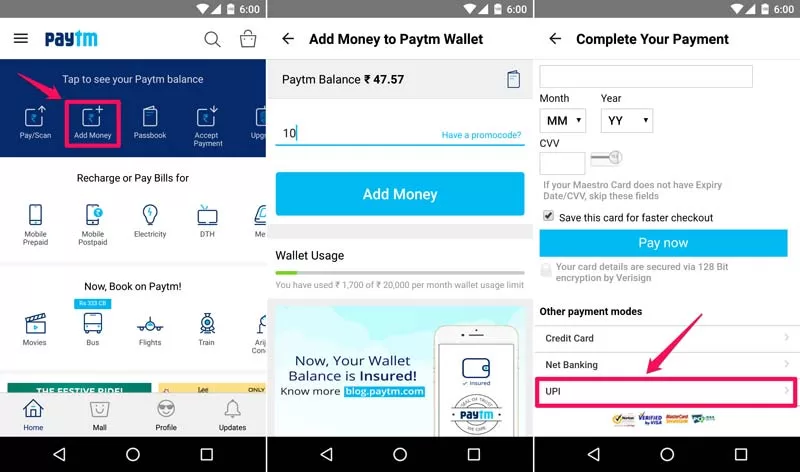
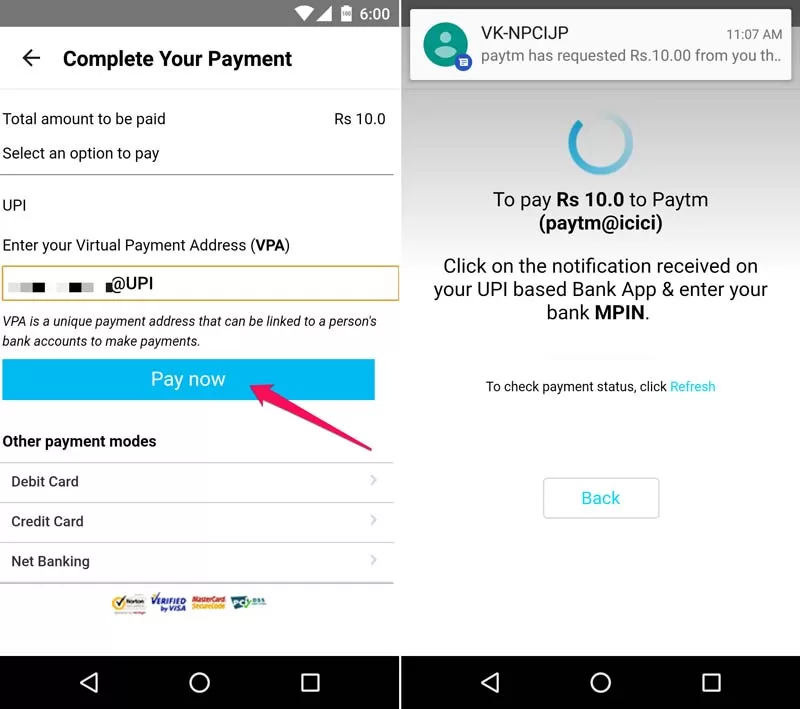
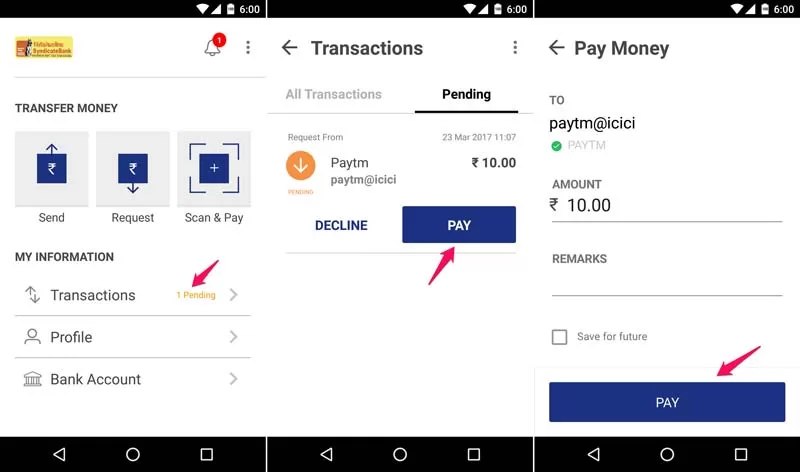
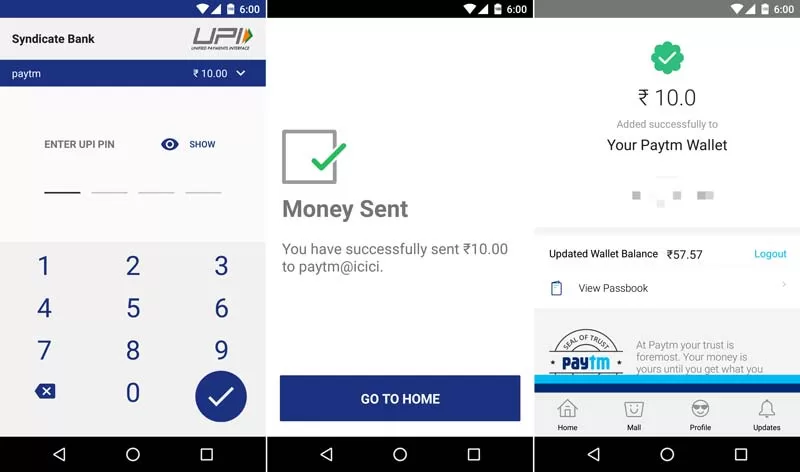
2. How to Add Money in Paytm Wallet
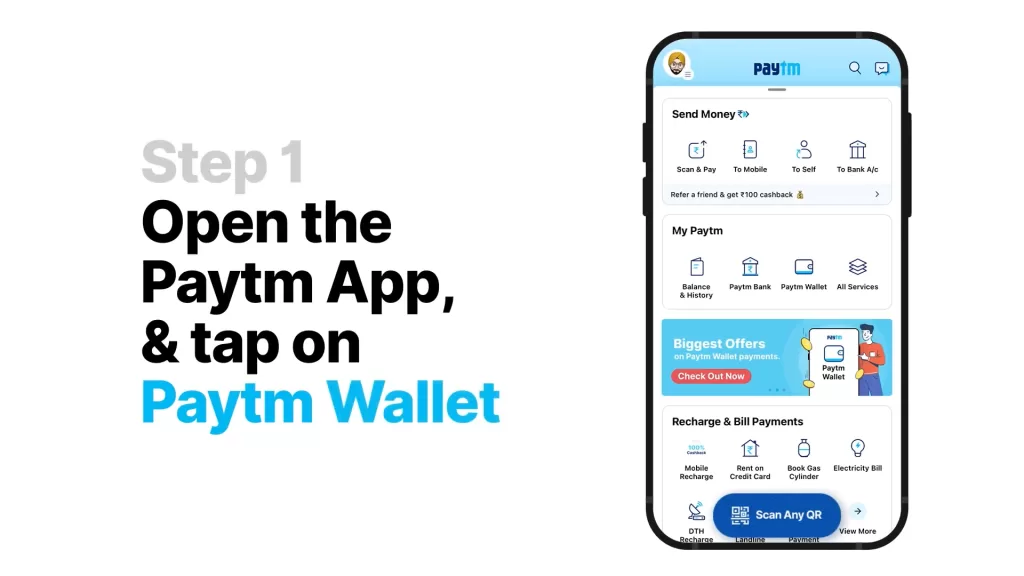
Here’s how to add money to Paytm wallet:
- Open the app
- Tap Paytm Wallet
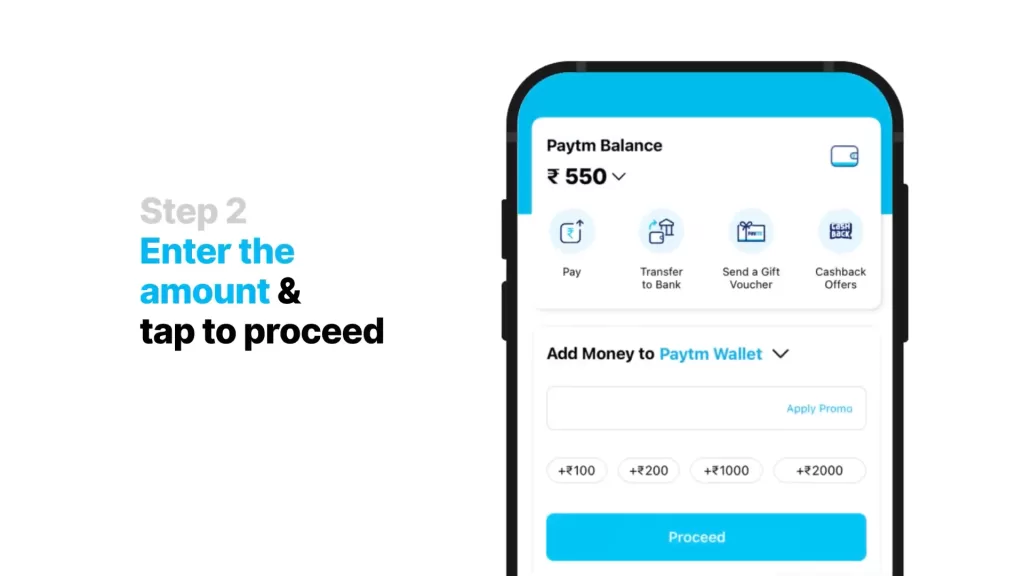
- Click Add Money
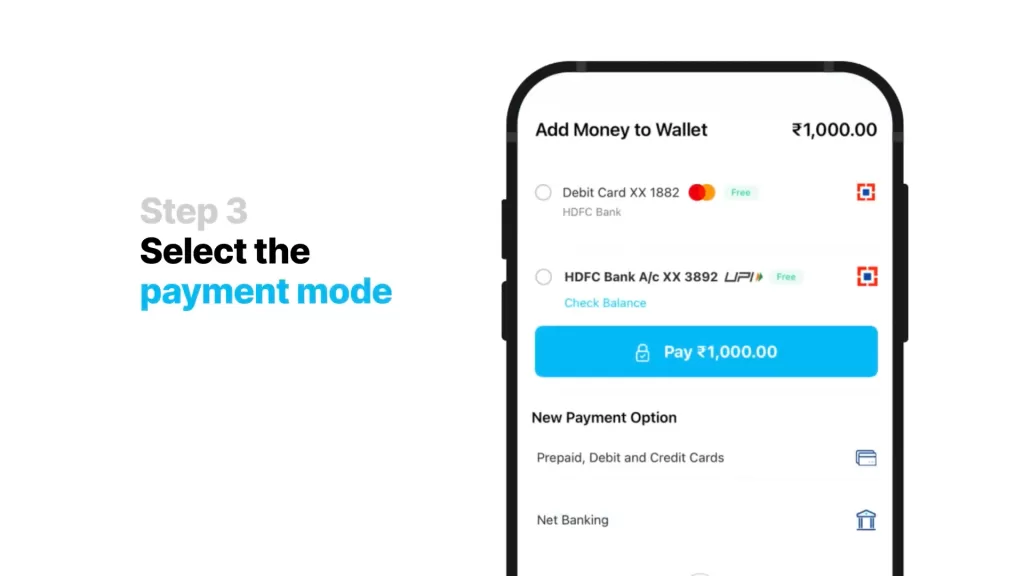
- Enter amount and select card/UPI
- Confirm
💡 Shortcut: Use “Hey Siri, add ₹500 to Paytm Wallet” (for iOS with Siri Shortcuts).
3. How to Use Paytm Wallet Money
You can use wallet money to:
- Buy train/movie tickets
- Shop at Paytm Mall
- Pay utility bills
- Send to other Paytm users
👀 Note: Not all merchants accept wallet balance—check for the Paytm logo or ask.
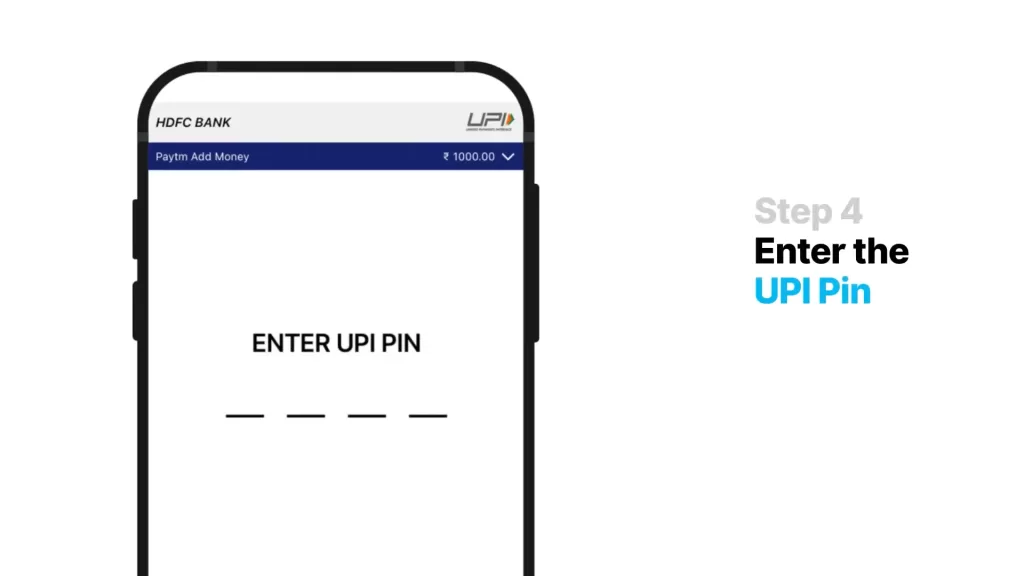

4. How to Use Paytm Cashback Points
Yes, cashback is real—but here’s the catch. You can only use cashback points on selected transactions.
- Go to Cashback & Offers
- Tap Cashback Points
- Select eligible services (like bill payments or vouchers)
🎯 Pro Tip: Use them before they expire. Most cashback points are valid for 90 days!
5. How to Use Paytm Postpaid
This feature works like a mini-credit line.
- Apply under the “Paytm Postpaid” section
- Once approved, shop or pay now and repay later
- No interest if paid before the due date
🧾 Repay via UPI or Wallet before the 7th of every month to avoid fees.
6. How to Change UPI PIN in Paytm
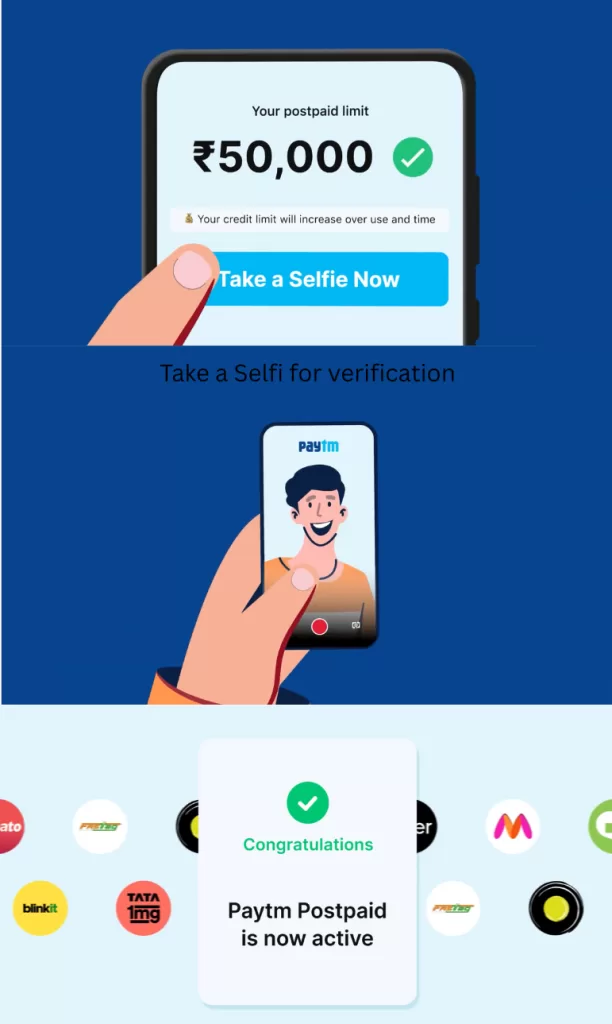
Changing UPI PIN? Follow this:
- Go to UPI & Payment Settings
- Tap your linked bank
- Select Change UPI PIN
- Enter your card details
- Set a new PIN
🎯 Shortcut: Long-press on the bank name in UPI list for direct PIN change.
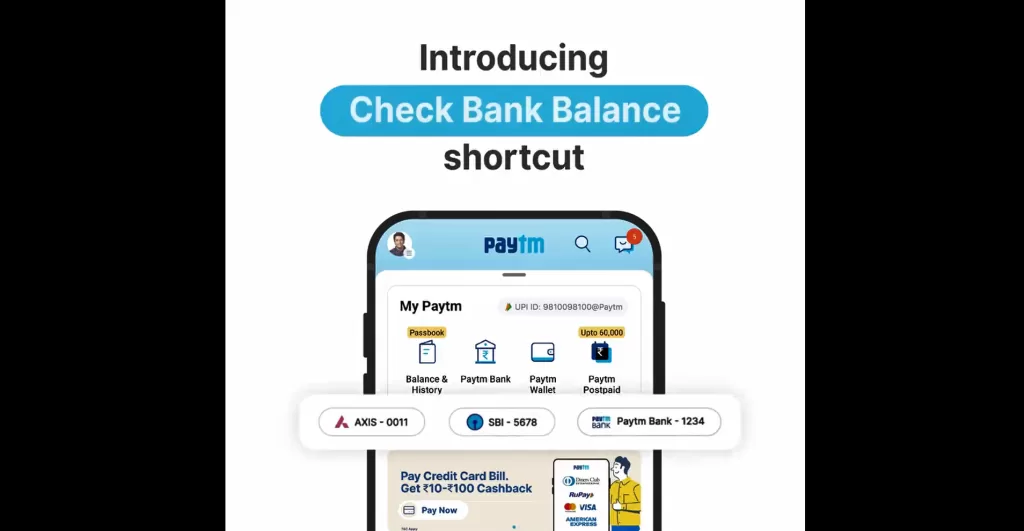
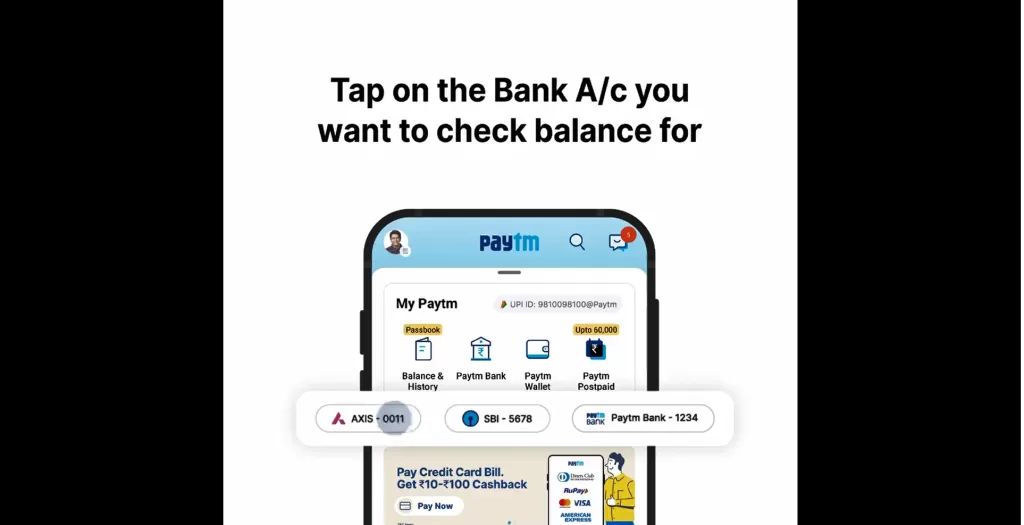
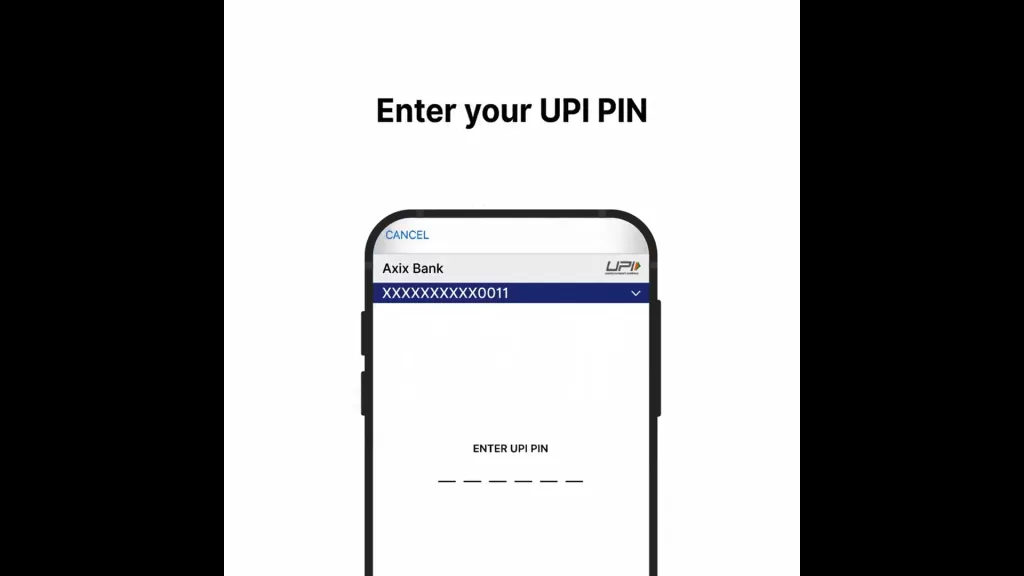
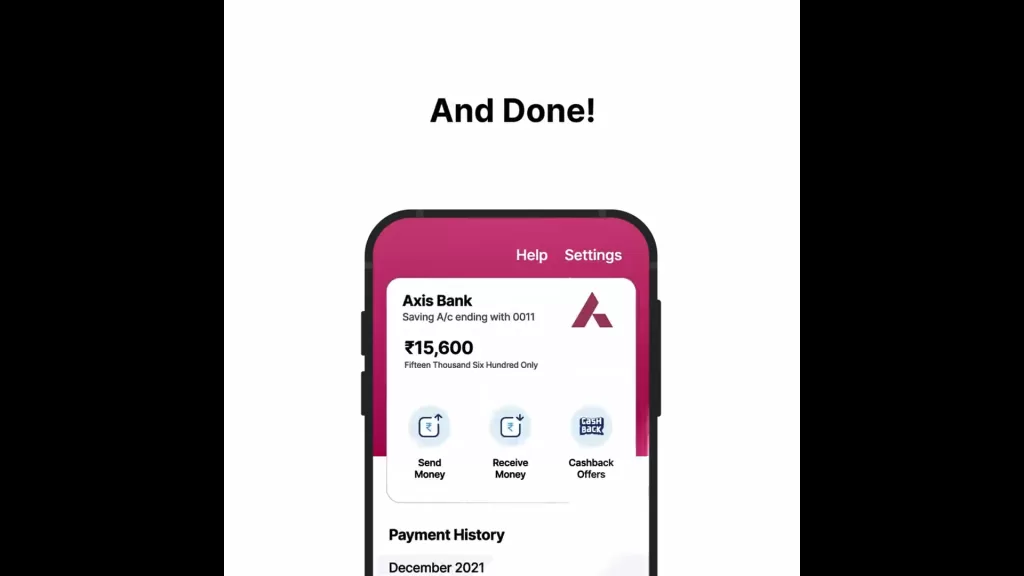
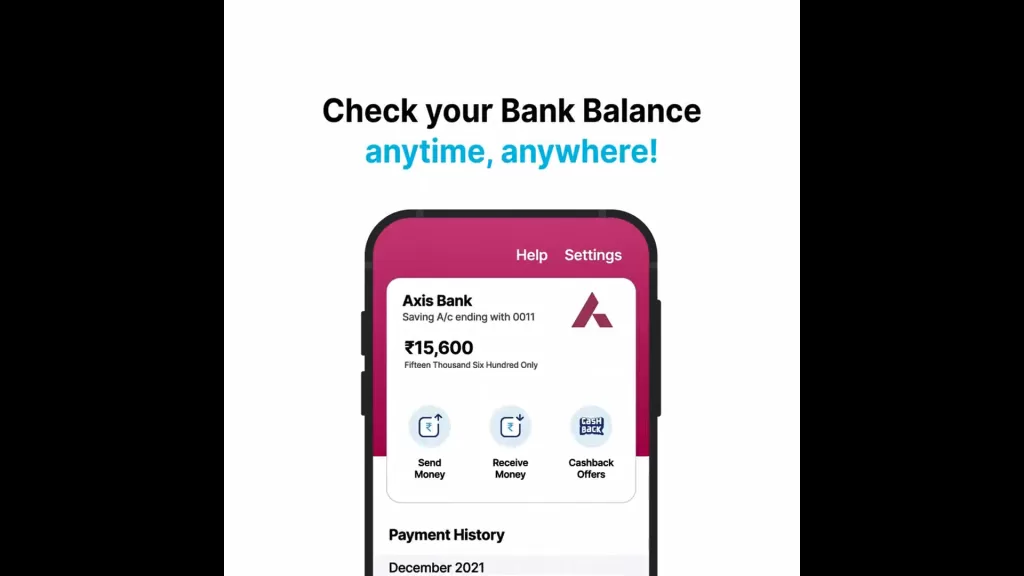
7. How to Check Paytm Wallet Balance
Open the app → Tap on Wallet → Your balance is shown at the top
Or say: “Hey Google, what’s my Paytm Wallet balance?” (Android only)
8. Can We Use Paytm Without Bank Account?
Yes, absolutely. You can:
- Add money via credit/debit card
- Use Paytm Wallet
- Access Paytm Mall and buy items
- But ❌ you can’t use UPI or Paytm Postpaid
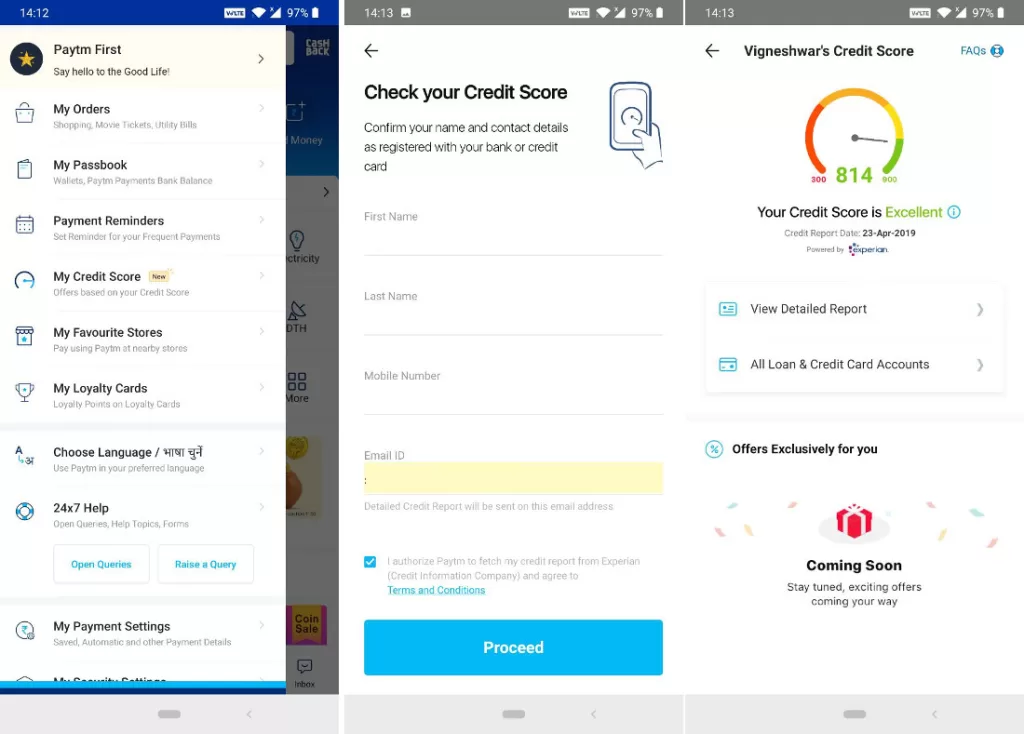
9. How to Check CIBIL Score in Paytm
- Go to Loans & Credit Cards
- Tap Free Credit Score
- Fill in basic KYC
- Instantly view your CIBIL score and report
📈 Checking score on Paytm won’t hurt your credit.
💔 How to Delete or Deactivate Paytm Account
How to Delete Paytm Account:
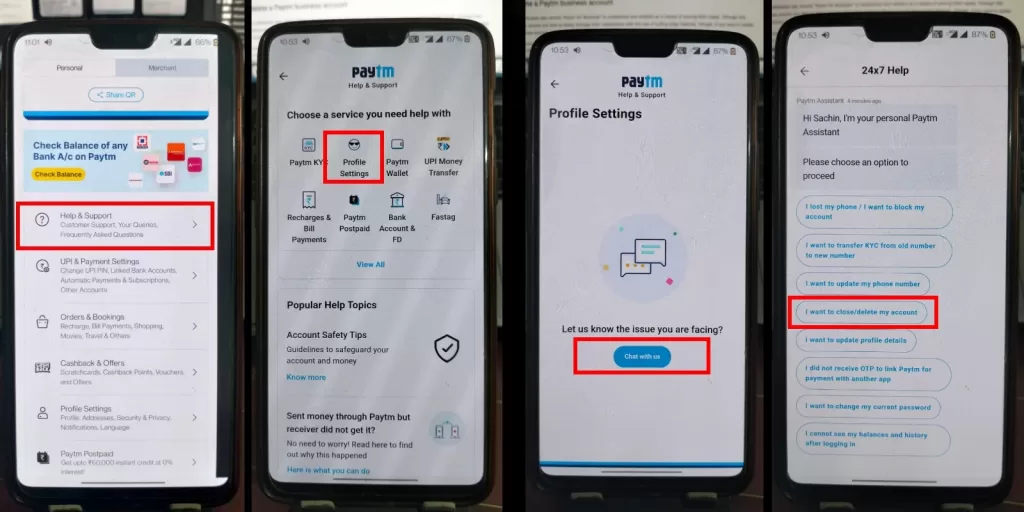
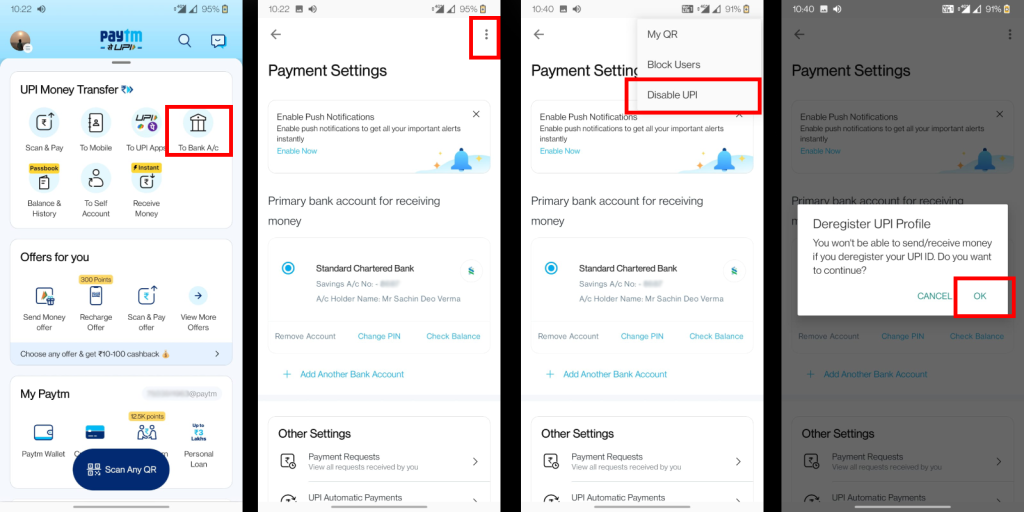
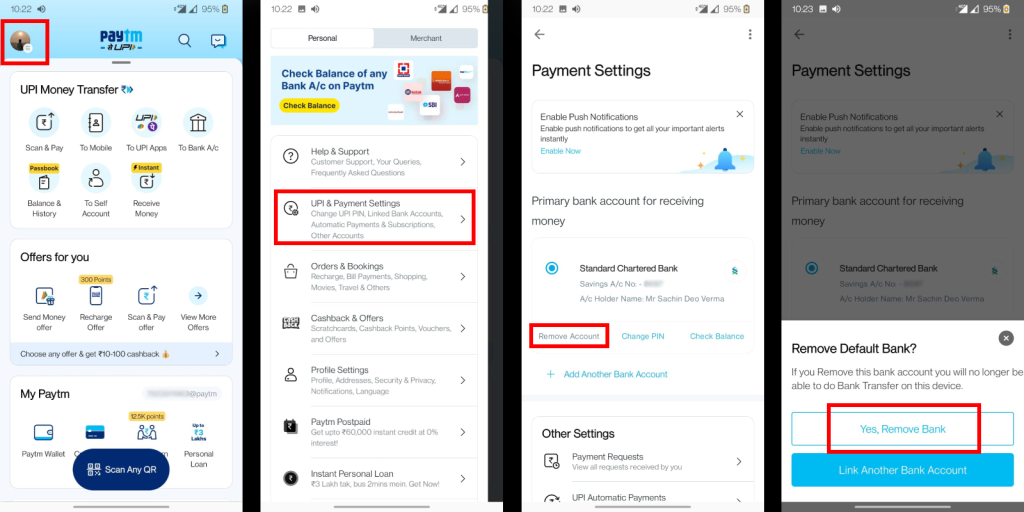
- Open app → Help section
- Tap 24×7 Help → Select Profile Settings
- Choose “I want to close my account”
- Follow the instructions
Or, email: [email protected] with your registered number
How to Deactivate Paytm Account Temporarily:
Go to settings → Security & Privacy → Deactivate Account
You can reactivate anytime using OTP.
🧹 How to Delete Paytm History
Unfortunately, you can’t delete transaction history—it’s stored for legal reasons. But you can:
- Hide individual transactions (limited)
- Log out and use Guest Mode for private browsing
☎️ Real Paytm Customer Care Number (Updated 2025)
Wondering, “is Paytm customer care 24×7?” Well… sort of. The IVR works 24×7, but human support is only during business hours.
💬 Contact Options:
- 📞 Call: 0120-4456-456
- 📧 Email: [email protected]
- 🤖 Chat: Via Help → 24×7 Help
⏰ Real person? Call between 10 AM and 6 PM (Mon–Sat)
🛍️ How to Shop Using Paytm Mall in 2025
Paytm Mall still exists in 2025, but it’s more niche—focused on electronics, fashion, and regional products.
How to use it:
- Go to the Paytm Mall section
- Browse or search products
- Use wallet, UPI, or Postpaid to pay
- Track orders under “My Orders”
💡 Look for Paytm Cashback Offers during seasonal sales.
🚨 How to Complain Against Paytm
If something feels shady—don’t ignore it.
Steps:
- Go to Help → 24×7 Help
- Select the issue type
- If unresolved in 3 days → File a complaint at: https://consumerhelpline.gov.in
- Or tweet to @PaytmCare
📝 Final Thoughts: Using Paytm in 2025 Made Simple
So that’s it—how to use Paytm in 2025, made easy, real, and actually useful. Whether you’re trying to redeem cashback or reset your UPI PIN, this app has the power to handle your finances—if you know how to unlock it.
And now? You do.