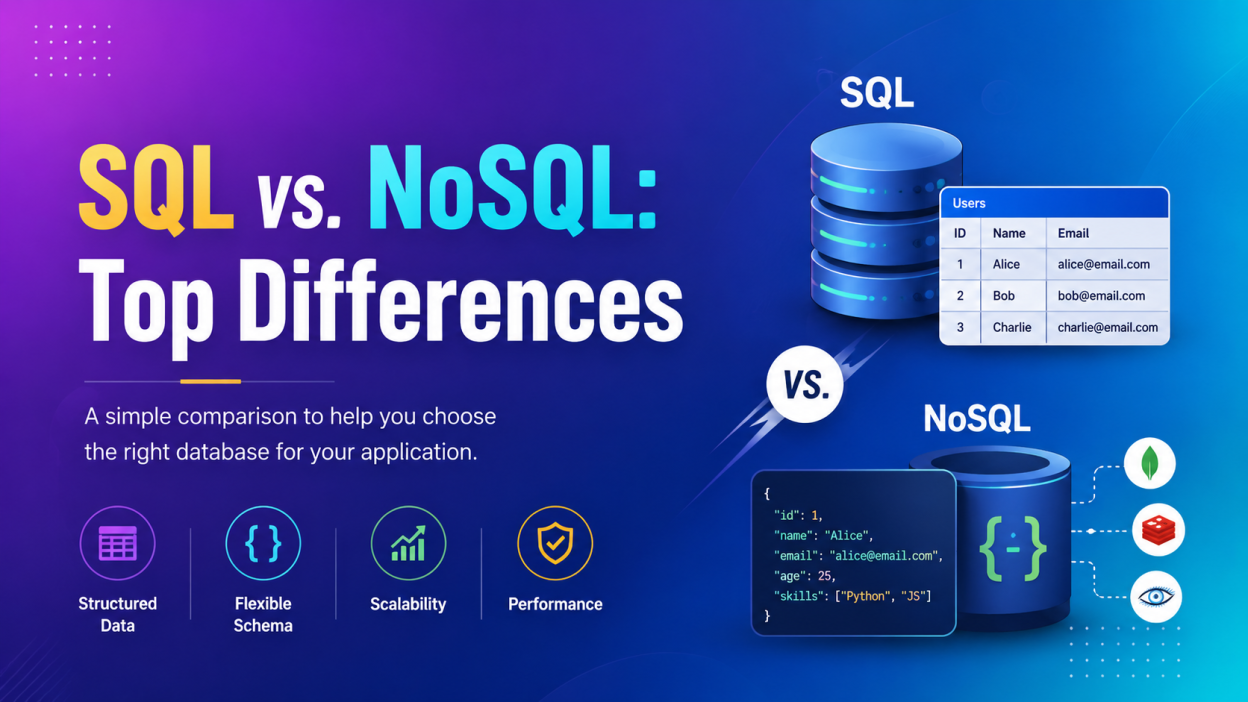
SQL vs. NoSQL is one of those topics that sounds complicated when you first hear it. I remember seeing terms like relational database, schema, document store, ACID, and horizontal scaling and wondering, “Okay… but which database should I actually use?”
SQL vs. NoSQL becomes much easier once you stop thinking of them as two competing technologies and start thinking about the kind of data your application needs to store, retrieve, and manage.
If your application handles structured information such as customers, orders, payments, or employee records, SQL is often a natural fit. If your application deals with rapidly changing data, huge traffic, flexible records, or document-style information, NoSQL can make more sense. Modern applications can also use both SQL and NoSQL for different workloads.
Key Highlights
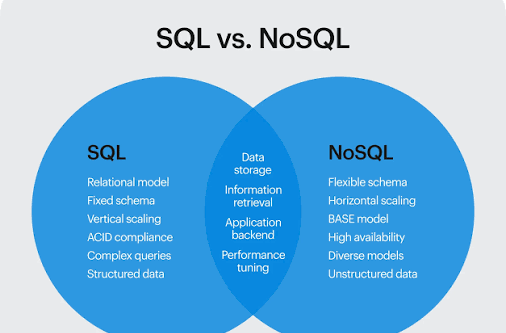
- SQL databases store data mainly in tables containing rows and columns.
- NoSQL databases use models such as document, key-value, graph, and wide-column.
- SQL generally works well when relationships and data consistency matter.
- NoSQL is useful when you need flexible data models and horizontal scaling.
- SQL databases usually use a predefined schema.
- NoSQL databases generally offer a more flexible schema.
- SQL uses the Structured Query Language for querying relational data.
- NoSQL databases don’t necessarily use SQL; their query methods depend on the database technology.
- SQL and NoSQL aren’t enemies. A hybrid database approach can be the right answer.
What Is SQL?
Before jumping into the SQL vs. NoSQL comparison, let’s quickly understand SQL.
SQL stands for Structured Query Language. It is a standardized language used to work with relational databases. You can use SQL to create tables, insert data, update records, retrieve information, and delete data.
A relational database organizes information into tables, rows, and columns.
For example, imagine I’m building an online shopping application.
I might have a Customers table:
| CustomerID | Name | |
|---|---|---|
| 101 | Arun | arun@email.com |
| 102 | Priya | priya@email.com |
Then I could have an Orders table:
| OrderID | CustomerID | Amount |
|---|---|---|
| 501 | 101 | ₹2,500 |
| 502 | 102 | ₹1,800 |
Notice the CustomerID.
That value can connect the two tables. This is where the relational part becomes important. Primary keys and foreign keys help establish relationships between tables.
Popular SQL database systems include MySQL, PostgreSQL, Microsoft SQL Server, and Oracle.
You can explore the official PostgreSQL documentation if you want hands-on practice with SQL and relational database concepts.
What Is NoSQL?
Now let’s move to the other side of the SQL vs. NoSQL discussion.
NoSQL generally refers to non-relational databases. The name is commonly explained as “not only SQL” or “non-SQL.”
Unlike a traditional relational database, NoSQL doesn’t force every piece of information into rows and columns.
There are several NoSQL models, including:
- Document databases
- Key-value databases
- Wide-column databases
- Graph databases
For example, a document database might store a customer’s information like this:
{
  "customerId": 101,
  "name": "Arun",
  "email": "arun@email.com",
  "orders": [
    {
      "product": "Laptop",
      "amount": 55000
    }
  ]
}
That structure can feel much closer to the objects we work with in application code.
MongoDB is a popular example of a document-oriented NoSQL database. Redis is commonly used as a key-value database, while other NoSQL technologies use different models.
SQL vs. NoSQL: Top Differences
Now comes the part most beginners actually want to know.
1. SQL vs. NoSQL: Data Structure
The biggest difference in SQL vs. NoSQL is how the databases organize data.
SQL
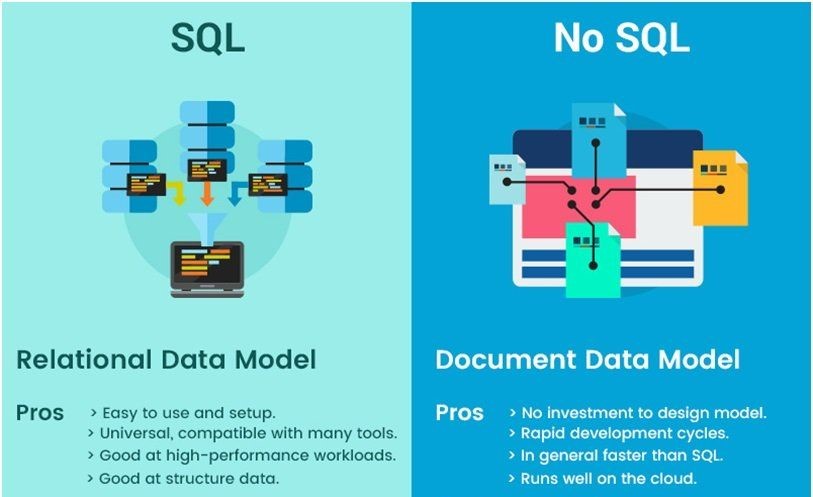
SQL databases primarily use tables.
Think of an Excel spreadsheet—but with powerful database features, relationships, constraints, transactions, indexes, and much more.
Customers
-------------------------
ID | Name  | Email
1  | Ravi  | ravi@email.com
2  | Priya | priya@email.com
NoSQL
NoSQL databases can use documents, key-value pairs, graphs, or other models.
For example:
{
  "name": "Ravi",
  "email": "ravi@email.com"
}
So, in simple terms:
SQL → tables
NoSQL → documents / key-value / graph / wide-column models
AWS also describes SQL databases as relational systems and NoSQL databases as systems that can use several different data models.
2. SQL vs. NoSQL: Schema
This is another important difference.
An SQL database usually follows a predefined schema. You generally define the table structure and column types before storing data.
For example:
CREATE TABLE Students (
    StudentID INT,
    Name VARCHAR(100),
    Age INT
);
Here, I’ve already decided what the table looks like.
NoSQL databases generally provide a more flexible data model. Different documents can have different fields depending on the database and how the application is designed.
That’s useful when requirements keep changing.
Imagine you’re developing a social media application.
Today, a user profile contains:
name
email
age
Tomorrow, you want to add:
profilePhoto
bio
location
skills
A flexible NoSQL model can make evolving the data structure easier.
3. SQL vs. NoSQL: Relationships
SQL databases are particularly good when relationships between data matter.
Consider an e-commerce application.
One customer can have many orders.
One order can contain multiple products.
A product can belong to a category.
This creates relationships between different pieces of information.
SQL databases are designed around these relationships, and you can use JOINs to retrieve related data.
SELECT Customers.Name, Orders.Amount
FROM Customers
JOIN Orders
ON Customers.CustomerID = Orders.CustomerID;
NoSQL databases approach relationships differently. Depending on the database, you might embed related information inside a document or reference other documents.
So if your application has many complicated relationships, SQL is often a strong choice.
4. SQL vs. NoSQL: Scalability
Here’s where the conversation gets interesting.
SQL databases can scale vertically by giving a server more CPU, RAM, storage, or other resources. They can also scale horizontally in certain architectures, although scaling write-heavy workloads horizontally may require additional strategies.
NoSQL databases are often designed with horizontal scaling in mind.
Instead of relying mainly on one powerful machine, you can distribute workloads across multiple machines or nodes.
Imagine your application suddenly becomes extremely popular.
Yesterday:
10,000 users
Today:
1 million users
Tomorrow:
At that point, your database architecture matters a lot.
10 million users
Many NoSQL systems were designed specifically for distributed environments and large-scale workloads.
But there’s an important point here: SQL doesn’t mean “cannot scale.”
That’s an outdated oversimplification.
Modern relational databases can scale in different ways too. The correct choice depends on the workload and architecture.
5. SQL vs. NoSQL: Transactions and Consistency
This is especially important for applications dealing with money or critical records.
Suppose I’m building a banking application.
A customer transfers ₹10,000.
The system needs to:
- Deduct ₹10,000 from Account A.
- Add ₹10,000 to Account B.
- Make sure the transaction doesn’t partially complete.
If something fails halfway through, I don’t want the database to leave the system in a broken state.
Relational databases traditionally provide strong ACID transaction guarantees:
- Atomicity
- Consistency
- Isolation
- Durability
However, don’t make the mistake of saying “NoSQL doesn’t support ACID.”
Modern NoSQL databases can provide ACID transactions and strong consistency features too. The real difference is that NoSQL systems often offer different trade-offs around consistency, availability, data modeling, and distributed scaling.
So for financial transactions, inventory, billing, and other systems where correctness is critical, SQL is often a natural starting point.
6. SQL vs. NoSQL: Query Language
SQL databases use SQL to interact with relational data.
For example:
SELECT * FROM Employees;
Or:
SELECT Name, Salary
FROM Employees
WHERE Salary > 50000;
It’s one of the reasons SQL remains such an important skill for developers, testers, data analysts, and database professionals.
NoSQL doesn’t have one universal query language shared by every database.
MongoDB, Redis, Cassandra, DynamoDB, and other NoSQL technologies can use different APIs, commands, or query mechanisms. AWS highlights this distinction when comparing SQL with several NoSQL technologies.
7. SQL vs. NoSQL: Best Use Cases
So when should you actually use each one?
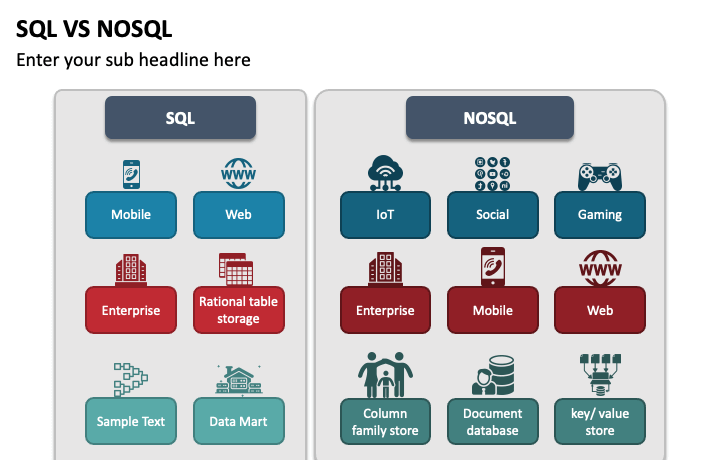
SQL is a good fit for:
- Banking applications
- Payment systems
- Payroll systems
- Inventory management
- Order management
- ERP applications
- CRM systems
- Applications with complex relationships
- Systems requiring strong transactional consistency
For example, if I’m building an employee payroll system, I don’t want employee salary records randomly changing structure from one employee to another.
I’d probably lean toward SQL.
NoSQL is a good fit for:
- Real-time applications
- Large-scale web applications
- User sessions
- Content management
- Event data
- IoT workloads
- Rapidly changing application data
- Applications requiring flexible data models
AWS specifically notes NoSQL’s usefulness for flexible schemas, rapidly changing data, semi-structured data, and horizontally scalable workloads.
8. SQL vs. NoSQL: Performance
This is where I would be careful with blanket statements.
Nope. Not that simple.
Database performance depends on several things:
- Data model
- Query design
- Indexes
- Hardware
- Network latency
- Application architecture
- Number of users
- Read/write patterns
- Database configuration
A well-designed SQL database can be extremely fast.
A poorly designed NoSQL database can be slow.
The database should match the workload, not whatever technology happens to be popular this month.
AWS also points out that performance depends on factors such as query optimization, indexes, hardware, cluster size, and network latency.
9. SQL vs. NoSQL: Flexibility
This is one area where NoSQL often shines.
Let’s say I’m building a product catalog.
One product may have:
Name
Price
Brand
Weight
Another product might have:
Name
Price
Brand
Screen Size
RAM
Storage
Processor
A third product could have completely different attributes.
Trying to force every product into exactly the same structure may become inconvenient.
A document-based NoSQL model can make this kind of changing or varied information easier to represent.
SQL databases aren’t incapable of handling flexible information, but their relational structure generally requires more deliberate schema design.
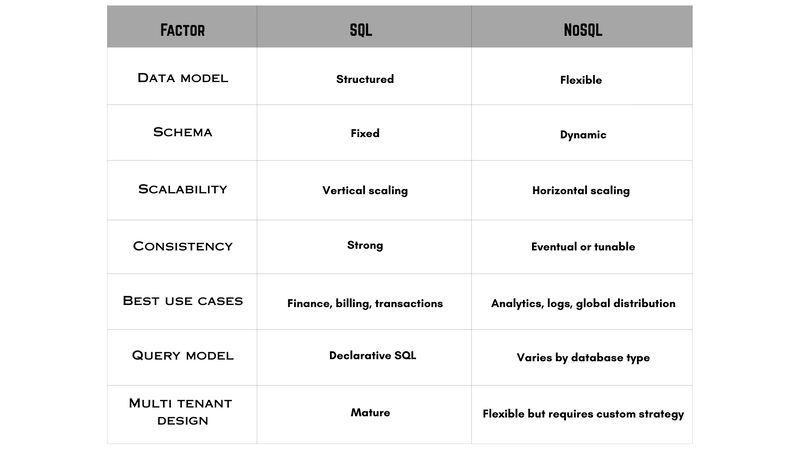
SQL vs. NoSQL Comparison Table
| Feature | SQL | NoSQL |
|---|---|---|
| Database type | Relational | Non-relational |
| Data structure | Tables | Documents, key-value, graph, wide-column |
| Schema | Usually predefined | Generally flexible |
| Relationships | Strong relational support | Often handled through embedding/references depending on model |
| Querying | SQL | Database-specific APIs/query methods |
| Scaling | Often vertical; horizontal options exist | Commonly designed for horizontal scaling |
| Transactions | Strong ACID support | Varies; many modern systems support ACID |
| Best for | Structured, relational data | Flexible and rapidly changing data |
| Examples | MySQL, PostgreSQL, SQL Server, Oracle | MongoDB, Redis, Cassandra |
| Typical strength | Consistency and complex relationships | Flexibility and distributed scale |
These differences reflect the broad relational/non-relational models; individual database products can have features that blur the lines.
SQL vs. NoSQL: Which One Should You Learn First?
If you’re completely new to databases, I recommend learning SQL first.
Why?
SQL teaches you fundamental database concepts:
- Tables
- Rows
- Columns
- Primary keys
- Foreign keys
- Relationships
- JOINs
- Constraints
- Indexes
- Transactions
- Aggregate functions
Once you understand those concepts, learning NoSQL becomes much less intimidating.
If you’re learning web development or preparing for software testing and development interviews, SQL is particularly useful because you’ll encounter relational databases in many real-world systems.
After that, pick a NoSQL database such as MongoDB and learn how its document model works.
That gives you both sides of the SQL vs. NoSQL conversation.
Can We Use SQL and NoSQL Together?
Absolutely. And this is something beginners often miss.
You don’t always have to choose one.
Imagine an e-commerce application.
I might use:
SQL for:
- Customers
- Orders
- Payments
- Inventory
And NoSQL for:
- Product recommendations
- User activity
- Session information
- Frequently changing content
- Certain high-volume event data
This is called a polyglot or hybrid persistence approach, where different storage technologies handle workloads they’re suited for.
AWS explicitly notes that applications can combine SQL and NoSQL rather than treating the choice as an either/or decision.
SQL vs. NoSQL: My Simple Take
If I had to explain the entire SQL vs. NoSQL debate to a beginner in two minutes, I’d say this:
Choose SQL when your data is structured, relationships are important, and consistency is a major priority.
Consider NoSQL when your data model changes frequently, you need flexible structures, or your workload benefits from distributed horizontal scaling.
And don’t choose NoSQL simply because someone told you it’s “modern.”
Don’t choose SQL simply because you’ve always used it.
Ask a better question:
“What does my application actually need?”
That’s the question that usually leads to the right database.
Final Thoughts on SQL vs. NoSQL
The SQL vs. NoSQL debate isn’t really about finding a winner.
It’s about understanding trade-offs.
SQL has been around for decades because relational databases solve a very real problem: keeping structured, related data reliable and consistent.
NoSQL became popular because modern applications created different problems: massive scale, flexible data structures, distributed systems, and rapidly changing requirements.
Neither approach is automatically better.
If I’m building a banking system, I’d seriously consider SQL.
If I’m building a massive application where records constantly evolve and the workload needs distributed scaling, I’d investigate NoSQL.
And if the application needs both?
I’d use both.
That, in my opinion, is the most useful way to understand SQL vs. NoSQL: don’t memorize a list of differences just for an interview. Understand why the difference exists.
Once that clicks, database questions become much easier. 😊
Frequently Asked Questions
Is SQL better than NoSQL?
Not universally. SQL is often better for structured relational data, complex relationships, and transactional workloads, while NoSQL can be a better fit for flexible data models and certain distributed, high-scale workloads.
Is MongoDB SQL or NoSQL?
MongoDB is a NoSQL document database. It stores data as flexible documents rather than traditional relational tables.
Is MySQL SQL or NoSQL?
MySQL is a relational database management system that uses SQL. SQL is the language; MySQL is a database system that uses that language.
Which is easier to learn: SQL or NoSQL?
For most beginners, I would start with SQL because its table-based structure makes fundamental database concepts easier to learn systematically. Once you understand relational concepts, moving into NoSQL becomes easier.
Can SQL and NoSQL be used in the same project?
Yes. A single application can use both technologies for different workloads. The choice should depend on the application’s data and access patterns rather than treating SQL and NoSQL as mutually exclusive.
Kaashiv Infotech Offers, SQL Course, SQL Internship & More Visit Our website www.kaashivinfotech.com.