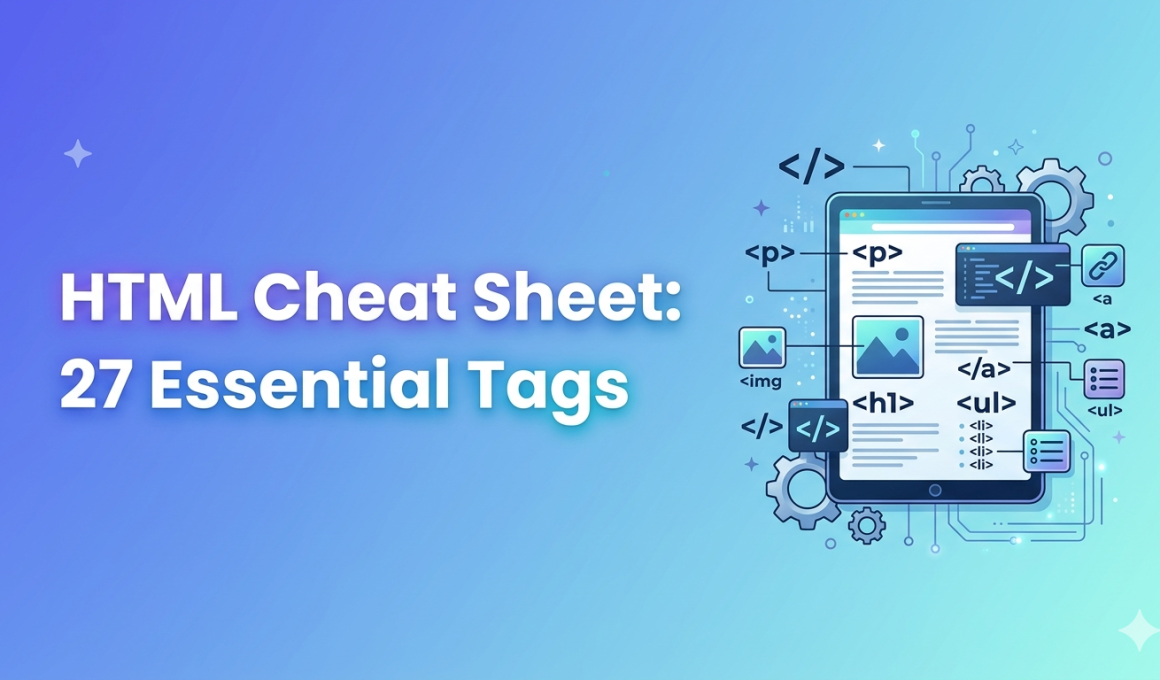
HTML Cheat Sheet—let’s be real for a moment. In a world obsessed with React, Vue, and AI-powered frameworks, HTML often gets treated like yesterday’s news. But here’s the truth most flashy roadmaps won’t admit: you can’t build a skyscraper without a solid foundation, and for the web, that foundation is still HTML.
HTML is often the first real skill developers learn—and also the one people underestimate the most. Every website you admire, every app interface you tap, every landing page that converts users into customers… it all starts with HTML.
This guide is written for you—the student, career switcher, or aspiring full‑stack developer—who wants clarity, not confusion. Consider this article your human‑friendly HTML cheat sheet, backed by real‑world usage, best practices, and career insights.
Why an HTML Cheat Sheet Still Matters in 2026 💡
HTML is over 30 years old, yet it powers 100% of websites on the internet. According to W3Techs, HTML5 is used by more than 93% of all websites worldwide. No framework escapes it—not React, not Angular, not even AI‑generated websites.
Developers don’t memorize HTML.
They reference it.
That’s where a clean, practical HTML cheat sheet becomes a productivity weapon.
HTML Cheat Sheet for Beginners – Core Structure
Every HTML document follows a predictable skeleton. Miss this, and browsers behave strangely.
<!DOCTYPE html>
<html lang="en">
<head>
  <meta charset="UTF-8">
  <title>Page Title</title>
</head>
<body>
  Content goes here
</body>
</html>
Best practice (why it matters):
<!DOCTYPE>ensures modern browser rendering<meta charset>prevents text and emoji breakage- Clean structure helps SEO and accessibility
HTML Cheat Sheet: Text & Headings 📝
Content hierarchy matters—to users and Google.
<h1>Main Heading</h1>
<h2>Subheading</h2>
<p>This is a paragraph.</p>
<strong>Bold text</strong>
<em>Italic text</em>
Developer insight:
Use only one <h1> per page. Google uses it to understand page intent.
HTML Cheat Sheet for Links & Navigation 🔗
Links are the backbone of the web.
<a href="https://example.com" target="_blank">Visit Site</a>
Best practice:
- Use descriptive anchor text
- Avoid “click here”
- Always validate external links
Real‑world use case: navigation menus, CTAs, documentation references.
HTML Cheat Sheet: Images & Media 📸
<img src="image.jpg" alt="Description of image" />
Why alt matters:
- Screen readers rely on it
- Google Image Search indexes it
- Missing alt tags hurt accessibility scores
Stat to know: WebAIM reports that 58% of accessibility errors come from missing alt text.
HTML Cheat Sheet for Lists 📋
<ul>
  <li>Item One</li>
  <li>Item Two</li>
</ul>

<ol>
  <li>First</li>
  <li>Second</li>
</ol>
Used everywhere—from feature lists to sidebars to FAQs.
HTML Cheat Sheet: Tables – Used Less, Still Important
<table>
  <tr>
    <th>Name</th>
    <th>Role</th>
  </tr>
  <tr>
    <td>Alex</td>
    <td>Developer</td>
  </tr>
</table>
Best practice:
Avoid tables for layout. Use them only for actual data.
HTML Cheat Sheet for Forms 🧠 -Where Real Logic Begins
<form>
  <input type="text" placeholder="Your Name" />
  <input type="email" />
  <button>Submit</button>
</form>
Forms power:
- Login systems
- Lead generation
- Payments
- Surveys
Career note: Form handling is where frontend meets backend.
HTML Cheat Sheet: Semantic Elements -Very Important for SEO
<header>
<nav>
<main>
<section>
<article>
<footer>
Why semantic HTML matters:
- Improves SEO rankings
- Helps screen readers
- Makes code readable for teams
Google officially recommends semantic tags for content clarity.
HTML Cheat Sheet PDF – Why Developers Still Want It 📄
Many learners prefer an HTML cheat sheet PDF for:
- Offline access
- Interview prep
- Quick revision during internships
A printable HTML cheat sheet PDF saves time when Wi‑Fi doesn’t cooperate.
👉 Tip: Keep one bookmarked and one downloaded.
Real‑World Use Case: HTML in a Startup Project 🚀
A Chennai‑based startup once redesigned its landing page—not with React, not with animations—but clean HTML structure.
Result?
- Page load time reduced by 42%
- SEO impressions increased within 3 weeks
- Better conversion on mobile
HTML done right still wins.
Common HTML Mistakes Beginners Make ❌
- Skipping semantic tags
- Nesting elements incorrectly
- Forgetting closing tags
- Using
<br>instead of CSS spacing
Fixing these early saves years later.
How This HTML Cheat Sheet Helps Your Career 🎯
If you’re aiming for roles like:
- Frontend Developer
- Full Stack Developer
- UI Engineer
- Web Designer
HTML mastery is non‑negotiable.
Hiring managers notice clean markup faster than flashy frameworks.
Learn HTML the Right Way – Courses & Internships 🎓
Knowing tags is step one.
Applying HTML in real projects is what builds confidence.
At Kaashiv Infotech, students:
- Build real websites
- Work on industry‑style projects
- Learn HTML + CSS + JavaScript together
- Get internship exposure with mentorship
✨ If you’re serious about a tech career, structured learning beats random tutorials.
Final Thoughts: Keep This HTML Cheat Sheet Close ❤️
This HTML cheat sheet isn’t meant to be memorized.
It’s meant to be used.
Bookmark it. Download the HTML cheat sheet PDF. Revisit it before interviews. Reference it during internships. HTML isn’t old—it’s foundational.
And strong foundations build strong careers.
👉 Ready to go beyond basics? Explore HTML & Full Stack courses and internships at Kaashiv Infotech today 🚀