How to Use Props in React: A Beginner-Friendly Guide in 3 Simple Steps (2026)
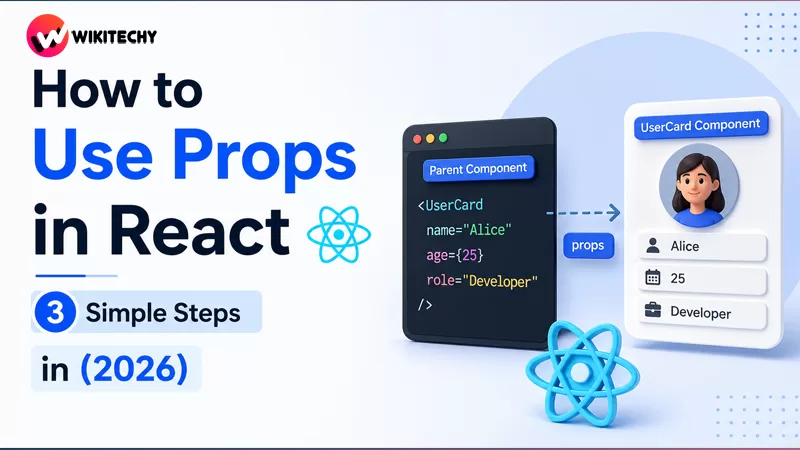
How to Use Props in React – When building modern user interfaces with React, one concept you’ll encounter almost immediately is props. They are the backbone of how components communicate with each other and play a crucial role in building scalable, reusable applications.
In this in-depth guide, you’ll learn everything about props—from the basics to advanced usage—explained in a clear, structured way with practical examples.
Understanding Props in React

Props (short for properties) are inputs passed from a parent component to a child component. They allow components to receive data and render dynamic content.
At a conceptual level, props work very similarly to function parameters in JavaScript. Just like functions take inputs and return outputs, React components take props and return UI elements.
Props are:
- Immutable (read-only)
- Passed top-down (parent → child)
- Used to customize components
Why Props Matter in Real Applications
In real-world projects, props are essential for creating reusable UI patterns. Without props, every component would be hardcoded and repetitive.
Props help you:
- Build reusable components like buttons, cards, and forms
- Separate logic and presentation
- Keep your code modular and maintainable
- Dynamically update UI based on data
For example, a single “Card” component can display different content simply by changing props instead of rewriting the entire component.
Step 1: Creating a Component That Accepts Props
Let’s begin by defining a simple component that receives props in react.
function Welcome(props) {
  return <h1>Welcome, {props.username}!</h1>;
}export default Welcome;
Here’s what’s happening:
The component Welcome accepts an object called props. This object contains all the values passed from the parent component. When we access props.username, we are retrieving the specific value assigned to that prop.
This approach is straightforward, but as applications grow, you’ll often use a cleaner syntax called destructuring.
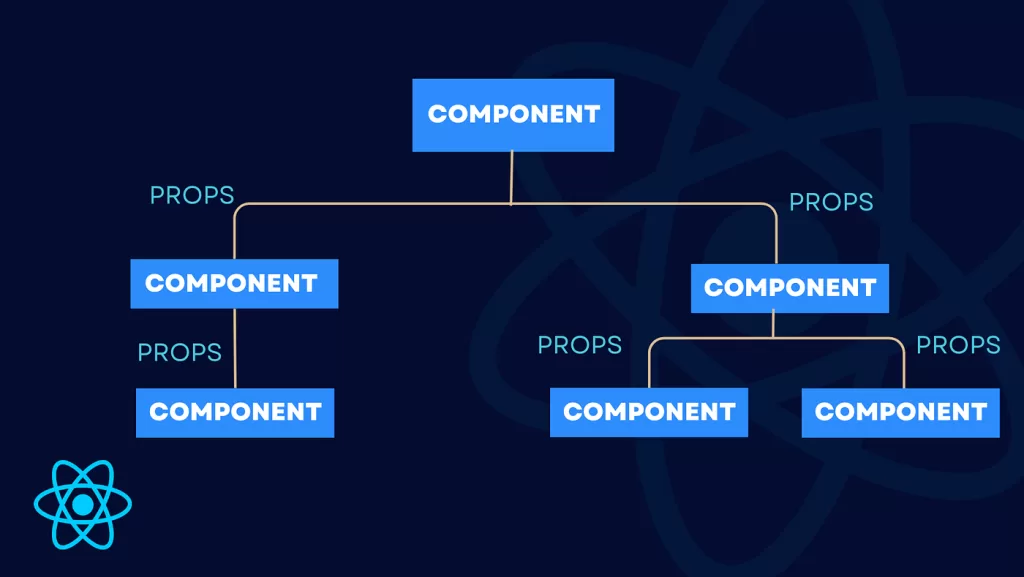
Step 2: Passing Props from a Parent Component
Now let’s pass data into the component.
import Welcome from "./Welcome";function App() {
  return (
    <div>
      <Welcome username="Shath" />
      <Welcome username="Developer" />
      <Welcome username="React Learner" />
    </div>
  );
}export default App;
In this example:
Each Welcome component instance receives a different value for the username prop. This demonstrates one of the most powerful features of React—reusability with customization.
Instead of writing multiple components, we reuse one and pass different data.

Step 3: Using Destructuring for Cleaner Code
Destructuring makes your components cleaner and easier to read.
function Welcome({ username }) {
  return <h1>Welcome, {username}!</h1>;
}
Instead of writing props.username, we directly extract username from props. This is the preferred approach in modern React development.

Rendering Dynamic Content with Props
Props shine when rendering dynamic content. Let’s take a slightly more advanced example.
function Product({ name, price }) {
  return (
    <div>
      <h2>{name}</h2>
      <p>Price: ₹{price}</p>
    </div>
  );
}
Usage:
<Product name="Laptop" price={50000} />
<Product name="Phone" price={20000} />
Here, the same component adapts based on the props provided, making your UI flexible and scalable.
Passing Multiple Props
React allows you to pass as many props as needed.
function User({ name, age, role }) {
  return (
    <div>
      <h3>{name}</h3>
      <p>Age: {age}</p>
      <p>Role: {role}</p>
    </div>
  );
}
Usage:
<User name="Arun" age={22} role="Frontend Developer" />
This approach is commonly used in dashboards, profile pages, and admin panels.
Default Props for Safer Components

Sometimes, a component might not receive a prop. In such cases, default values prevent errors.
function Greeting({ name = "Guest" }) {
  return <h1>Hello, {name}!</h1>;
}
If no name is passed, the component gracefully falls back to “Guest”.
Passing Functions as Props in react
Props are not limited to data—they can also include functions.
function Button({ handleClick }) {
  return <button onClick={handleClick}>Click Me</button>;
}
Usage:
function App() {
  function showMessage() {
    alert("Button Clicked!");
  }  return <Button handleClick={showMessage} />;
}
This is a powerful pattern used for event handling and interactivity.
Props with Lists and Mapping
Props are often used with arrays when rendering lists.
function Student({ name }) {
  return <li>{name}</li>;
}function App() {
  const students = ["Ram", "Sita", "Krishna"];  return (
    <ul>
      {students.map((student, index) => (
        <Student key={index} name={student} />
      ))}
    </ul>
  );
}
This pattern is widely used in real applications such as product listings and user feeds.
Props vs State: Understanding the Difference
Although props and state may seem similar, they serve different purposes.
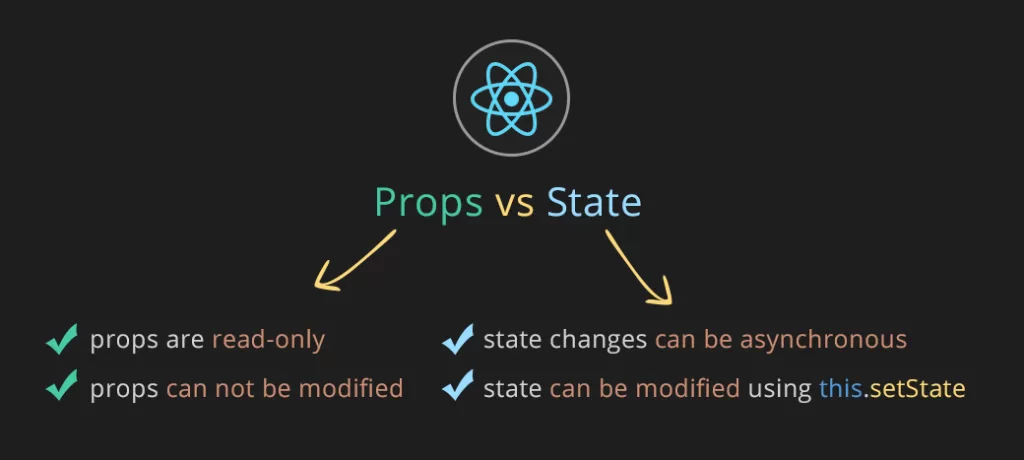
Props are used to pass data into components, while state is used to manage data within a component.
Props are immutable, meaning they cannot be changed inside the component. State, on the other hand, is mutable and can be updated using hooks like useState.
Understanding this difference is key to mastering React.
Best Practices for Using Props
When working with props in React, following best practices ensures clean and efficient code.
Keep props minimal and only pass what is necessary. Avoid overloading components with too many props, as it can make them harder to maintain.
Use meaningful and descriptive names so that the purpose of each prop is clear.
Prefer destructuring for readability and cleaner syntax.
Never modify props directly, as React relies on predictable data flow.
Common Mistakes Beginners Make
One common mistake is trying to update props inside a component. Since props are read-only, this will not work and can lead to confusion.
Another mistake is passing too many unrelated props, which reduces component clarity.
Beginners also sometimes forget to pass required props, leading to undefined values.
Real-World Example: Building a Profile Card
Let’s combine everything into a practical example.
function ProfileCard({ name, profession, location }) {
  return (
    <div>
      <h2>{name}</h2>
      <p>{profession}</p>
      <p>{location}</p>
    </div>
  );
}
Usage:
<ProfileCard
  name="John Doe"
  profession="Software Engineer"
  location="Bangalore"
/><ProfileCard
  name="Priya Sharma"
  profession="UI Designer"
  location="Chennai"
/>
This demonstrates how props help build flexible and reusable UI components used in real applications.
Conclusion
Props are one of the foundational concepts in React and are essential for building modern web applications.
By understanding how to create components, pass props, and use them effectively, you unlock the ability to design dynamic and reusable interfaces.
As you continue learning React, mastering props will make it much easier to understand advanced topics like state management, hooks, and component architecture.
Want to learn more about React ?, Kaashiv Infotech Offers React course and more Visit Their website www.kaashivinfotech.com.
Related Reads: