
DNS in Application Layer – The internet has become an essential part of everyday life. Whether you are opening a website, sending an email, streaming videos, or using a mobile application, a hidden process works behind the scenes to connect you to the correct destination. One of the most important technologies responsible for this process is the Domain Name System (DNS).
DNS operates at the Application Layer of the TCP/IP model and acts as the internet’s phonebook. Humans prefer using easy-to-remember domain names such as google.com or amazon.com, while computers communicate using numerical IP addresses. DNS bridges this gap by translating domain names into IP addresses that computers can understand.
Without DNS, users would need to remember complex IP addresses for every website they want to visit. This article explains DNS, its role in the Application Layer, its architecture, working process, components, benefits, and security concerns.
What is DNS?
DNS stands for Domain Name System. It is a distributed database system that converts human-readable domain names into machine-readable IP addresses.
For example, when a user enters a website address such as www.example.com into a browser, DNS translates that domain name into an IP address such as 93.184.216.34. Once the IP address is identified, the browser can communicate with the web server hosting the website.
DNS was developed to eliminate the difficulty of remembering numerical IP addresses. It provides a user-friendly way to access internet resources while maintaining efficient communication between devices.
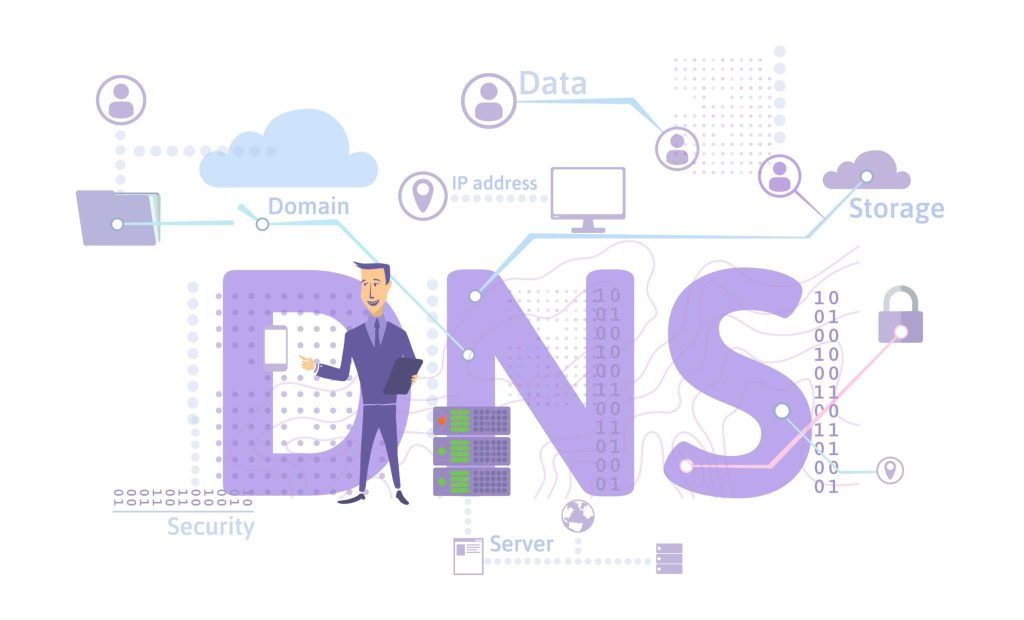
DNS in Application Layer
The TCP/IP model consists of several layers, and DNS belongs to the Application Layer. This layer provides network services directly to user applications such as web browsers, email clients, and messaging applications.
DNS works alongside other Application Layer protocols including:
- HTTP and HTTPS
- FTP
- SMTP
- POP3
- IMAP
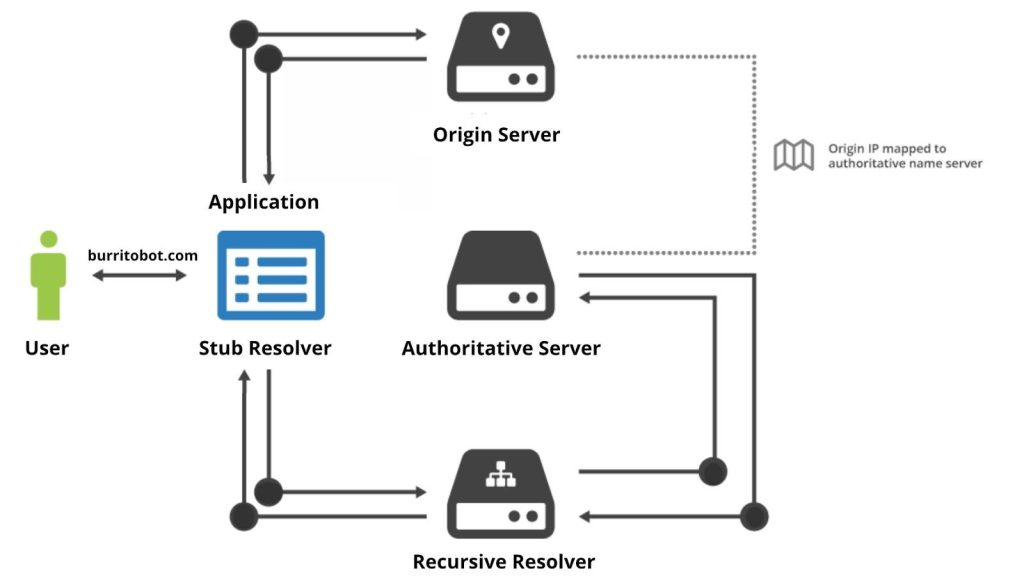
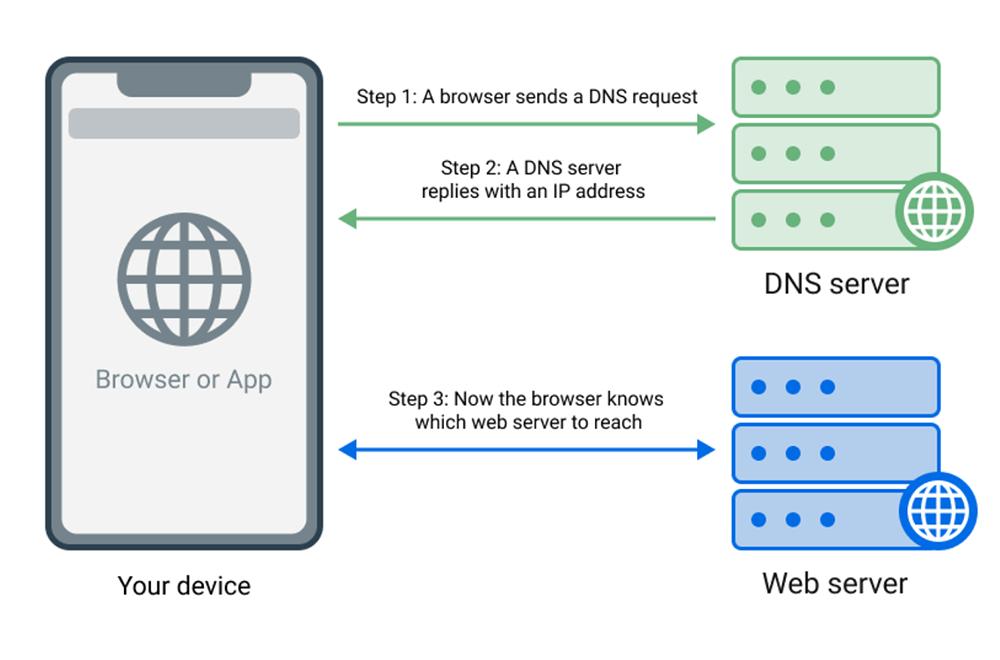
Whenever a user requests a website, the browser first contacts a DNS server to obtain the destination IP address. Only after receiving the IP address does the browser initiate communication with the web server.
Because DNS serves applications directly and provides a service to end users, it is classified as an Application Layer protocol.
Why DNS is Important
The internet would be difficult to use without DNS. Remembering IP addresses for every website is nearly impossible for most users.
DNS provides several important benefits:
- Easy access to websites through memorable names.
- Faster navigation across internet resources.
- Centralized domain management.
- Scalability for billions of internet users.
- Support for load balancing and redundancy.
DNS has become one of the core technologies that make the modern internet practical and user-friendly.
Components of DNS
DNS consists of multiple components working together to resolve domain names.
Domain Name
A domain name is the human-readable address of a website.
Examples include:
- google.com
- microsoft.com
- openai.com
Each domain name is unique and registered through domain registrars.
DNS Resolver
The DNS Resolver is the first server contacted when a user requests a website. It acts on behalf of the client and searches for the correct IP address.
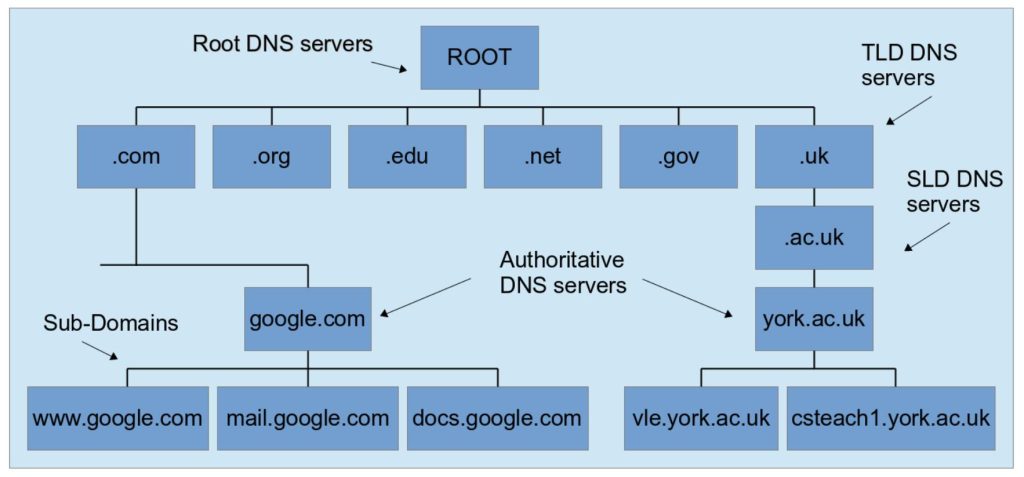
Root DNS Server
Root servers are located at the highest level of the DNS hierarchy. They guide queries toward the appropriate Top-Level Domain server.
Top-Level Domain (TLD) Server
TLD servers manage extensions such as:
- .com
- .org
- .net
- .edu
These servers direct queries toward the authoritative name servers.
Authoritative DNS Server
This server contains the actual DNS records for a domain and provides the final IP address required by the client.
How DNS Works
When a user enters a website address into a browser, DNS performs several steps to locate the correct server.
Step 1: User Requests a Website
The user types a domain name such as www.example.com into a web browser.
Step 2: Query Sent to DNS Resolver
The browser sends a DNS query to the local DNS resolver.
Step 3: Resolver Contacts Root Server
If the resolver does not already have the answer cached, it contacts a root DNS server.
Step 4: Root Server Directs to TLD Server
The root server identifies the appropriate TLD server based on the domain extension.
Step 5: TLD Server Directs to Authoritative Server
The TLD server responds with information about the domain’s authoritative DNS server.
Step 6: Authoritative Server Returns IP Address
The authoritative server provides the corresponding IP address.
Step 7: Browser Connects to Web Server
The browser uses the IP address to establish a connection with the web server and load the requested webpage.
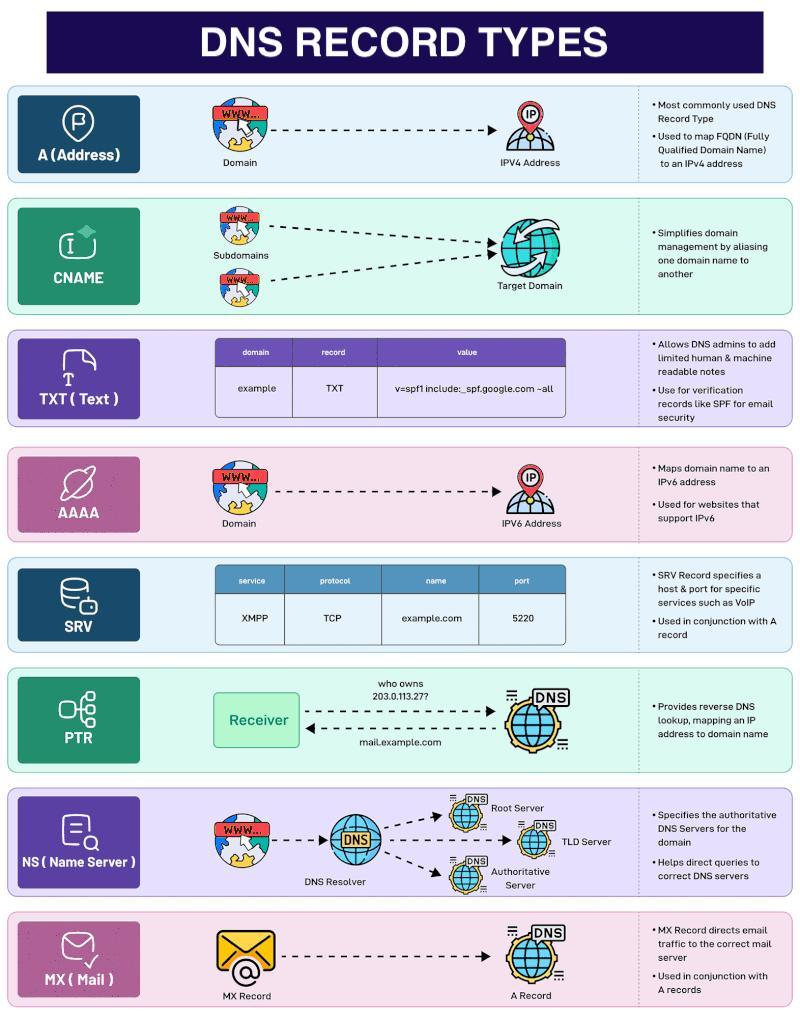
DNS Record Types
DNS stores information using different record types.
A Record
Maps a domain name to an IPv4 address.
Example:
example.com → 192.168.1.1AAAA Record
Maps a domain name to an IPv6 address.
CNAME Record
Creates an alias for another domain.
Example:
www.example.com → example.comMX Record
Specifies mail servers responsible for handling emails.
NS Record
Identifies authoritative name servers for a domain.
TXT Record
Stores text information commonly used for email verification and security policies.
DNS Caching
DNS caching improves performance by storing previously resolved IP addresses.
When a user visits a website, the resolver may temporarily save the result. Future requests for the same website can be answered immediately without repeating the entire lookup process.
Benefits of DNS caching include:
- Reduced network traffic.
- Faster website access.
- Lower server workload.
- Improved user experience.
Caching occurs in browsers, operating systems, routers, and DNS resolvers.
DNS Security Challenges
Although DNS is essential, it is also a common target for cyberattacks.
DNS Spoofing
Attackers provide false DNS information, redirecting users to malicious websites.
DNS Cache Poisoning
Malicious entries are inserted into DNS caches, causing incorrect IP addresses to be returned.
DDoS Attacks
Attackers flood DNS servers with excessive traffic, making services unavailable.
DNS Tunneling
Attackers use DNS traffic to secretly transfer data and bypass security controls.
DNS Security Solutions
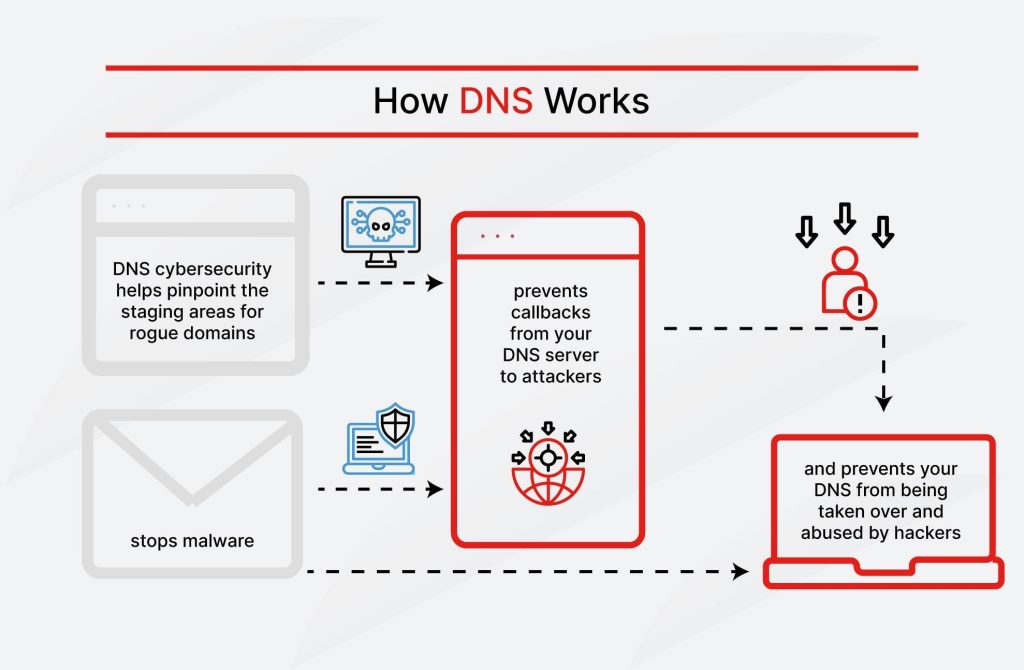
To improve DNS security, organizations implement several protective measures.
DNSSEC helps verify the authenticity of DNS responses and prevents tampering.
Encrypted DNS technologies such as DNS over HTTPS (DoH) and DNS over TLS (DoT) protect DNS queries from interception.
Regular monitoring, firewall protection, and secure DNS providers further strengthen security.
Advantages of DNS
DNS provides numerous advantages for internet communication.
- Easy-to-remember website names.
- Faster access through caching.
- Scalable architecture.
- Reliable and distributed operation.
- Support for load balancing.
- Improved availability and redundancy.
These advantages make DNS one of the most critical components of internet infrastructure.
Conclusion
DNS is a fundamental Application Layer protocol that enables users to access internet resources using simple domain names instead of numerical IP addresses. Through a hierarchical structure consisting of resolvers, root servers, TLD servers, and authoritative servers, DNS efficiently translates domain names into IP addresses.
Every time a user opens a website, DNS performs a series of operations within milliseconds, ensuring seamless communication across the internet. Understanding DNS is essential for students, network administrators, cybersecurity professionals, and anyone interested in how the internet functions behind the scenes.
Want to learn about ethical hacker skills, Cyber Security?, Kaashiv Infotech Offers, Cyber Security Course, or Networking Course & More, Visit www.kaashivinfotech.com.