

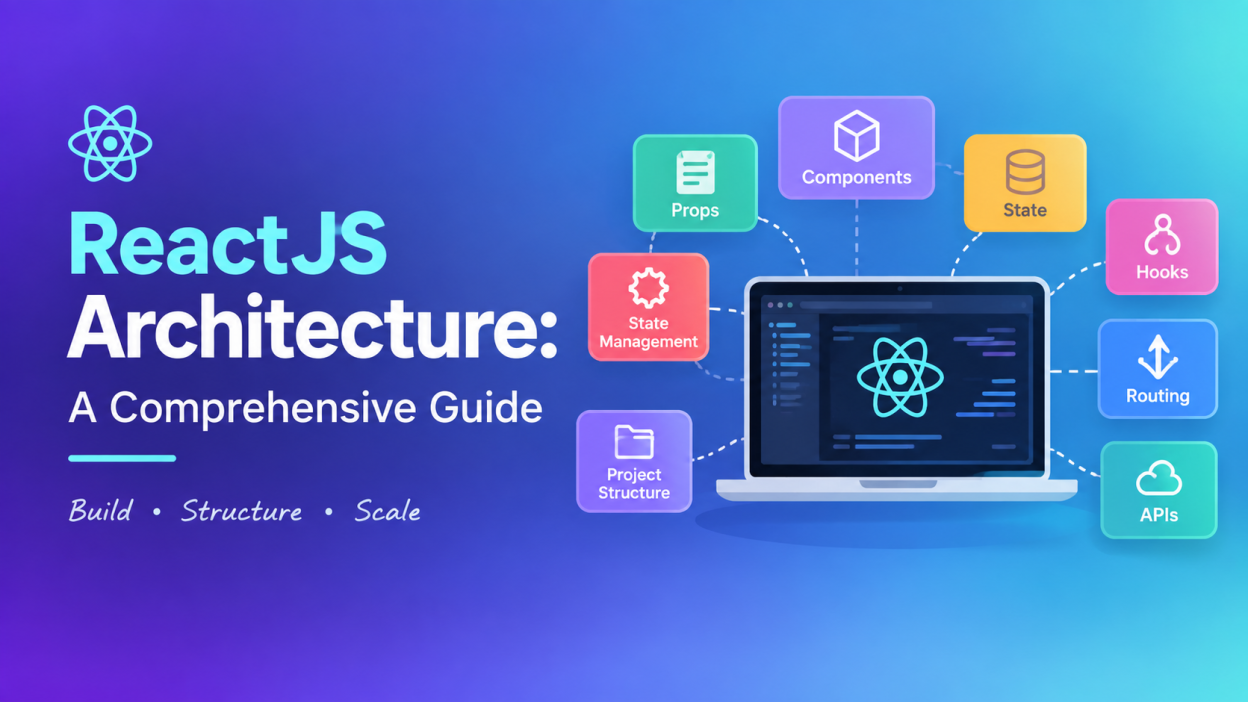
ReactJS Architecture is one of those topics that can sound complicated when you first hear the word “architecture.” I remember that when I started looking at React applications, folders like components, hooks, services, pages, and store made everything look much more difficult than it actually was.
But here is the simple idea: ReactJS Architecture is about deciding how different parts of a React application are organized and how they communicate with each other.
ReactJS Architecture helps developers build applications that are easier to understand, maintain, test, and expand. Instead of putting everything inside one giant component, we divide the application into smaller and reusable parts.
And honestly, that makes a huge difference when an application grows.
According to the official React documentation, React applications are built using reusable components, while state, events, and data sharing help those components work together.
🔑 Key Highlights of ReactJS Architecture
Before getting into the details, here are the main things I want you to remember:
- ReactJS Architecture organizes the different parts of a React application.
- React applications are mainly built around components.
- Props help components receive data.
- State stores data that can change over time.
- Hooks provide React features inside functional components.
- Routing helps users move between pages or views.
- API services connect the frontend with backend applications.
- State management becomes important as applications become larger.
- Context API, Redux, and other state-management solutions can help share data.
- A good React project structure makes applications easier to maintain.
- There isn’t one single folder structure that every React project must follow.
That last point is important. React is a library, and it does not force developers to follow one universal application architecture. The official React documentation also points out that React itself does not prescribe routing or data-fetching approaches.
What Is ReactJS Architecture?
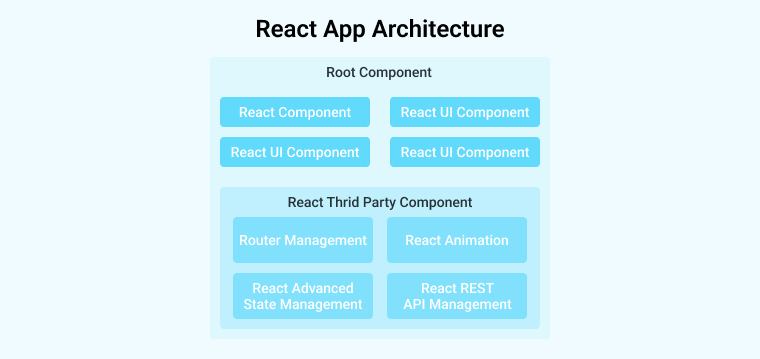
In simple words, ReactJS Architecture is the structure we use to build a React application.
Think about constructing a house.
You don’t throw bricks, wires, doors, windows, pipes, and furniture into one room and hope everything works. 😄
You separate them.
- The foundation has one purpose.
- Electrical wiring has another.
- Plumbing has another.
- Rooms have their own purpose.
- Everything eventually works together.
React applications work in a similar way.
We divide an application into different parts:
UI → Components → State → Logic → API → Backend
Each part has a job.
For example, imagine we are building an online shopping website.
We might have:
NavbarProductCardProductListCartLoginCheckoutUserProfile
Instead of writing all of these inside one massive file, we create separate components.
React’s official documentation describes components as reusable pieces of UI that can range from something small like a button to something larger like an entire page.
Main Components of ReactJS Architecture
Now let’s break ReactJS Architecture into the important building blocks.
1. Components in ReactJS Architecture
Components are the foundation of React applications.
A component is basically a reusable piece of the user interface.
For example:
function Welcome() {
  return <h1>Welcome to my website</h1>;
}
We can create another component:
function Button() {
  return <button>Click Me</button>;
}
Then combine them:
function App() {
  return (
    <div>
      <Welcome />
      <Button />
    </div>
  );
}
This is one of the biggest ideas behind ReactJS Architecture.
Instead of thinking: “I need to create one complete webpage.”
I prefer to think: “What smaller pieces make up this webpage?”
That mindset makes React much easier.
Modern React development generally uses function components. React still supports class components, but the official documentation recommends defining components as functions for new code.
2. Props in ReactJS Architecture
Props allow one component to send information to another component.
For example:
function Student(props) {
  return <h2>Hello {props.name}</h2>;
}
We can use it like this:
<Student name="Ram" />
Here:
name
is a prop.
The data flows from the parent component to the child component.
For example:
App
 ↓
Student
 ↓
Profile
The parent can pass information down to the child.
This is an important part of React data flow.
3. State in ReactJS Architecture
Now we come to one of the most important concepts: state.
State represents information that can change during the lifetime of a component.
For example:
- Counter value
- Login status
- Selected product
- Search text
- Shopping cart
- Form information
Consider this simple example:
import { useState } from "react";

function Counter() {
  const [count, setCount] = useState(0);

  return (
    <div>
      <p>{count}</p>

      <button onClick={() => setCount(count + 1)}>
        Add
      </button>
    </div>
  );
}
Here:
count
stores the current value.
And:
setCount()
updates it.
React’s documentation describes state as component memory and explains how state changes can update what appears on the screen.
As applications become larger, organizing state properly becomes increasingly important. React recommends thinking carefully about where state should live and when it should be shared.
4. Hooks in ReactJS Architecture
Hooks allow functional components to use React features.
Some commonly used hooks are:
useStateuseEffectuseContextuseReduceruseRefuseMemouseCallback
For example:
const [name, setName] = useState("");
Here useState() is a Hook.
Another common example:
useEffect(() => {
  console.log("Component loaded");
}, []);
Hooks are an important part of modern ReactJS Architecture because they allow developers to separate and reuse logic.
5. UI Layer
The UI layer is the part users actually see.
For an e-commerce application, the UI could contain:
Navbar
   ↓
Product List
   ↓
Product Card
   ↓
Add to Cart Button
   ↓
Cart
Each section can be represented using React components.
This component-based approach is one reason React applications can be broken into smaller, reusable pieces.
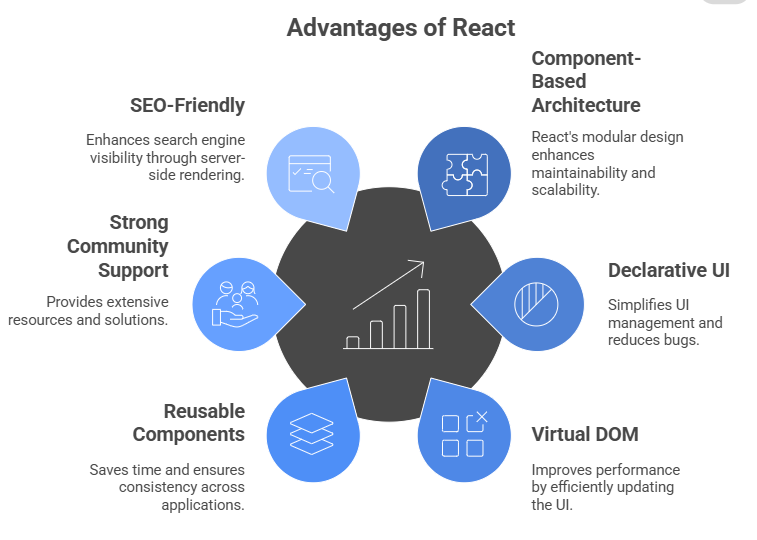
6. Routing in ReactJS Architecture
What happens when you visit:
/home
/products
/about
/contact
We need something to decide which UI should appear for each URL.
That’s where routing comes in.
A popular solution is React Router.
A basic routing structure can look conceptually like:
URL
 ↓
Router
 ↓
Route
 ↓
React Component
 ↓
UI
For example:
/products
     ↓
ProductsPage
     ↓
ProductList
     ↓
ProductCard
React Router supports concepts such as nested routes, layout routes, dynamic segments, and index routes.
You can learn more from the official React Router documentation.
7. API Layer in ReactJS Architecture
A React application usually needs data from somewhere.
For example, an online shopping application may request:
Product information
User information
Order information
Payment information
The React frontend can communicate with a backend through APIs.
The basic flow looks like this:
React Component
      ↓
API Service
      ↓
Backend API
      ↓
Database
For example:
ProductPage
     ↓
productService
     ↓
GET /products
     ↓
Backend
     ↓
Database
The backend sends data back to React, and React displays it.
This separation is useful because your UI components don’t need to contain every piece of backend communication logic.
8. State Management in ReactJS Architecture
Here’s where things become interesting.
Imagine a small application.
You may only need:
useState
That’s perfectly fine.
But imagine a large application with:
- User authentication
- Shopping cart
- Notifications
- Product filters
- User preferences
- Orders
- Multiple dashboards
Now many components may need access to the same information.
That’s when state management becomes important.
React provides tools such as state and Context, while external libraries can also be used.
One popular option is Redux.
Redux describes itself as a JavaScript library for predictable and maintainable global state management.
When Redux is used with React, React-Redux provides the connection between React components and the Redux store.
The official Redux documentation recommends Redux Toolkit for writing Redux logic in modern applications.
So the architecture might look like:
React Components
       ↓
React-Redux
       ↓
Redux Store
       ↓
State
But don’t add Redux just because the project uses React.
For a small application, it can be unnecessary.
9. Context API in ReactJS Architecture
Another option for sharing data is Context.
For example, suppose many components need to know whether the user is logged in.
Instead of passing:
user
 ↓
Component A
 ↓
Component B
 ↓
Component C
 ↓
Component D
we can use Context to make the information available to components that need it.
This can reduce unnecessary prop drilling.
A simplified structure is:
UserContext
     ↓
   App
  /   \
Home  Profile
       ↓
    User Data
Context can be useful for things such as:
- Theme
- Authentication information
- Language preferences
- Certain shared application settings
10. A Typical React Project Structure
One question I often see beginners ask is: “How should I arrange my React folders?”
There isn’t one compulsory answer.
However, a project could look something like this:
src/
│
├── components/
│   ├── Navbar.jsx
│   ├── Button.jsx
│   └── ProductCard.jsx
│
├── pages/
│   ├── Home.jsx
│   ├── Products.jsx
│   └── About.jsx
│
├── hooks/
│   └── useProducts.js
│
├── services/
│   └── productService.js
│
├── context/
│   └── UserContext.jsx
│
├── store/
│   └── store.js
│
├── assets/
│   └── images/
│
├── App.jsx
└── main.jsx
Let’s understand it simply.
components/
Reusable UI components.
pages/
Large page-level components.
hooks/
Reusable custom Hooks.
services/
API and external-service related logic.
context/
Context-related files.
store/
Global state-management files when a store solution is used.
assets/
Images, icons, fonts, and other static resources.
App.jsx
Often acts as a major application component and may contain the main application structure or routing setup.
main.jsx
Usually the entry point that mounts the React application.
The exact names and folders can vary. ReactJS Architecture is not about memorizing one folder structure. It is about creating a structure that makes sense for your application.
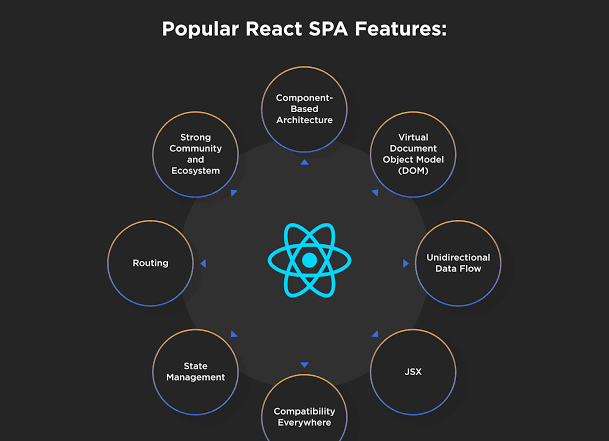
ReactJS Architecture: How Everything Works Together
Now let’s connect everything.
Suppose I am building a simple shopping application.
A user opens the product page.
The flow could look like this:
User
 ↓
Browser
 ↓
React Router
 ↓
Products Page
 ↓
Product Components
 ↓
API Service
 ↓
Backend API
 ↓
Database
The backend sends the product data back:
Database
   ↓
Backend API
   ↓
API Service
   ↓
React State
   ↓
Product Component
   ↓
User Interface
If the user clicks Add to Cart:
User clicks button
       ↓
Event Handler
       ↓
State Update
       ↓
Cart State
       ↓
React Re-render
       ↓
Updated UI
This is the heart of ReactJS Architecture.
ReactJS Architecture and Unidirectional Data Flow
One concept I strongly recommend understanding is unidirectional data flow.
In simple words: Data generally moves from parent components down to child components through props.
For example:
Parent
  ↓
Child
  ↓
Grandchild
The child receives information from the parent.
This makes the application easier to reason about.
When something changes, we can trace where the data came from and where it is being updated.
React’s approach to state organization and sharing is designed around thinking carefully about where state belongs and how components communicate.
Benefits of ReactJS Architecture
A good ReactJS Architecture provides several benefits.
♻️ Reusability
Create a component once and reuse it.
For example:
ProductCard
can display hundreds of products.
🧹 Maintainability
If the application is divided properly, finding and fixing problems becomes easier.
📈 Scalability
A clean structure makes it easier to add new features.
🧪 Testability
Smaller components and separated logic can be easier to test.
👥 Team Collaboration
Different developers can work on different parts of the application.
🚀 Better Development
Developers don’t have to search through one giant file every time they want to make a small change.

Common Mistakes in ReactJS Architecture
Good architecture isn’t only about knowing what to add. It’s also about knowing what not to add.
Here are some mistakes I would avoid.
❌ Putting everything inside App.jsx
At first, this might feel convenient.
Later?
It becomes painful.
❌ Creating unnecessary global state
Not every piece of data needs Redux or another global state solution.
❌ Making components too large
If a component is doing ten different jobs, it’s probably time to split it.
❌ Mixing API logic with UI logic
Keeping API-related operations separate can make the code easier to maintain.
❌ Creating folders just for the sake of architecture
More folders don’t automatically mean better architecture.
The goal is clarity, not complexity.
ReactJS Architecture Best Practices
Here are a few practices I personally recommend when learning or building React applications:
- Keep components focused on one main responsibility.
- Reuse components when the same UI appears repeatedly.
- Keep state as close as possible to where it is needed.
- Avoid unnecessary global state.
- Separate API logic from UI components when the project grows.
- Create reusable custom Hooks for repeated logic.
- Use meaningful file and component names.
- Keep your folder structure understandable.
- Avoid unnecessarily complicated architecture for small applications.
- Think about future maintenance, not only today’s code.
React also emphasizes keeping components and Hooks pure and treating props and state as immutable snapshots.
ReactJS Architecture vs Traditional Web Development
If you come from basic HTML, CSS, and JavaScript, ReactJS Architecture may initially feel different.
In traditional development, you might have:
HTML
CSS
JavaScript
and manipulate elements directly.
React encourages a different way of thinking:
Components
   ↓
Props
   ↓
State
   ↓
Events
   ↓
UI updates
Instead of constantly telling the browser: “Change this element.”
You describe what the UI should look like based on the current data.
That’s one of the biggest mindset changes when learning React.
Is ReactJS Architecture Difficult to Learn?
Honestly, the word architecture makes it sound harder than it is.
If you’re a beginner, don’t try to learn everything at once.
I would learn it in this order:
Step 1
HTML + CSS + JavaScript basics
Step 2
React components
Step 3
JSX
Step 4
Props
Step 5
State
Step 6
Hooks
Step 7
Events and forms
Step 8
API calls
Step 9
Routing
Step 10
Context and state management
Step 11
Project structure and architecture
Once you understand these pieces, ReactJS Architecture starts looking much less scary.
Final Thoughts on ReactJS Architecture
When I first hear the word architecture, I don’t think of something complicated anymore.
I think about organization.
A good ReactJS Architecture answers simple questions:
- Where should my components live?
- Where should my API logic go?
- Where should my state live?
- How should components communicate?
- How should users move between pages?
- How can I keep the application easy to maintain?
React gives us the building blocks, especially components, state, Hooks, and Context, while other tools can handle areas such as routing and global state.
The important thing is not to blindly copy somebody else’s folder structure.
Understand why each part exists.
Once you understand that, you can look at a React project and say: “Okay, this component handles the UI. This service talks to the API. This store handles shared state. This router handles navigation.”
And suddenly, the project doesn’t look like a giant pile of files anymore. It starts to make sense. 😊
If you’re currently learning React, I recommend starting with the official React documentation and then practicing these concepts by building a small project such as a Todo App, Product Listing App, or Shopping Cart. The official documentation covers components, interactivity, state, and data sharing in a structured way.
Want to learn more about javascript??, kaashiv Infotech Offers Front End Development Course, Full Stack Development Course, & More www.kaashivinfotech.com.

